
1. Introduction
This manual provides essential information for the safe and efficient installation, operation, and maintenance of your GGM Gastro KTI156T1S2313 Premium PLUS Refrigerated Counter. Please read these instructions thoroughly before using the appliance and retain them for future reference. This refrigerated counter is designed for commercial use in professional kitchens and catering environments.
2. Safety Instructions
- Ensure the appliance is installed by qualified personnel in accordance with local regulations.
- Always disconnect the power supply before cleaning, maintenance, or servicing.
- Do not use abrasive cleaners or sharp objects inside the unit.
- Keep ventilation openings clear of obstructions.
- Do not store explosive substances such as aerosol cans with a flammable propellant in this appliance.
- This appliance is not intended for use by persons (including children) with reduced physical, sensory or mental capabilities, or lack of experience and knowledge, unless they have been given supervision or instruction concerning use of the appliance by a person responsible for their safety.
- In case of malfunction, contact authorized service personnel. Do not attempt repairs yourself.
3. Setup
3.1 Unpacking
Carefully remove the refrigerated counter from its packaging. Inspect the unit for any damage that may have occurred during transit. Report any damage to your supplier immediately. Retain packaging materials for potential future transport or return.
3.2 Placement
Place the unit on a stable, level surface capable of supporting its weight (99 kg). Ensure adequate ventilation around the unit. Maintain a minimum clearance of 10 cm (4 inches) from walls or other equipment to allow for proper airflow and heat dissipation. Avoid direct sunlight or proximity to heat sources like ovens or radiators. The ambient temperature should be within the operating range specified in the technical data.

Image 3.2.1: Front view of the GGM Gastro KTI156T1S2313 Refrigerated Counter, illustrating its overall dimensions: 1468mm width, 600mm depth, and 950mm height. This image helps in planning the installation space.
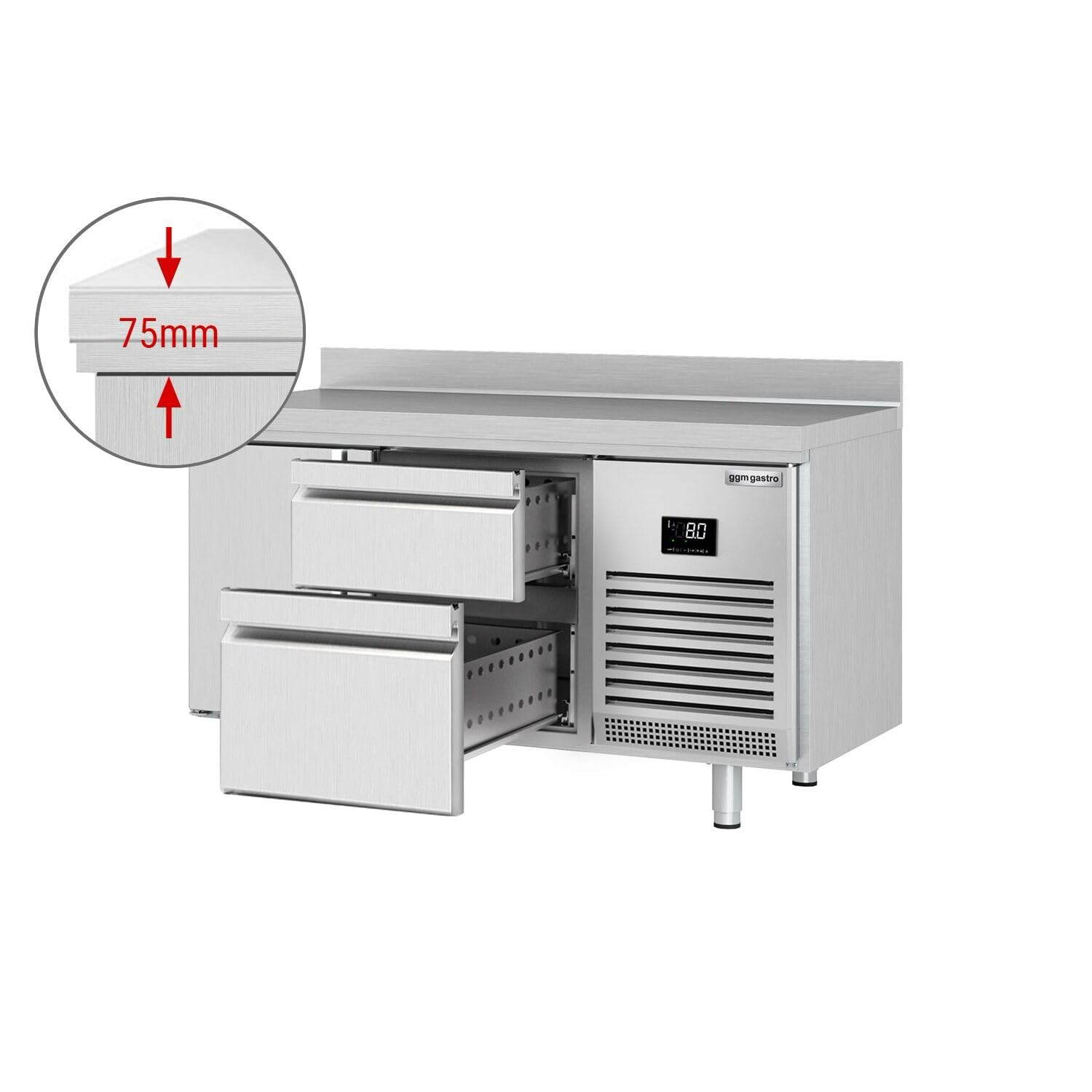
Image 3.2.2: The GGM Gastro KTI156T1S2313 Refrigerated Counter, showing two open drawers on the left and a closed door on the right, with the digital control panel visible. This provides a general view of the unit's configuration.
3.3 Electrical Connection
Connect the appliance to a grounded power outlet that matches the voltage and frequency specified on the rating plate. Do not use extension cords or multi-sockets. Ensure the power cord is not pinched or damaged.
3.4 Initial Cleaning
Before first use, clean the interior and exterior of the unit with a mild detergent and warm water. Rinse thoroughly and dry completely. Allow the unit to stand for at least 2 hours after moving before plugging it in to allow refrigerants to settle.
4. Operating Instructions
4.1 Control Panel Overview
The refrigerated counter is equipped with a digital control panel for temperature management and monitoring.

Image 4.1.1: Detailed view of the digital control panel, displaying the current temperature (e.g., 4.0 degrees Celsius) and various function icons for settings, power, and defrost.
- Display: Shows the current internal temperature.
- SET Button: Used to enter temperature setting mode and confirm selections.
- Up/Down Arrows: Adjust temperature settings or navigate menu options.
- Power Button: Turns the unit on/off.
- Defrost Icon: Indicates active defrost cycle.
4.2 Setting the Temperature
- Press the SET button once. The current set temperature will flash on the display.
- Use the Up or Down arrow buttons to adjust the desired temperature.
- Press the SET button again to confirm the new setting. The display will return to showing the actual internal temperature after a few seconds.
4.3 Loading the Unit
Ensure food items are properly packaged or covered before placing them inside the refrigerated counter. Do not overload the drawers or shelves, as this can obstruct airflow and reduce cooling efficiency. Allow hot food to cool down before placing it in the unit.
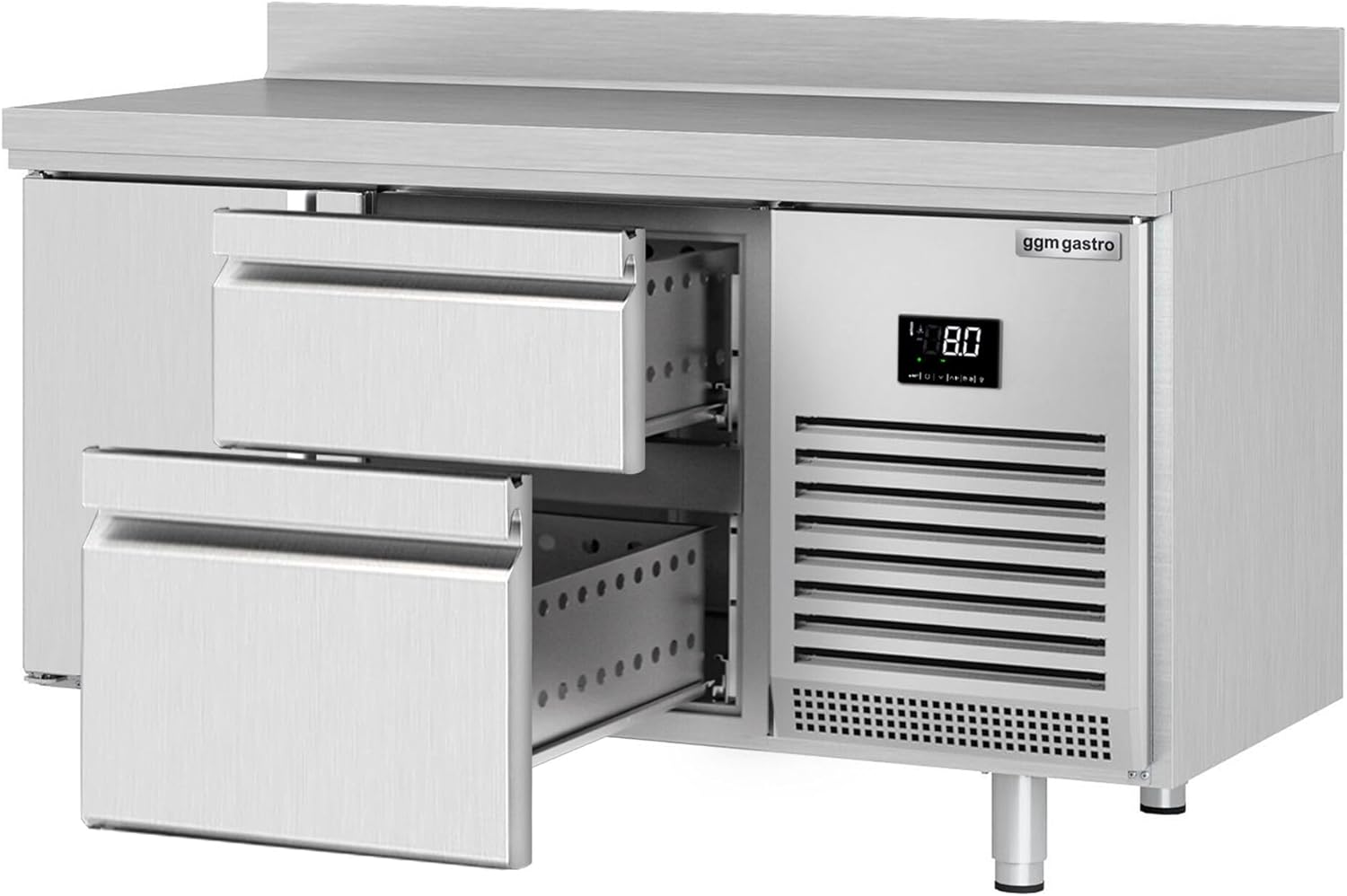
Image 4.3.1: The refrigerated counter with both drawers fully extended, demonstrating the storage capacity and accessibility for food items.

Image 4.3.2: A close-up view of the drawers, highlighting the automatic closing mechanism with arrows and the text "Autom." for ease of use and energy efficiency.
4.4 Defrosting
The unit features an automatic defrost system. During defrost cycles, the internal temperature may temporarily rise slightly. This is normal. If excessive ice buildup occurs, a manual defrost may be necessary. To perform a manual defrost, turn off the unit, remove all contents, and leave the doors/drawers open until all ice has melted. Clean and dry the interior before restarting.
5. Maintenance
Regular maintenance ensures optimal performance and extends the lifespan of your refrigerated counter. Always disconnect the power supply before performing any maintenance.
5.1 Cleaning the Interior and Exterior
- Clean the interior regularly with a mild, food-safe detergent and warm water. Rinse with clean water and dry thoroughly to prevent odors and bacterial growth.
- Wipe down the exterior surfaces with a soft cloth and mild cleaner. Avoid abrasive materials that can scratch the stainless steel finish.
5.2 Gasket Inspection and Cleaning
Inspect door and drawer gaskets regularly for cracks, tears, or signs of wear. Clean gaskets with warm, soapy water to maintain a tight seal. Damaged gaskets should be replaced immediately by a qualified technician to prevent energy loss and maintain proper temperature.

Image 5.2.1: A detailed view of the door gasket, showing its condition and proper sealing against the unit frame. Regular inspection of these seals is crucial for energy efficiency.

Image 5.2.2: Another perspective of the door gasket, illustrating its robust construction and how it forms an airtight seal when the door is closed.
5.3 Condenser Cleaning
The condenser coils should be cleaned periodically (e.g., every 3-6 months) to ensure efficient operation. Dust and debris buildup can significantly reduce cooling performance and increase energy consumption. Consult a qualified technician for condenser cleaning, as it often requires specialized tools and knowledge.
6. Troubleshooting
Before contacting service, review the following common issues and solutions:
| Problem | Possible Cause | Solution |
|---|---|---|
| Unit not cooling | No power; thermostat set too high; condenser dirty; door/drawer left open; faulty fan. | Check power supply; adjust thermostat; clean condenser; ensure doors/drawers are closed; contact service. |
| Excessive noise | Unit not level; fan obstruction; loose components. | Level the unit; check for obstructions; contact service. |
| Water on floor (leakage) | Drain line clogged; defrost water overflow; damaged drip tray. | Clear drain line; check defrost cycle; contact service. |
| Display shows error code | Sensor fault; control board issue. | Note the error code and contact service. |
If the problem persists after attempting these solutions, please contact GGM Gastro customer support or a qualified service technician.
7. Specifications
Technical data for the GGM Gastro KTI156T1S2313 Premium PLUS Refrigerated Counter:
| Feature | Detail |
|---|---|
| Brand | GGM Gastro |
| Model Information | KTI156T1S2313 |
| Product Dimensions (W x D x H) | 146.8 x 60 x 95 cm |
| Item Weight | 99 kg |
| Color | Stainless Steel |
| Connection Type | Unknown (Standard electrical connection) |
| Batteries Included | No |
| Batteries Required | No |
| ASIN | B0F4P3XRN6 |
| First Available Date | 10 April 2025 |
8. Warranty & Support
8.1 Warranty Information
GGM Gastro products are covered by a manufacturer's warranty against defects in materials and workmanship. The specific terms and duration of the warranty may vary by region and product. Please refer to your purchase documentation or contact GGM Gastro customer service for detailed warranty information applicable to your unit.
Note: The warranty does not cover damage caused by improper installation, misuse, lack of maintenance, or unauthorized repairs.
8.2 Customer Support
For technical assistance, spare parts, or service inquiries, please contact GGM Gastro customer support. Have your model number (KTI156T1S2313) and purchase date ready when contacting support.
You can typically find contact information on the official GGM Gastro website or through your local distributor.