
ZIQOPGD HX 801S
ZIQOPGD HX 801S Retractable Bluetooth Neckband Headphones User Manual
Model: HX 801S
1. Introduction
Thank you for choosing the ZIQOPGD HX 801S Retractable Bluetooth Neckband Headphones. This manual provides essential information for the proper setup, operation, and maintenance of your device. Please read it thoroughly before use to ensure optimal performance and longevity.

Image 1.1: ZIQOPGD HX 801S Retractable Bluetooth Neckband Headphones. This image displays the overall design of the neckband headphones with earbuds extended.
2. Package Contents
Please verify that all items listed below are included in your package:
- ZIQOPGD HX 801S Retractable Bluetooth Neckband Headphones
- USB Charging Cable
- Eartips (various sizes)
- User Manual (this document)
3. Product Overview
Familiarize yourself with the components and controls of your headphones.

Image 3.1: Labeled diagram of the ZIQOPGD HX 801S Neckband Headphones. Key components include the Memory Flex Neck Band, LED Indicator, Power Button, Charging Port, Volume Up/Down buttons, Previous/Next Song buttons, MFB (Multi-Function Button) for Play/Pause, and the Stretch Switch for earbud retraction.
Key Features:
- Retractable Earbuds: One-button retraction for tangle-free storage.
- Vibration Alerts: Notifies you of incoming calls.
- IPX5 Sweatproof: Resistant to sweat and light splashes, suitable for exercise.
- Hi-Fi Sound: Equipped with 10mm drivers and CVC 8.0 noise cancellation for clear audio.
- Long Playtime: Up to 18 hours of continuous playback.
- Dual Pairing: Connects to two devices simultaneously.
- Bluetooth 5.1: For stable and efficient wireless connection.
4. Charging the Headphones
Before first use, fully charge the headphones. A full charge takes approximately 2 hours.
- Locate the Type-C charging port on the neckband (refer to Image 3.1).
- Connect the provided USB charging cable to the charging port.
- Connect the other end of the USB cable to a standard USB power adapter (5V/1A recommended) or a computer's USB port.
- The LED indicator will illuminate during charging and change color or turn off when charging is complete.
The headphones offer up to 18 hours of continuous playback on a full charge.
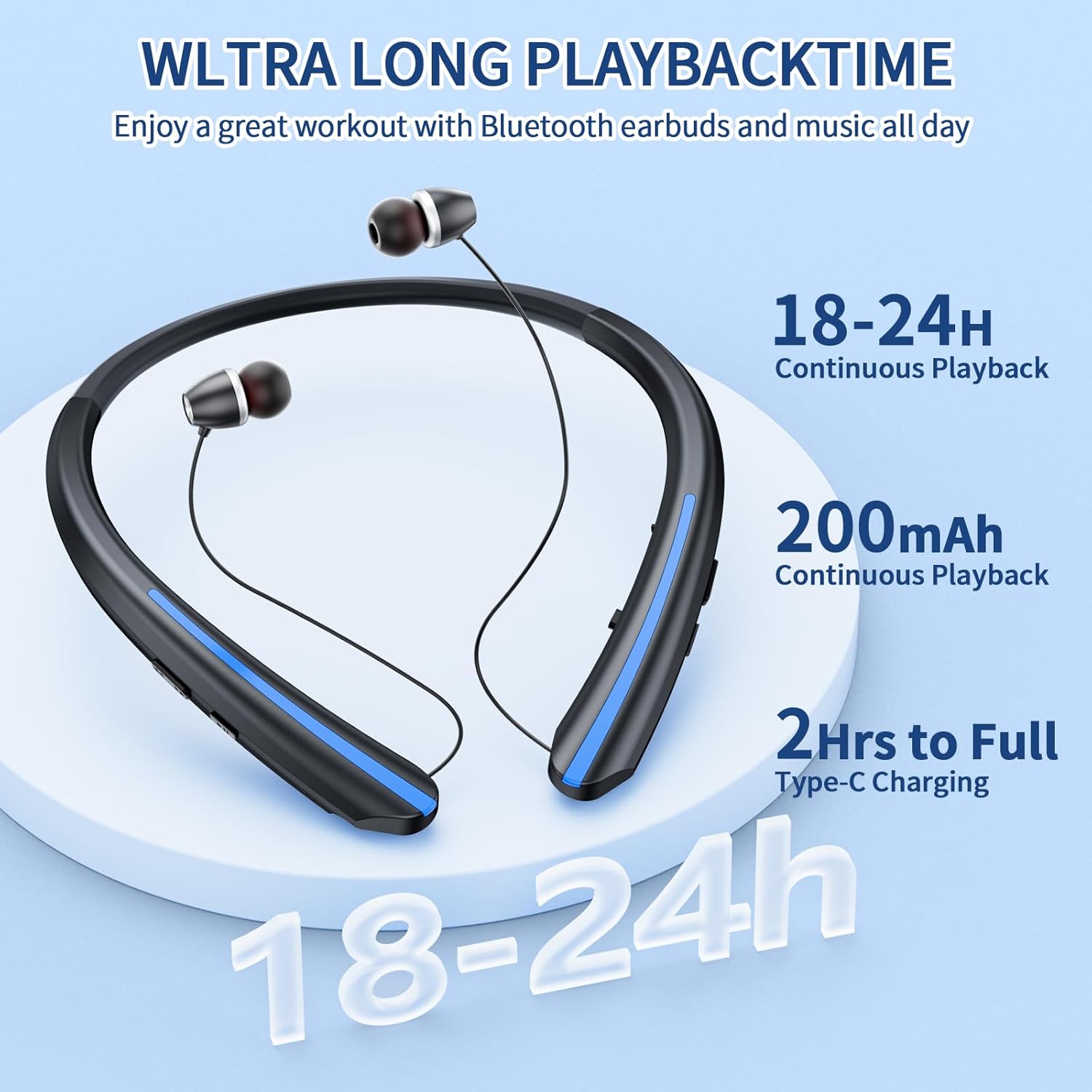
Image 4.1: Illustration of the headphones highlighting their long playback time (18-24 hours) and Type-C charging capability.
5. Setup and Pairing
5.1 Powering On/Off
- To Power On: Press and hold the Power Button (refer to Image 3.1) for approximately 3 seconds until the LED indicator flashes.
- To Power Off: Press and hold the Power Button for approximately 3 seconds until the LED indicator turns off.
5.2 Bluetooth Pairing
- Ensure the headphones are powered off.
- Press and hold the Power Button for approximately 5-7 seconds until the LED indicator flashes red and blue alternately. This indicates pairing mode.
- On your device (smartphone, tablet, laptop), enable Bluetooth and search for available devices.
- Select "HX 801S" from the list of found devices.
- Once paired, the LED indicator will flash blue slowly, and you may hear a confirmation tone.
5.3 Dual Pairing
The HX 801S supports connecting to two Bluetooth devices simultaneously.
- Pair the headphones with the first device as described in Section 5.2.
- Disable Bluetooth on the first device. The headphones will re-enter pairing mode.
- Pair the headphones with the second device.
- Re-enable Bluetooth on the first device. The headphones should automatically connect to both devices.

Image 5.1: The ZIQOPGD HX 801S headphones are compatible with Bluetooth-enabled mobile phones, laptops, and tablets.
6. Operating Instructions
6.1 Music Playback
- Play/Pause: Press the MFB (Play/Pause Button) once.
- Next Track: Press the "Next Song" button once.
- Previous Track: Press the "Previous Song" button once.
- Volume Up: Press the "Volume Up" button.
- Volume Down: Press the "Volume Down" button.
6.2 Phone Calls
- Answer/End Call: Press the MFB (Call/Reject) once.
- Reject Call: Press and hold the MFB (Call/Reject) for approximately 2 seconds.
- Redial Last Number: Double-press the MFB (Call/Reject).
6.3 Retractable Earbuds
To retract the earbuds, gently press the "Stretch Switch" button on the side of the neckband (refer to Image 3.1). The earbuds will automatically retract into the neckband.

Image 6.1: The neckband headphones feature an automatic retractable earbud system for convenient storage.
7. Maintenance and Care
- Clean the headphones regularly with a soft, dry cloth. Do not use abrasive cleaners or solvents.
- Avoid exposing the headphones to extreme temperatures, direct sunlight, or high humidity.
- Store the headphones in a cool, dry place when not in use.
- The headphones are IPX5 sweatproof, meaning they can withstand sweat and light splashes. Do not submerge them in water.
- Ensure the earbuds retract smoothly. Do not force them if they encounter resistance.
8. Troubleshooting
| Problem | Possible Cause | Solution |
|---|---|---|
| Headphones do not power on. | Low battery. | Charge the headphones fully. |
| Cannot pair with device. | Headphones not in pairing mode. Bluetooth off on device. Device too far. | Ensure headphones are in pairing mode (flashing red/blue). Enable Bluetooth on your device. Move device closer to headphones (within 10 meters). |
| No sound or low volume. | Volume too low. Headphones not connected. | Adjust volume on both headphones and connected device. Re-pair the headphones. |
| Earbuds do not retract smoothly. | Obstruction or mechanism issue. | Ensure no foreign objects are blocking the retraction path. Do not force retraction. If issue persists, contact support. |
| Call vibration not working. | Feature disabled or malfunction. | Check device settings for call vibration options. If issue persists, contact support. |
9. Specifications
| Feature | Detail |
|---|---|
| Model Name | HX 801S Neckband Bluetooth Headphones |
| Connectivity Technology | Bluetooth 5.1 |
| Bluetooth Range | Up to 10 meters (33 feet) |
| Audio Driver Size | 10 Millimeters |
| Noise Control | Passive Noise Cancellation (CVC 8.0) |
| Playtime | Up to 18 hours |
| Charging Time | Approximately 2 hours (Type-C) |
| Water Resistance | IPX5 (Sweatproof) |
| Impedance | 25 Ohm |
| Material | Plastic |
| Product Dimensions | 6.7 x 6 x 0.7 inches |
| Item Weight | 2.08 ounces |
| Battery | 1 Lithium Ion battery (included) |
| Compatible Devices | Cellphones, iPhone, Bluetooth-enabled devices |
10. Warranty and Support
ZIQOPGD products are designed for reliability and performance. For warranty information or technical support, please refer to the contact details provided with your purchase or visit the official ZIQOPGD website. Please retain your proof of purchase for warranty claims.
Ask a question about this manual
Ask about setup, troubleshooting, compatibility, parts, safety, or missing instructions. Manuals+ will review the question and use this page’s manual context to help answer it.