
1. Product Overview
The SNAKOL SK-8302A is a spectral illuminance meter designed for measuring visible light brightness, Correlated Color Temperature (CCT), Color Rendering Index (CRI), and other lighting parameters. It offers a wide measurement range and advanced data management capabilities, making it suitable for various professional lighting analysis applications.
Key Features:
- Illuminance Measurement: 0 to 200,000 Lux.
- Color Temperature (CCT): 2500K to 15000K.
- Color Rendering Index (CRI): RA (400nm-700nm), R9.
- Color Coordinates: x, y, u', v'.
- Data Storage: Up to 999 groups of data.
- Connectivity: USB communication for PC software data processing and export.
- Power: Built-in 2000mAh battery with Type-C charging.
- Durability: Silicone protective case for drop resistance and comfortable grip.
2. What's in the Box
Upon opening the product packaging, please verify that all items listed below are present and in good condition:
- SNAKOL SK-8302A Spectral Illuminance Meter (x1)
- Type-C Charging Cable (x1)
- Protective Carrying Bag (x1)
- Instruction Manual (x1)
- Color Retail Box (x1)

Image: The SK-8302A meter shown alongside its protective carrying case and the included USB charging cable, illustrating the complete package contents.
3. Device Layout and Controls

Image: This image highlights key physical features of the SK-8302A, including the high-precision sensor, the 1/4 inch imperial nut holder for secure mounting, the durable silicone anti-slip leather case, and the Type-C charging port.
Front Panel and Display:

Image: A close-up of the SK-8302A's digital display, illustrating various measurement parameters such as CCT, color coordinates (x, y, u', v'), illuminance in Foot-candles (FC) and Lux, and R9 values. The main control buttons are also visible.
- Sensor: Located at the top, responsible for light detection.
- Display: Large LCD screen showing measurement values and status indicators.
- HOLD Button: Freezes the current measurement on the display.
- UNIT Button: Toggles between measurement units (e.g., Lux/FC).
- REC/MODE Button: Initiates data recording or switches between measurement modes.
- SEL Button: Selects options or confirms settings.
- Power Button: Turns the device on or off.
Side and Rear Features:
- Type-C Charging Port: For connecting the USB charging cable.
- Nut Holder Bracket: 1/4 inch imperial nut for secure mounting on tripods or stands.
- Battery Compartment: Contains the integrated 2000mAh Li-ion Polymer battery.
4. Setup
4.1 Initial Charging
Before first use, ensure the device is fully charged. Connect the provided Type-C USB cable to the meter's charging port and the other end to a standard USB power adapter (not included) or a computer's USB port.
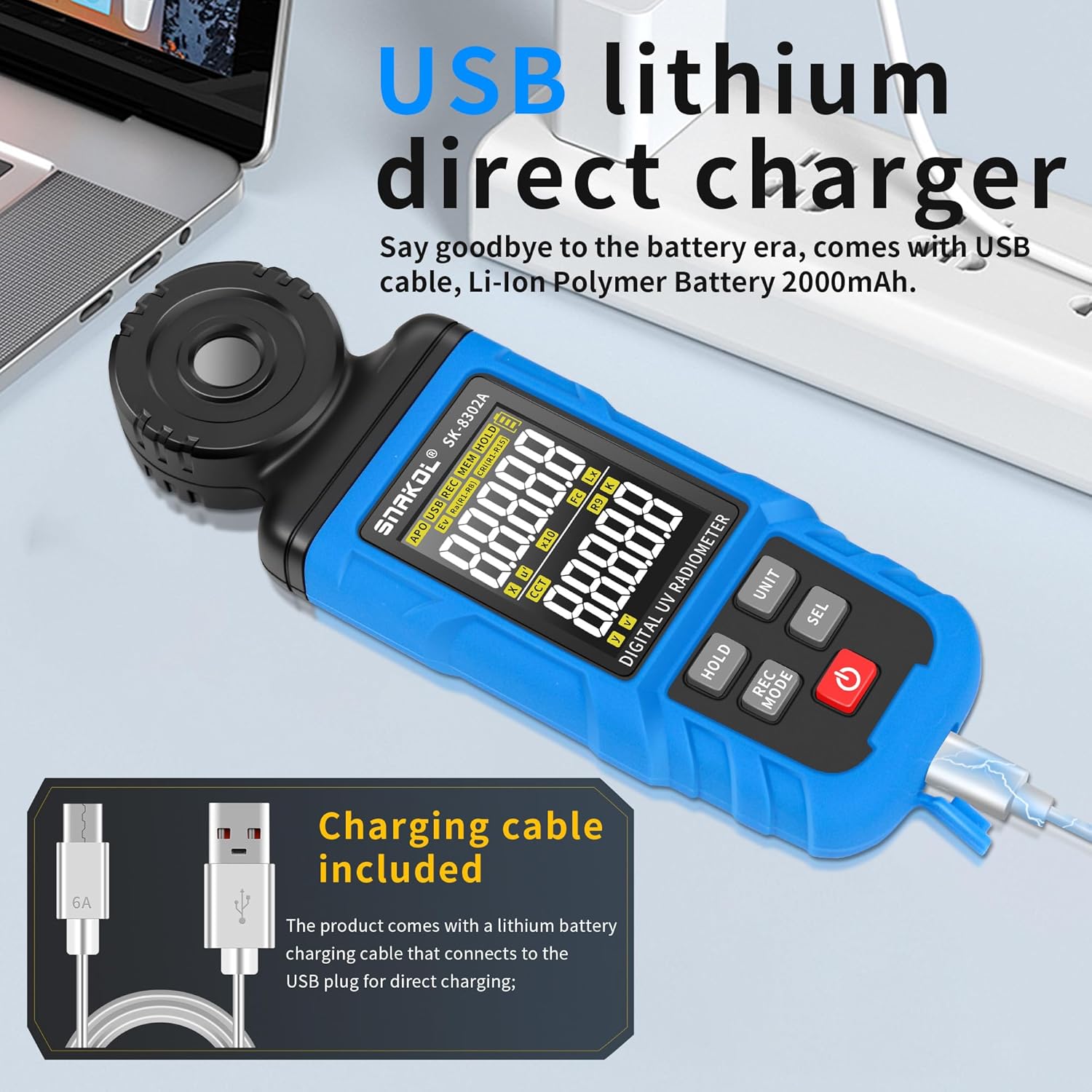
Image: The SK-8302A meter being charged via its Type-C USB port, demonstrating the direct charging capability with the included cable.
The charging indicator on the display will show the charging status. A full charge typically takes a few hours.
4.2 Powering On/Off
- To Power On: Press and hold the Power Button until the display illuminates.
- To Power Off: Press and hold the Power Button until the display turns off. The device also features an auto power-off function to conserve battery.
5. Operating Instructions
5.1 Basic Measurement
- Power on the device.
- Point the sensor directly towards the light source or the area where illuminance is to be measured.
- The current illuminance (Lux/FC), CCT, CRI, and color coordinates will be displayed automatically.
5.2 Changing Measurement Units
Press the UNIT Button to switch between Lux and Foot-candle (FC) units for illuminance measurement.
5.3 Data Hold Function
To freeze the current reading on the display, press the HOLD Button. Press it again to release and resume live measurement.
5.4 Data Recording and Storage
The SK-8302A can store up to 999 groups of measurement data.
- To initiate data recording, press the REC/MODE Button. The display will indicate that recording is active.
- Measurements will be saved at a sampling rate of 8 times per second.
- To stop recording, press the REC/MODE Button again.
- To review stored data, use the SEL Button to navigate through the stored groups.
5.5 PC Software Communication
Connect the meter to a computer using the provided Type-C USB cable. The dedicated PC software (available for download from the manufacturer's website) allows for:
- Real-time data monitoring.
- Downloading stored data.
- Calculating maximum, minimum, and average values.
- Setting alarm thresholds.
- Configuring recording intervals.
- Exporting data tables and PDF reports.
- Printing data analysis results.
6. Maintenance
6.1 Cleaning
Wipe the device with a soft, dry cloth. Do not use abrasive cleaners or solvents, as they may damage the casing or display. Keep the sensor clean and free from dust or smudges for accurate readings.
6.2 Battery Care
The SK-8302A uses a built-in rechargeable Li-ion Polymer battery. To prolong battery life:
- Avoid fully discharging the battery frequently.
- Charge the device regularly, even if not in constant use.
- Store the device in a cool, dry place if not used for extended periods.
6.3 Storage
When not in use, store the meter in its protective carrying bag to prevent damage from dust, impacts, or scratches.
7. Troubleshooting
7.1 Device Does Not Power On
- Ensure the battery is charged. Connect the device to a power source using the Type-C cable and allow it to charge for at least 30 minutes before attempting to power on again.
- Verify that the power button is pressed and held correctly.
7.2 Inaccurate Readings
- Check if the sensor is clean and free from obstructions.
- Ensure the device is positioned correctly, with the sensor facing the light source directly.
- Avoid measuring in environments with rapid light fluctuations, which can affect stability.
7.3 PC Software Not Connecting
- Ensure the USB cable is securely connected to both the meter and the computer.
- Verify that the correct drivers for the device are installed on your computer. These are typically included with the PC software.
- Try a different USB port on your computer.
8. Specifications

Image: Technical drawing illustrating the physical dimensions of the SK-8302A meter, showing its length, width, and thickness in both millimeters and inches.
| Parameter | Value |
|---|---|
| Model Number | SK-8302A |
| Illuminance Range | 0 - 200,000 Lux |
| CCT Range | 2500K - 15000K |
| RA Range | 400nm - 700nm |
| Color Coordinates | x, y, u', v' |
| Sampling Rate | 8 times/second |
| Data Storage | 999 groups |
| Connectivity | USB (Type-C) |
| Battery | 2000mAh Li-ion Polymer |
| Product Dimensions | 2.25 x 1.18 x 7.28 inches (approx. 57 x 30 x 185 mm) |
| Item Weight | 1.08 pounds (approx. 490g) |
| Manufacturer | SNAKOL |

Image: A comprehensive list of the SK-8302A's technical specifications, detailing its measurement capabilities, ranges, and physical characteristics.
9. Warranty and Support
For warranty information, technical support, or service inquiries, please contact SNAKOL customer service or refer to the official SNAKOL website. Keep your purchase receipt as proof of purchase.
SNAKOL Store Link: Visit the SNAKOL Store on Amazon