
1. Introduction
This manual provides detailed instructions for the operation and maintenance of your AFFETUNI 128GB Magnetic AI Voice Recorder. This device is designed for high-quality audio recording, featuring advanced AI capabilities for transcription and summarization, and a magnetic design for versatile placement. Please read this manual thoroughly to ensure proper use and to maximize the device's potential.
2. Product Overview
2.1 Package Contents
- AFFETUNI 128GB Magnetic AI Voice Recorder
- Headphone
- USB Type-C Cable (for charging and data transfer)
- User Manual
2.2 Device Components
The recorder features a compact design with essential controls and indicators.

Image: The AFFETUNI AI Voice Recorder shown alongside a smartphone interface, illustrating its AI summary capabilities. The recorder is sleek and black, with a textured surface and two blue illuminated circles indicating magnetic points. The phone screen displays a summary of a recorded session, including keywords and meeting information.
- Power Switch (OFF/ON): Located on the top edge for turning the device on or off.
- Microphone/Speaker: Integrated for audio input and playback.
- USB Type-C Port: For charging and connecting to a computer.
- Headphone Jack (3.5mm): For private audio playback.
- Magnetic Points: Integrated magnets for secure attachment to metal surfaces.
2.3 Key Features
- 128GB Internal Memory: Provides extensive storage for recordings.
- Long Battery Life: Up to 720 hours of continuous recording, 600 hours of battery time, and 190 days of standby time from a 3500mAh battery.
- GPT-5 AI Summary & Transcription: Real-time speech-to-text transcription, meeting minute generation, language translation, and mind map creation.
- 5th Generation Noise Cancellation: Isolates human speech and filters out background noise for clear audio.
- Magnetic Design: Allows secure attachment to metal surfaces for hands-free recording.
- App Wireless Control: Manage recordings and AI features via a dedicated smartphone application.
3. Setup
3.1 Initial Charging
- Connect the device to a power source using the provided USB Type-C cable.
- The charging indicator will illuminate. A full charge typically takes several hours.
- Disconnect the device once fully charged.
3.2 Powering On/Off
- To Power On: Slide the power switch to the 'ON' position. The device will indicate it is ready for operation.
- To Power Off: Slide the power switch to the 'OFF' position. The device will save any active recording and shut down.
3.3 App Connection (Optional)
For advanced features and wireless control, download the dedicated AFFETUNI app from your smartphone's app store. Follow the in-app instructions to pair your device via Bluetooth.
4. Operating Instructions
4.1 Basic Recording
- Ensure the device is powered on.
- To start recording, press the designated record button or initiate recording via the connected app.
- To stop recording, press the record button again or stop via the app. Recordings are automatically saved.

Image: The AFFETUNI AI Voice Recorder positioned on a conference table during a meeting, capturing audio. A smartphone screen displays a real-time transcription of the ongoing conversation, highlighting the device's ability to record and transcribe simultaneously.
4.2 Magnetic Mounting
The integrated magnets allow for flexible placement:
- Attach the recorder to any metal surface such as whiteboards, refrigerators, or car dashboards.
- Ensure the device is securely attached before beginning a recording session.
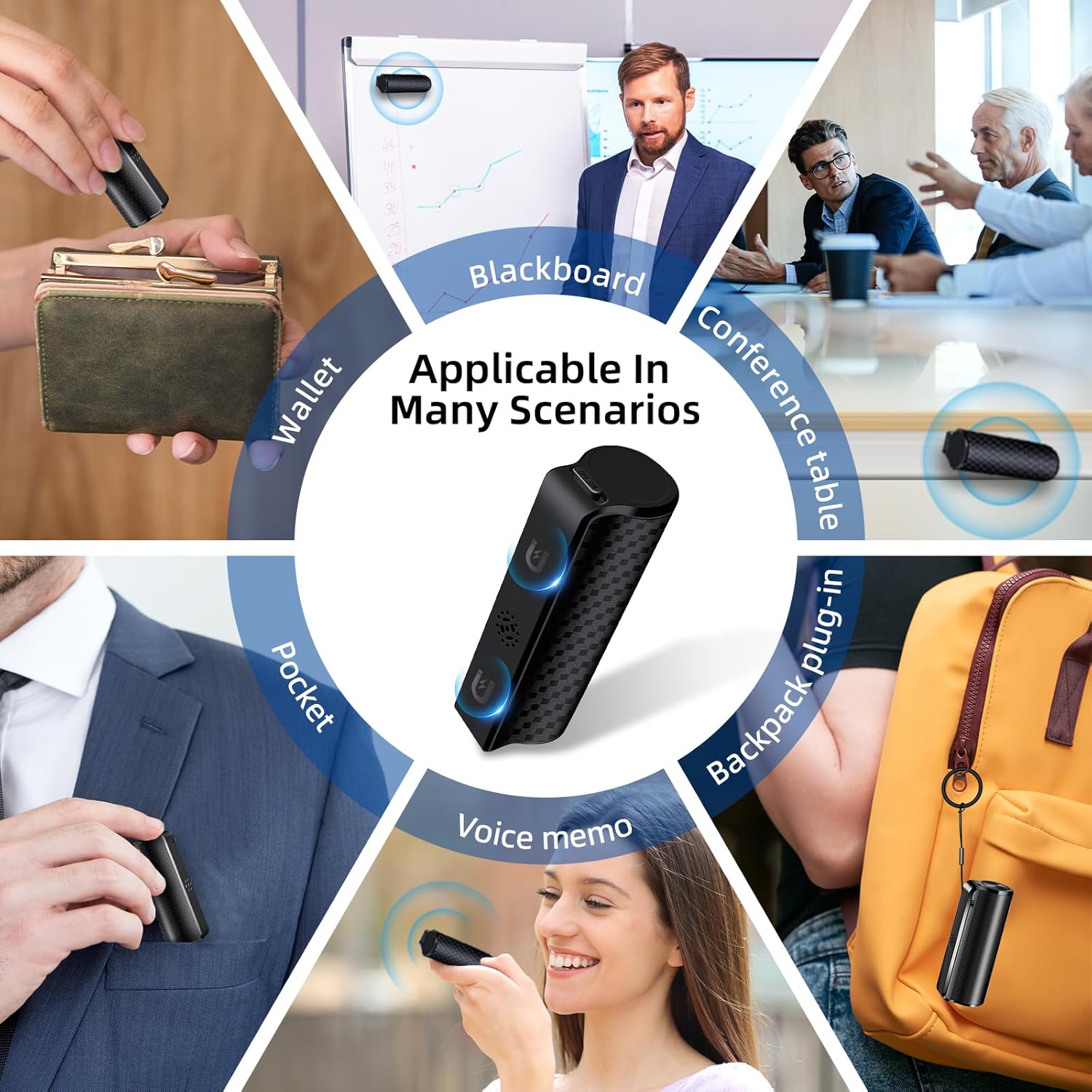
Image: A collage of images showing the AFFETUNI AI Voice Recorder being used in diverse scenarios, including being placed in a wallet, pocket, used for voice memos, attached to a blackboard, on a conference table, and clipped to a backpack. This illustrates its portability and magnetic versatility.
4.3 AI Features (via App)
Utilize the connected smartphone app to access the following AI functionalities:
- Real-time Transcription: View live speech-to-text conversion during or after recording.
- GPT-5 Summary: Generate concise summaries of recordings, ideal for meeting minutes or lecture notes.
- Language Translation: Translate recorded audio or transcribed text into various languages.
- Mind Map Creation: Convert key points from recordings into structured mind maps.
- Editing: Edit and customize summaries or transcriptions within the app.

Image: The AFFETUNI AI Voice Recorder positioned beside a smartphone, which displays an AI-generated summary of a business planning task. The summary includes keywords, meeting information, and structured minutes, demonstrating the device's advanced analytical capabilities.
4.4 Audio Playback
- Connect the provided headphones to the 3.5mm jack for private listening.
- Use the app or device controls to navigate through recordings and adjust volume.
5. Charging and Battery Life
The device is equipped with a high-capacity 3500mAh battery, offering extended usage times.
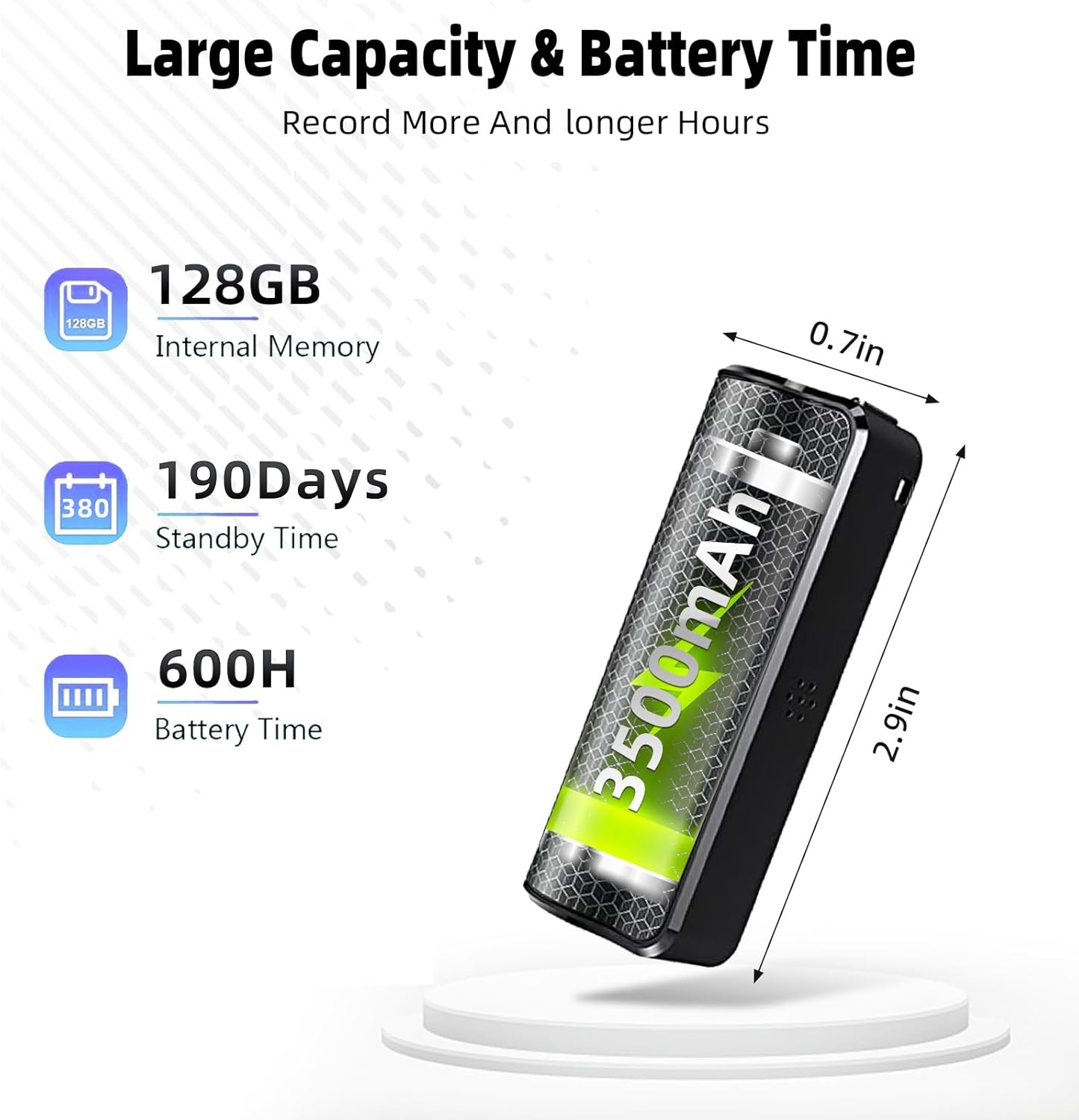
Image: A visual representation of the AFFETUNI AI Voice Recorder's large capacity and battery life. It highlights 128GB internal memory, 190 days standby time, 600 hours battery time, and a 3500mAh battery, with dimensions of 2.9 inches by 0.7 inches.
- Charging: Use the USB Type-C cable to connect to a computer or a compatible USB power adapter.
- Battery Indicators: Refer to the device's indicator lights or the app for current battery status.
- Expected Performance: Up to 720 hours of digital recording time, 600 hours of general battery use, and 190 days of standby.
6. Data Management
6.1 Transferring Recordings
- Connect the recorder to your computer using the USB Type-C cable.
- The device will appear as a removable storage drive.
- Locate your recordings (typically in MP3 or WAV format) and copy them to your computer.
- Safely eject the device from your computer before disconnecting the cable.
7. Maintenance
- Keep the device clean using a soft, dry cloth. Avoid liquid cleaners.
- Store the device in a cool, dry place away from direct sunlight and extreme temperatures.
- Avoid dropping the device or exposing it to strong impacts.
- Do not attempt to disassemble the device, as this will void the warranty.
8. Troubleshooting
| Problem | Possible Cause | Solution |
|---|---|---|
| Device does not power on | Low battery; Power switch in OFF position | Charge the device fully; Ensure power switch is ON |
| Poor audio quality | Microphone obstructed; Excessive background noise; Device too far from source | Ensure microphone is clear; Utilize noise cancellation features; Place device closer to audio source |
| Cannot connect to computer | Faulty USB cable; Driver issue; Incorrect port | Try a different USB cable or port; Restart computer; Ensure device is powered on |
| App features not working | Device not paired; App outdated; Internet connection issue | Ensure device is paired via Bluetooth; Update app to latest version; Check internet connection for AI features |
9. Specifications
| Feature | Detail |
|---|---|
| Internal Memory | 128 GB |
| Battery Capacity | 3500mAh (1 P76 battery included) |
| Battery Life (Recording) | Up to 720 Hours |
| Battery Life (General) | Up to 600 Hours |
| Standby Time | Up to 190 Days |
| Audio Format | MP3 Audio, WAV |
| Microphone | Built-In |
| Hardware Interface | USB Type C |
| Headphones Jack | 3.5 millimeters |
| Item Weight | 5.6 ounces |
| Package Dimensions | 5.67 x 3.46 x 1.65 inches |
| Compatible Devices | Personal Computer |
10. Warranty and Support
AFFETUNI offers a Lifetime Warranty for this product. To activate your warranty or for any technical assistance, please contact our customer service. Details for contacting customer service are typically found on the product packaging or the official AFFETUNI website.