
1. Introduction
This user manual provides detailed instructions for the safe and effective operation of your MKMXPTT MK-888 4G/5G PoC Remote Radio Communicator. Please read this manual thoroughly before using the device to ensure optimal performance and longevity.
2. Product Overview
2.1 Package Contents
The MKMXPTT MK-888 package includes the following items:
- MKMXPTT MK-888 Radio Communicator
- Rechargeable Lithium Polymer Battery (6000mAh)
- Charger
- Antenna
- USB Charging Cable
- SIM Card (if included with purchase)

Image: MKMXPTT MK-888 Radio Communicator with its accessories, including the device, battery, charger, antenna, USB cable, and a SIM card.
2.2 Key Features
- 4G/5G PoC Technology: Utilizes advanced Push-to-Talk over Cellular (PoC) technology for extended communication range.
- Long Distance Communication: Capable of communication distances up to 8,000 kilometers with a valid SIM card.
- High Capacity Battery: Equipped with a 6000mAh rechargeable Lithium Polymer battery for prolonged operation.
- Global Connectivity: Supports communication across 152 countries, ideal for international use.
- Versatile Applications: Suitable for various scenarios including maritime, security, outdoor activities, and construction.
- Intelligent Noise Reduction: Enhances call sound quality for clear communication.
- GPS Positioning: Integrated GPS for location tracking.
- Voice Encryption: Provides secure communication.
- Durable Design: Sturdy and drop-resistant construction.
- Type-C Charging: Modern and convenient charging interface.

Image: Visual representation of the radio's features, including nationwide intercom, 4G full-network communication, GPS positioning, intelligent noise reduction, Type-C charging, and individual/group call capabilities.
3. Setup Guide
3.1 Battery Installation
- Ensure the device is powered off.
- Locate the battery compartment cover on the back of the radio.
- Open the cover and insert the 6000mAh Lithium Polymer battery, ensuring the contacts align correctly.
- Close the battery compartment cover securely.
3.2 SIM Card Insertion
The MKMXPTT MK-888 requires a SIM card for 4G/5G PoC communication. Please ensure your SIM card is active and has a data plan.
- With the battery removed, locate the SIM card slot.
- Insert the SIM card into the designated slot, following the orientation indicated on the device.
- Reinstall the battery and battery cover.
3.3 Charging the Battery
- Connect the charger to a power outlet.
- Connect the USB charging cable to the radio's Type-C port.
- The charging indicator will illuminate. Allow the battery to fully charge before first use.
- Once fully charged, disconnect the charger.
3.4 Initial Account Setup and Management Platform
Upon receiving your radio, it is necessary to register it with the management platform to activate its communication features and assign it to your independent channel. Please send your device's IMEI number to customer service for activation.
Your IMEI number is typically found on the device packaging or by navigating to the device's system information menu. An example IMEI is 862487061155863.
The management platform provides tools for self-modification, self-management, and operation. The management platform account is provided free for a lifetime trial. For access, visit: Global Intercom Management Platform.
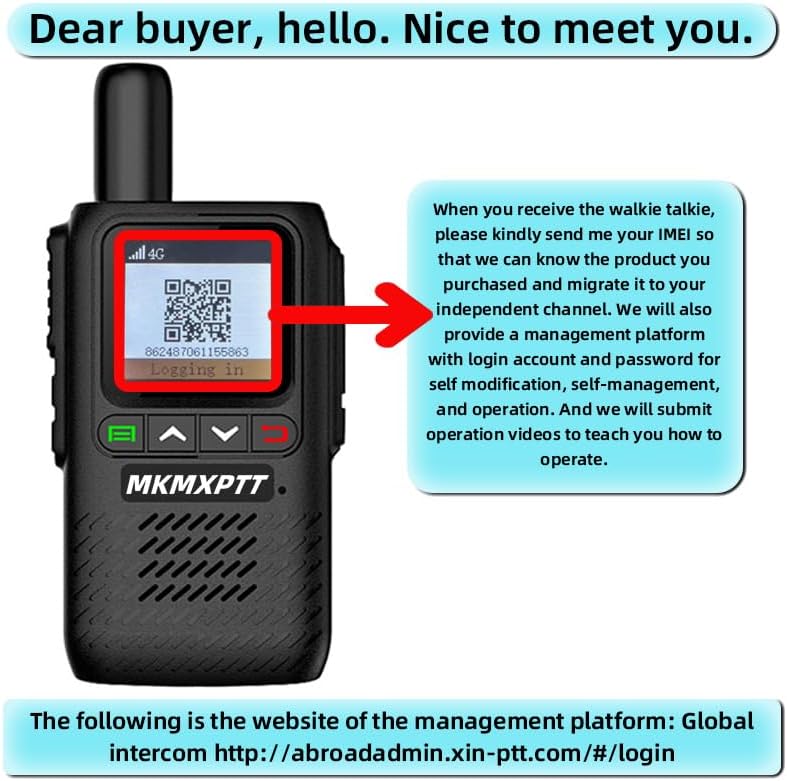
Image: The radio's screen showing an IMEI number and a QR code, alongside text explaining the process of sending the IMEI to customer service for product migration to an independent channel and access to the management platform.
4. Operating Instructions
4.1 Powering On/Off
- To Power On: Press and hold the Power button (usually located on the side or top) until the screen illuminates.
- To Power Off: Press and hold the Power button until a power-off prompt appears, then confirm.
4.2 Adjusting Volume
Use the dedicated volume up/down buttons (often marked with ▲ and ▼ symbols) to adjust the listening volume.
4.3 Push-to-Talk (PTT) Communication
- Ensure you are connected to the network (indicated by the 4G/5G icon on the screen).
- Select the desired individual, group, or team channel using the navigation buttons.
- Press and hold the PTT button (typically a large button on the side) to transmit your voice.
- Speak clearly into the microphone.
- Release the PTT button to listen for a response.
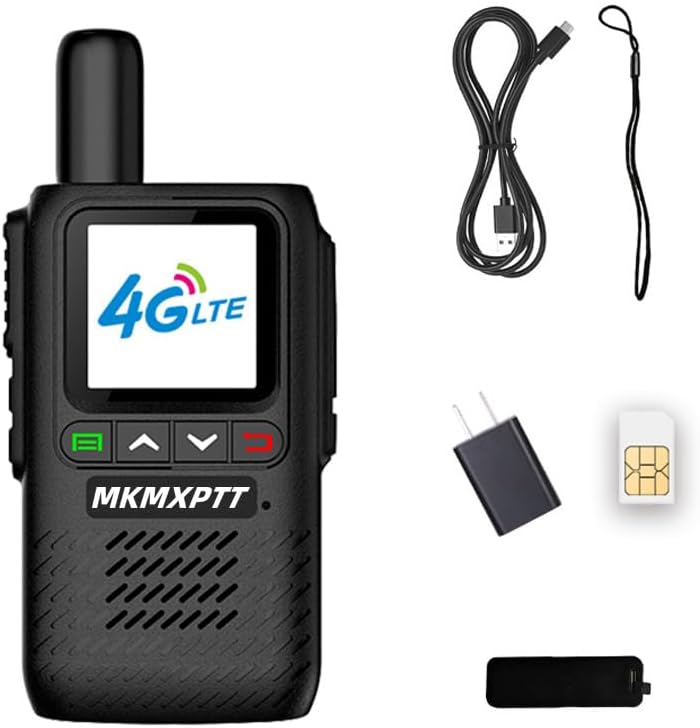
Image: A close-up of the MKMXPTT MK-888 radio, showing its screen with "4G LTE" displayed, and the navigation and PTT buttons.
4.4 Channel Selection and Call Types
The device supports individual, group, and team calls. Use the menu and navigation buttons to select your desired communication mode and channel. Refer to the on-screen interface for specific channel management options.
4.5 GPS Positioning and Voice Encryption
The MK-888 features integrated GPS for location services and voice encryption for secure communications. These features can typically be accessed and configured through the device's settings menu or the online management platform.
5. Maintenance
5.1 Battery Care
- Avoid fully discharging the battery frequently.
- Charge the battery using only the provided charger and cable.
- Do not expose the battery to extreme temperatures.
- If the device will not be used for an extended period, charge the battery to about 50% and store it in a cool, dry place.
5.2 Cleaning
Wipe the device with a soft, damp cloth. Do not use harsh chemicals or abrasive cleaners. Ensure all ports are dry before charging.
5.3 Water Resistance
The MK-888 is designed with water resistance. This means it can withstand splashes and light rain. However, it is not fully waterproof and should not be submerged in water.
6. Troubleshooting
- Device not powering on:
- Ensure the battery is correctly installed and charged.
- Try charging the device for at least 30 minutes.
- No network connection (4G/5G):
- Verify that the SIM card is properly inserted and active.
- Check if you are in an area with 4G/5G coverage.
- Restart the device.
- Confirm your account is active on the management platform.
- Cannot transmit or receive:
- Ensure you are on the correct channel/group.
- Check network connectivity.
- Verify the PTT button is functioning correctly.
- Poor audio quality:
- Adjust the volume.
- Ensure the microphone and speaker are not obstructed.
- Check for strong network signal.
If you encounter persistent issues, please contact customer service for further assistance. Remember that the management platform account is free for a lifetime trial, but SIM card data plans may require renewal after the first year.
7. Specifications
| Feature | Detail |
|---|---|
| Brand | MKMXPTT |
| Model Number | MK-888 |
| Item Weight | 15.9 ounces (450 Grams) |
| Product Dimensions | 1.38 x 2.56 x 5.91 inches |
| Batteries | 1 Lithium Polymer battery required (included), 6000mAh |
| Color | Black |
| Number of Channels | 16 |
| Special Feature | Long Range, GPS Positioning, Voice Encryption |
| Talking Range Maximum | 5000 Kilometer (PoC dependent) |
| Voltage | 3.7 Volts |
| Water Resistance Level | Water Resistant |
| Included Components | Antenna, Battery, Charger |
8. Warranty and Support
For any product inquiries, technical support, or warranty claims, please contact MKMXPTT customer service. The management platform account is provided free for a lifetime trial. However, the SIM card's data plan typically requires renewal after the first year of use. Please contact customer service for renewal options or to inquire about using a local traffic card.
For information regarding protection plans, please refer to your purchase documentation or the retailer's website.


