
1. Introduction
Thank you for choosing the WZYBUTA 150W RGBW LED Stage Wash Light Bar. This manual provides essential information for the safe and efficient operation of your new lighting equipment. Please read it thoroughly before installation and use, and retain it for future reference.

Image 1.1: Multiple WZYBUTA 150W RGBW LED Stage Wash Light Bars in operation.
2. Safety Instructions
To ensure safe operation, please observe the following precautions:
- Electrical Safety: Always connect the unit to a grounded power outlet. Ensure the power supply voltage matches the unit's requirements. Disconnect power before any maintenance or cleaning.
- Installation: Mount the fixture securely to a stable structure. Ensure adequate ventilation around the unit to prevent overheating. Do not block ventilation openings.
- Operation: Do not look directly into the LED light source, as it can cause eye damage. Avoid operating the unit in extreme temperatures, high humidity, or dusty environments.
- Maintenance: Refer all servicing to qualified personnel. Do not attempt to repair the unit yourself.
3. Package Contents
Upon unpacking, please verify that all items listed below are present and in good condition:
- WZYBUTA 150W RGBW LED Stage Wash Light Bar(s)
- Power Cable(s)
- Mounting Bracket(s)
- Instruction Manual (this document)
If any items are missing or damaged, please contact your retailer immediately.

Image 3.1: Key components of the WZYBUTA 150W RGBW LED Stage Wash Light Bar.
4. Product Features
The WZYBUTA 150W RGBW LED Stage Wash Light Bar offers advanced features for versatile lighting applications:
- Durable Construction: Crafted from high-quality aluminum for excellent heat dissipation and silent operation, suitable for quiet environments.
- Advanced LED Array: Equipped with 768 high-quality RGB LEDs for pure colors and even color mixing.
- Segment Control: Features 192 independently controllable segments, each comprising 4 LEDs, allowing for diverse self-programmed effects.
- Expandable Design: Supports unlimited splicing to create extensive light corridors or vivid light walls.
- Built-in Effects: Includes solid color, mixed color, strobe effects, and 62 preset show effects (numbers, letters, sound waves).
- Multiple Control Modes: Supports DMX, master-slave, automatic, and sound-controlled (music rhythm) modes.
- RDM Functionality: Remote Device Management (RDM) for remote coding and configuration.
- User-Friendly Interface: A 4-key LED digital display for simple operation, with adjustable MIC sensitivity and effect speed.
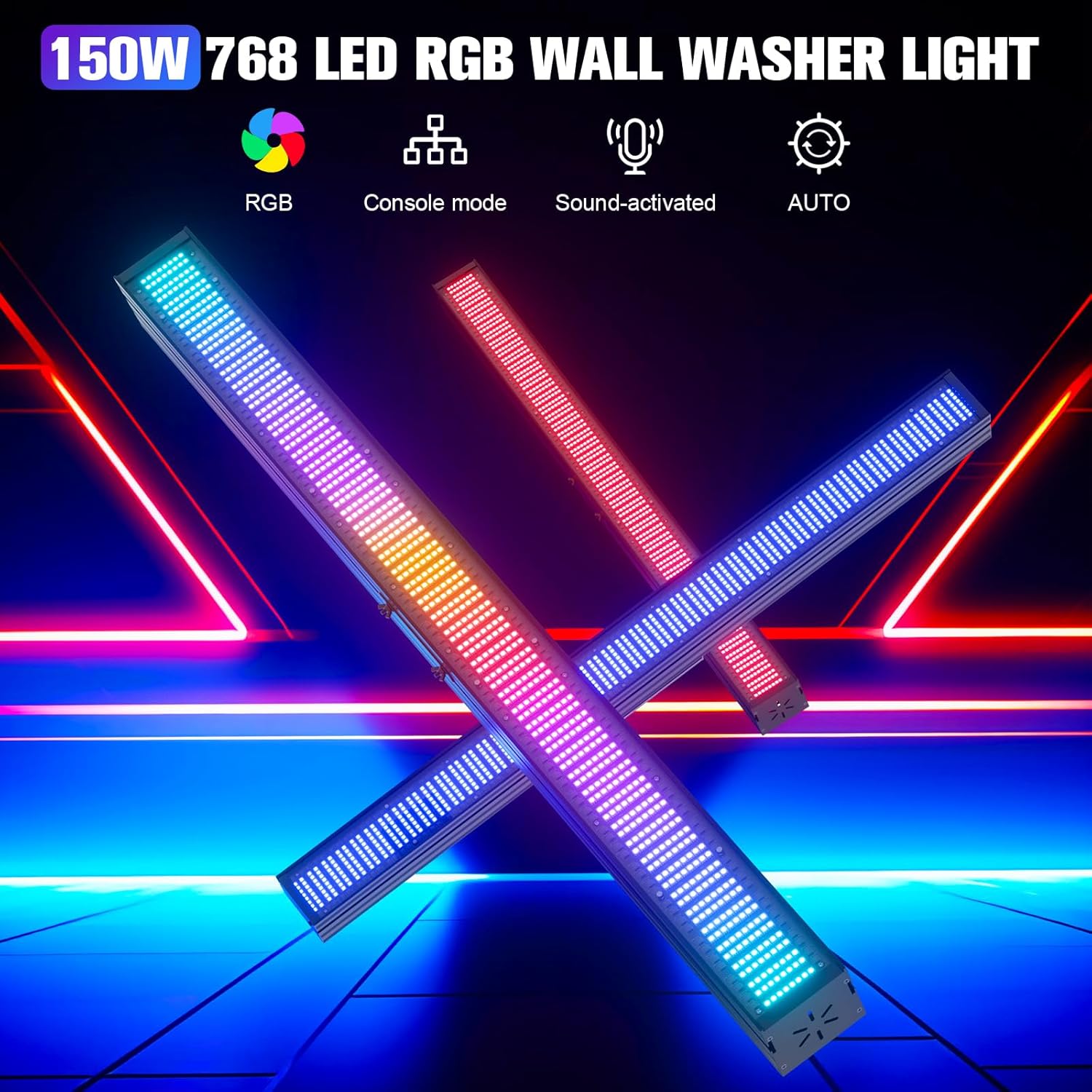
Image 4.1: Overview of the light bar's features and control modes.
5. Setup
Follow these steps to set up your LED Stage Wash Light Bar:
5.1 Physical Installation
- Mounting: Securely attach the light bar using its adjustable mounting brackets to a truss, wall, or floor stand. Ensure the mounting surface can support the weight of the fixture.
- Positioning: Adjust the angle of the light bar using the 180° adjustable bracket to achieve the desired lighting effect.
- Splicing (Optional): For extended light displays, multiple units can be spliced together. Connect the power and DMX cables between units as required.

Image 5.1: Example of unlimited splicing with multiple light bars.
5.2 Power Connection
- Connect the provided power cable to the 'POWER IN' port on the light bar.
- Plug the other end of the power cable into a suitable grounded electrical outlet.
- For multiple units, use the 'POWER OUT' port to daisy-chain power to subsequent units, ensuring not to exceed the maximum power load for the circuit.
5.3 DMX Connection (for DMX Control)
- Connect a DMX cable from your DMX controller to the 'DMX IN' port of the first light bar in the chain.
- For multiple units, connect a DMX cable from the 'DMX OUT' port of the first unit to the 'DMX IN' port of the next unit, and so on.
- Terminate the DMX chain with a DMX terminator (not included) on the 'DMX OUT' port of the last unit for optimal signal integrity.

Image 5.2: Rear panel connections including DMX and Power interfaces.
6. Operating Instructions
The light bar can be operated using its onboard 4-key LED digital display or via an external DMX controller.
6.1 Onboard Control Panel
The 4-key LED digital display allows you to navigate menus and select various operating modes and settings:
- Menu Button: Press to cycle through main menu options.
- Up/Down Buttons: Use to adjust values or select sub-menu options.
- Enter Button: Confirm selection or save settings.
6.2 Operating Modes
The light bar supports the following operating modes:
- Automatic Mode: The light bar cycles through its built-in programs automatically. You can adjust the speed of these effects.
- Sound-Controlled (Music Rhythm) Mode: The lighting effects react to ambient sound detected by the built-in microphone. MIC sensitivity can be adjusted.
- Master-Slave Mode: Connect multiple units via DMX cables. Set one unit as 'Master' and others as 'Slave'. The slave units will synchronize with the master unit's operation.
- DMX Mode: For professional control, connect the light bar to a DMX controller. Refer to Section 7 for DMX setup.

Image 6.1: Examples of the 62 built-in programs and effects.

Image 6.2: Demonstrations of various color outputs and dynamic effects.
7. DMX Control
The WZYBUTA 150W RGBW LED Stage Wash Light Bar is DMX512 compatible, allowing for precise control over its functions using an external DMX controller.
7.1 DMX Addressing
- Each light bar requires a unique DMX start address. Set the address using the onboard digital display.
- Consult the DMX channel chart (usually provided in a separate DMX protocol document or appendix) to understand the functions controlled by each DMX channel.
7.2 RDM Functionality
This fixture supports RDM (Remote Device Management), which allows a compatible DMX controller to remotely set the DMX address and other parameters of the light bar without physical access to the unit. Refer to your DMX controller's manual for RDM setup and usage.
8. Maintenance
Regular maintenance ensures the longevity and optimal performance of your light bar.
- Cleaning: Periodically clean the lens and housing with a soft, lint-free cloth. For stubborn dirt, use a mild glass cleaner. Ensure the unit is powered off and cool before cleaning.
- Inspection: Regularly check power and DMX cables for any signs of wear or damage. Ensure all mounting hardware is secure.
- Storage: When not in use for extended periods, store the light bar in a dry, dust-free environment, preferably in its original packaging or a protective case.
9. Troubleshooting
If you encounter issues, refer to the following common problems and solutions:
| Problem | Possible Cause | Solution |
|---|---|---|
| No power / Light does not turn on | No power supply; Faulty cable; Unit malfunction | Check power connection and outlet; Test with another cable; Contact support if issue persists. |
| No DMX control | Incorrect DMX address; Faulty DMX cable; No DMX signal; Missing terminator | Verify DMX address matches controller; Check DMX cable connections; Ensure DMX controller is sending signal; Add DMX terminator to the last unit. |
| Lights flicker or behave erratically | Poor DMX signal; Power fluctuations; Overheating | Check DMX connections and termination; Ensure stable power supply; Allow unit to cool down; Ensure proper ventilation. |
| Colors are incorrect or inconsistent | Incorrect DMX channel values; Internal fault | Verify DMX channel values on controller; Reset unit to factory defaults; Contact support. |
10. Specifications
Key technical specifications for the WZYBUTA 150W RGBW LED Stage Wash Light Bar:
- Model: 150W RGBW LED Stage Wash Light Bar
- Light Source: 768 RGB LEDs (192 segments, 4 LEDs/segment)
- Power Consumption: 150W
- Control Modes: DMX512, Master-Slave, Auto, Sound-Activated
- DMX Channels: (Refer to specific DMX protocol chart for detailed channel assignment)
- Features: RDM Function, Built-in Programs, Segment Control, Adjustable MIC Sensitivity, Effect Speed Control
- Display: 4-key LED Digital Display
- Housing Material: Aluminum
- Dimensions: Approximately 100cm (39.37in) length, 17.5cm (2.95in) height, 13cm (5.12in) depth (refer to Image 5.2 for visual representation)
- Weight: Approximately 2.8kg (6.17lbs)
- Operating Environment: Indoor use only, avoid high humidity and extreme temperatures.
11. Warranty and Support
This product comes with a standard manufacturer's warranty. Please refer to your purchase documentation or contact your retailer for specific warranty terms and conditions.
For technical support, troubleshooting assistance, or spare parts, please contact the WZYBUTA customer service team through the retailer where the product was purchased.

Image 11.1: Examples of the light bar in various application scenarios.


