
1. Introduction
Thank you for choosing the LMBGM K-26R 8-Channel UHF Wireless Microphone System. This system is designed to provide high-quality audio transmission for various applications, including stage performances, church events, DJ sets, weddings, and karaoke. This manual provides essential information for the proper setup, operation, and maintenance of your wireless microphone system. Please read it thoroughly before use to ensure optimal performance and longevity of the product.

The LMBGM K-26R system is suitable for diverse applications, including chorus, karaoke, live streaming, and lectures.
2. Product Overview
2.1 Packing List
- Receiver x 1
- Transmitter (Handheld or Bodypack) x 8
- Antenna x 4
- 6.35MM Audio Cable x 1
- Power Cable x 1
- User Manual x 1
2.2 Key Features
- Advanced Circuit Design: Utilizes UHF professional chip technology for full sound effects and clear high-to-low frequency response.
- Stable Signal Reception: Designed to minimize reception blind spots, ensuring a stable signal without dead zones.
- Adjustable Frequency: Each wireless microphone offers 5 frequency options, totaling 40 options for 8 microphones (8 x 5). This allows for simultaneous use of up to 40 systems with seamless frequency switching.
- Ultra-low Latency: Transmission latency is less than 5ms, meeting real-time audio processing requirements.
- High-fidelity Sound Quality: Supports 24-bit/96KHz high-definition audio resolution for complete detail restoration.
- Wide Frequency Response: 50Hz-20KHz.
- Durable Construction: Handheld microphones are made of sturdy metal for a firm grip, while bodypack microphones are constructed from ABS material for excellent impact and corrosion resistance.
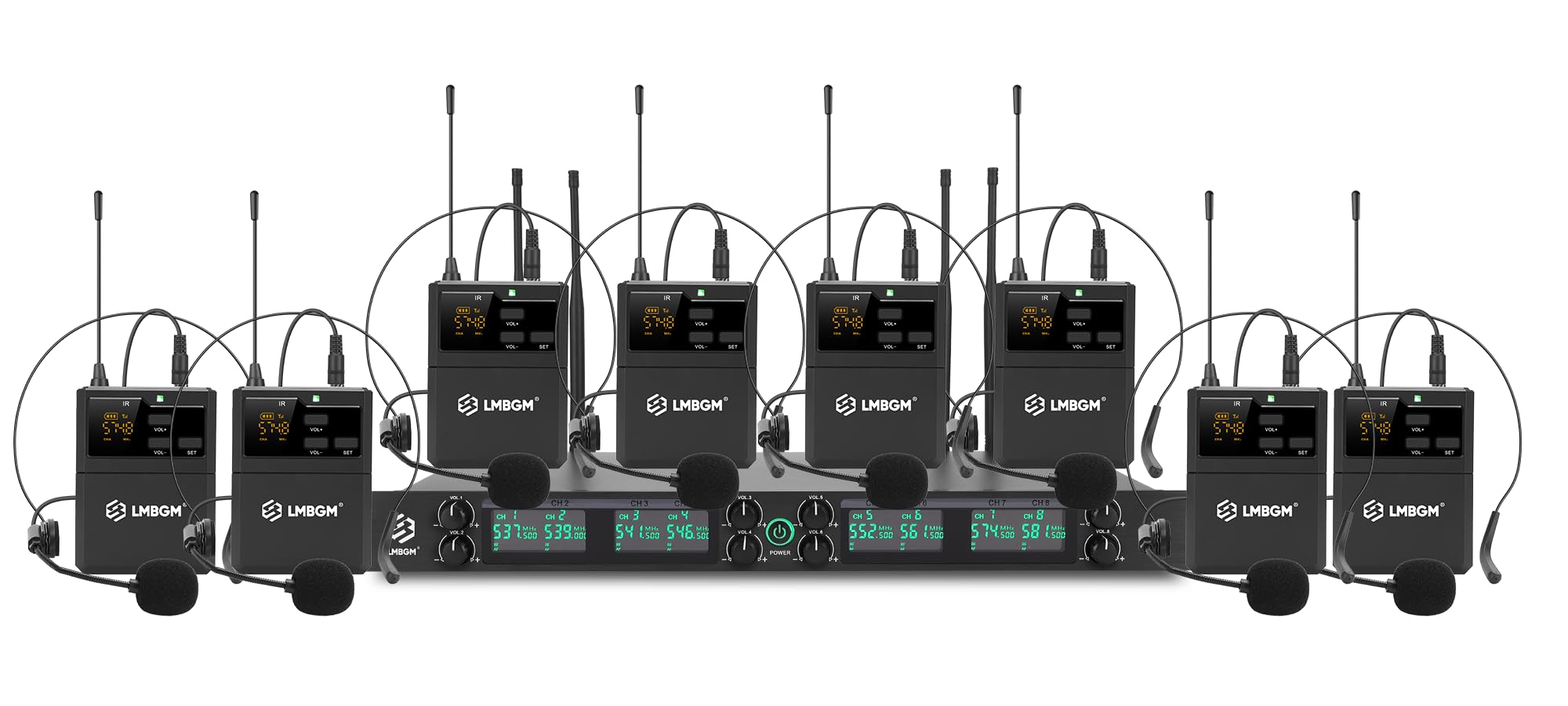
Detailed view of the LMBGM K-26R wireless receiver, highlighting its front panel controls and rear panel connections including power input, XLR outputs, 6.35mm mix out, and antenna interfaces.
The LMBGM K-26R bodypack transmitter paired with a headset microphone, designed for clear human voice capture.
3. Setup Instructions
3.1 Receiver Setup
- Connect Antennas: Screw the four included antennas into the ANT.1, ANT.2, ANT.3, and ANT.4 ports on the rear of the receiver. Ensure they are securely tightened.
- Power Connection: Connect the power cable to the DC 12-15V input on the receiver and plug it into a suitable power outlet.
- Audio Output: Connect the receiver to your mixer, amplifier, or PA system using the 6.35mm audio cable for mixed output, or individual XLR cables for balanced output from each channel.
- Power On: Press the power switch on the front panel of the receiver to turn it on. The display will illuminate.
3.2 Transmitter Setup (Handheld/Bodypack)
- Battery Installation: Open the battery compartment of the handheld microphone or bodypack transmitter. Insert two AA batteries, ensuring correct polarity.
- Power On: Press and hold the power button on the transmitter until the display illuminates.
- Frequency Pairing: The system features automatic frequency technology. To pair a transmitter with a receiver channel, ensure both are powered on. Press the 'SET' button on the transmitter to initiate pairing. The receiver channel display should show a successful connection. If needed, use the 'VOL+' or 'VOL-' buttons on the transmitter to select a different frequency option (each mic has 5 options).
- Microphone Connection (Bodypack): If using a bodypack transmitter, connect the headset or lavalier microphone to the input jack on the bodypack.

Battery installation in an LMBGM K-26R bodypack transmitter, powered by two AA batteries for approximately 5 hours of operation.
Video demonstrating the LMBGM K-26R 8-channel UHF wireless microphone system, showcasing the receiver unit, bodypack transmitters, and their features, including setup and basic operation.
4. Operating Instructions
4.1 Power On/Off
- To power on the receiver, press the 'POWER' button on the front panel.
- To power on a transmitter, press and hold its power button until the display activates.
- To power off, reverse the process.
4.2 Volume Control
- Each channel on the receiver has an independent volume knob (VOL.1 to VOL.8) to adjust the output level for that specific microphone.
- Transmitters also have 'VOL+' and 'VOL-' buttons for fine-tuning the input sensitivity.
4.3 Channel and Frequency Adjustment
- The receiver's display shows the active channel and frequency for each microphone.
- If interference occurs, you can change the frequency of a transmitter. Press the 'SET' button on the transmitter to enter frequency selection mode, then use 'VOL+' or 'VOL-' to cycle through the 5 available frequency options for that microphone. Press 'SET' again to confirm.
4.4 Optimal Operating Range
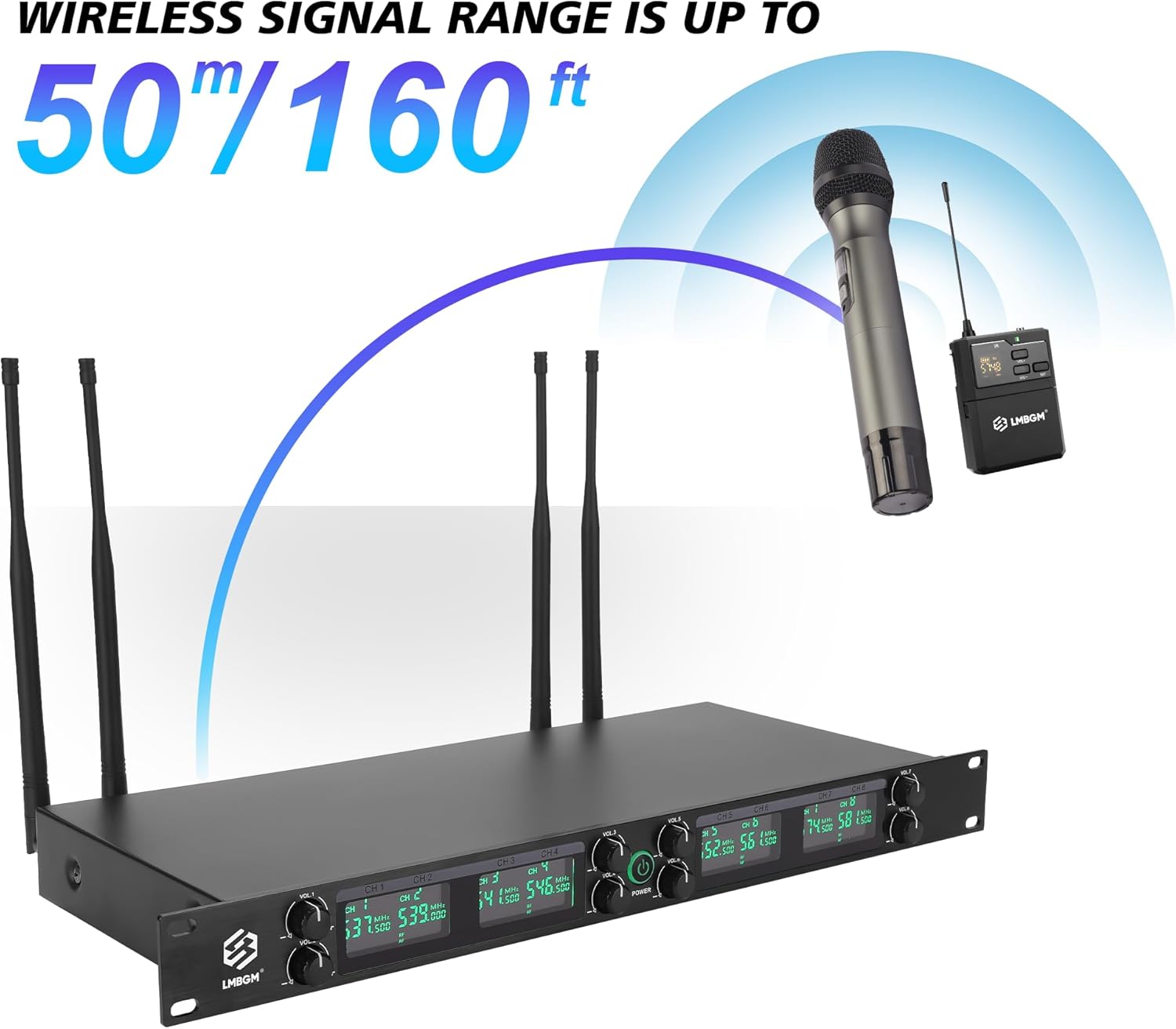
The system provides a reliable wireless signal range of up to 50 meters (160 feet) under ideal conditions. Ensure a clear line of sight between the transmitters and the receiver antennas for best performance. Avoid placing the receiver near large metal objects or other wireless devices that may cause interference.

The LMBGM K-26R wireless system offers a transmission distance of up to 50 meters (160 feet).
5. Maintenance
5.1 Cleaning
- Wipe the receiver and transmitters with a soft, dry cloth.
- Do not use liquid cleaners or abrasive materials, as they may damage the finish or internal components.
5.2 Battery Care
- Replace AA batteries in transmitters when the low battery indicator appears on the display.
- Remove batteries from transmitters if the system will not be used for an extended period to prevent leakage and damage.
5.3 Storage
- Store the system in a cool, dry place away from direct sunlight and extreme temperatures.
- Keep components in their original packaging or a protective case to prevent physical damage.
6. Troubleshooting
| Problem | Possible Cause | Solution |
|---|---|---|
| No sound from microphone |
|
|
| Interference or static noise |
|
|
| Short operating range |
|
|
7. Specifications

Dimensions of the handheld microphone, bodypack transmitter, and receiver, alongside key technical specifications.
7.1 General System Specifications
- Model Number: K-26R
- Connectivity Technology: UHF
- Number of Channels: 8
- Frequency Response: 50Hz-20KHz
- Latency: <5ms
- Audio Resolution: 24-bit/96KHz
- Effective Working Distance: 30-50 meters
- Material: Metal (Handheld Mic), ABS (Bodypack Mic)
- Color: Black
- Compatible Devices: Amplifier, Audio Interface, Audio Mixer, Karaoke Machine, PA System
- Special Feature: Volume Control
7.2 Receiver Specifications
- Power Supply: DC 12-15V
- Signal-to-Noise Ratio: ≥100dB
- Sensitivity: -105dBm
- Power Consumption: 3W
- Audio Output: Hybrid: 0-1500mV, Balanced: 0-1500mV
- Frequency Stability: ± 0.001%
- Dynamic Range: >100dB
- Dimensions (L x W x H): 18.9 x 7.09 x 1.77 inches (480mm x 180mm x 43mm)
7.3 Transmitter Specifications
- Transmitting Power: 30mW
- Modulation Mode: FM
- Maximum Modulation System: 150KHz
- Higher Harmonics: >60dB
- Supply Voltage: AA battery x 2
- Polar Pattern: Hyper Cardioid
- Handheld Mic Dimensions: 150mm (Length) x 40mm (Diameter)
- Bodypack Mic Dimensions: 85mm (Height) x 65mm (Width)
8. Warranty and Support
For warranty information, please refer to the documentation provided with your purchase or contact the seller directly. If you encounter any issues that cannot be resolved using the troubleshooting guide, please reach out to LMBGM customer support for assistance. Keep your purchase receipt as proof of purchase for warranty claims.
LMBGM Audio
For support, please visit the LMBGM Store on Amazon.


