
Product Overview
The VIFIGEN M55 USB-C Wired Earbuds are designed to provide a high-quality audio experience with convenient features. These in-ear earbuds feature a built-in microphone and multi-function remote control for easy management of calls and music playback. The ergonomic design ensures a comfortable fit for extended use, while the robust DAC chip delivers clear, high-resolution stereo sound with noise isolation.
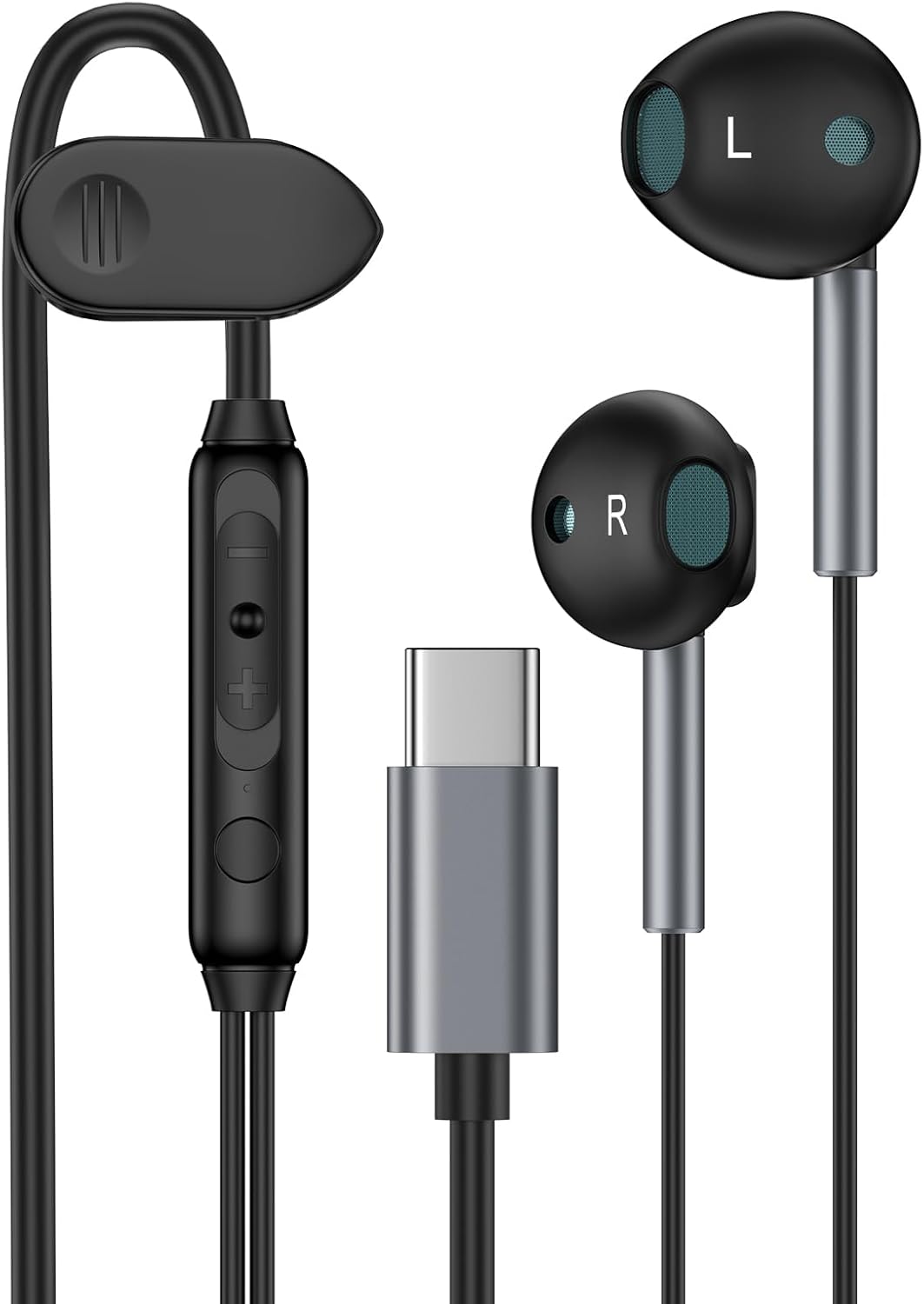
Image: VIFIGEN M55 USB-C Wired Earbuds, showcasing the product in its packaging.

Image: Detailed view of the internal components of the VIFIGEN M55 earbuds, highlighting the quality design for optimal sound.
Setup Instructions
Compatibility
These USB-C wired earbuds are compatible with a wide range of devices that feature a USB Type-C port for audio output. This includes:
- Samsung Galaxy S series (S26 Ultra, S26+, S26, S25 FE, S25 Ultra, S25, S25+, S24 FE, S24 Ultra, S24, S24+, S23 FE, S23, S23+, S23 Ultra, S22, S22+, S22 Ultra, S21, S21+, S21 FE, S21 Ultra, S20, S20 FE, S20+, S20 Ultra), Note series (Note 20, Note 10, Note 9), A series (A36 5G, A17, A56, A26, A16 5G, A06 5G, A15 5G, A55, A35, A25, A14, A54 5G, A53, A13, A03s, A34, A24, A23, A04s, A05), and Z series (Z Fold 7, 6, 5, 4; Z Flip 7 FE, 7, 6, 5, 4).
- iPhone models with USB-C (17e, 17, Air, 17 Pro, 17 Pro Max, 16e, 16, 16 Pro, 16 Pro Max, 16 Plus, 15, 15 Pro, 15 Pro Max, 15 Plus).
- iPad models with USB-C (Pro 12.9-inch, Pro 11-inch, 10.9-inch 10th Gen 2022, Air, Mini).
- Google Pixel series (10a, 10, 10 Pro, 10 Pro XL, 10 Pro Fold, 9a, 9 Pro XL, 9 Pro Fold, 9 Pro, 9, 8a, 8 Pro, 8, 7a, 7 Pro, 7, 6, 6 Pro, 6, 5, 4 XL, 4, 3 XL, 3).
- Other USB-C devices from brands like LG, One Plus, and more.

Image: A visual chart illustrating the broad compatibility of the USB-C headphones with various smartphones, tablets, and laptops.
Connecting the Earbuds
- Locate the USB Type-C port on your compatible device.
- Insert the USB-C connector of the earbuds firmly into the device's USB-C port.
- Ensure the connection is secure. Your device should automatically recognize the earbuds as an audio output device.
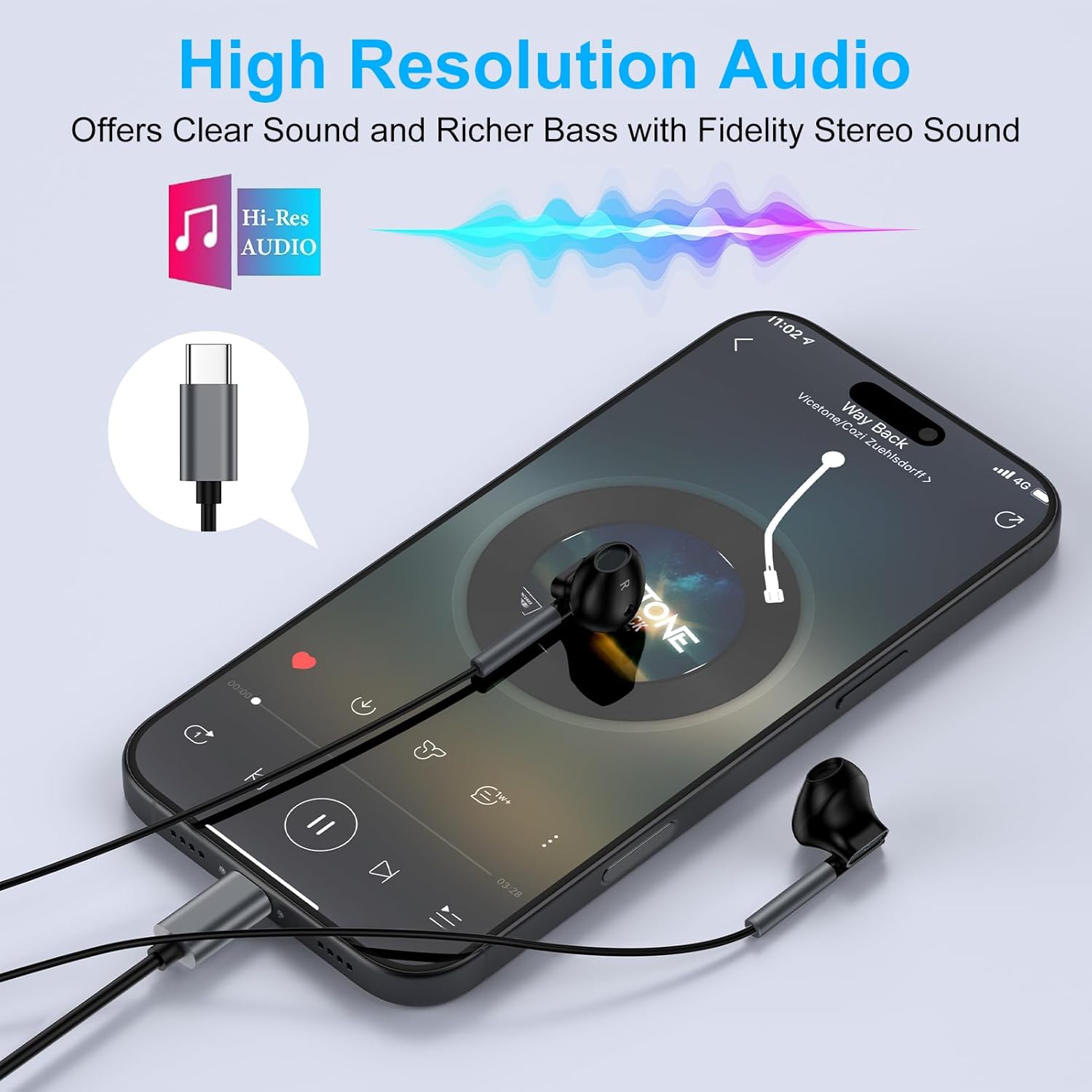
Image: A smartphone with the USB-C earbuds connected, displaying a music player interface, indicating high-resolution audio support.
Operating Instructions
In-line Remote Control
The earbuds feature an in-line remote control with a built-in microphone for convenient audio and call management:
- Volume Control: Use the Volume+/- buttons to adjust the audio level.
- Play/Pause: Single click the central button to play or pause music.
- Answer/End Call: Single click the central button to answer or end a phone call.
- Reject Call: Long press the central button to reject an incoming call.
- Skip Songs: Double click the central button to skip to the next track.
- Previous Track: Triple click the central button to go to the previous track.

Image: A detailed diagram illustrating the buttons and functions of the in-line remote control and microphone on the earbud cable.
Wearing the Earbuds
The earbuds are designed for an ergonomic in-ear fit to ensure comfort and stability during various activities.
- Gently insert each earbud into the corresponding ear canal (L for left, R for right).
- Adjust the angle for a snug and comfortable fit.
- A headphone clip is included to help secure the cable to your clothing, preventing tangles and accidental dislodgement during movement.
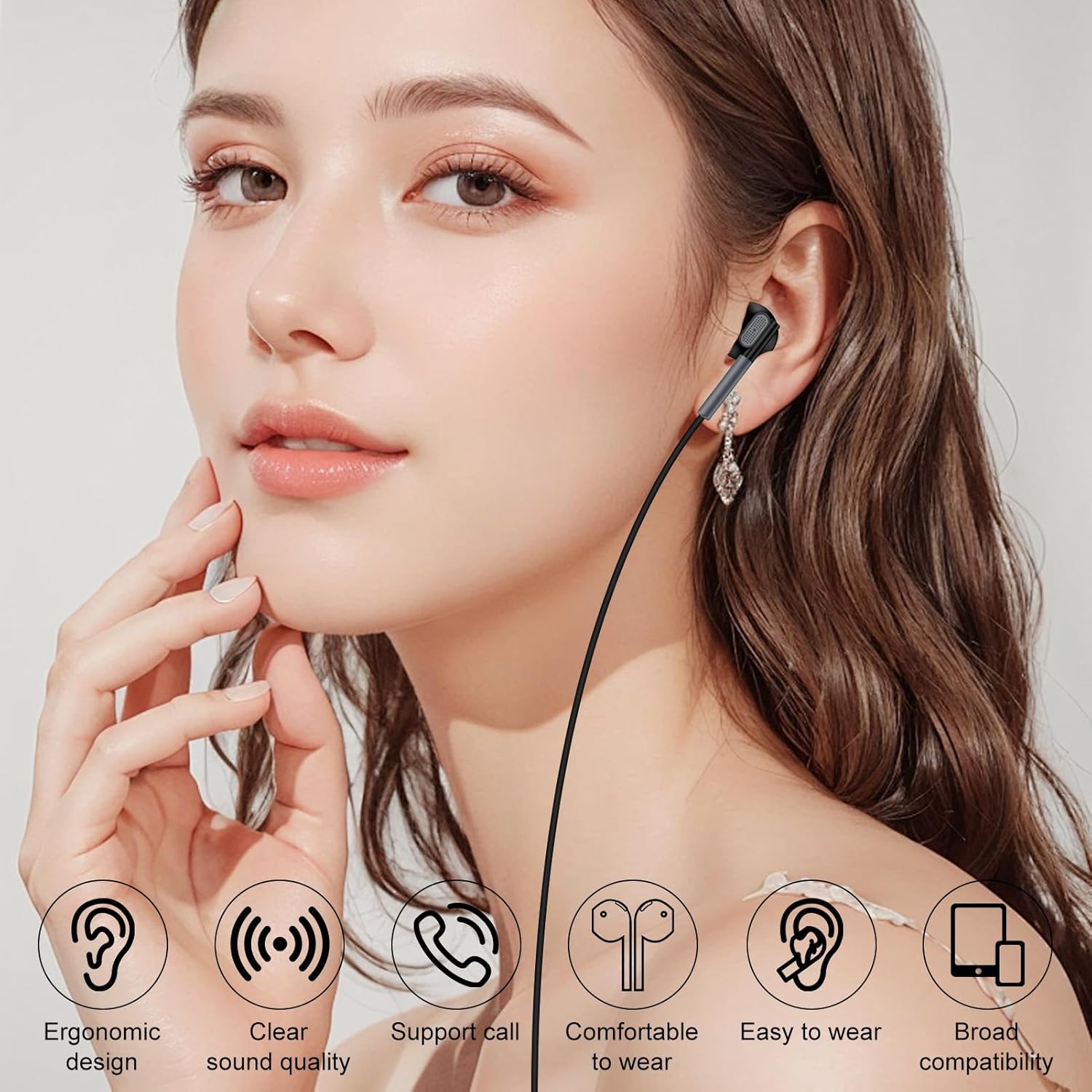
Image: A person wearing the VIFIGEN M55 earbuds, demonstrating the ergonomic in-ear design and comfortable fit.

Image: A diagram illustrating the ergonomic design of the earbud for comfortable and secure wear, highlighting ear comfort, tilt wearing, and lightweight features.

Image: Multiple individuals enjoying music with VIFIGEN M55 earbuds in different scenarios, such as commuting, exercising, and relaxing.
Maintenance
To ensure the longevity and optimal performance of your VIFIGEN M55 USB-C Wired Earbuds, follow these maintenance guidelines:
- Cleaning: Regularly wipe the earbuds and cable with a soft, dry cloth to remove dust and debris. Avoid using harsh chemicals or abrasive materials.
- Storage: When not in use, store the earbuds in a clean, dry place. Utilize the included headphone clip to keep the cable organized and prevent tangling.
- Cable Care: The anti-wrap oxygen-free copper wire core is designed for durability. Avoid excessive pulling or sharp bending of the cable to prevent internal damage.
- Connector Protection: The aluminum alloy connectors are built to reduce the possibility of bad contact. Ensure the USB-C connector is inserted and removed gently.
Troubleshooting
If you encounter any issues with your VIFIGEN M55 USB-C Wired Earbuds, please refer to the following common solutions:
- No Sound:
- Check the volume switch on the in-line remote and ensure it is not set to mute or minimum volume.
- Try plugging the headphones into your device from the other side (if applicable) or re-inserting them firmly.
- For some devices, if there is no sound, the default setting for audio output and input might be the speaker. Go to your device's Settings > Developer Options and uncheck "USB audio routing."
- Limited Functionality on Devices with 3.5mm Port: If your USB-C phone also has a 3.5mm audio port (e.g., older Samsung Galaxy models or certain iPad Pro models), the Type-C headphones may not enable phone calls or music control. This is due to device-specific audio routing.
- Issues with iPhone 16/15: If the wired earbuds do not work on iPhone 16/15 models, please acknowledge any warning messages that appear and grant permission to use the headphones when prompted upon plugging them in.
- One Side Not Working: Check your phone's "Mono Audio" or "Disable USB Audio Routing" settings to ensure they are closed or disabled, as these can affect stereo output.
Specifications
| Brand | VIFIGEN |
| Model Number | M55 |
| Color | Black-USB C |
| Ear Placement | In Ear |
| Form Factor | In Ear |
| Noise Control | None (Features Noise-Isolation for improved audio) |
| Connectivity Technology | Wired |
| Headphone Jack | USB Type-C |
| Frequency Range | 20 Hz - 20,000 Hz |
| Audio Driver Type | Dynamic Driver |
| Control Method | Remote |
| Water Resistance Level | Water Resistant |
| Built-In Media | 1 Pack Headphone Clip, 1 Pack USB C Wired Headphones |
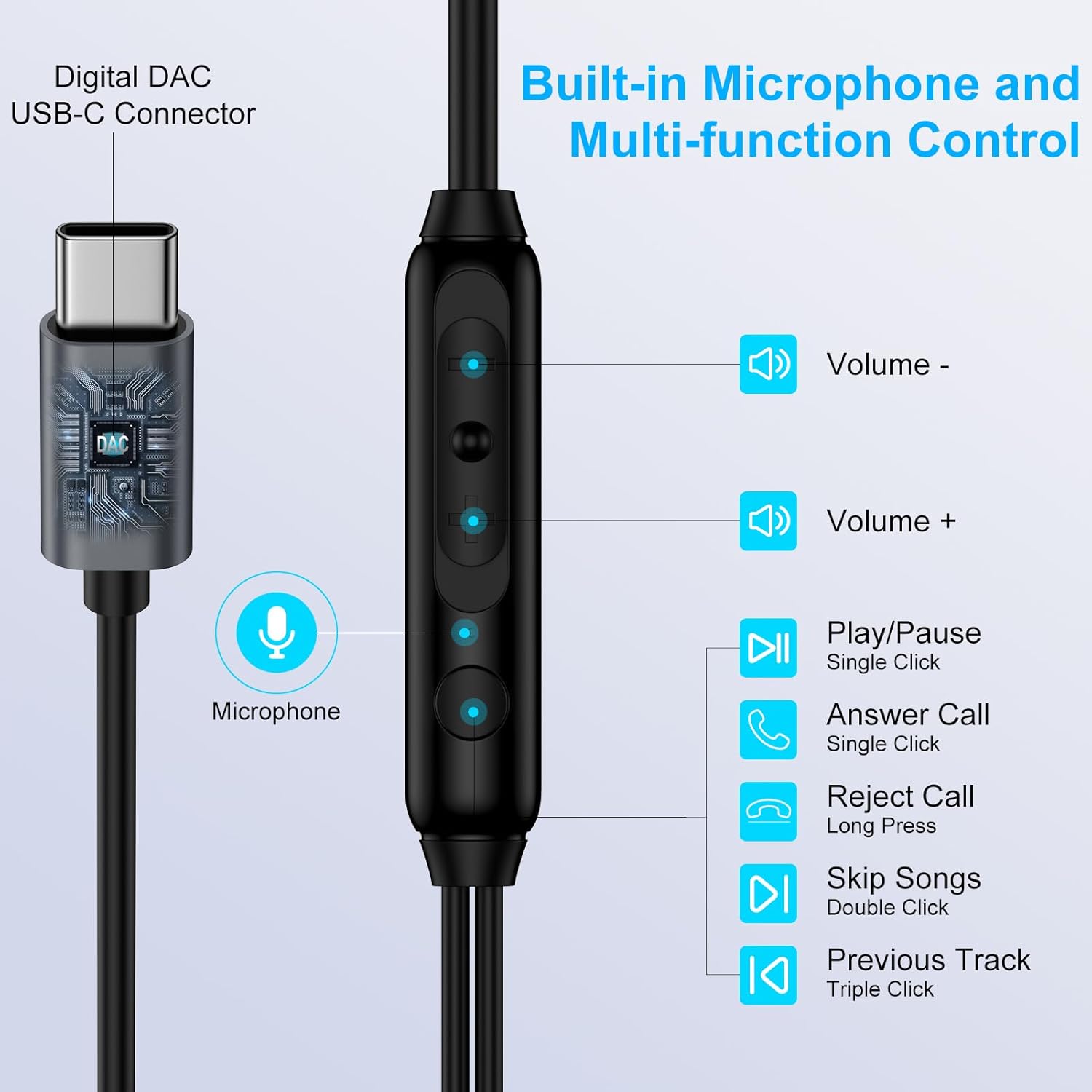
Image: An exploded diagram showing the various components of the earbud, illustrating its professional tuning and immersive stereo surround sound capabilities.
Warranty Information
The VIFIGEN M55 USB-C Wired Earbuds come with a 2-Year Warranty from the manufacturer. Additionally, a 30-Day Money Back Guarantee is offered. Please retain your proof of purchase for warranty claims.
Customer Support
For any further information, assistance, or to report issues not covered in this manual, please contact VIFIGEN customer service. Our team is dedicated to providing friendly and efficient support, aiming to resolve any concerns within 24 hours.