
1. Important Safety Instructions
Please read all instructions carefully before using the Gaiatop AF-01 Desk Fan. Retain this manual for future reference.
- Do not insert fingers or any objects into the fan grille when it is operating.
- Keep the fan away from water or other liquids to prevent electric shock.
- Do not use the fan in excessively humid or high-temperature environments.
- Ensure the power adapter (not included) used for charging is compatible with the fan's voltage requirements (120 Volts).
- Do not attempt to disassemble or repair the fan yourself. Contact qualified service personnel.
- Keep out of reach of children and pets.
- Unplug the fan when not in use for extended periods or before cleaning.
2. Product Overview
The Gaiatop AF-01 Desk Fan is a compact, portable, and rechargeable table fan designed for personal cooling. It features a touch control LED display, 3-speed settings, and a 4000mAh battery for cordless operation.
Key Features:
- Dual-Stage Airflow Boosting System: Delivers powerful airflow up to 5.2 m/s.
- 7 Aerodynamically Curved Vanes: Enhances airflow stability and uniformity.
- Touch Control LED Display: Intuitive operation and speed indication.
- 3 Speed Settings: Adjustable airflow for various needs.
- Ultra-Quiet Operation: Noise level as low as 30 Decibels.
- Rechargeable 4000mAh Battery: Provides extended cordless use.
- 360° Adjustable Tilt: Direct airflow precisely where needed.
- Compact and Portable Design: Ideal for desktop, bedside, or office use.
Product Components:
- Fan Unit (with front and rear grilles)
- Base
- USB-C Charging Cable (USB-A to USB-C)

Figure 2.1: Front view of the Gaiatop AF-01 Desk Fan, highlighting its compact size, dimensions (5.59 inches width, 5.65 inches height), and the location of the switch button.
3. Setup
3.1 Unpacking
- Carefully remove the fan and all accessories from the packaging.
- Inspect the fan for any signs of damage. If damaged, do not use and contact customer support.
3.2 Initial Charging
Before first use, fully charge the fan's internal battery.
- Connect the small end of the USB-C charging cable to the charging port on the back of the fan.
- Connect the larger USB-A end of the cable to a compatible USB power adapter (e.g., phone charger, computer USB port) or a wall outlet with a USB adapter (not included).
- The LED display will indicate charging status. A full charge typically takes several hours.
- Once fully charged, disconnect the charging cable.
3.3 Placement
- Place the fan on a stable, flat surface.
- Ensure there are no obstructions to the airflow at the front or back of the fan.
4. Operating Instructions
4.1 Power On/Off
- To turn the fan ON, touch and hold the power button area (located at the bottom of the LED display) for approximately 2 seconds. The fan will start at Speed 1.
- To turn the fan OFF, touch and hold the power button area for approximately 2 seconds again.
4.2 Adjusting Fan Speed
The fan has 3 speed settings.
- While the fan is ON, tap the power button area briefly to cycle through the speeds: Speed 1 → Speed 2 → Speed 3 → Speed 1.
- The LED display will show the current speed setting.

Figure 4.1: Illustration of the fan's internal structure and the airflow strength at different speed settings: 1st speed (3.9m/s), 2nd speed (5.4m/s), and 3rd speed (6.2m/s).
4.3 Adjusting Tilt Angle
The fan head can be manually adjusted 360 degrees vertically to direct airflow.
- Gently hold the fan head and tilt it up or down to your desired angle.
- The fan will remain in the set position.

Figure 4.2: The fan demonstrating its 360° adjustable tilt capability, allowing users to direct airflow in any vertical direction.
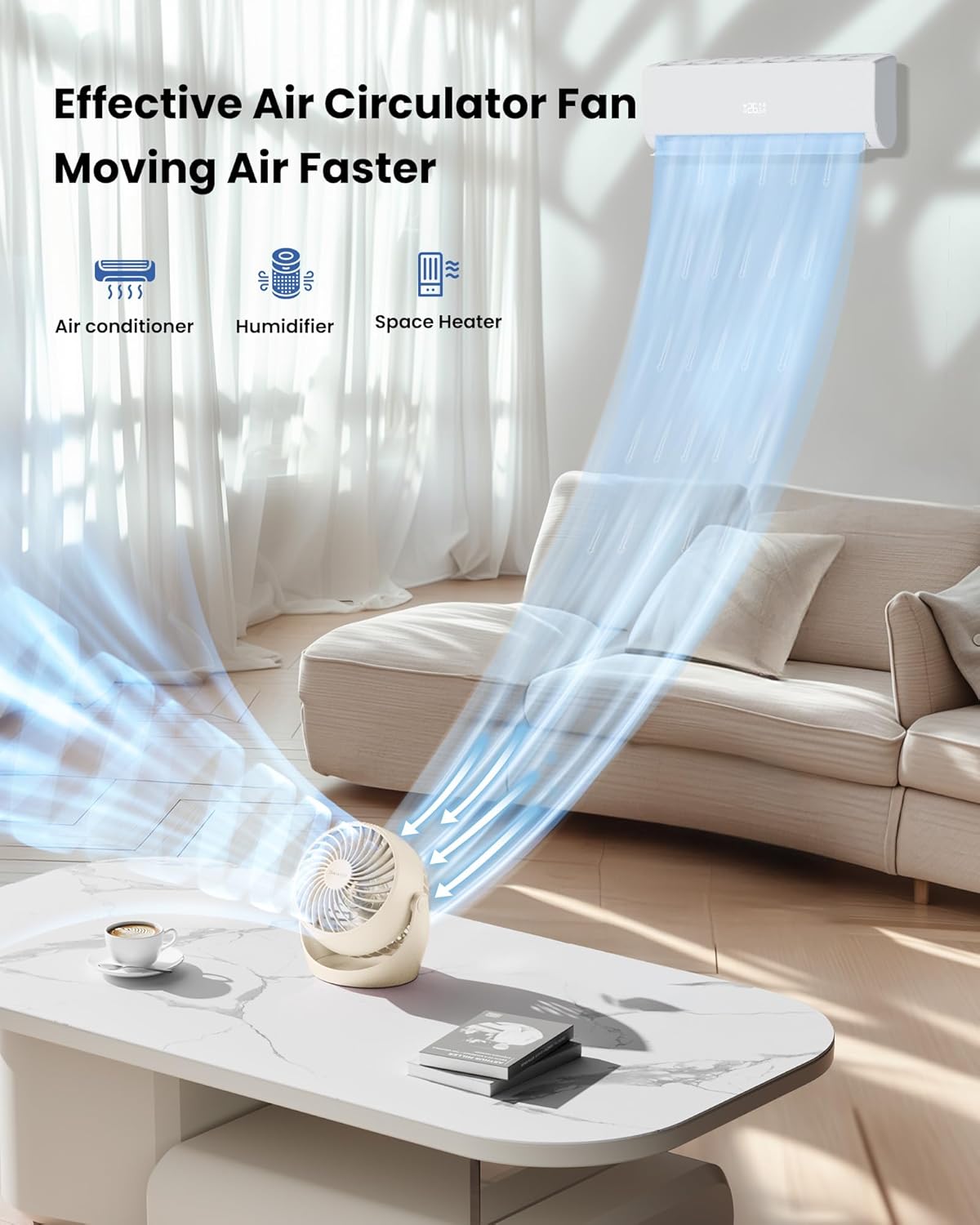
Figure 4.3: The Gaiatop AF-01 Desk Fan effectively circulating air in a room, demonstrating its ability to work with other climate control devices like air conditioners, humidifiers, or space heaters for faster air movement.

Figure 4.4: The fan positioned on a bedside table, illustrating its quiet operation (30-40dB at speed 1) making it suitable for use during sleep.
5. Maintenance
5.1 Cleaning
Regular cleaning helps maintain optimal performance and extends the fan's lifespan.
- Ensure the fan is turned OFF and unplugged from any power source before cleaning.
- Use a soft, dry cloth to wipe the exterior surfaces of the fan.
- For dust accumulation on the fan blades or grilles, use a soft brush or a vacuum cleaner with a brush attachment to gently remove dust.
- Do not use abrasive cleaners, solvents, or immerse the fan in water.
5.2 Storage
- If storing the fan for an extended period, ensure it is clean and fully charged.
- Store in a cool, dry place, away from direct sunlight and extreme temperatures.
6. Troubleshooting
If you encounter issues with your Gaiatop AF-01 Desk Fan, please refer to the following common problems and solutions:
| Problem | Possible Cause | Solution |
|---|---|---|
| Fan does not turn on. | Battery is depleted. | Charge the fan using the provided USB-C cable. |
| Power button not pressed correctly. | Touch and hold the power button area for 2 seconds to power on. | |
| Weak airflow. | Fan speed is too low. | Tap the power button to increase the fan speed. |
| Grilles or blades are dusty. | Clean the fan grilles and blades as described in the Maintenance section. | |
| Fan makes unusual noise. | Obstruction in the fan blades. | Turn off and unplug the fan. Carefully check for and remove any obstructions. |
| Fan is on an unstable surface. | Place the fan on a flat, stable surface. | |
| Battery not charging. | Charging cable or adapter faulty. | Try a different USB-C cable or power adapter. Ensure connections are secure. |
If the problem persists after trying these solutions, please contact Gaiatop customer support.
7. Specifications
| Feature | Detail |
|---|---|
| Brand | Gaiatop |
| Model Name | AF-01 |
| Colour | Beige |
| Electric Fan Design | Table Fan |
| Power Source | Battery Powered |
| Battery Capacity | 4000mAh (Rechargeable) |
| Control Method | Touch Control (Push Button) |
| Number of Power Levels | 3 |
| Max Airflow Speed | 6.2 m/s (at 3rd speed) |
| Noise Level | 30 Decibels (at lowest speed) |
| Wattage | 6.8 Watts |
| Voltage | 120 Volts |
| Product Dimensions | 10.5D x 17W x 19.5H Centimeters |
| Item Weight | 282 Grams |
| Special Features | Adjustable Tilt (360°), Portable, Strong wind |
| Included Components | Table Fan, USB-C Charging Cable |
| Country of Origin | USA |
8. Warranty and Support
8.1 Product Warranty
This product may be covered by a manufacturer's warranty. Please refer to the warranty information provided at the time of purchase or contact your retailer for details. Extended warranty plans may also be available from third-party providers.
8.2 Customer Support
For technical assistance, troubleshooting not covered in this manual, or warranty inquiries, please contact Gaiatop customer support or the retailer from whom you purchased the product.
- Manufacturer: Shenzhen Gaiatop Network Technology Co., Ltd
- Importer (India): +91 9891201580


