
1. Introduction
Thank you for choosing the ACCUWEIGHT CK780 Bluetooth Kitchen Scale. This smart food scale is designed to provide precise measurements and integrate with a companion app for comprehensive nutrition tracking. Please read this manual carefully before use to ensure proper operation and maintenance.
2. Package Contents
Upon unpacking, please verify that all items listed below are present and in good condition:
- 1 x ACCUWEIGHT CK780 Bluetooth Digital Kitchen Scale
- 1 x User Manual
- 4 x AAA Batteries
3. Setup
3.1 Battery Installation
- Open the battery compartment cover located on the underside of the scale.
- Insert the 4 AAA batteries, ensuring correct polarity (+/-).
- Close the battery compartment cover securely.
3.2 App Installation and Bluetooth Pairing
The ACCUWEIGHT CK780 scale connects to a companion app for advanced nutrition tracking.
- Download the ACCUWEIGHT companion app from your device's app store (iOS or Android).
- Ensure Bluetooth is enabled on your smartphone or tablet.
- Open the ACCUWEIGHT app and follow the on-screen instructions to pair your scale. The app will guide you through the connection process.
- Once paired, the scale's measurements will synchronize with the app, allowing for nutrition analysis and diet tracking.

4. Operating Instructions
4.1 Basic Weighing
- Place the scale on a hard, flat, and stable surface to ensure accurate readings.
- Press the power button (usually the 'TARE' button or a dedicated power button) to turn on the scale. The display will show '0' or '0.0'.
- Place the item to be weighed directly onto the center of the scale platform.
- Read the weight displayed on the backlit LCD screen. The scale has a maximum capacity of 5kg (11lb) and measures in precise 1g / 0.04oz increments.

4.2 Unit Conversion
The scale supports multiple measurement units.
- Press the 'UNIT' button to cycle through the available units: grams (g), pounds & ounces (lb:oz), milliliters (ml for water), milliliters (ml for milk), and fluid ounces (fl:oz).
- Select the desired unit for your measurement.

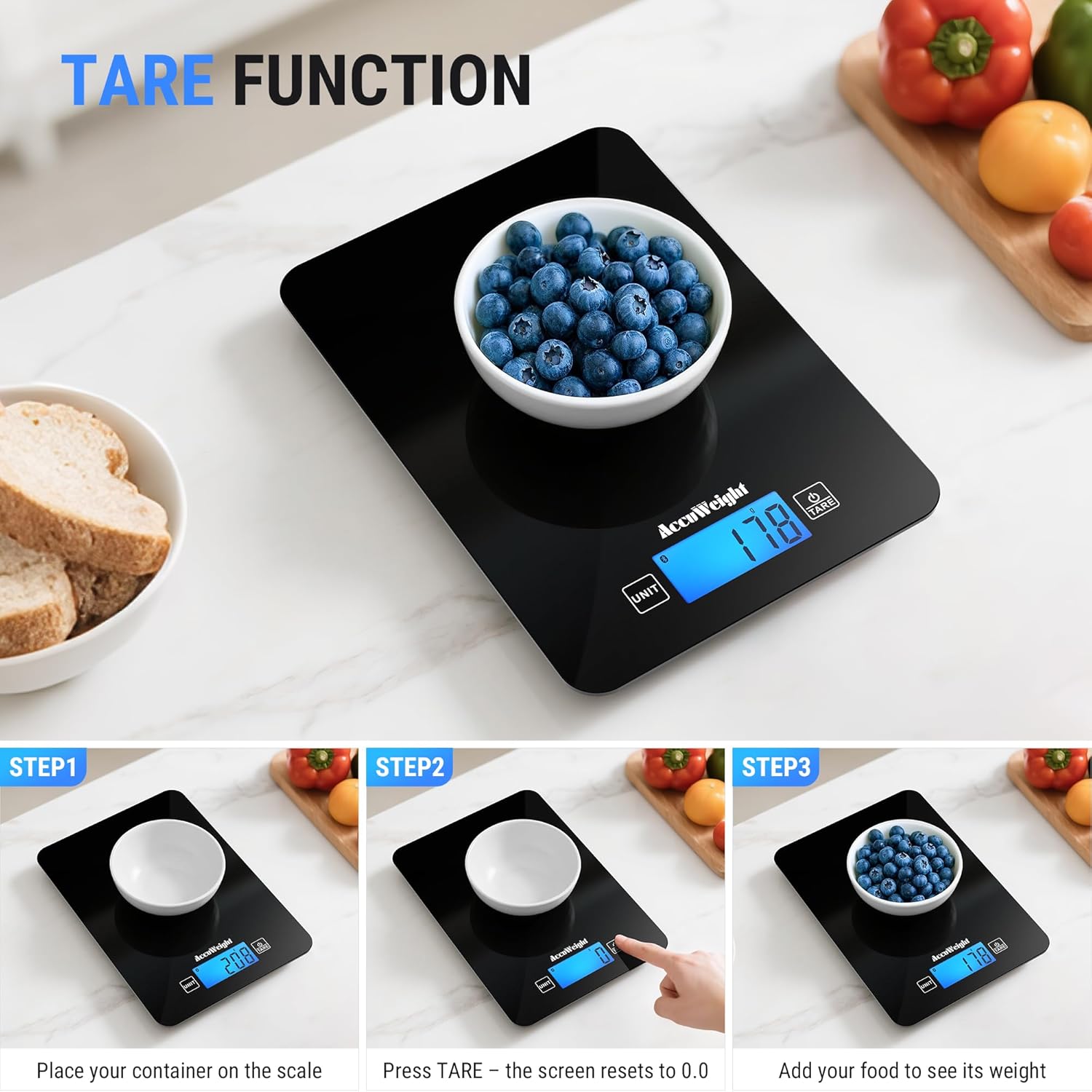
4.3 Tare Function
The Tare function allows you to subtract the weight of a container, ensuring only the ingredients are measured.
- Place an empty container on the scale platform.
- Press the 'TARE' button. The display will reset to '0' or '0.0'.
- Add your ingredients to the container. The scale will display the net weight of the ingredients.
4.4 Nutrition Tracking with App
Once connected via Bluetooth, the scale integrates with the companion app for detailed nutrition analysis.
- Weigh your food item on the scale. The weight will automatically transfer to the app.
- In the app, select the food item from the extensive database (covering 17 countries).
- The app will analyze up to 25 nutrients, including protein, fat, carbohydrates, and more, helping you manage your diet goals.
- You can log your food intake, track daily trends, and combine food data from multiple countries.

5. Maintenance
5.1 Cleaning
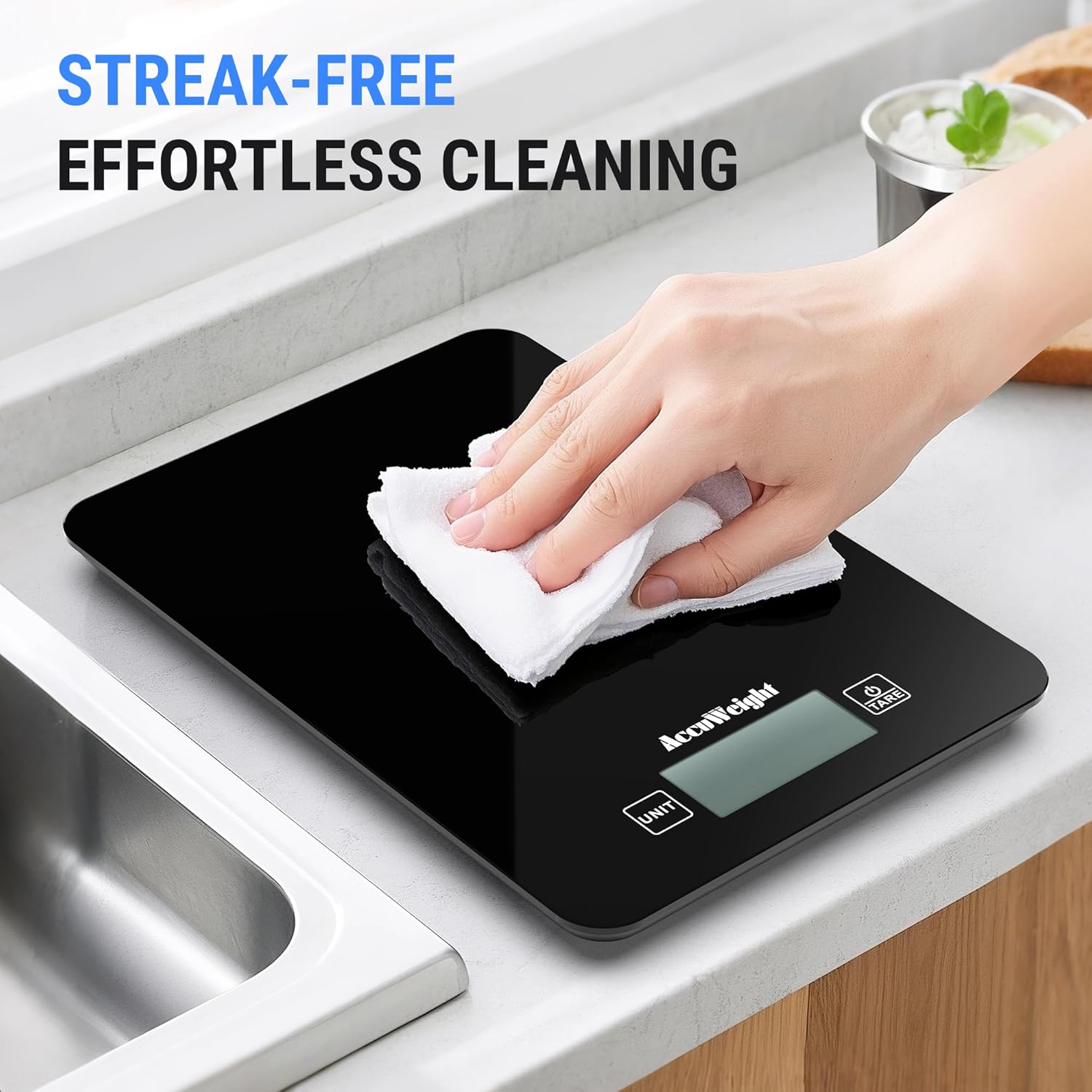
The scale features a smooth black design for easy cleaning.
- Wipe the scale surface with a soft, damp cloth immediately after use.
- Do not use abrasive cleaners, harsh chemicals, or immerse the scale in water.
- Ensure the scale is completely dry before storage or next use.
5.2 Storage
Store the scale in a cool, dry place away from direct sunlight and extreme temperatures.
5.3 Battery Replacement
When the battery indicator appears on the display, replace all four AAA batteries simultaneously to ensure optimal performance.
6. Troubleshooting
If you encounter any issues with your ACCUWEIGHT CK780 scale, please refer to the following common solutions:
- Scale not turning on: Check if the batteries are correctly installed and not depleted. Replace batteries if necessary.
- Inaccurate readings: Ensure the scale is placed on a hard, flat, and stable surface. Re-tare the scale before weighing. Avoid placing the scale near strong electromagnetic fields.
- Bluetooth connection issues: Ensure Bluetooth is enabled on your device. Restart the scale and the app. Try re-pairing the scale through the app settings.
- App data not updating: Check your internet connection. Ensure the app is updated to the latest version. Close and reopen the app.
- Display error messages: If the display shows 'Lo', batteries are low and need replacement. If 'O-Ld' or 'EEEE' appears, the scale is overloaded; remove items immediately to prevent damage.
7. Specifications
| Brand | ACCUWEIGHT |
| Model Number | CK780 |
| Weight Capacity Maximum | 5 Kilograms (11 lbs) |
| Readout Accuracy | 1g / 0.04oz |
| Display Type | Backlit LCD |
| Measurement Types | g, lb:oz, ml (water), fl:oz, ml (milk) |
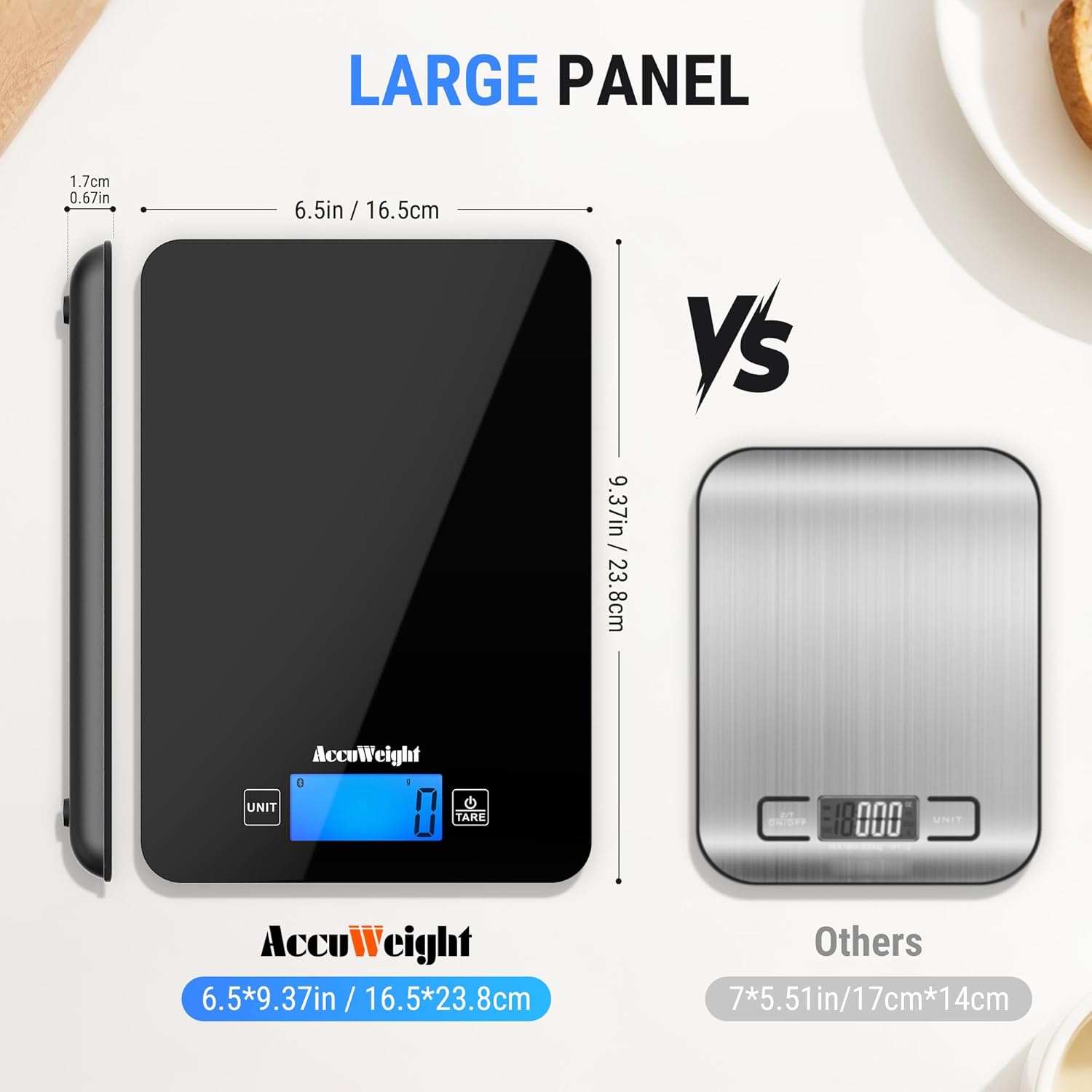
| Material Type | Tempered Glass |
| Special Features | Backlit Display, Calorie Consumption, Large Display, Smart, Tare Function |
| Power Source | 4 x AAA Batteries (Included) |
8. Warranty and Support
ACCUWEIGHT products are manufactured to high-quality standards. For any questions, technical support, or warranty claims, please contact ACCUWEIGHT customer service through the contact information provided with your purchase or on the official ACCUWEIGHT website. Please retain your proof of purchase for warranty purposes.