
Introduction
This manual provides essential instructions for the safe and efficient use of your SOARAISE HI-S029 48000mAh Solar Charger Power Bank. Please read this manual thoroughly before operating the device and retain it for future reference.
What's in the Box
- 48000mAh Wireless Solar Power Bank (x1)
- USB Cable (x1)
- User Manual (x1)
Product Overview
The SOARAISE HI-S029 is a high-capacity portable power bank designed for outdoor use, featuring multiple charging options and integrated utilities.
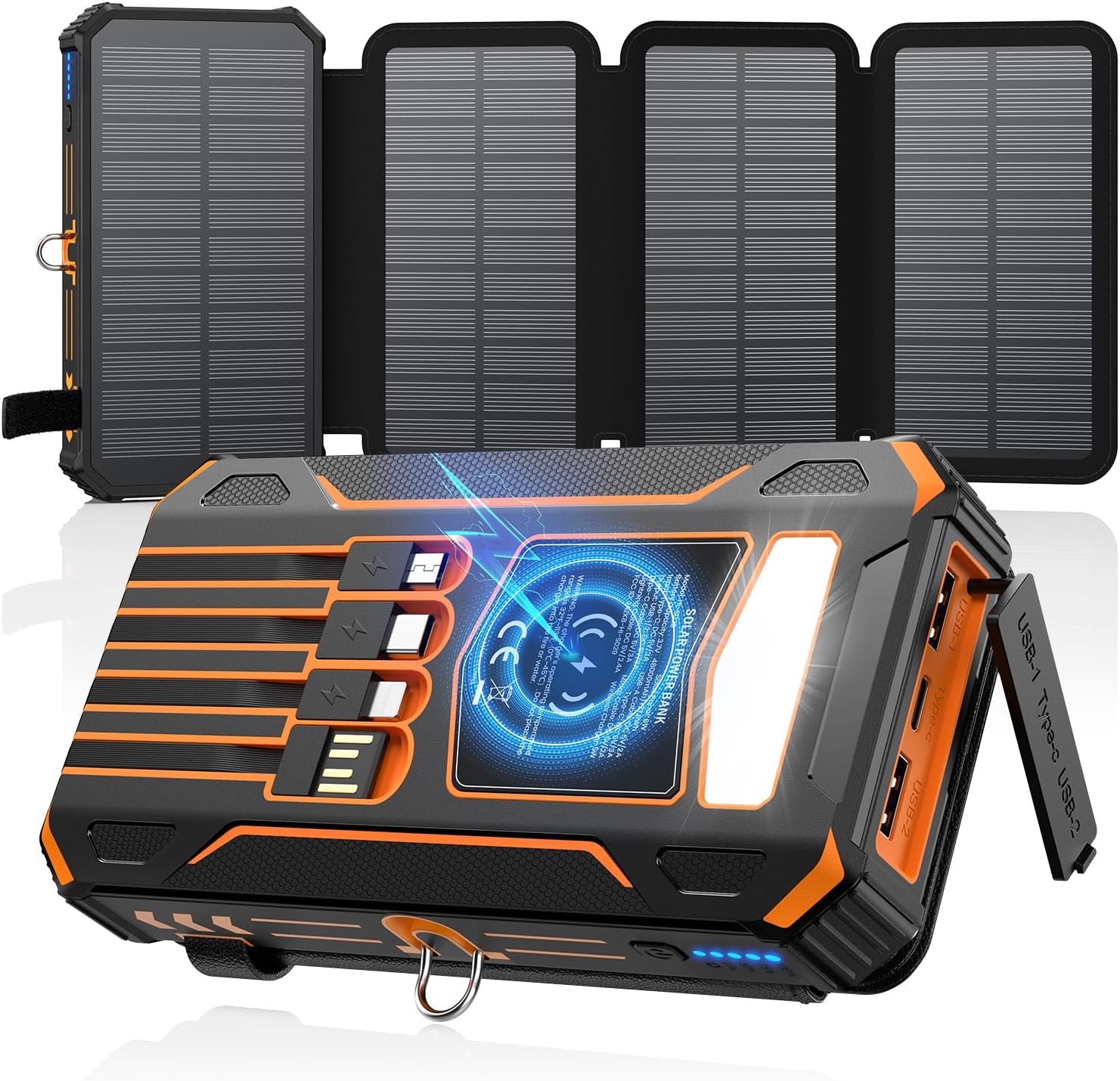
Image: The SOARAISE HI-S029 power bank with its four solar panels unfolded, showcasing its robust design and integrated flashlight.
Key Features:
- 48000mAh Capacity: High-capacity lithium-polymer battery for extended use.
- 4 Foldable Solar Panels: Enhanced solar charging efficiency.
- Built-in Cables: Includes USB-C, iOS (Lightning), USB-A, and Micro USB cables for multi-device compatibility.
- Wireless Charging: Integrated wireless charging pad for compatible devices.
- Multiple Output Ports: Two USB-A outputs and one Type-C input/output port.
- 3A Fast Charging: Supports rapid charging for compatible devices.
- LED Flashlight: Features Standard, SOS, and Strobe modes for emergency and outdoor lighting.
- Durable Design: Waterproof, shockproof, and dustproof construction.

Image: The power bank simultaneously charging multiple smartphones and earbuds using its built-in cables and wireless charging pad.
Setup
Before first use, fully charge the power bank using a wall adapter to ensure optimal performance.
- Unpack the power bank and included accessories.
- Connect the provided USB cable to the power bank's USB-C input port and a compatible USB wall adapter (not included).
- Plug the wall adapter into a power outlet. The LED indicators on the power bank will illuminate to show charging progress.
- Once all LED indicators are solid, the power bank is fully charged and ready for use.
Operating the Power Bank
Charging the Power Bank
Your SOARAISE HI-S029 can be charged via solar energy or a wall outlet.
1. Solar Charging
For solar charging, unfold all four solar panels and place the power bank in direct sunlight. The solar charging indicator light will illuminate. Solar charging is ideal for emergency power and maintaining charge, but due to varying sunlight intensity and panel size, it is slower than wall charging. For faster charging, use a wall adapter.

Image: The power bank with its four solar panels fully extended, positioned on a rock outdoors to absorb sunlight.
2. Wall Charging
Connect the power bank to a USB wall adapter using the built-in USB-C cable or an external USB-A cable. This method provides the fastest charging for the power bank.
Charging External Devices
The power bank supports wired and wireless charging for various devices.
1. Wired Charging
Use the built-in USB-C, iOS (Lightning), USB-A, or Micro USB cables to connect your device. Alternatively, use your device's own cable with one of the two USB-A output ports or the Type-C input/output port. The power bank will automatically begin charging your device.
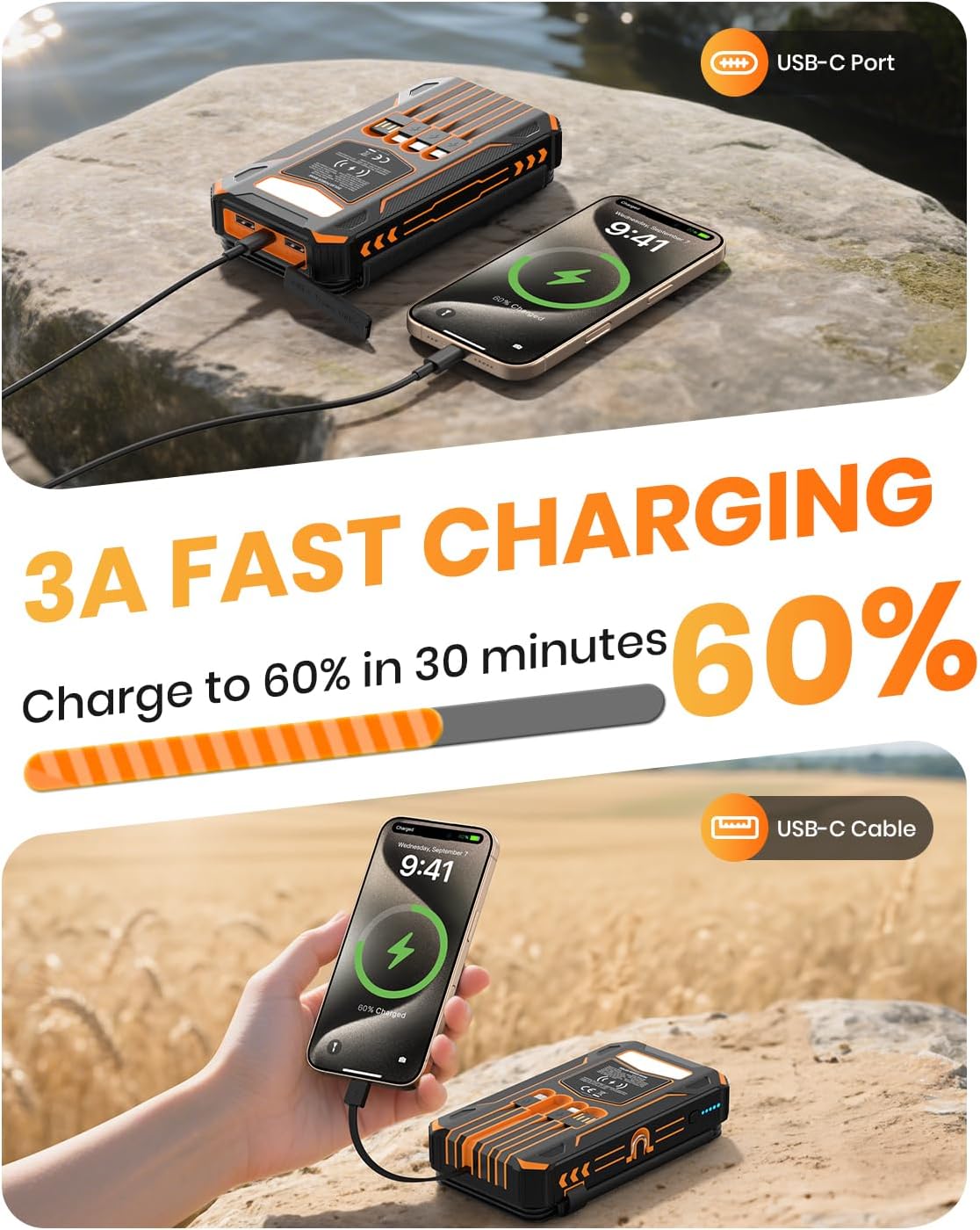
Image: A smartphone being fast-charged by the power bank using a USB-C cable, showing a charging icon on the phone screen.
2. Wireless Charging
Ensure your device supports wireless charging. Press the power button on the power bank to activate wireless charging (the flashlight will light up red). Place your wireless-charging-compatible device directly onto the wireless charging pad located on the power bank's surface. Ensure proper alignment for efficient charging. The power bank does not support magnetic charging.

Image: A smartphone positioned on the power bank's wireless charging pad, indicating active wireless charging.
Flashlight Operation
The integrated LED flashlight has three modes: Standard, SOS, and Strobe.
- Turn On/Off: Press and hold the power button for approximately 3 seconds to turn the flashlight on or off.
- Change Modes: Once the flashlight is on, short press the power button to cycle through the modes: Standard → SOS → Strobe.

Image: The power bank's flashlight illuminated, with an overlay showing the three available modes: Standard, SOS, and Strobe, along with their approximate durations.
Safety Precautions
- Do not disassemble, modify, or repair the device.
- Avoid exposing the power bank to extreme temperatures (above 60°C/140°F or below -10°C/14°F), direct heat sources, or open flames.
- Keep the device away from water, moisture, and corrosive materials.
- Do not drop, puncture, or apply excessive force to the power bank.
- Use only certified charging cables and adapters.
- Keep out of reach of children.
- If the power bank swells, emits an odor, or becomes excessively hot, discontinue use immediately.
Maintenance
- Clean the power bank with a soft, dry cloth. Do not use harsh chemicals or abrasive cleaners.
- Store the power bank in a cool, dry place when not in use.
- For prolonged storage, charge the power bank to approximately 50-75% every three months to maintain battery health.
Troubleshooting
| Problem | Possible Cause | Solution |
|---|---|---|
| Power bank not charging | Charging cable or adapter faulty; improper connection; power bank battery depleted. | Check cable and adapter; ensure secure connection; try a different cable/adapter. |
| Device not charging from power bank | Power bank battery depleted; cable faulty; device not compatible with wireless charging; improper wireless alignment. | Recharge power bank; try a different cable; ensure device supports wireless charging and is correctly placed on the pad. |
| Slow solar charging | Insufficient direct sunlight; solar panels not fully unfolded; cloudy weather. | Ensure panels are in direct, strong sunlight; unfold all panels; solar charging is supplementary, use wall charging for speed. |
| Flashlight not working | Power button not pressed correctly; power bank battery depleted. | Press and hold the power button for 3 seconds; recharge power bank. |
Specifications
| Model Number | HI-S029 |
| Battery Capacity | 48000mAh |
| Battery Type | Lithium Polymer |
| Input (Type-C) | 5V/3A |
| Output (USB-A 1/2) | 5V/3A |
| Output (Type-C) | 5V/3A |
| Wireless Output | 15W (Max) |
| Product Dimensions | 6.38 x 3.43 x 1.57 inches |
| Item Weight | 1.5 pounds |
| Special Features | 4 Solar Panels, Built-in 4 Cables, Auto Shut-Off, Fast Charging, LED Camping Flashlight, Waterproof, Shockproof, Dustproof, Wireless Charging |
Warranty and Support
SOARAISE provides a 3-year product care for this device. For any product-related inquiries, technical support, or warranty claims, please contact SOARAISE customer service through the retailer where the product was purchased or visit the official SOARAISE website for contact information.