
1. Introduction
Thank you for choosing the DEPUSHENG XT4 EU Professional Audio Mixer. This 4-channel mixing console is designed for a variety of audio applications, including studio recording, live performances, karaoke, and streaming. It features a 16-bit DSP effects processor, Bluetooth connectivity, USB playback and recording capabilities, and 48V phantom power for condenser microphones. This manual provides detailed instructions for setup, operation, and maintenance to ensure optimal performance and longevity of your device.
2. Safety Information
- Power Supply: Use only the provided power adapter. Ensure the voltage matches your local power supply before connecting.
- Water and Moisture: Do not expose the mixer to water, rain, or excessive moisture. Avoid placing liquid containers near the unit.
- Ventilation: Ensure adequate ventilation around the mixer. Do not block ventilation openings.
- Heat Sources: Keep the unit away from heat sources such as radiators, heat registers, stoves, or other heat-producing appliances.
- Cleaning: Disconnect power before cleaning. Use a dry, soft cloth. Do not use liquid cleaners or aerosols.
- Servicing: Do not attempt to service this product yourself. Refer all servicing to qualified service personnel.
- Phantom Power: When using 48V phantom power, ensure microphones are connected before activating to prevent damage.
3. Product Overview
The DEPUSHENG XT4 EU mixer is a compact yet powerful audio solution. Below is an overview of its key components and features.
3.1 Front Panel Controls and Connections

Figure 1: Front view of the DEPUSHENG XT4 EU Audio Mixer, showing all input channels, controls, and the DSP effects section.
- Input Channels (1-4):
- XLR Inputs: For microphones (with 48V phantom power option).
- LINE/MONO Inputs (1/4" TRS): For line-level instruments or mono signals.
- GAIN Control: Adjusts input sensitivity for each channel.
- EQ (HIGH, MID, LOW): Three-band equalizer for tone shaping.
- PAN Control: Adjusts the stereo position of the channel.
- AUX/FX Send: Sends signal to the internal effects processor or external AUX send.
- LEVEL Fader: Adjusts the output level of the channel.
- PEAK LED: Indicates when the input signal is too high.
- DSP Effects Section:
- 16 Digital Effects: Reverb, delay, and other spatial effects.
- Program Selector: Knob to choose from 16 effects.
- Parameter Controls: Adjust effect characteristics (e.g., delay time, reverb decay).
- FX Level: Controls the overall level of the applied effect.
- USB/MP3 Player:
- USB Port: For connecting USB drives for MP3 playback or connecting to a computer for recording/playback.
- Display: Shows track information and mode.
- Control Buttons: Play/Pause, Next/Previous, Mode (USB/Bluetooth).
- Main Outputs:
- XLR Main Outputs (L/R): For connecting to power amplifiers or active speakers.
- RCA Outputs (L/R): Additional stereo output.
- MAIN Faders (L/R): Controls the overall output level.
- Level Meters: LED indicators for main output level.
- Headphone Output: 1/4" TRS jack with dedicated level control for monitoring.
- Phantom Power Switch (+48V): Activates 48V phantom power for condenser microphones on XLR inputs.
3.2 Rear Panel Connections

Figure 2: Rear view of the DEPUSHENG XT4 EU Audio Mixer, showing the DC-IN power input and caution labels.
- DC-IN: Power input for the included power adapter.
- Caution Labels: Important safety warnings regarding electrical shock and fuse replacement.
4. Setup Guide
Follow these steps to set up your DEPUSHENG XT4 EU mixer for initial use.
4.1 Initial Connection
- Power Off: Ensure the mixer's power switch is in the OFF position before making any connections.
- Connect Power: Connect the provided power adapter to the DC-IN port on the rear panel and then to a suitable power outlet.
- Connect Main Outputs: Connect the MAIN OUTPUTS (XLR or RCA L/R) to your amplifier, active speakers, or recording interface.
- Connect Headphones: If monitoring with headphones, connect them to the PHONES jack.
4.2 Connecting Input Devices

Figure 3: Diagram illustrating various input and output connections for the DEPUSHENG XT4 EU Audio Mixer, including microphones, instruments, computers, amplifiers, and headphones.
- Microphones:
- For dynamic microphones, connect via XLR cables to the XLR inputs.
- For condenser microphones, connect via XLR cables and then activate the +48V PHANTOM power switch. Ensure microphones are connected before activating phantom power.
- Instruments/Line-Level Devices: Connect instruments (e.g., guitar, keyboard) or other line-level devices (e.g., CD player) to the LINE/MONO (1/4" TRS) inputs or RCA stereo inputs.
- Computer Connection: Connect the mixer to your computer via a USB cable. The mixer can function as a computer sound card for recording and playback.

Figure 4: The DEPUSHENG XT4 EU Audio Mixer connected to a laptop, demonstrating its use as a computer sound card for audio processing and recording.
5. Operating Instructions
This section details how to operate the various functions of your DEPUSHENG XT4 EU mixer.
5.1 Basic Operation
- Power On: After all connections are made, turn on the mixer's power switch.
- Set Levels:
- Start with all GAIN controls at minimum and channel LEVEL faders at zero.
- Gradually increase the GAIN for each input channel until the PEAK LED flashes only occasionally during the loudest parts of the signal.
- Adjust individual channel LEVEL faders to balance the mix.
- Adjust the MAIN L/R faders to control the overall output volume. Monitor the main level meters to avoid clipping.
- Equalization (EQ): Use the HIGH, MID, and LOW knobs on each channel to adjust the tone of the input signal.
- Panning: Use the PAN knob to position the channel's sound in the stereo field (left to right).
5.2 DSP Effects
The mixer includes 16 high-quality digital effects, such as reverb and delay.
- Select Effect: Turn the DSP program selector knob to choose one of the 16 effects. The selected effect number will be displayed.
- Apply Effect: Use the AUX/FX SEND knob on each channel to send a portion of that channel's signal to the effects processor.
- Adjust Effect Parameters: Use the dedicated parameter controls in the DSP section to fine-tune the chosen effect (e.g., adjust delay time or reverb decay).
- Mix Effect Level: Adjust the FX LEVEL knob to control the overall volume of the applied effect in the main mix.
5.3 USB/MP3 Playback and Recording
The USB port allows for MP3 playback from a USB drive and connection to a computer for audio interface functionality.
- USB Drive Playback:
- Insert a USB drive containing MP3 files into the USB port.
- Use the control buttons (Play/Pause, Next/Previous) to navigate and play tracks.
- Adjust the USB/MP3 channel level to integrate it into your mix.
- Bluetooth Connectivity:
- Press the MODE button on the USB/MP3 section until "Bluetooth" is displayed.
- On your mobile device, search for and connect to the mixer's Bluetooth signal.
- Play audio from your device, and it will be routed through the mixer.
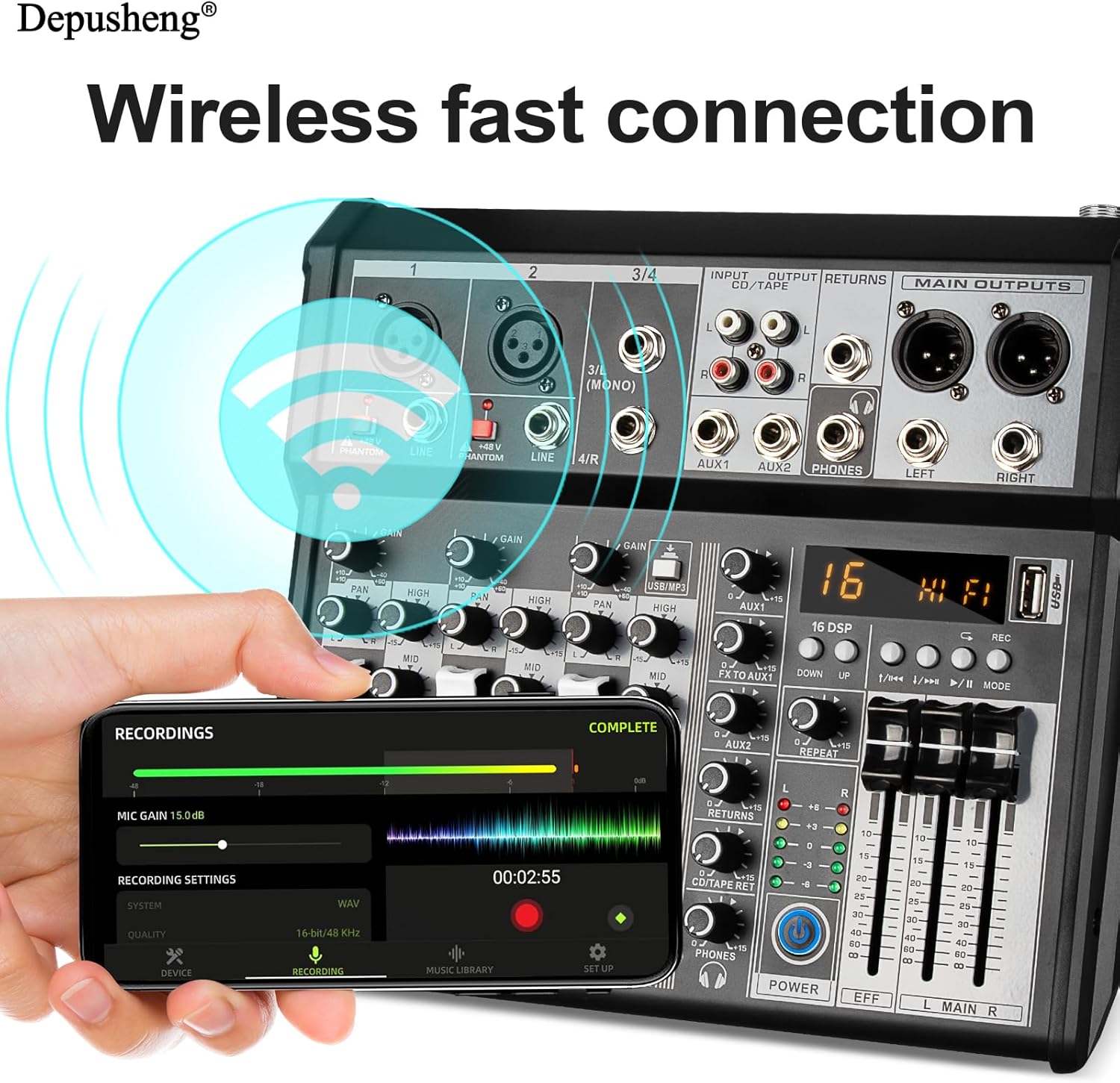
Figure 5: The DEPUSHENG XT4 EU Audio Mixer demonstrating wireless fast connection via Bluetooth to a smartphone for audio playback and control.
- Computer Recording/Playback:
- Connect the mixer to your computer via the USB port.
- The mixer will be recognized as an audio input/output device. Select it in your computer's sound settings or DAW (Digital Audio Workstation) software.
- You can record the main mix from the mixer to your computer or play audio from your computer through the mixer.
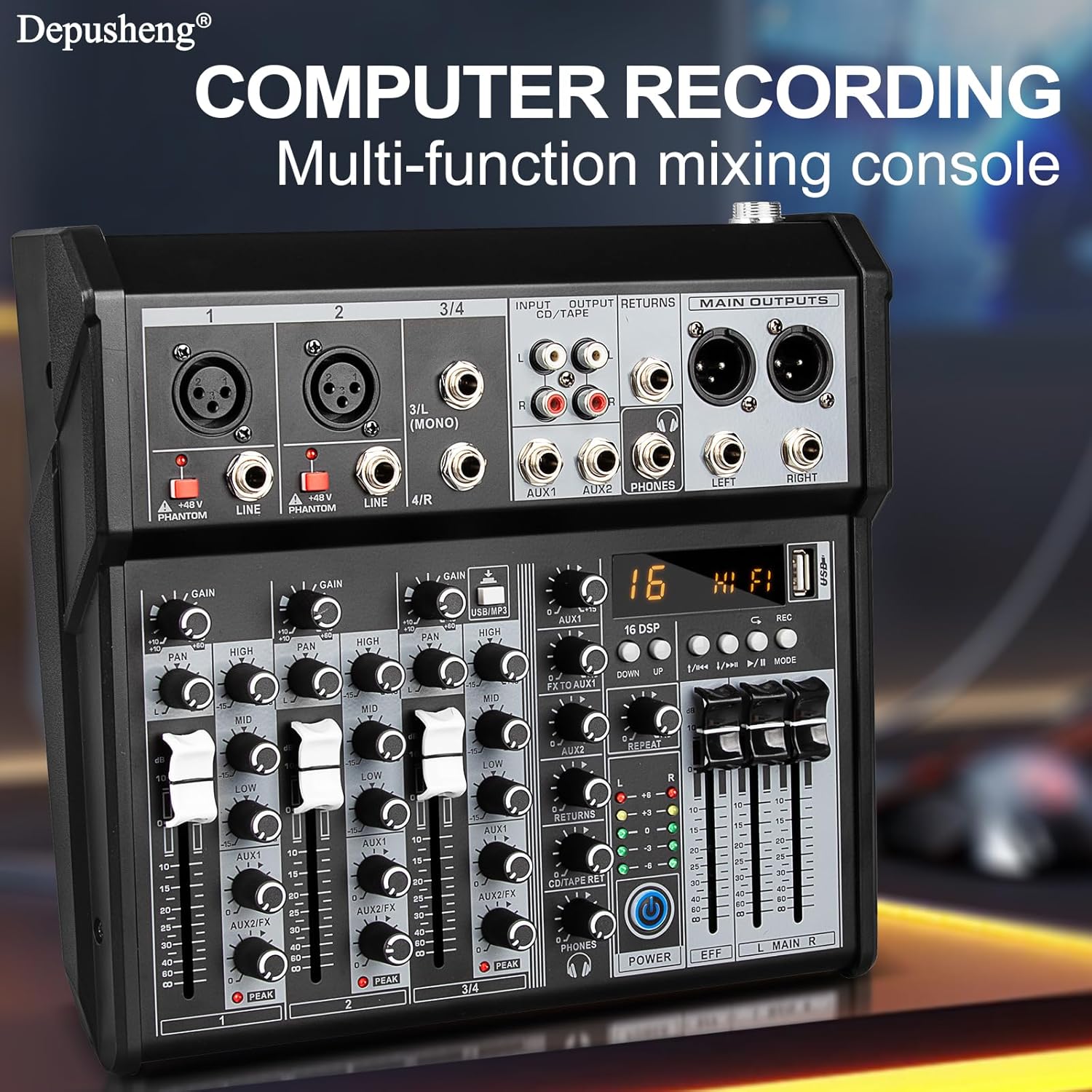
Figure 6: The DEPUSHENG XT4 EU Audio Mixer labeled for "COMPUTER RECORDING Multi-function mixing console", highlighting its capability as an audio interface for computer-based recording.
Note: MP3, Bluetooth, and USB functions are mutually exclusive. Only one of these three options can be active at a time.
5.4 Real-time Monitoring
The mixer provides a dedicated headphone output for real-time monitoring of your mix.

Figure 7: A user connecting headphones to the DEPUSHENG XT4 EU Audio Mixer for real-time ear monitoring and playback, emphasizing the 3.5mm monitor port and volume control.
- Connect your headphones to the PHONES jack.
- Adjust the PHONES level knob to set your desired monitoring volume.
6. Maintenance
- Cleaning: Regularly wipe the mixer's surface with a soft, dry cloth. Avoid abrasive cleaners or solvents.
- Dust Protection: When not in use, cover the mixer to protect it from dust and debris.
- Storage: Store the mixer in a cool, dry place away from direct sunlight and extreme temperatures.
- Cable Management: Ensure cables are neatly organized and not under strain to prevent damage to connectors.
7. Troubleshooting
| Problem | Possible Cause | Solution |
|---|---|---|
| No sound output |
|
|
| No input signal (e.g., microphone) |
|
|
| Distorted sound |
|
|
| USB/Bluetooth not working |
|
|
8. Specifications

Figure 8: Dimensions of the DEPUSHENG XT4 EU Audio Mixer, showing its compact size with measurements in millimeters and inches.
| Feature | Detail |
|---|---|
| Model Number | XT4 EU |
| Brand | DEPUSHENG |
| Number of Channels | 4 |
| Digital Effects | 16 (DSP, including Reverb, Delay) |
| Phantom Power | +48V |
| Connectivity Technology | XLR, TRS, RCA, AUX, USB, Bluetooth |
| Audio Input Types | XLR, 1/4" (TRS), RCA |
| Output Connector Types | RCA, Main Output (XLR) |
| Power Source | Corded Electric |
| Voltage | 220 Volt |
| Item Weight | 1.8 Kilograms (approx. 3.97 lbs) |
| Package Dimensions | 32.4 x 30.6 x 11.5 cm (approx. 12.76 x 12.05 x 4.53 inches) |
| Frequency Response | 20 Hz - 20 kHz (typical) |
9. Warranty and Support
DEPUSHENG provides a 12-month warranty for this product, ensuring comprehensive customer service. If you encounter any issues or require assistance, please contact DEPUSHENG customer support. Our team is available to provide solutions and ensure your satisfaction.
For support, please refer to the contact information provided with your purchase or visit the official DEPUSHENG website.


