
HOOBRO BF73USF01
HOOBRO C Shaped Side Table with Charging Station Instruction Manual
Model: BF73USF01
Introduction
Thank you for purchasing the HOOBRO C Shaped Side Table with Charging Station, Model BF73USF01. This manual provides detailed instructions for assembly, operation, maintenance, and troubleshooting to ensure safe and efficient use of your product. Please read this manual thoroughly before assembly and retain it for future reference.

Image: The HOOBRO C Shaped Side Table with Charging Station, featuring a rustic brown top, black metal frame, and a grey fabric storage pocket. A smartphone is shown charging on the tabletop.
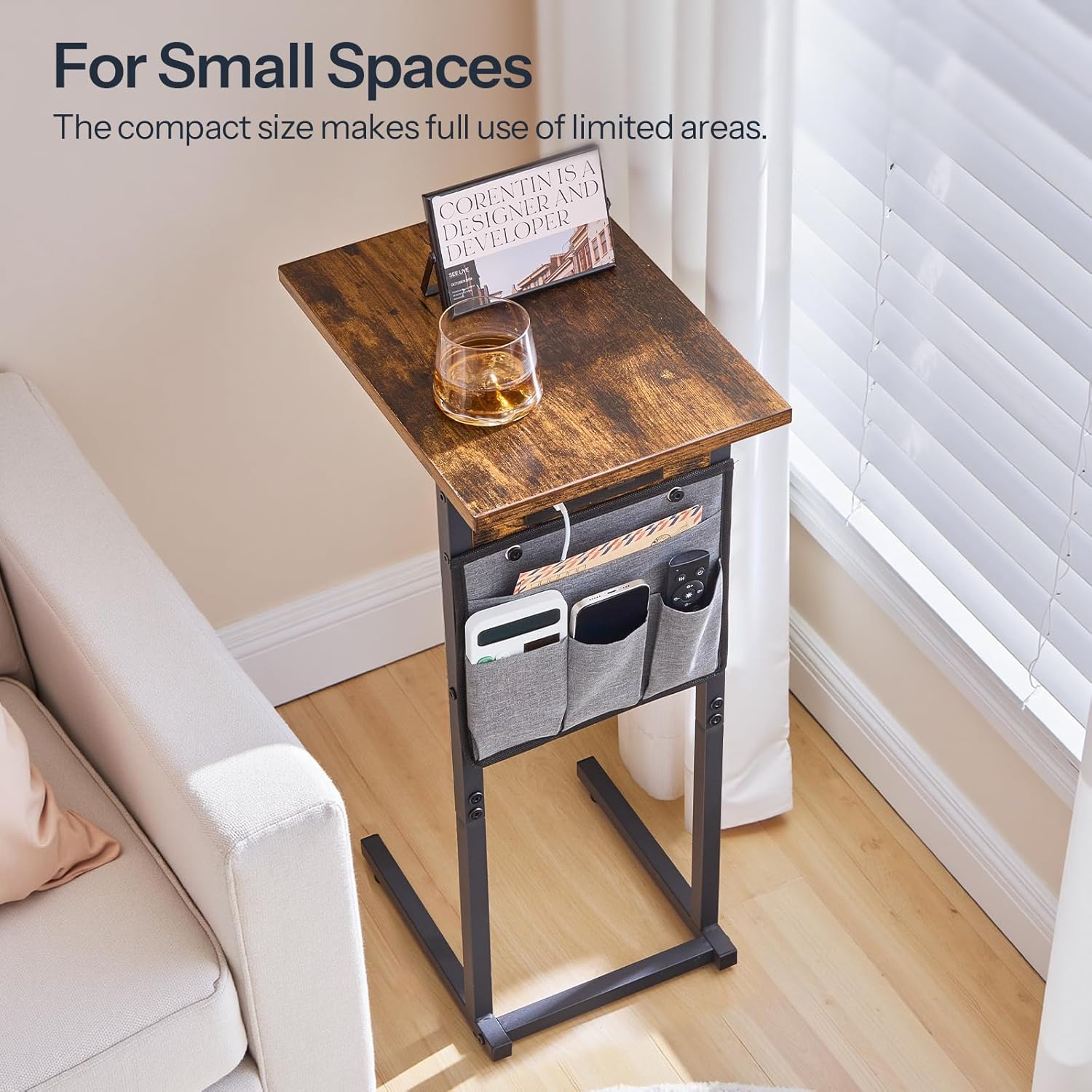
Image: The C-shaped side table positioned next to a sofa, illustrating its compact design suitable for small spaces.
Safety Instructions
To prevent injury or damage to the product, please observe the following safety guidelines:
- Read all instructions: Ensure you understand all assembly and usage instructions before proceeding.
- Keep children away: Small parts can be a choking hazard. Keep children and pets away during assembly.
- Use on a level surface: Assemble and use the table on a flat, stable surface to prevent tipping.
- Do not overload: The maximum weight recommendation for the tabletop is 30 pounds (13.6 kg). Do not exceed this limit.
- Electrical safety:
- Ensure the power outlet used for the charging station is easily accessible and properly grounded.
- Do not expose the charging station or power cord to water or excessive moisture.
- Do not attempt to modify or repair the charging station. Contact qualified personnel for service.
- Unplug the power cord when not in use or during cleaning.
- Regular checks: Periodically check all screws and connections to ensure they remain tight.
Package Contents
Before beginning assembly, verify that all parts listed below are present and undamaged. If any parts are missing or damaged, please contact customer support.
- 1 x Side Table (Components for frame and tabletop)
- 1 x Charging Station (Pre-installed or separate unit)
- 1 x Fabric Storage Pocket
- 1 x Accessory Kit (Screws, Allen wrench, etc.)
- 1 x Instructions Manual (This document)
Assembly Instructions
Follow these steps carefully to assemble your HOOBRO C Shaped Side Table. It is recommended to assemble on a soft, clean surface to prevent scratches.
- Step 1: Unpack and Identify Parts
Carefully unpack all components and lay them out. Refer to the parts list in your accessory kit to identify each piece.
- Step 2: Assemble the Base Frame
Connect the horizontal base bars to the vertical support bars using the provided screws. Ensure all connections are finger-tight at this stage.

Image: Detail of the sturdy metal base frame, showing the connection points.
- Step 3: Attach the Tabletop
Place the tabletop onto the assembled frame. Align the pre-drilled holes on the tabletop with the holes on the frame. Secure the tabletop using the appropriate screws.
- Step 4: Install the Charging Station (if separate)
If your charging station is not pre-installed, carefully insert it into the designated slot on the underside of the tabletop or side frame. Secure it with the provided fasteners.

Image: A detailed view of the integrated charging station, showing one AC outlet, one USB port, and one Type-C port.
- Step 5: Attach the Fabric Storage Pocket
Hook or attach the fabric storage pocket to the side of the table frame using the designated attachment points (e.g., buttons, hooks).

Image: The side table with its fabric storage pocket, demonstrating its capacity for small items like remote controls and pens.
- Step 6: Tighten All Connections and Adjust Feet
Once all parts are in place, fully tighten all screws using the Allen wrench. Adjust the leveling feet at the bottom of the base to ensure the table is stable and does not wobble on uneven floors.

Image: A close-up of one of the adjustable feet, designed to stabilize the table on various floor surfaces.
Operating Instructions
General Use and Placement
The C-shaped design allows the table to slide easily under sofas, beds, or armchairs, bringing the tabletop closer to you for convenience.

Image: A person comfortably using a laptop on the C-shaped side table, which is slid under a sofa.

Image: The side table positioned beside an armchair, holding snacks and a drink, demonstrating its use as a convenient surface.
Using the Charging Station
The integrated charging station provides convenient power access for your electronic devices.
- Connect to Power: Plug the table's power cord into a standard 120V AC wall outlet.
- AC Outlet: Use the 120V/12A AC outlet for devices requiring standard wall power.
- USB Port: Connect your USB-A compatible devices to the 5V/2A USB port for charging.
- Type-C Port: Connect your USB-C compatible devices to the 5V/2A Type-C port for charging.
Note: The charging station is designed for low-power devices such as smartphones, tablets, and small electronics. Do not connect high-power appliances to prevent overload.
Image: A detailed view of the integrated charging station, highlighting the AC, USB, and Type-C ports for device connectivity.
Utilizing the Storage Pocket
The fabric storage pocket provides convenient storage for small items, helping to keep your living space organized.
- Place remote controls, books, magazines, pens, or other small personal items into the compartments of the fabric pocket for easy access.
Image: The fabric storage pocket on the side of the table, demonstrating its utility for organizing small household items.
Maintenance
Proper care will extend the life and appearance of your side table.
- Cleaning: Wipe the tabletop and metal frame with a dry, soft cloth. For stubborn marks, a slightly damp cloth can be used, followed immediately by a dry cloth.
- Avoid harsh chemicals: Do not use abrasive cleaners, solvents, or polishes that may damage the finish.
- Fabric pocket care: The fabric pocket can be spot cleaned with a mild detergent and water. Allow to air dry completely.
- Electrical components: Keep the charging station clean and dry. Do not spray cleaning liquids directly onto electrical ports.
- Regular inspection: Periodically check all screws and connections for tightness and re-tighten if necessary.
Troubleshooting
| Problem | Possible Cause | Solution |
|---|---|---|
| Table wobbles | Uneven floor; loose connections | Adjust the leveling feet at the base. Tighten all assembly screws. |
| Charging station not working | Power cord unplugged; wall outlet not active; device cable faulty; device requires more power than supplied | Ensure the power cord is securely plugged into a live wall outlet. Test the outlet with another device. Try a different charging cable. Verify device power requirements are within the station's limits (5V/2A for USB/Type-C, 120V/12A for AC). |
| Parts missing or damaged | Packaging error; shipping damage | Do not proceed with assembly. Contact HOOBRO customer support immediately for replacement parts. |
Specifications
- Brand: HOOBRO
- Model: BF73USF01
- Product Dimensions: 15"D x 11"W x 27.8"H (38cm D x 28cm W x 70.5cm H)
- Weight: 6.8 Pounds (3.1 kg)
- Maximum Weight Recommendation: 30 Pounds (13.6 kg)
- Material: Engineered Wood, Metal
- Color: Rustic Brown + Black
- Charging Station Output:
- AC Outlet: 120V/12A
- USB Port: 5V/2A
- Type-C Port: 5V/2A
- Power Cord Length: 59 inches (150 cm)
- Included Components: Side Table, Charging Station, Fabric Storage Pocket, Accessory Kit, Instructions

Image: Dimensional diagram of the side table, indicating its length, width, height, and weight capacity.
Warranty and Support
HOOBRO products are designed for quality and durability. For specific warranty information, please refer to the documentation included with your purchase or visit the official HOOBRO website.
If you encounter any issues or have questions regarding your HOOBRO C Shaped Side Table, please contact HOOBRO customer support:
- Website: Visit the HOOBRO Store on Amazon (for general inquiries and product information)
- Contact Information: Refer to your purchase receipt or the HOOBRO website for direct customer service contact details.
Please have your model number (BF73USF01) and purchase date available when contacting support.
Ask a question about this manual
Ask about setup, troubleshooting, compatibility, parts, safety, or missing instructions. Manuals+ will review the question and use this page’s manual context to help answer it.