
ARTPOWER B0F4DGKRMK
ARTPOWER 67'' Mid-Century Modern TV Stand User Manual
Model: B0F4DGKRMK | Brand: ARTPOWER
1. Introduction
Thank you for choosing the ARTPOWER 67'' Mid-Century Modern TV Stand. This manual provides detailed instructions for assembly, operation, and maintenance to ensure safe and optimal use of your new furniture. This TV stand is designed to accommodate TVs up to 75 inches and offers versatile storage solutions for your living space.

Image 1.1: The ARTPOWER 67-inch Mid-Century Modern TV Stand, showcasing its green finish and overall design.
2. Safety Information
Please read and understand all safety warnings before assembly and use.
- Weight Limit: Do not exceed the maximum weight limit of 250 pounds (113.4 kg) on the TV stand. Overloading can lead to instability and potential damage or injury.
- Assembly: Ensure all components are correctly assembled and tightened according to the instructions to maintain structural stability.
- Placement: Place the TV stand on a flat, level, and stable surface to prevent tipping.
- Children and Pets: Keep small parts and packaging materials away from children and pets during assembly. Do not allow children to climb or play on the TV stand.
- Cable Management: Utilize the integrated cable management holes to organize electronic wires, reducing tripping hazards and maintaining a tidy appearance.
3. Package Contents
Before beginning assembly, verify that all parts listed below are present and undamaged. If any parts are missing or damaged, please contact customer support.
- Main TV Stand Panels (Top, Bottom, Sides, Back)
- Cabinet Doors (x4)
- Adjustable Shelves (x2)
- Drawer Components (Front, Back, Sides, Bottom)
- Solid Wood Legs (x6)
- Hardware Pack (Screws, Dowels, Hinges, Drawer Slides, Handles, etc.)
- Assembly Instructions Manual

Image 3.1: Overview of the TV stand from various angles, showing its front, back, side, and angled views, which helps in identifying components.
4. Setup and Assembly
Assembly is required for this TV stand. It is recommended to have two people for assembly. Follow the clear and easy-to-read instructions provided in the box. All spare parts are marked for easy identification.
4.1 Tools Required (Not Included)
- Phillips Head Screwdriver
- Hammer (for dowels, if applicable)
4.2 Assembly Steps (General Overview)
- Unpack all components and lay them out on a clean, soft surface to prevent scratches.
- Attach the solid wood legs to the base of the TV stand.
- Assemble the main frame of the TV stand, connecting the top, bottom, and side panels.
- Install the drawer slides and assemble the drawer. Insert the completed drawer into its designated slot.
- Attach the hinges to the cabinet doors and then mount the doors to the main frame.
- Insert the adjustable shelves into the cabinets. The shelves can be customized for storage space.
- Attach handles to the doors and drawer.
- Carefully move the assembled TV stand to its desired location.
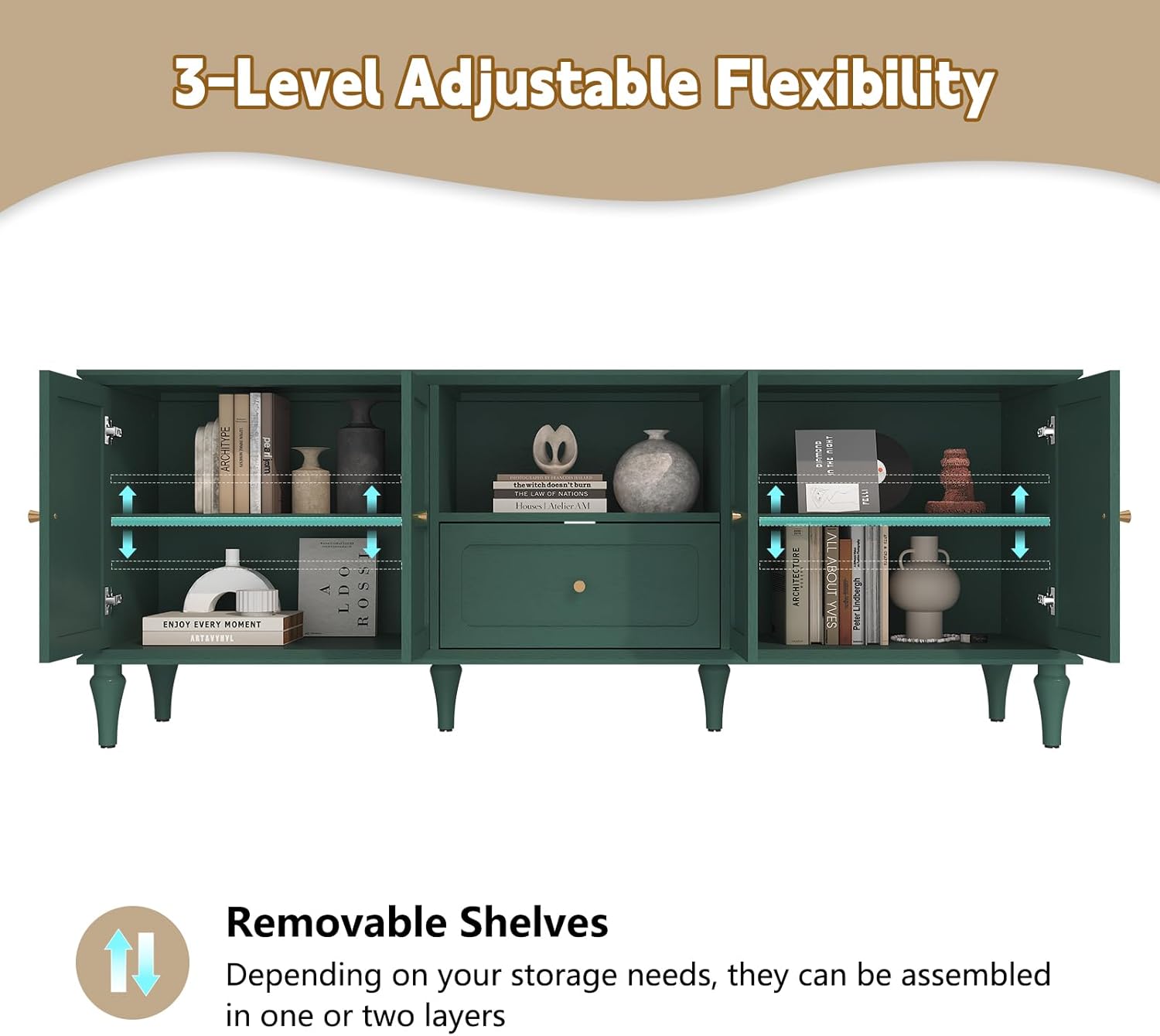
Image 4.1: The assembled TV stand integrated into a living room, demonstrating its aesthetic appeal.
5. Operating Instructions (Usage)
The ARTPOWER TV Stand is designed for versatile use as a media entertainment center or a multifunctional storage cabinet.
5.1 TV Placement
This TV stand can accommodate televisions up to 75 inches in size. Ensure the TV's base fits securely on the top surface and that its weight does not exceed the stand's 250-pound limit.
5.2 Storage Capacity
The stand features two cabinets, a large-capacity drawer, and an open shelf. Each cabinet includes an adjustable shelf, allowing you to customize the internal storage space based on your needs. These shelves can be assembled in one or two layers.
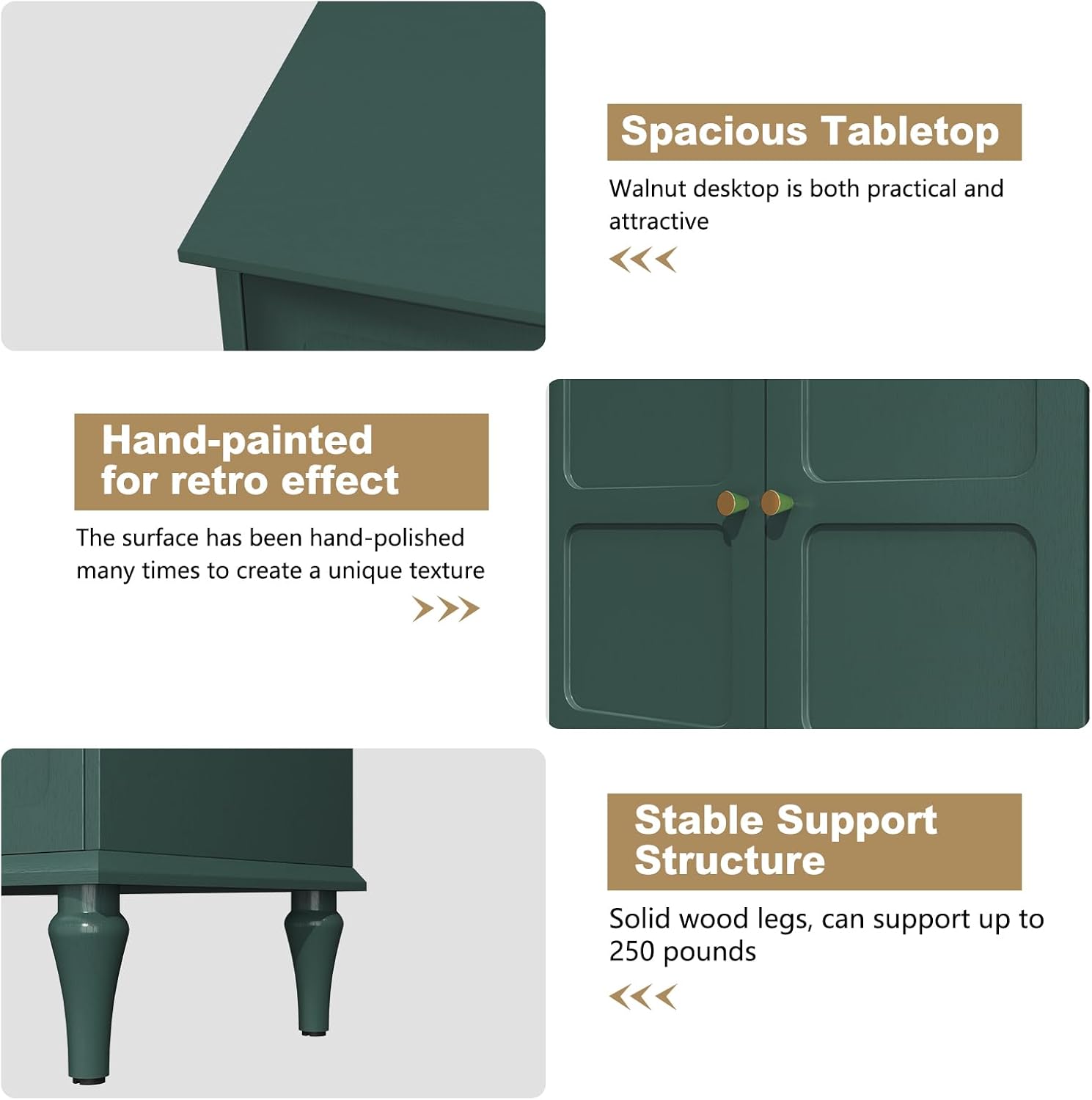
Image 5.1: Illustration of the 3-level adjustable flexibility of the shelves within the cabinets, highlighting their removable nature.
5.3 Cable Management
The back of the media center cabinet features cross-layered oval cable management holes. Use these to route and organize electronic wires, keeping your setup neat and preventing tangles.

Image 5.2: The TV stand with cabinet doors open, revealing the interior storage and the cable management holes at the back.
6. Maintenance
Proper care and maintenance will extend the life and appearance of your TV stand.
- Cleaning: Wipe surfaces with a soft, damp cloth. Avoid harsh chemicals, abrasive cleaners, or polishes that may damage the finish.
- Spills: Clean spills immediately with a dry cloth to prevent staining or water damage.
- Sunlight: Avoid prolonged exposure to direct sunlight, which can cause fading or discoloration.
- Heat and Moisture: Keep the TV stand away from direct heat sources and areas of high humidity.
- Hardware: Periodically check and tighten all screws and fasteners to ensure the stand remains stable.
7. Troubleshooting
If you encounter any issues with your TV stand, refer to the following common solutions:
| Problem | Possible Cause | Solution |
|---|---|---|
| Stand is wobbly/unstable | Loose fasteners; uneven floor. | Ensure all screws are tightened. Move to a level surface or use shims under legs if necessary. |
| Drawer does not slide smoothly | Improperly installed drawer slides; obstruction. | Check that drawer slides are correctly aligned and installed. Remove any obstructions from the tracks. |
| Cabinet doors are misaligned | Hinges not adjusted correctly. | Adjust the screws on the hinges to align the doors. Refer to the assembly instructions for hinge adjustment details. |
| Surface scratches | Sharp objects; abrasive cleaning. | Use furniture polish or touch-up pens designed for engineered wood. Always use soft cloths for cleaning. |
8. Specifications
| Feature | Detail |
|---|---|
| Brand | ARTPOWER |
| Model | B0F4DGKRMK |
| Color | Green |
| Product Dimensions (D x W x H) | 14.9"D x 66.9"W x 25.2"H (37.8cm D x 170cm W x 64cm H) |
| Material | Engineered Wood (MDF frame) |
| Weight Limit | 250 Pounds (113.4 kg) |
| Item Weight | 73.3 pounds (33.2 kg) |
| Number of Shelves | 2 (Adjustable) |
| Assembly Required | Yes |
| Max TV Size Accommodated | Up to 75 inches |

Image 8.1: Detailed dimensions of the TV stand and its internal compartments, along with a visual guide for compatible TV sizes.
9. Warranty and Support
ARTPOWER is committed to providing high-quality products and customer satisfaction.
9.1 Returns Policy
This product is eligible for 30-day easy returns. Please refer to your purchase platform's return policy for specific details and procedures.
9.2 Customer Support
For any questions, missing parts, or assistance with assembly or product issues, please contact ARTPOWER customer support through the retailer where you purchased the product. You can also visit the ARTPOWER Store on Amazon for more information.
Protection plans may also be available for extended coverage. Check your purchase options for details on 2-Year or 3-Year Protection Plans.
Ask a question about this manual
Ask about setup, troubleshooting, compatibility, parts, safety, or missing instructions. Manuals+ will review the question and use this page’s manual context to help answer it.