
1. Product Overview
The mingwear Military Smart Watch is a robust and feature-rich device designed for active lifestyles. It features a 1.85-inch HD touch screen, a long-lasting 730mAh battery, and includes functionalities such as Bluetooth calling, fitness tracking, and an integrated LED flashlight.
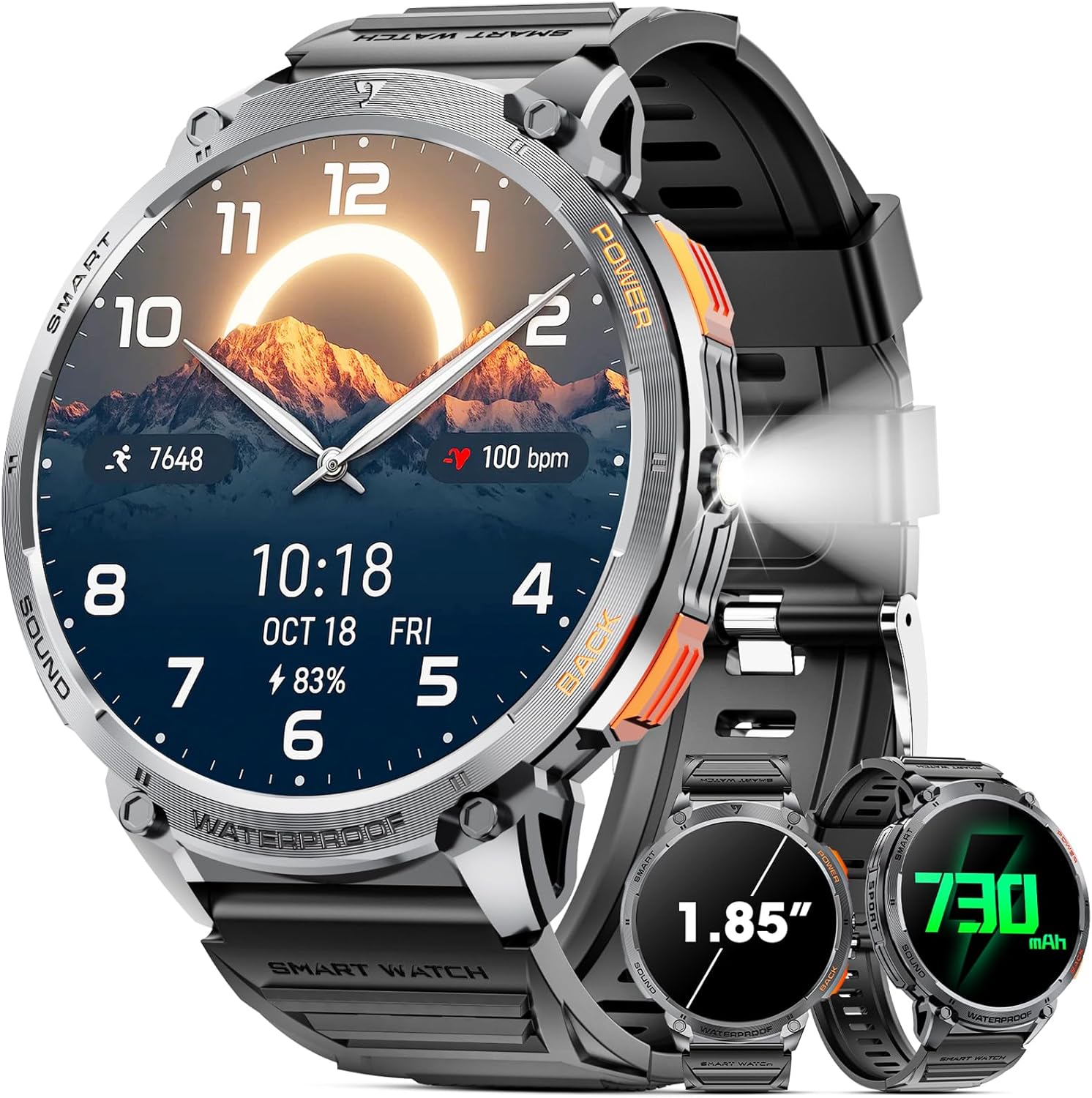
Image 1.1: Front view of the mingwear Military Smart Watch, highlighting its display and integrated flashlight.
2. What's in the Box
Please verify that all items are present in the package:
- Smart Watch x 1
- Silicone Watch Strap x 1
- Magnetic Charger x 1
- User Manual x 1

Image 2.1: Contents of the mingwear Military Smart Watch package, including the watch, strap, charger, and user manual.
3. Setup Guide
3.1 Charging the Device
Before initial use, fully charge your smart watch. Connect the magnetic charger to the charging points on the back of the watch and plug the USB end into a power adapter (not included) or a computer's USB port. A full charge typically takes approximately 3 hours.
3.2 App Installation and Pairing
To utilize all features of your smart watch, download the 'FitCloudPro' app on your smartphone.
- Download the 'FitCloudPro' app from Google Play Store (for Android) or Apple App Store (for iOS).
- Ensure your phone's Bluetooth is turned on.
- Open the 'FitCloudPro' app, navigate to 'Device', and select 'Add Peripheral Now'.
- When prompted, tap 'Pair' in the pop-up window on your phone to connect the watch.
- Enable 'Notifications' permission for the app to receive alerts on your watch.

Image 3.1: Visual instructions for connecting the smart watch to your smartphone using the FitCloudPro application.
3.3 Notification Setup (iOS)
To receive messages and app notifications on your iOS device:
- Connect the watch and phone via Bluetooth as described above.
- In the 'FitCloudPro' app, go to 'Device' and tap 'Push Notifications'.
- Enable notifications for your desired apps.
- Go to your phone's 'Settings' to allow 'FitCloudPro' to access 'Notifications'.
Note: Ensure the 'FitCloudPro' app remains active. Disable 'Do Not Disturb' and 'Low Power Mode'. Message sync will not occur if the app is logged into other devices or phones in the chat interface.

Image 3.2: Detailed steps for configuring message and app notifications on iOS devices.
3.4 Notification Setup (Android)
To receive messages and app notifications on your Android device:
- Connect the watch and phone via Bluetooth.
- In the 'FitCloudPro' app, go to 'Device' and tap 'Push Notifications'.
- Enable notifications for your desired apps.
- Go to your phone's 'Settings' to allow 'FitCloudPro' to access 'Notifications'.
Note: Ensure the 'FitCloudPro' app remains active. Android users may need to add the app to the whitelist in Settings. Disable 'Do Not Disturb' and 'Low Power Mode'. Message sync will not occur if the app is logged into other devices or phones in the chat interface.

Image 3.3: Detailed steps for configuring message and app notifications on Android devices.
4. Operating Instructions
4.1 Display and Navigation
The watch features a 1.85-inch HD touch screen with 360*360 pixels, offering clear visuals and responsive touch control. Navigate through menus by swiping across the screen. The 2.5D Multifunctional Selection Interface allows for intuitive access to various modes and functions.

Image 4.1: The 1.85-inch HD display of the smart watch, emphasizing its resolution and clarity.

Image 4.2: The multifunctional selection interface, showing various app icons and health data displays.
4.2 Bluetooth Calling and Notifications
The watch is equipped with Bluetooth 5.0 for stable connections. It includes a 60-decibel speaker and a noise-cancelling microphone for clear calls. Once paired with your smartphone, you can answer, make, and end calls directly from the watch. Message notifications from SMS, Facebook, WhatsApp, and other apps will also be displayed.

Image 4.3: The Bluetooth calling feature in action, showing a call screen and message reminders.
4.3 Voice Assistant
Utilize the integrated voice assistant to perform tasks by voice command. Simply activate the voice assistant and speak your instructions, such as setting an alarm or checking the weather.
4.4 LED Flashlight
The watch features a powerful LED flashlight, providing illumination for 6-8 meters. This function is useful for outdoor activities, power outages, or locating items in low light conditions. It can also be activated to send a distress signal in emergencies.

Image 4.4: The LED flashlight feature, demonstrating its use in different scenarios like camping and power outages.
4.5 Sports Modes and Fitness Tracking
The watch supports over 110 sports modes, covering a wide range of physical activities. It records workout duration, calorie expenditure, exercise heart rate, steps, and distance. The all-day activity tracking monitors steps, distance, and calorie burn to help you achieve fitness goals.

Image 4.5: Examples of 110+ sports modes, illustrating how the watch tracks various physical activities.
4.6 Health Monitoring
The watch provides comprehensive health monitoring features:
- Heart Rate Monitoring: Continuously tracks your heart rate.
- Blood Oxygen Monitoring: Measures your blood oxygen levels.
- Sleep Monitoring: Tracks sleep patterns, including deep and light sleep, providing data through the app.
- Breathing Exercises: Guided breathing exercises for relaxation.

Image 4.6: Overview of the extensive health features, including heart rate, blood oxygen, and sleep tracking.

Image 4.7: Real-time sleep monitoring interface, showing sleep duration and quality analysis.
4.7 Other Functions
The 2.5D Multifunctional Selection Interface provides access to additional daily functions:
- SOS emergency calling
- Alarm clock
- Stopwatch
- Timer
- Calculator
- Weather forecast
- Music playback control
- Activity reminders (e.g., sedentary reminder, drinking water reminder)
- Find Phone
- Camera Control
5. Maintenance
5.1 Battery Management
The watch is equipped with a 730mAh battery. Battery life typically lasts 7-10 days with normal use, and over 100 days in energy-saving mode. Charge the watch for 3 hours to achieve a full charge.

Image 5.1: Information on the 730mAh battery capacity and expected battery life under different usage conditions.
5.2 Water Resistance
The watch is IP68 waterproof, making it resistant to dust and immersion in water up to 1.5 meters for 30 minutes. It has passed tests including salt spray, rain, and impact.
Note: Bathing with the smartwatch is not recommended due to factors such as water pressure and temperature. Hot water and steam can significantly damage the waterproof performance of the product.
5.3 Cleaning and Care
Wipe the watch and strap with a soft, dry cloth. Avoid using harsh chemicals or abrasive materials. Ensure the charging contacts are clean and dry before charging.
6. Troubleshooting
If you encounter any issues, please refer to the following common solutions:
- Q: How to get SMS messages and other social notifications?
A: This Smartwatch cannot send messages. To receive notifications, ensure all apps that need push notifications are enabled in the 'FitCloudPro' app. On your phone, allow all permissions for the app and any apps that need notifications, including pop-ups, alerts, and landscape mode.
- Q: How to set call audio & media audio?
A: Scroll down on the homepage of the watch to find a circle of function icons. Tap on the call icon. Call audio and media audio options will appear. If you turn off media audio, the watch will not play music/video/voice from your phone.
- Q: How to adjust the call volume?
A: On the call page, click the volume marker in the upper right corner of your avatar to increase or decrease the volume.
- Q: Watch does not consistently stay connected to your phone? Repeated connection and disconnection?
A: This watch connects via Bluetooth. Please keep within a 10m range when using it. For Android, enable background permissions and keep the app open. For iOS, ensure the app is running in the background. If issues persist, please contact support.
- Q: Can't get all contacts in the watch?
A: If the contact cannot have emoticons or symbols, and the phone number must be preceded by a '1' in the contact, and there can be no brackets in the area code.

Image 6.1: Common troubleshooting questions and their solutions for the smart watch.
7. Specifications
| Feature | Specification |
|---|---|
| Model Number | 607601892005 |
| Screen Size | 1.85 Inches |
| Screen Resolution | 360*360 pixels |
| Battery Capacity | 730 mAh (Lithium Polymer) |
| Connectivity | Bluetooth 5.0 |
| Waterproof Rating | IP68 |
| Compatibility | iOS 8.0 and higher, Android 4.4 and higher |
| Item Weight | 6.7 ounces (0.19 Kilograms) |
| Memory Storage Capacity | 128 MB |
| Shape | Round |
| GPS | No GPS |

Image 7.1: Visual comparison of screen sizes, emphasizing the 1.85-inch round display of the mingwear watch.
8. Support
If you have any questions or require further assistance with your mingwear Military Smart Watch, please do not hesitate to contact our professional service team. We aim to reply within 24 hours and provide the best possible solution.
Contact information can typically be found on the product packaging or the official mingwear website.