Introduction
This manual provides essential information for the safe and efficient use of your PUJIMAX Rechargeable AAA Lithium Batteries and the accompanying USB-C charger. Please read these instructions thoroughly before first use and retain for future reference.
What's in the Box
Upon opening the package, verify that all components are present:
- 1 x 8-Slot Independent Charger
- 8 x AAA Lithium-Ion Rechargeable Batteries (1512mWh)
- 1 x USB-Type C Charging Cable

Image: The package contents, including the 8-slot charger, eight blue AAA batteries, and a black USB-C charging cable.
Product Features
- High Capacity: Each AAA lithium rechargeable battery provides 1512mWh (approximately 1008mAh at 1.5V) for extended device operation.
- Constant 1.5V Output: Delivers stable 1.5V voltage, unlike 1.2V NiMH cells, ensuring consistent performance in various devices.
- Pre-Charged & Low Self-Discharge: Batteries arrive pre-charged and maintain their charge during storage, suitable for immediate and backup use.
- Long Cycle Life: Supports over 1000 recharge cycles, offering a cost-effective and environmentally friendly alternative to disposable batteries.
- Safety Certifications: Certified by UL, CE, ROHS, and FCC, with built-in protections against over-charge, short-circuit, and overheating.

Image: A comparison graph showing the stable 1.5V output of PUJIMAX lithium batteries versus the declining voltage of Ni-MH batteries over discharge time.
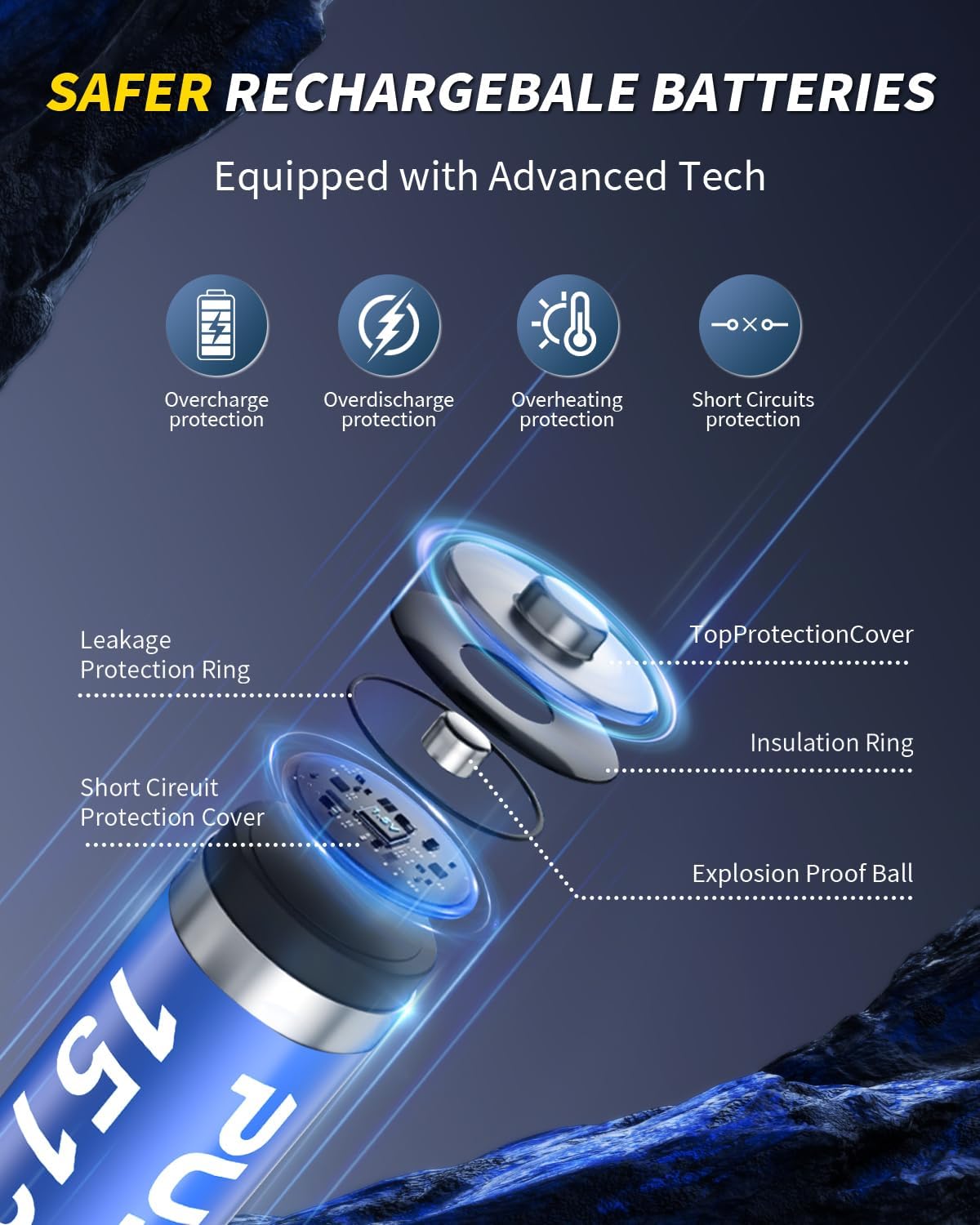
Image: An exploded view diagram highlighting the safety features within the battery, such as overcharge protection, overdischarge protection, overheating protection, short circuit protection, leakage protection ring, short circuit protection cover, insulation ring, and explosion-proof ball.
Setup
The batteries are pre-charged and ready for immediate use. However, it is recommended to fully charge them before the first extensive use to ensure optimal performance and battery longevity.
Initial Charging
- Connect the provided USB-C cable to the charger.
- Plug the other end of the USB-C cable into a compatible USB power source (e.g., wall adapter, computer USB port, power bank).
- Insert the AAA batteries into the charger slots, ensuring correct polarity (+ and - ends match the indicators in the charger).
- The indicator lights on the charger will illuminate to show the charging status.
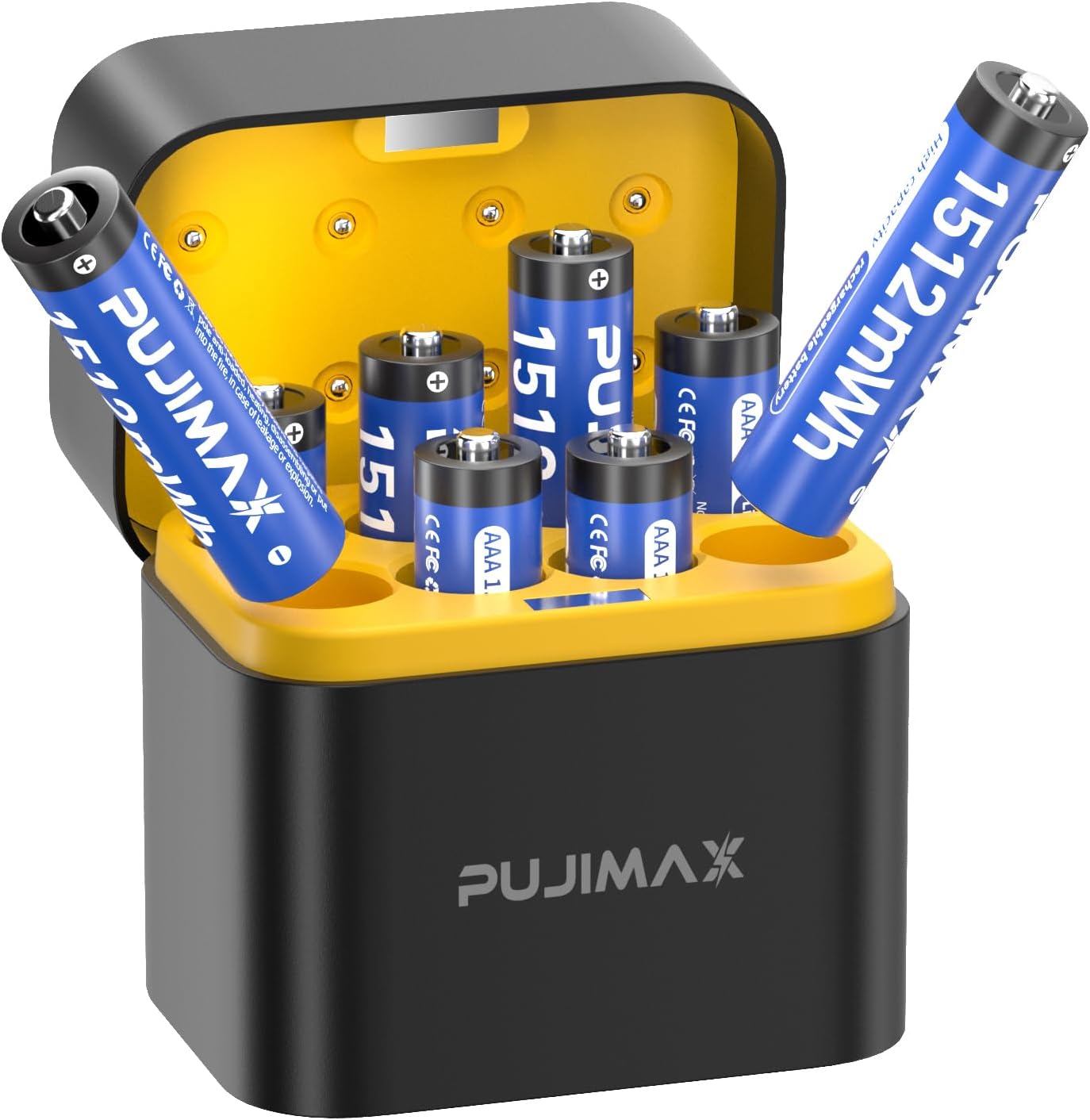
Image: The PUJIMAX 8-slot charger with several blue AAA batteries inserted, demonstrating how they fit into the charging slots.
Operating Instructions
Using the Batteries
- Ensure the batteries are fully charged before use.
- Insert the batteries into your electronic device, observing the correct polarity (+ and -).
- These batteries are suitable for a wide range of devices including remote controls, wireless mice, toys, flashlights, gaming controllers, cameras, and clocks.

Image: A visual representation of the PUJIMAX AAA batteries being used in common electronic devices such as a camera, flashlight, wireless mouse, electric shaver, and toy car, highlighting their versatility.

Image: A close-up of hands holding a gaming controller, with the battery compartment open to show two PUJIMAX AAA batteries inserted, illustrating their use in high-drain portable electronics.
Charging Instructions
The included charger is designed for fast and efficient charging of PUJIMAX AAA Lithium-Ion batteries.
Charging Process
- Place the depleted AAA batteries into the charger slots. Ensure the positive (+) and negative (-) terminals of the batteries align correctly with the charger's markings.
- Connect the charger to a USB power source using the provided USB-C cable.
- The LED indicators on the charger will show the charging status:
- Blinking Green: Battery is currently charging.
- Solid Green: Battery is fully charged.
- Red: Indicates an error (e.g., incorrect battery type, faulty battery, or improper insertion).
- Charging time is approximately 2.5 hours for a full charge.
- Once fully charged, remove the batteries from the charger and disconnect the charger from the power source.

Image: The PUJIMAX 8-slot smart charger with batteries inserted and connected to a power source, displaying green indicator lights for normal charging status.

Image: An illustration demonstrating the versatility of the USB-C charger, showing it connected to a laptop, a standard wall adapter, and a car charger for convenient charging options.
Maintenance
Proper maintenance ensures the longevity and performance of your PUJIMAX batteries and charger.
- Storage: Store batteries in a cool, dry place away from direct sunlight and extreme temperatures. For long-term storage, it is recommended to store them at approximately 50% charge.
- Cleaning: Use a dry, soft cloth to clean the batteries and charger. Do not use harsh chemicals or abrasive materials.
- Disposal: Do not dispose of batteries in household waste. Follow local regulations for proper disposal of lithium-ion batteries.
- Avoid Short Circuits: Do not allow metal objects to come into contact with the battery terminals, as this can cause a short circuit.
Troubleshooting
| Problem | Possible Cause | Solution |
|---|---|---|
| Batteries not charging | Incorrect battery insertion; Faulty USB cable/power source; Charger malfunction; Battery defect. | Ensure correct polarity. Try a different USB cable or power source. Test with other batteries. If issue persists, contact support. |
| Device not powering on with charged batteries | Incorrect battery insertion; Device compatibility issue; Battery not fully charged. | Verify correct polarity. Confirm device requires 1.5V AAA batteries. Re-charge batteries fully. |
| Red indicator light on charger | Battery error (e.g., short circuit, over-discharge, incompatible battery). | Remove and re-insert battery. Ensure it's a PUJIMAX AAA lithium battery. If red light persists, the battery may be faulty. |
Specifications
| Feature | Detail |
|---|---|
| Battery Type | AAA Lithium-Ion Rechargeable |
| Energy Capacity | 1512mWh (approx. 1008mAh at 1.5V) |
| Nominal Voltage | 1.5V Constant Output |
| Recharge Cycles | 1000+ Cycles |
| Charger Input | USB-C |
| Charging Time | Approx. 2.5 hours |
| Safety Certifications | UL, CE, ROHS, FCC |
| Package Dimensions | 6.06 x 3.66 x 3.11 inches |
| Item Weight | 4.6 ounces |
Safety Information
Adhere to the following safety guidelines to prevent damage, injury, or fire:
- Do not disassemble, crush, puncture, or short-circuit the batteries.
- Do not expose batteries to water or extreme temperatures (above 60°C/140°F or below -20°C/-4°F).
- Use only the provided charger or a compatible USB-C charger designed for lithium-ion batteries.
- Keep batteries and charger out of reach of children and pets.
- If a battery leaks, swells, or emits an unusual odor, discontinue use immediately and dispose of it properly.
- Do not mix new and old batteries, or different types of batteries.
Warranty and Support
For warranty information, technical support, or customer service inquiries, please refer to the official PUJIMAX website or contact their customer support directly. Details are typically available on the product packaging or the manufacturer's website.