
AIRHOT 3001
AIRHOT Walking Pad Treadmill, 3 in 1 Under Desk Treadmill with Remote Control, 2.5HP Folding Portable Treadmill
Model: 3001
1. Introduction
Thank you for choosing the AIRHOT Walking Pad Treadmill. This manual provides essential information for the safe and effective operation, setup, maintenance, and troubleshooting of your new 3-in-1 under-desk treadmill. Designed for compact spaces, this portable treadmill features a 2.5HP motor, remote control, and a 265 lbs capacity, offering a versatile solution for your fitness needs.
Please read this manual thoroughly before first use and retain it for future reference.
2. Important Safety Instructions
To reduce the risk of serious injury, always follow basic precautions when using this appliance, including the following:
- Read all instructions before using the treadmill.
- Keep children and pets away from the treadmill during operation.
- Place the treadmill on a solid, level surface with adequate clearance around it.
- Ensure the power cord is not pinched or damaged. Do not use extension cords.
- Wear appropriate athletic footwear and clothing.
- Do not operate the treadmill if it has a damaged cord or plug, or if it is not working properly.
- Always attach the safety tether clip to your clothing before starting the treadmill. In case of emergency or loss of balance, the safety tether will automatically stop the machine.
- Do not attempt to service the treadmill yourself. Contact qualified service personnel for repairs.
- Unplug the treadmill from the power outlet when not in use, before cleaning, and before performing any maintenance.
3. Package Contents
Verify that all items listed below are included in your package:
- AIRHOT Walking Pad Treadmill
- Remote Control
- Mobile Phone Stand
- Wrench
- User Manual
- Lubricating Oil

A visual representation of the complete package contents, including the treadmill, remote control, mobile phone stand, wrench, user manual, and lubricating oil.
4. Setup
4.1 Unpacking and Placement
- Carefully remove the treadmill and all accessories from the packaging.
- Place the treadmill on a flat, stable surface. Ensure there is at least 2 feet of clear space behind the treadmill and 1 foot on each side.
4.2 Handlebar Assembly and Folding
The treadmill features a foldable handlebar for compact storage. To raise the handlebar for use:
- Lift the handlebar into the upright position until it clicks into place.
- Secure the handlebar using the provided locking wingnuts on both sides to prevent movement during use.
To fold the handlebar for storage:
- Remove the locking wingnuts.
- Gently lower the handlebar until it rests flat against the treadmill deck.

Step-by-step visual guide on how to easily fold the treadmill for space-saving storage.
4.3 Incline Adjustment
The treadmill offers a manual incline adjustment up to 6% for varied workout intensity. To adjust the incline:
- Ensure the treadmill is off and unplugged.
- Locate the incline adjustment mechanism at the rear of the treadmill.
- Pull out the securing bolt.
- Turn the slope block to the desired position (flat or inclined).
- Re-insert the securing bolt to lock the incline in place.

Instructions for adjusting the treadmill's incline: pull out the bolt, turn the slope block, and re-insert the bolt.
5. Operating Instructions
5.1 Power On/Off
- Plug the power cord into a grounded electrical outlet.
- Locate the main power switch (usually near the power cord input) and turn it to the 'ON' position.
- Press the 'Start' button on the control panel or remote control to begin your workout.
- To stop, press the 'Stop' button. For emergency stops, pull the safety tether.
5.2 Control Panel and Remote Control
The treadmill features an integrated LED display and a remote control for convenient operation.
- LED Display: Tracks essential workout metrics including Time, Calories Burned, Speed, and Distance. These metrics cycle automatically during your workout.
- Control Panel Buttons: Located on the handlebar, these buttons allow for direct control of speed and other functions.
- Remote Control: Provides wireless control over the treadmill's functions, including start/stop and speed adjustments. It can be stored in the designated bay on the handlebar.

The LED display shows time, calories, speed, and distance. The remote control provides convenient operation.
5.3 Speed Adjustment and Usage Modes
The treadmill offers a speed range from 0.6 MPH to 7.6 MPH, accommodating various workout intensities:
- Walking Mode (1-2.5 MPH): Ideal for casual strolls or walking meetings.
- Jogging Mode (3-4 MPH): Suitable for a brisk walk or light jog.
- Running Mode (4.5-7.6 MPH): For more intense cardio workouts.
Adjust the speed using the '+' and '-' buttons on the control panel or remote control.

Overview of the treadmill's adjustable speed settings, from 1 MPH for walking to 7.6 MPH for running.
5.4 Safety Tether Usage
The safety tether is a critical safety feature. Always attach the red clip to your clothing before starting the treadmill. If the tether is detached from the console, the treadmill will immediately stop, preventing potential injury.
5.5 Phone/Tablet Holder
The integrated phone/tablet holder allows you to conveniently place your device for entertainment or productivity during your workout.
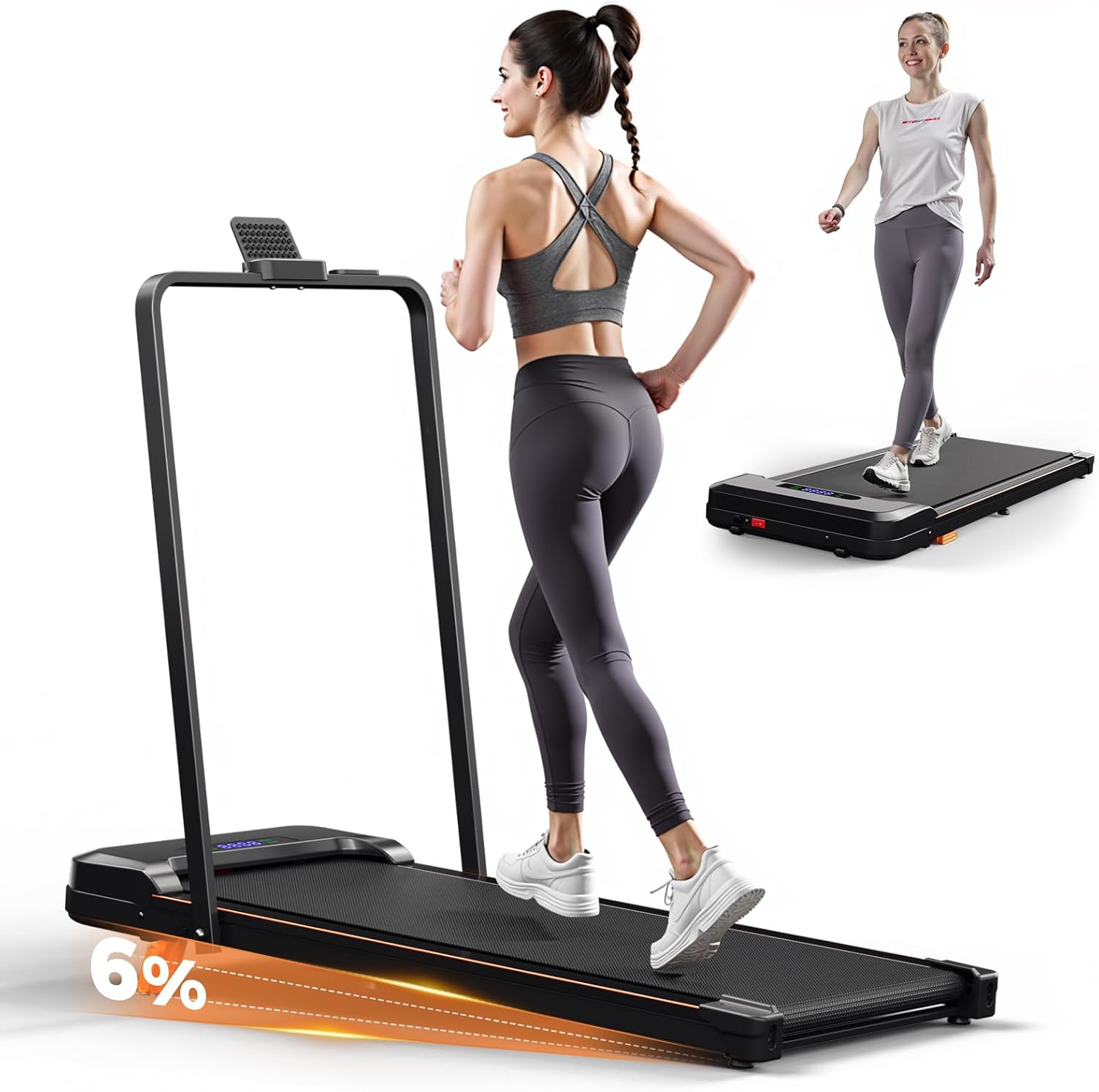
The AIRHOT Walking Pad Treadmill in use, highlighting its 6% incline capability for enhanced workouts.
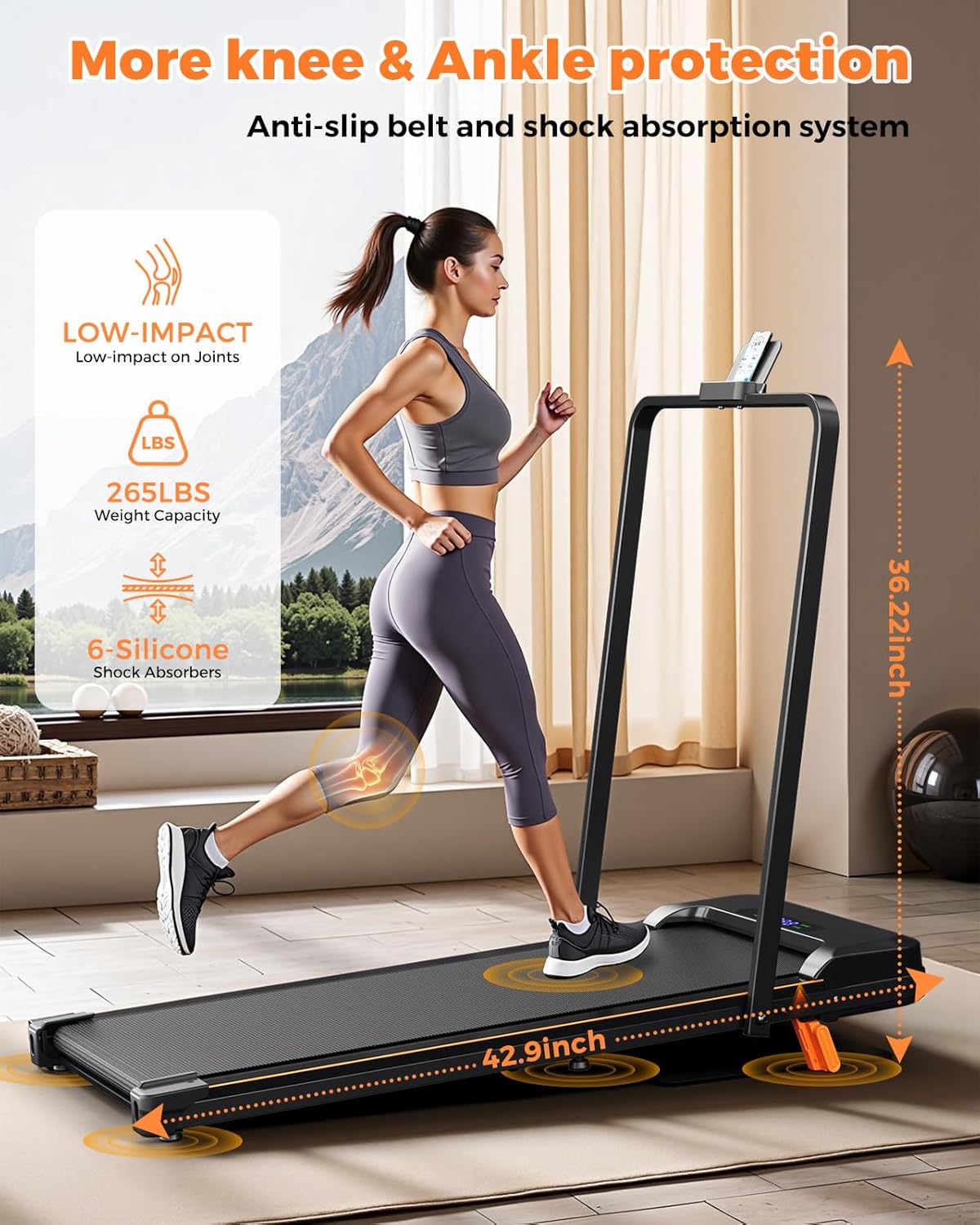
Demonstration of the treadmill's ergonomic shock absorption system and 265 lbs weight capacity, designed for joint protection.

Illustration of the treadmill's quiet operation (below 45dB) and powerful 2.5HP brushless motor.

The lightweight design of the treadmill (46 lbs) makes it easy to carry and move.
6. Maintenance
Regular maintenance ensures the longevity and optimal performance of your treadmill.
- Lubrication: The running belt requires periodic lubrication to reduce friction and wear. Use the provided lubricating oil as instructed in the separate user manual or when the belt feels dry.
- Cleaning: Wipe down the treadmill surfaces with a damp cloth after each use. Avoid using abrasive cleaners.
- Belt Adjustment: If the running belt becomes off-center or slips, refer to the detailed instructions in the main user manual for proper adjustment.

Detailed view of the 5-layer cushioned running belt, designed for anti-slip, enhanced support, shock absorption, and durability.
7. Troubleshooting
If you encounter any issues with your treadmill, please refer to the following common problems and solutions:
- Treadmill does not power on: Check if the power cord is securely plugged in and the main power switch is in the 'ON' position. Ensure the safety tether is correctly attached.
- Running belt slips: This may indicate the belt needs adjustment or lubrication. Refer to the maintenance section or the full user manual for detailed instructions.
- Unusual noise during operation: Ensure the treadmill is on a level surface. Check for any loose parts or foreign objects under the belt. If the noise persists, contact customer support.
- Display not working correctly: Try turning the treadmill off and on again. If the issue continues, contact customer support.
For problems not listed here, or if solutions do not resolve the issue, please contact AIRHOT customer support.
8. Specifications
| Feature | Detail |
|---|---|
| Brand | AIRHOT |
| Model Number | 3001 |
| Product Dimensions | 121.5 x 11 x 56 cm (47.8 x 4.3 x 22 inches) |
| Item Weight | 20.7 kg (45.6 lbs) |
| Motor Horsepower | 2.5 HP |
| Maximum Speed | 7.6 Miles per Hour |
| Weight Capacity | 265 lbs |
| Material | Alloy Steel (Frame: Iron) |
| Display Type | LED (Time, Calories Burned, Distance, Speed) |
| Special Features | Portable, Folding, Incline Adjustment |
| Power Source | Corded Electric |
9. Warranty and Support
The AIRHOT Walking Pad Treadmill includes a 1-year full repair warranty. This warranty covers manufacturing defects and ensures dedicated support from the AIRHOT team.
For warranty claims, technical assistance, or any questions regarding your product, please contact AIRHOT customer support through your purchase platform or the contact information provided in your original packaging.
Related Documents - 3001
 |
AIRHOT TT-300 Treadmill User Manual and Instructions Comprehensive guide for the AIRHOT TT-300 treadmill, covering safety precautions, assembly, usage instructions, maintenance, and troubleshooting. Learn how to operate your treadmill for optimal health and fitness. |
 |
AIRHOT Treadmill User Manual Comprehensive user manual for the AIRHOT Under Desk Treadmill, covering safety precautions, assembly, operation, maintenance, and troubleshooting. |
 |
AIRHOT TT-300 Walking Pad Treadmill User Manual Comprehensive user manual for the AIRHOT TT-300 Walking Pad Treadmill, covering security cautions, assembly, operation, maintenance, and troubleshooting. Includes technical specifications and part configurations. |
 |
AIRHOT P2-C Walking Pad Treadmill User Manual User manual for the AIRHOT P2-C walking pad treadmill. Includes setup, operation, safety, maintenance, and troubleshooting for home fitness. |
 |
AIRHOT TT-300 Walking Pad Treadmill User Manual Comprehensive user manual for the AIRHOT TT-300 walking pad treadmill, covering safety precautions, assembly, operation, maintenance, and troubleshooting. Includes technical specifications and parts list. |
 |
Руководство по эксплуатации и техническому обслуживанию фаршемешалок AIRHOT MM, MME Полное руководство по эксплуатации и техническому обслуживанию для фаршемешалок AIRHOT моделей MM-11, MM-20, MM-20FH, MM-30FH, MME-11, MME-20. Включает технические характеристики, схемы, списки запасных частей, инструкции по установке, эксплуатации, чистке, обслуживанию, хранению и утилизации, а также раздел по устранению неисправностей. |
Ask a question about this manual
Ask about setup, troubleshooting, compatibility, parts, safety, or missing instructions. Manuals+ will review the question and use this page’s manual context to help answer it.