
1. Introduction
This manual provides essential instructions for the setup, operation, maintenance, and troubleshooting of your MXZ Gaming PC, model I7 13700F| RTX 4070. This high-performance desktop computer is designed for gaming and demanding applications, featuring an Intel Core i7 13700F processor, NVIDIA GeForce RTX 4070 graphics, 16GB DDR4 RAM, and a 1TB NVMe SSD, running Windows 11 Pro. Please read this manual thoroughly before using your new PC to ensure optimal performance and longevity.
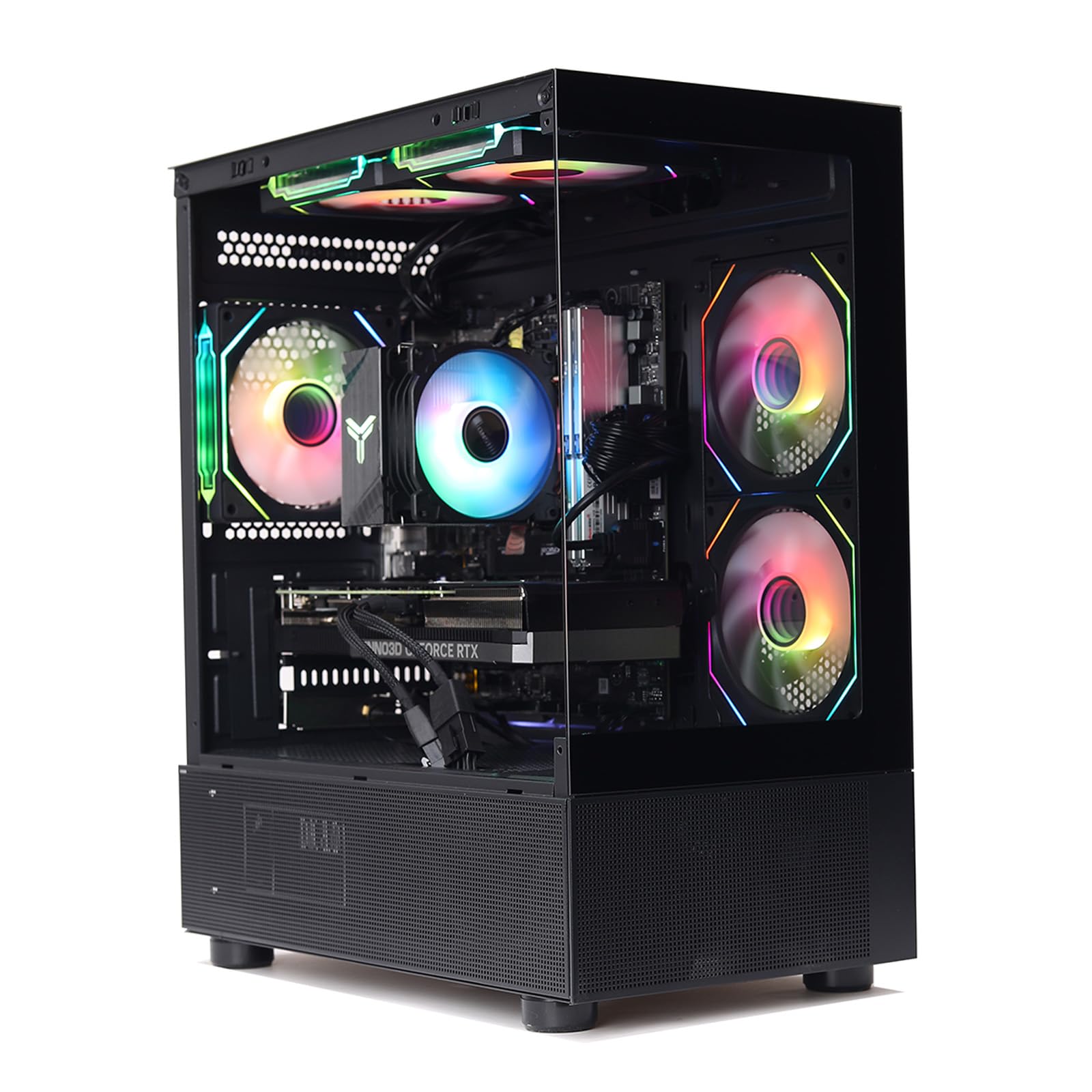
Image: Front view of the MXZ Gaming PC, showcasing its internal components and RGB lighting.
2. Safety Information
Observe the following safety guidelines to prevent damage to your PC and ensure personal safety:
- Electrical Safety: Connect the PC to a grounded power outlet. Do not overload power strips. Avoid using damaged power cords.
- Ventilation: Ensure adequate airflow around the PC. Do not block ventilation openings. Maintain at least 10 cm (4 inches) of clear space around all sides of the computer.
- Environment: Operate the PC in a dry, stable environment. Avoid extreme temperatures, humidity, and direct sunlight.
- Handling: Handle the PC with care. Avoid dropping or subjecting it to strong impacts.
- Internal Components: Do not open the PC case unless instructed by technical support. High voltage components are present.
3. Package Contents
Verify that all items are present in the package:
- MXZ Gaming PC (I7 13700F| RTX 4070)
- Power Cable
- Documentation (User Manual)
Note: Peripherals such as monitor, keyboard, and mouse are typically sold separately.
4. Setup
Follow these steps to set up your MXZ Gaming PC:
- Unpack the PC: Carefully remove the PC from its packaging. Retain all packaging materials for future transport or service.
- Connect Peripherals:
- Connect your monitor(s) to the graphics card's HDMI or DisplayPort outputs on the rear of the PC.
- Connect your keyboard and mouse to the available USB ports.
- If using a wired network connection, connect an Ethernet cable to the LAN port.
- Connect Power: Plug the power cable into the PC's power supply unit (PSU) input and then into a grounded electrical outlet.
- Position the PC: Place the PC on a stable, flat surface, ensuring that all ventilation openings are unobstructed.

Image: Rear panel of the PC, illustrating available ports for monitor, USB, and network connections.

Image: Top front panel of the PC, highlighting easily accessible USB and audio ports.
5. Operating Instructions
This section covers basic operation of your MXZ Gaming PC.
- Powering On: Press the power button located on the front panel of the PC. The system will boot into Windows 11 Pro.
- Initial Windows Setup: Follow the on-screen prompts to complete the Windows 11 Pro setup, including language, region, network connection, and user account creation.
- Connecting to Wi-Fi: If not using a wired connection, click the network icon in the Windows taskbar, select your Wi-Fi network, and enter the password.
- RGB Lighting Control: Your PC features multiple RGB fans. The lighting effects are typically controlled via pre-installed software or a physical button on the case. Refer to the specific software interface for customization options.
- Powering Off: To shut down the PC, click the Start button, then the Power icon, and select "Shut down." Avoid direct power disconnection during operation to prevent data loss.

Image: Internal view of the PC, highlighting the RGB fans and their illumination.
6. Maintenance
Regular maintenance helps ensure the longevity and performance of your PC:
- Dust Removal: Periodically clean dust from the PC's exterior and ventilation openings using compressed air or a soft brush. Ensure the PC is powered off and unplugged before cleaning.
- Software Updates: Regularly update Windows, graphics drivers, and other software to ensure security and optimal performance.
- Ventilation: Always ensure the PC has adequate space for airflow. Avoid placing it in enclosed spaces or on soft surfaces that can block vents.
- Data Backup: Regularly back up important data to an external drive or cloud storage to prevent data loss.
7. Troubleshooting
This section addresses common issues you might encounter:
- No Power:
- Check if the power cable is securely connected to both the PC and the wall outlet.
- Ensure the power switch on the PSU (at the back of the PC) is in the 'ON' position.
- Test the outlet with another device to confirm it has power.
- No Display:
- Verify that the monitor is powered on and correctly connected to the graphics card's output (HDMI or DisplayPort) on the PC.
- Ensure the monitor's input source is set correctly.
- Try a different display cable or monitor if available.
- System Slowdown:
- Check for background applications consuming resources using Task Manager (Ctrl+Shift+Esc).
- Ensure Windows and drivers are up to date.
- Run a virus scan.
- RGB Fans Not Lighting Up:
- Check if the RGB control software is running and configured correctly.
- Ensure all fan cables are securely connected to the motherboard or RGB controller.
If you encounter issues not covered here, please refer to the Warranty and Support section for assistance.
8. Specifications
| Component | Specification |
| Processor | Intel Core i7-13700F (16-Core, 24-Thread, 2.1GHz base, up to 5.2GHz boost) |
| Graphics Card | NVIDIA GeForce RTX 4070 (12GB GDDR6X) |
| RAM | 16GB DDR4 (6000 MHz) |
| Storage | 1TB NVMe Solid State Drive (SSD) |
| Operating System | Windows 11 Pro |
| Power Supply | 700W 80+ Certified |
| Motherboard Chipset | B760 |
| Cooling | 6 RGB Fans |
| Connectivity | Wi-Fi, HDMI, DisplayPort, USB (various types) |
| Case Type | Computer Tower with Window Side Panel |
| Model Number | I7 13700F |
| UPC | 742491835203 |
9. Warranty and Support
Your MXZ Gaming PC comes with comprehensive support:
- Warranty: 1 year parts & labor warranty. This covers defects in materials and workmanship under normal use.
- Technical Support: Free lifetime technical support is provided for your MXZ Gaming PC. For assistance, please contact MXZ customer service through their official website or the contact information provided with your purchase.


