
1. Introduction
This user manual provides essential information for the YTGWLKCO BN44-00698B L42SF_Edy TV Power Board. This component is designed to replace the power supply unit in compatible Samsung TV models, including UA46F7500BJ and UA40H5100AR. It is crucial to read and understand all instructions before attempting installation or maintenance to ensure safe and proper operation.
2. Safety Information
WARNING: Electrical components can be dangerous. Installation should only be performed by qualified technicians. Failure to follow these safety guidelines may result in electric shock, fire, or damage to the television.
- Always disconnect the television from the main power supply before beginning any installation or repair work.
- Avoid touching internal components with bare hands, especially capacitors, which can retain a charge even after power is disconnected.
- Ensure proper grounding of all equipment.
- Use appropriate tools and wear personal protective equipment, such as insulated gloves and safety glasses.
- Do not attempt to repair a damaged power board. Replace it with a new, compatible unit.
- Keep the work area clean and well-lit.
3. Product Overview
The YTGWLKCO BN44-00698B L42SF_Edy TV Power Board is a critical component responsible for converting household AC power into the various DC voltages required by the television's internal circuits. It features multiple electronic components including transformers, rectifiers, filters, and regulators, designed for stable power delivery.
3.1 Board Layout (Top View)
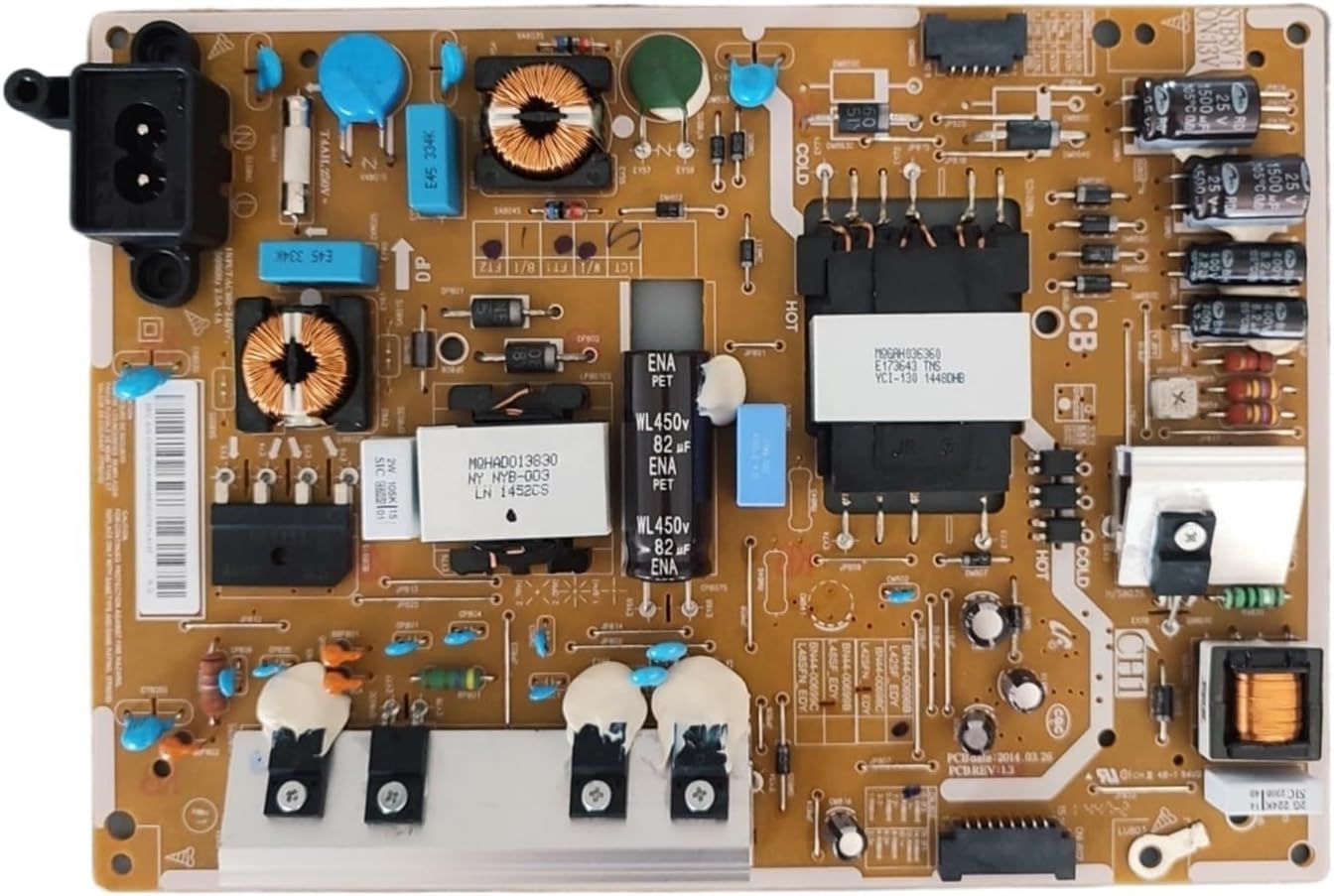
Figure 1: Top view of the power board. This image displays the arrangement of major components such as the AC input connector, various capacitors, inductors, and integrated circuits. Key labels like "HOT" and "COLD" indicate different voltage sections.
3.2 Board Layout (Bottom View)
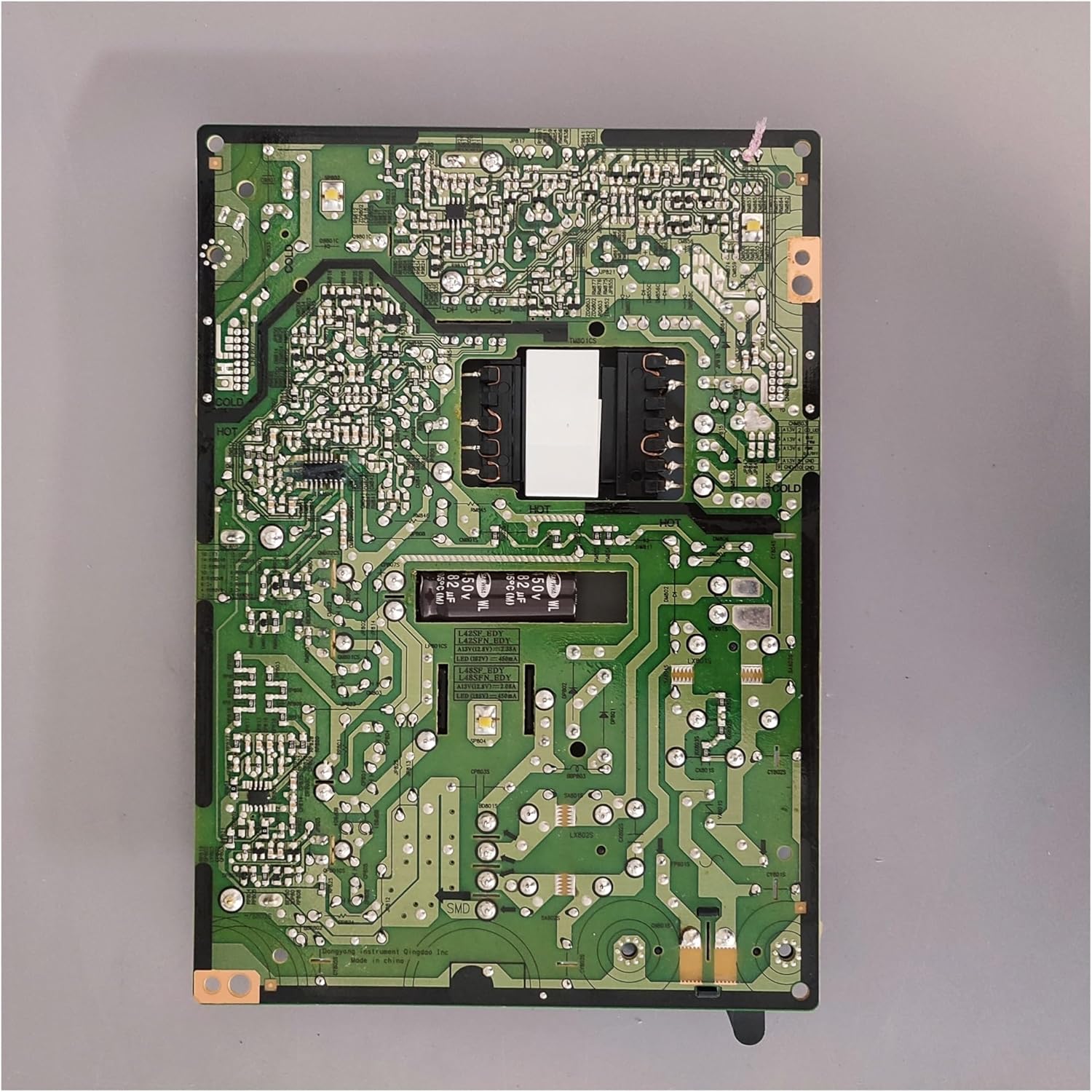
Figure 2: Bottom view of the power board. This perspective shows the intricate circuit traces and solder points that connect the components on the top side, essential for power distribution and signal integrity.
3.3 Connector and Label Details

Figure 3: Detailed view of connectors and identification labels. This section highlights the multi-pin connector for output to other TV components and labels such as "BN44-00698B", "L42SF_EDY", and "PCBREV 1.3", confirming the board's model and revision. A specific reference number is visible: CN07BN4400698BDC07G1L4137.
3.4 Output Section Components

Figure 4: Close-up of the output filtering and rectification section. This area contains large electrolytic capacitors (e.g., 1500µF 25V) and rectifier diodes, which smooth and regulate the DC power supplied to the television's main board and other modules.
3.5 AC Input Connector

Figure 5: View of the AC input connector. This is where the main power cord from the wall outlet connects to the power board, initiating the power conversion process.
3.6 Power Regulation Components and Warning Label

Figure 6: Detailed view of power regulation components, including a heatsink-mounted transistor (TS4K60) and a warning label. The label indicates important safety information regarding fire hazard and the need to replace with the same rating fuse (FF801S).
4. Setup and Installation
Important: Installation of this power board requires technical expertise and should only be performed by a qualified service technician. Incorrect installation can lead to damage to the TV or personal injury.
- Disconnect Power: Ensure the television is completely unplugged from the wall outlet.
- Discharge Capacitors: Allow sufficient time (at least 10-15 minutes) for any residual charge in the TV's capacitors to dissipate.
- Access TV Back Panel: Carefully remove the back panel of the television to expose the internal components. Refer to your specific TV model's service manual for instructions on panel removal.
- Locate Old Power Board: Identify the existing power board. It is typically the largest board connected directly to the AC input.
- Disconnect Cables: Gently disconnect all cables connected to the old power board. Take photos or make notes of cable connections for reassembly.
- Remove Old Board: Unscrew the mounting screws securing the old power board to the TV chassis. Carefully lift and remove the old board.
- Install New Board: Position the new YTGWLKCO BN44-00698B L42SF_Edy power board in the same location. Ensure it aligns correctly with the mounting holes.
- Secure New Board: Fasten the new power board with the screws removed earlier. Do not overtighten.
- Reconnect Cables: Reconnect all cables to the new power board, ensuring each connection is firm and correctly oriented. Double-check against your notes or photos.
- Reassemble TV: Carefully replace the TV's back panel and secure it.
- Test: Plug the television back into the power outlet and power it on to verify proper operation.
5. Operating Principles
The power board's fundamental role is to act as the television's power supply unit. It performs the following key functions:
- AC to DC Conversion: It converts the alternating current (AC) from the wall outlet into direct current (DC) required by the TV's internal circuits.
- Voltage Regulation: It regulates and stabilizes the DC voltages to ensure consistent and clean power delivery to various components like the main board, backlight inverter, and audio amplifier.
- Power Distribution: It distributes the appropriate voltages to different sections of the television.
- Protection Functions: Many power boards, including this model, incorporate protection features such as overload protection, short circuit protection, and overheat protection. These mechanisms safeguard the TV and its components from electrical damage.
The circuit design of the power board directly influences the television's performance, affecting aspects such as startup time, overall stability, and energy consumption.
6. Maintenance
The YTGWLKCO BN44-00698B L42SF_Edy TV Power Board is designed for long-term reliability and generally requires minimal maintenance. However, adhering to these guidelines can help prolong its lifespan and ensure optimal performance:
- Keep Clean: Ensure the television's ventilation openings are free from dust and debris to allow for proper airflow and prevent overheating of internal components, including the power board.
- Avoid Moisture: Protect the television from exposure to liquids and high humidity, which can cause electrical shorts and corrosion.
- Stable Power Supply: Connect the television to a stable power source. Using a surge protector can help guard against power fluctuations.
- Professional Inspection: If you suspect any issues with the power board or the television's power supply, consult a qualified technician for inspection and diagnosis. Do not attempt internal repairs yourself.
7. Troubleshooting
If your television experiences power-related issues after installing the new power board, consider the following common troubleshooting steps. Remember, for complex issues, professional assistance is recommended.
| Symptom | Possible Cause | Solution |
|---|---|---|
| No Power / TV Does Not Turn On |
|
|
| TV Flashes On/Off or Shuts Down After Starting |
|
|
| Abnormal Noises (e.g., buzzing) |
|
|
8. Specifications
| Feature | Detail |
|---|---|
| Model Number | BN44-00698B L42SF_Edy |
| Brand | YTGWLKCO |
| Compatible TV Models | Samsung UA46F7500BJ, UA40H5100AR, HG40AD670CJ, UE40J5100AK, UE40J5100AW, UE40H5000A |
| Type | Power Supply Constant Current Integration (TV Power Board) |
| Package Dimensions | 1.18 x 0.79 x 0.39 inches |
| Item Weight | 1.76 ounces (50 Grams) |
| Assembly Required | No (component replacement) |
| Number of Pieces | 1 |
| Power Plug Type | No Plug (internal component) |
9. Warranty and Support
For information regarding warranty coverage, returns, or technical support for your YTGWLKCO BN44-00698B L42SF_Edy TV Power Board, please contact the seller or retailer from whom you purchased the product. Keep your purchase receipt or order details handy as proof of purchase.
For general inquiries or to find compatible models, you may also visit the manufacturer's website or contact their customer service if available.