
1. Introduction
This manual provides essential information for the safe and efficient operation of your Toshiba 32QV2F63DG Smart QLED TV. Please read this guide thoroughly before using your television and retain it for future reference. This 32-inch Full HD QLED TV offers vibrant visuals with HDR10 and HLG support, immersive Dolby Audio, and smart features powered by the VIDAA operating system.
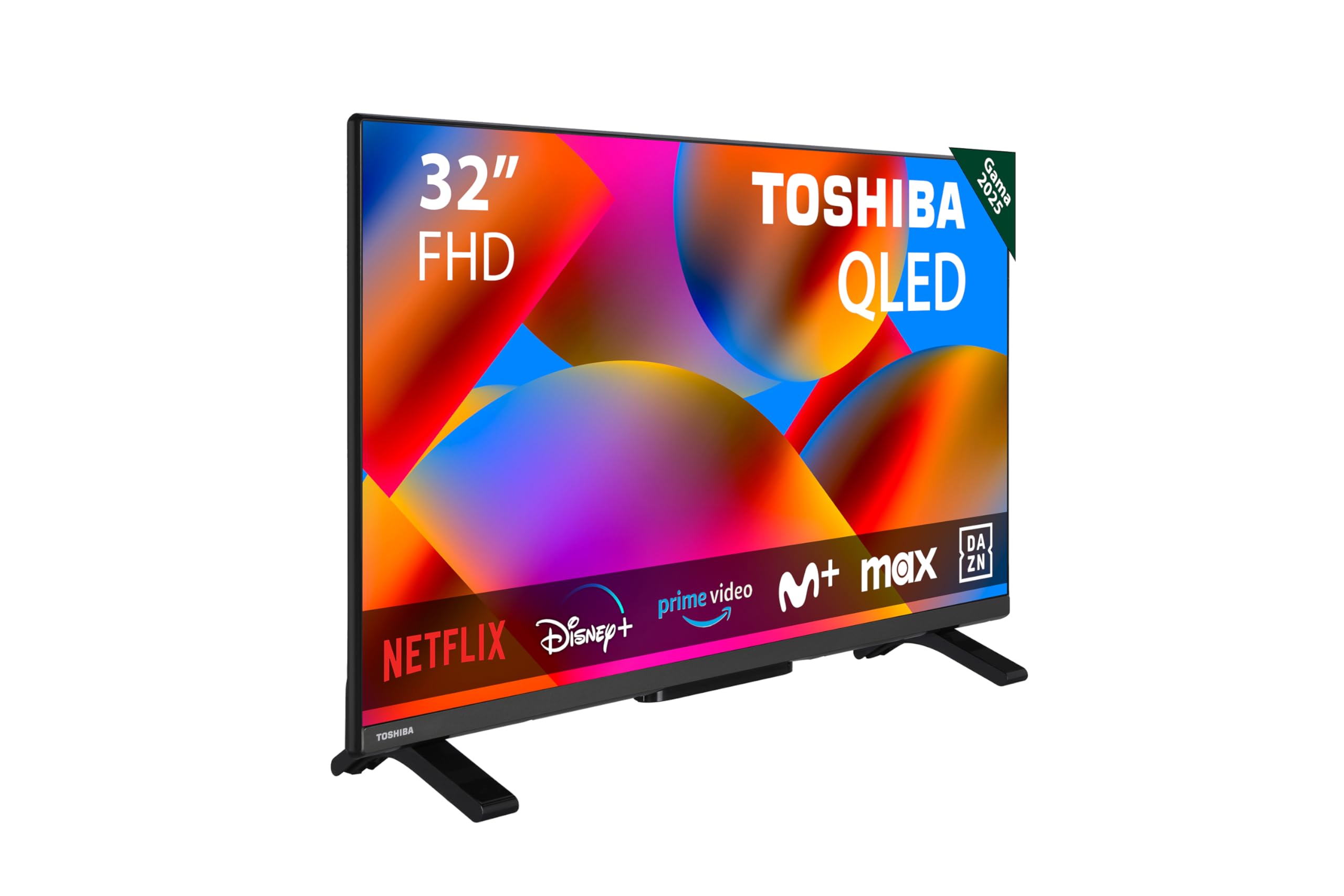
Image 1.1: Front view of the Toshiba 32QV2F63DG Smart QLED TV, showcasing its slim design and vibrant display.
2. Safety Information
To ensure safe operation and prevent damage, observe the following precautions:
- Read all instructions before operating the TV.
- Do not expose the TV to rain or moisture.
- Ensure proper ventilation around the TV to prevent overheating.
- Do not block ventilation openings with items such as newspapers, table-cloths, or curtains.
- Protect the power cord from being walked on or pinched.
- Unplug the TV during lightning storms or when unused for long periods.
- Refer all servicing to qualified service personnel.
3. Package Contents
Verify that all items are present in the box:
- Toshiba 32QV2F63DG Smart QLED TV
- Remote Control
- AAA Batteries (1 included)
- User Manual (this document)
4. Setup
4.1 Physical Installation
Place the TV on a stable, flat surface or mount it on a wall using a compatible VESA mount.
- VESA Mounting Standard: 75 x 75 mm
- Dimensions (W x D x H): 72.8 x 17.3 x 47.3 cm (with stand)
- Weight: 5.3 kg

Image 4.1: Rear view of the Toshiba 32QV2F63DG Smart QLED TV, showing various input ports for connectivity.
4.2 Connecting Devices
Connect your external devices to the TV using the available ports:
- HDMI Ports: 2 (for Blu-ray players, game consoles, set-top boxes)
- USB Port: 1 (for media playback from USB drives)
- Ethernet Port: 1 (for wired internet connection)
- Optical Audio Output: 1 (for connecting to soundbars or home theater systems)
4.3 Network Connection
The TV supports both wired and wireless network connections:
- Wi-Fi: Integrated for wireless internet access.
- Bluetooth: For connecting wireless accessories like headphones or speakers.
5. Operating
5.1 Basic Functions
Use the included remote control to power on/off, adjust volume, change channels, and navigate menus. The remote control uses infrared technology.
5.2 Smart TV Features (VIDAA OS)
Your Toshiba TV runs on the VIDAA operating system, providing access to a variety of smart features and applications:
- Operating System: VIDAA
- Pre-installed Applications: Apple TV, Disney Plus, Netflix, Prime Video, YouTube
- Voice Assistant: Compatible with Alexa for voice control.
- Memory Storage Capacity: 128 GB
5.3 Display and Audio
Experience high-quality visuals and immersive sound:
- Display Technology: QLED
- Resolution: Full HD (1920 x 1080p)
- Screen Size: 32 inches
- Refresh Rate: 60 Hz
- HDR Support: HDR10, HLG
- Contrast Ratio: 3000:1
- Viewing Angle: 178 Degrees
- Response Time: 5 milliseconds
- Audio Technology: Dolby Audio
- Audio Encoding: DTS, Dolby Digital Plus
- Surround Sound Format: Dolby Digital Plus (5.1 channels)
6. Maintenance
Proper maintenance ensures the longevity and performance of your TV:
- Cleaning the Screen: Gently wipe the screen with a soft, lint-free cloth. For stubborn marks, use a screen cleaner specifically designed for TVs, applied to the cloth, not directly to the screen.
- Cleaning the Cabinet: Use a soft, dry cloth to clean the TV cabinet. Do not use abrasive cleaners or solvents.
- Ventilation: Ensure that the ventilation openings are not blocked to prevent overheating.
7. Troubleshooting
If you encounter issues, try the following basic troubleshooting steps:
- No Power: Check if the power cord is securely plugged into both the TV and the wall outlet. Ensure the outlet is functional.
- No Picture/Sound: Verify that the correct input source is selected. Check all cable connections (HDMI, antenna, etc.).
- Remote Control Not Working: Replace the batteries. Ensure there are no obstructions between the remote and the TV's IR sensor.
- Network Connection Issues: For Wi-Fi, check your router and network settings. For wired connection, ensure the Ethernet cable is properly connected.
- Picture Quality Issues: Adjust picture settings (brightness, contrast, color). Ensure the input source is providing a high-quality signal.
8. Specifications
| Feature | Specification |
|---|---|
| Model Number | 32QV2F63DG |
| Brand | Toshiba |
| Display Technology | QLED |
| Screen Size | 32 inches |
| Resolution | Full HD (1920 x 1080p) |
| Refresh Rate | 60 Hz |
| HDR Support | HDR10, HLG |
| Contrast Ratio | 3000:1 |
| Viewing Angle | 178 Degrees |
| Response Time | 5 milliseconds |
| Operating System | VIDAA |
| Connectivity | Wi-Fi, Bluetooth, 2x HDMI, 1x USB, Ethernet, Optical Audio |
| Audio Output | Dolby Audio, DTS, Dolby Digital Plus (5.1 channels) |
| Power Consumption | 50 Watts (typical), 180 Watts (max) |
| Voltage | 100-240 V AC 50-60 Hz |
| Dimensions (W x D x H) | 72.8 x 17.3 x 47.3 cm |
| Weight | 5.3 Kilograms |
| VESA Mount Standard | 75 x 75 mm |
| Country of Origin | Turkey |

Image 8.1: Energy label for the Toshiba 32QV2F63DG Smart QLED TV, indicating energy efficiency class E and consumption details. For more details, visit the official EPREL database.
9. Warranty and Support
Your Toshiba 32QV2F63DG Smart QLED TV comes with a limited warranty. Please refer to the warranty card included in your package for specific terms and conditions.
- Warranty Type: Limited
- Manufacturer: Toshiba
- Software Updates: Information not available
- Spare Parts Availability: Information not available
For technical support or service inquiries, please contact your local Toshiba customer service or visit the official Toshiba website.


