
1. Introduction
Thank you for choosing Tulbeys Smart Audio Glasses M01. These glasses combine stylish eyewear with advanced audio technology, offering an open-ear listening experience, hands-free calling, and voice assistant support. This manual provides essential information for setting up, operating, and maintaining your device.

Image 1.1: Tulbeys Smart Audio Glasses M01 highlighting key features like call management, music playback, voice assistant, noise reduction, interchangeable lenses, clear sound, IP67 waterproof rating, and open-ear design.
2. What's in the Box
Please check the package contents upon unboxing:
- Audio Bluetooth Glasses
- Instruction Manual
- Cleaning Cloth
- Magnetic Charging Cable
- Glasses Case
- Eyeglasses Storage Bag

Image 2.1: The complete package contents, including the smart glasses, charging cable, cleaning cloth, and cases.
3. Product Overview and Features
The Tulbeys M01 Smart Audio Glasses are designed for convenience and versatility. Key features include:
- Open-Ear Design: Listen to audio while remaining aware of your surroundings.
- Touch Controls: Manage music playback, calls, and voice assistant directly from the glasses.
- IP67 Waterproof Rating: Resistant to sweat, rain, and dust, suitable for active lifestyles.
- TR90 Durability: Flexible and impact-resistant frame for long-lasting comfort.
- Long Battery Life: Up to 6 hours of music, 4 hours of calls, and 72 hours of standby time.
- Bluetooth 5.4: Stable connectivity up to 15 meters.
- Clear Sound & Noise Reduction: Dual mic speakers with noise cancellation for crisp conversations and immersive audio.
- Voice Assistant Support: Activate your phone's voice assistant with a simple tap.
- Interchangeable Lenses: Customize lenses to match your vision needs (professional installation recommended).

Image 3.1: The open-ear design allows you to enjoy audio while staying connected to your environment.

Image 3.2: The IP67 rating ensures the glasses are resistant to water and dust, making them suitable for various activities.
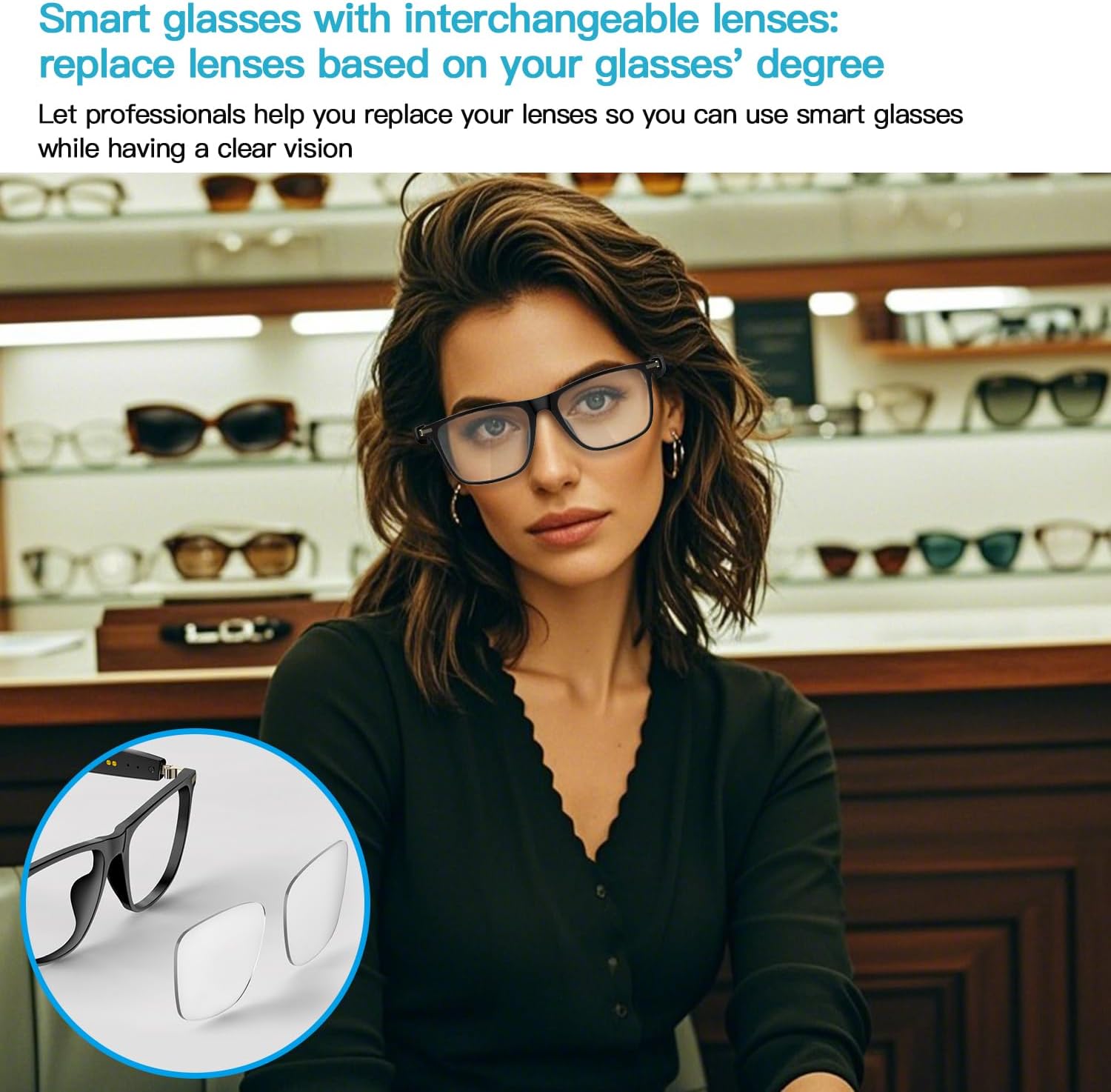
Image 3.3: The lenses can be interchanged to suit individual vision requirements. Consult a professional optometrist for custom lens installation.
4. Setup
4.1. Charging the Glasses
Before first use, fully charge your Tulbeys Smart Audio Glasses M01.
- Connect the magnetic charging cable to the charging port on the glasses.
- Connect the other end of the cable to a USB power adapter (not included).
- The charging indicator light will show the charging status. A full charge takes approximately 1.5 hours.

Image 4.1: The magnetic charging cable ensures easy and secure charging. The glasses offer up to 6 hours of playtime.
4.2. Powering On/Off
- Power On: Press and hold the touch areas on both sides of the glasses simultaneously for 3 seconds.
- Power Off: Press and hold any side for 5 seconds. The glasses will also automatically shut down after 5 minutes if not paired with a device.
4.3. Bluetooth Pairing
To connect your glasses to a smartphone or other Bluetooth-enabled device:
- Ensure the glasses are powered on and in pairing mode (indicated by a flashing LED).
- On your device, go to Bluetooth settings and search for available devices.
- Select "M01" from the list to pair.
- Once paired, the LED indicator on the glasses will stop flashing.

Image 4.2: The glasses offer universal compatibility with iOS, Android, and Windows devices, ensuring seamless connectivity.
5. Operating Instructions
The Tulbeys M01 Smart Audio Glasses feature intuitive touch controls located on the temples.

Image 5.1: Basic operation methods for power, volume, calls, voice assistant, and music control.
5.1. Music Playback
- Play/Pause: Click the touch area (left or right) once.
- Next Song: Double-click the touch area on the right temple.
- Previous Song: Double-click the touch area on the left temple.
5.2. Call Management
- Answer/End Call: Double-tap either temple.
- Reject Call: Press and hold either temple for 2 seconds.
5.3. Volume Control
- Volume Up: Long press the right temple touch area (1.5 seconds).
- Volume Down: Long press the left temple touch area (1.5 seconds).
5.4. Voice Assistant
Activate your smartphone's voice assistant (Siri, Google Assistant) for hands-free commands.
- Activate Voice Assistant: Triple-click the touch area (left or right).

Image 5.2: Triple-clicking the touch zone activates your phone's voice assistant for convenient control.
6. Maintenance
To ensure the longevity and optimal performance of your Tulbeys Smart Audio Glasses M01, follow these maintenance guidelines:
- Cleaning: Use the provided cleaning cloth to gently wipe the lenses and frame. Avoid abrasive materials or harsh chemicals.
- Water Resistance: The glasses are IP67 waterproof, meaning they can withstand splashes, rain, and sweat. Do not submerge them in water or expose them to high-pressure water jets.
- Storage: When not in use, store the glasses in the provided glasses case or storage bag to protect them from scratches and dust.
- Temperature: Avoid exposing the glasses to extreme temperatures (hot or cold) as this can affect battery life and electronic components.
7. Troubleshooting
If you encounter issues with your Tulbeys Smart Audio Glasses M01, please refer to the following common solutions:
| Problem | Possible Cause | Solution |
|---|---|---|
| Glasses do not power on | Low battery; Power button not pressed correctly | Charge the glasses fully; Press and hold both touch areas for 3 seconds. |
| Cannot pair via Bluetooth | Glasses not in pairing mode; Bluetooth off on device; Device too far | Ensure glasses are on and discoverable; Turn on Bluetooth on your device; Move device closer to glasses (within 15m). |
| No sound or low volume | Volume too low; Glasses not connected; Audio source issue | Increase volume using touch controls or device; Re-pair glasses; Check audio source on your device. |
| Touch controls unresponsive | Temporary software glitch | Restart the glasses by powering them off and on again. |
8. Specifications
Below are the technical specifications for the Tulbeys Smart Audio Glasses M01:

Image 8.1: Detailed product parameters including dimensions, materials, and technical features.
| Feature | Detail |
|---|---|
| Model Name | M01 |
| Frame Material | TR90 |
| Weight | 35 Grams |
| Battery Capacity | 85 mAh (per side) / 100 Milliamp Hours (total) |
| Battery Type | Lithium Polymer |
| Battery Charge Time | 1.5 Hours |
| Playtime | Up to 6 hours (music), 4 hours (calls) |
| Standby Time | 72 hours |
| Connectivity | Bluetooth 5.4 |
| Wireless Range | Up to 15 meters (33 ft) |
| Water Resistance | IP67 (Waterproof) |
| Human Interface Input | Microphone, Touchscreen |
| Supported Applications | Music Player, Reading |
| Compatible Devices | Smartphones (iOS and Android) |
9. Video Demonstration
Watch this video for a visual overview of the Tulbeys Smart Audio Glasses M01.
Video 9.1: A short demonstration showcasing the design and features of the M01 smart glasses.
10. Warranty and Support
10.1. Warranty Information
Your Tulbeys Smart Audio Glasses M01 come with a Limited Warranty. Please retain your proof of purchase for warranty claims. For specific details regarding warranty coverage and duration, refer to the warranty card included in your product packaging or contact Tulbeys customer support.
10.2. Customer Support
For further assistance, technical support, or inquiries regarding your Tulbeys Smart Audio Glasses M01, please visit the official Tulbeys website or contact their customer service department. Contact information can typically be found on the product packaging or the brand's official online presence.