
1. Introduction
Welcome to your new LAVNA Smart Door Lock LA15. This manual provides detailed instructions for installation, operation, and maintenance to ensure optimal performance and security. Please read this guide thoroughly before installation and use.

Image: The LAVNA Smart Door Lock LA15, showcasing its sleek design and mobile app integration.
2. Key Features
- 360° Fingerprint Sensor: Unlock with your finger within 0.4 seconds. Stores up to 30 unique fingerprints.
- Bluetooth Mobile APP: Operate the lock completely through the LAVNA SmartLife mobile application. Add or delete fingerprints, unlock remotely within Bluetooth range, and check past unlocking records.
- DIY Installation: Designed for straightforward installation by a standard carpenter, with online support and video guides available.
- Manual Key Access: Includes computerized mechanical keys for manual unlocking as a backup.
- Door Compatibility: Suitable for wooden doors only, requiring a minimum door thickness of 28 mm.
- Low Power Indication: Provides a reminder when the battery level drops below 15%.
- External Power Port: Allows for external power supply via a power bank if the batteries are completely drained, enabling emergency unlocking with a registered fingerprint.
- Battery Recommendation: For optimal performance and battery life, use good brand, long-lasting AAA Alkaline batteries.
- Warranty: Includes a 1-year off-site warranty.
3. Access Methods
The LAVNA Smart Door Lock LA15 offers three convenient ways to access your door:
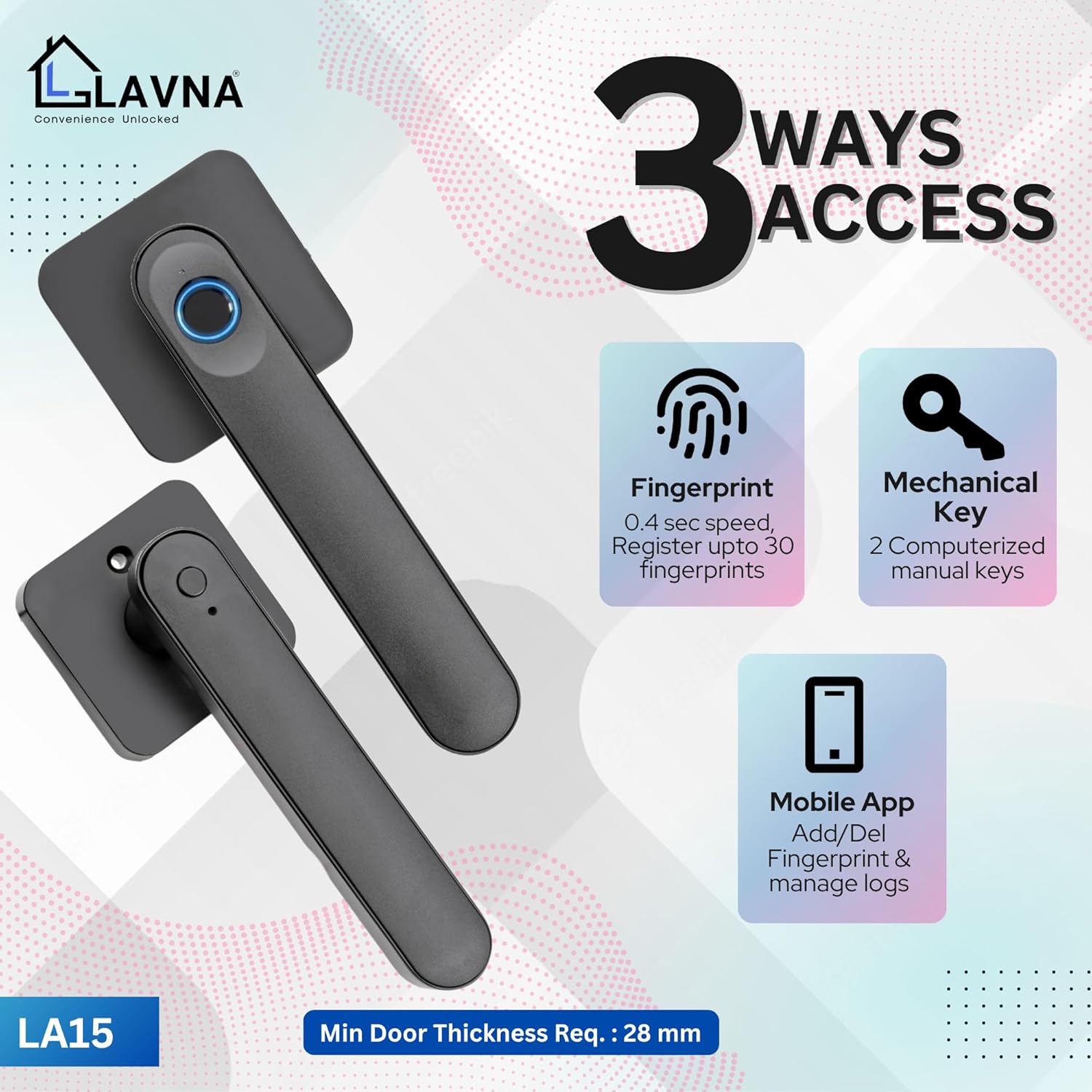
Image: Visual representation of the three primary unlocking methods.
3.1. Fingerprint Access
The integrated 360° fingerprint sensor allows for rapid unlocking. Simply place your registered finger on the sensor for approximately 0.4 seconds to gain access. The lock supports storage for up to 30 unique fingerprints.

Image: The fingerprint unlock feature, highlighting its speed and capacity.
3.2. Mobile App Access (LAVNA SmartLife App)
The LAVNA SmartLife mobile application provides comprehensive control over your lock via Bluetooth connectivity. Key functionalities include:
- Fingerprint Management: Easily add or delete registered fingerprints directly from the app.
- Bluetooth Unlocking: Unlock the door remotely when within the Bluetooth range (approximately 4-5 meters).
- Access Records: Review a history of past unlocking events.
- Public Mode: Activate a public mode for temporary access without requiring authentication.

Image: The mobile app interface for managing the smart lock.

Image: QR codes for convenient download of the LAVNA SmartLife application.
3.3. Manual Key Access
For backup and emergency situations, two computerized mechanical keys are provided. These keys offer a traditional method of unlocking the door, ensuring access even if electronic methods are unavailable.
4. Installation Guide
4.1. Pre-Installation Checklist
Before proceeding with installation, please verify the following requirements:
- Door Type: The LA15 lock is suitable for wooden doors only.
- Door Thickness: A minimum door thickness of 28 mm is required.
- Handle Reversibility: The door handles are reversible, accommodating both left and right-hand door configurations.
- Clearance: Ensure a minimum distance of 65mm between the main door and any safety door.
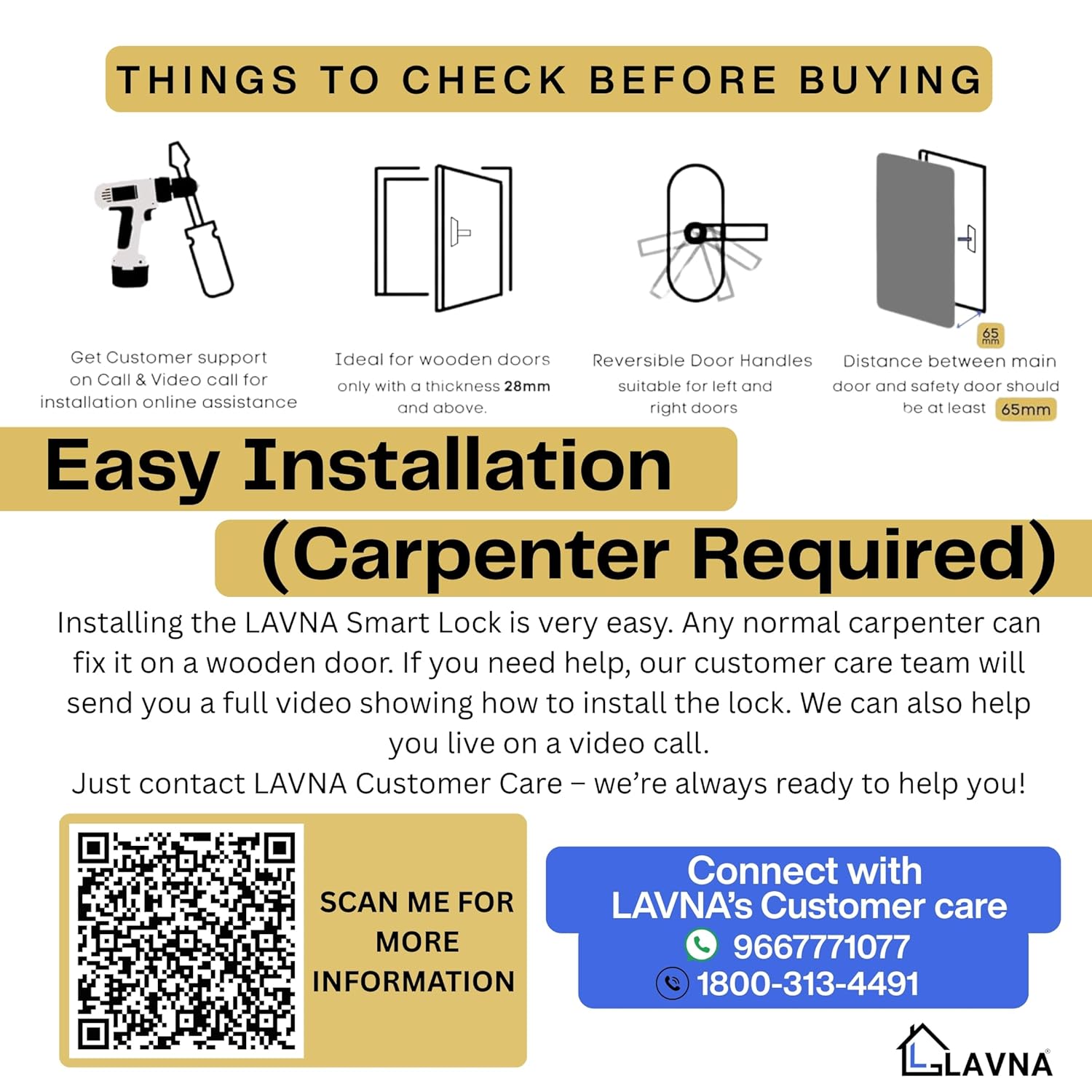
Image: Important considerations and measurements before installing the lock.
4.2. DIY Installation & Support
The LAVNA Smart Lock is designed for relatively easy installation. Any competent carpenter can install the lock on a wooden door. For detailed guidance, an installation video is available. Additionally, our customer care team provides online support via calls and video calls to assist you through the process.

Image: Detailed dimensions of the lock for installation planning.
4.3. Components Included
Please ensure all the following components are present in your package before beginning the installation:
- Front Panel
- Back Panel
- Mortise
- Strike plate
- 2 Manual keys
- Fitting screws
- User Manual (this document)
- Door Cutting Diagram

Image: A complete set of mortise and fitting accessories.
5. Operating Instructions
5.1. Initial Setup
After successful physical installation, insert the recommended AAA Alkaline batteries. Power on the lock and follow the instructions within the LAVNA SmartLife app to pair your smartphone and register initial fingerprints and user profiles.
5.2. Low Battery Warning
The lock is equipped with a low power indication feature. When the battery level falls below 15%, the lock will provide an audible or visual reminder. It is recommended to replace the batteries promptly upon receiving this alert to ensure continuous operation.
5.3. Emergency Power
In the event that the batteries are completely drained and the lock cannot be operated electronically, an external power port (USB-C) is available. Connect a standard power bank to this port to temporarily supply power to the lock, allowing you to unlock it using a registered fingerprint or the mobile app.
6. Maintenance
6.1. Battery Replacement
Always use good quality, long-lasting AAA Alkaline batteries for the LAVNA Smart Door Lock LA15. Inferior batteries may lead to reduced performance or premature power depletion. Replace all batteries simultaneously when the low power warning is activated.
6.2. Cleaning
To maintain the appearance and functionality of your lock, clean the exterior surfaces with a soft, dry, or slightly damp cloth. Avoid using abrasive cleaners, solvents, or harsh chemicals, as these can damage the finish or internal components.
7. Troubleshooting
7.1. Lock Not Responding
- Check Battery Levels: If the lock is unresponsive, the batteries may be depleted. Replace them or use the external power port.
- Fingerprint Placement: Ensure your finger covers the entire sensor surface and is placed correctly.
- Mechanical Key: Use the provided mechanical key as a backup to rule out electronic issues.
7.2. App Connectivity Issues
- Bluetooth Activation: Verify that Bluetooth is enabled on your smartphone.
- Proximity: Ensure you are within the Bluetooth range (4-5 meters) of the lock.
- App/Phone Restart: Try restarting the LAVNA SmartLife app or your smartphone.
7.3. Mechanical Key Not Working
- Proper Insertion: Ensure the key is fully inserted into the keyhole.
- Avoid Force: Do not force the key if it feels stuck. Check for any obstructions in the keyway.
8. Product Specifications
| Feature | Detail |
|---|---|
| Brand | LAVNA |
| Model Name | LA15 |
| Special Feature | Fingerprint, Mobile App. |
| Lock Type | LA15 |
| Item dimensions L x W x H | 6 x 17 x 6.5 Centimeters |
| Material | Zinc |
| Recommended Uses For Product | Internal Doors |
| Style | Digital Smart Door Lock |
| Colour | Black |
| Number of Pieces | 1 |
| Finish Type | matte |
| Included Components | Front Panel, Back Panel, Mortise, Strike plate, 2 Manual keys, Fitting screws, User Manual, Door Cutting Diagram |
| Controller Type | Biometric, Mobile App |
| Shape | T-SHAPED |
| Item Weight | 1 Kilograms |
| Control Method | App |
| Connectivity Protocol | Bluetooth |
| Country of Origin | China |
| Minimum Door Thickness | 28 mm |
9. Warranty and Customer Support
The LAVNA Smart Door Lock LA15 is covered by a 1-year off-site warranty from the date of purchase. For any product-related queries, installation assistance, or technical support, please do not hesitate to contact LAVNA Customer Care.
Our support team is available to provide online assistance via calls and video calls, especially for installation guidance.
- Customer Care Number: 1800-313-4491
- WhatsApp Support: +91 9971427608