User Manual for WDZP Replacement Remote Control
Model: RG10B(B)/BGEF
1. Introduction
This manual provides instructions for the WDZP RG10B(B)/BGEF replacement remote control, designed for various Midea Air Conditioner models. This remote control offers a straightforward solution for operating your air conditioning unit without the need for complex programming.

Image 1.1: Front and back view of the WDZP RG10B(B)/BGEF replacement remote control. The front displays an LCD screen and various control buttons, while the back shows product information and battery safety notes.
2. Compatibility
This remote control is compatible with the following Midea Air Conditioner remote models:
- RG10B(B2)/BGEF
- RG10B(B)/BGEF
- RG10B(D)/BGEF
- RG10B(D1)/BGEFU1
- RG10B1(D)/BGEF
- RG10B2(D)/BGCEF
- RG10B10(D)/BGEF
- RG10A4(D)/BGEF
3. Setup and Battery Installation
The remote control requires two 1.5V AAA batteries (not included). No programming is required; simply insert the batteries for immediate operation.
- Unpack the remote control from its packaging.
- Locate the battery compartment on the back of the remote control.
- Open the battery compartment cover.
- Insert two 1.5V AAA batteries, ensuring correct polarity (+ and -).
- Close the battery compartment cover securely.
- The remote control is now ready for use.

Image 3.1: Visual guide for battery installation. The image depicts the remote control alongside two AAA batteries, indicating the process of unpacking, installing batteries, and confirming functionality. Batteries are not included with the product.
Important: To prevent damage from battery leakage, remove the batteries if the remote control will not be used for an extended period.
4. Operating Instructions
The remote control features a large LCD display for easy setting and operation. Below is a guide to the main buttons and their functions:

Image 4.1: Detailed view of the remote control's LCD display, which clearly shows the set temperature (25°C) and the current operating mode (AUTO). This display facilitates easy monitoring and adjustment of settings.
| Button | Function |
|---|---|
| Power (⏻) | Turns the air conditioner ON or OFF. |
| Mode | Cycles through operating modes (e.g., Auto, Cool, Dry, Fan, Heat). |
| Temp Up (▲) / Temp Down (▼) | Adjusts the desired temperature setting. |
| Fan Speed | Adjusts the fan speed (e.g., Low, Medium, High, Auto). |
| Swing | Activates or deactivates the louver swing function for air distribution. |
| Turbo | Engages rapid cooling or heating for quick temperature changes. |
| LED | Controls the display light on the air conditioner unit. |
| Clean | Activates the self-cleaning function of the air conditioner (if available). |
| SET / OK | Used to confirm settings or access advanced functions. |
| Timer | Sets a timed shutdown or startup for the air conditioner. |

Image 4.2: The remote control in an operational setting, illustrating its full functionality. Icons around the remote highlight features such as air regulation, refrigeration and heating, fan speed control, timed shutdown, and the use of durable ABS material.
5. Features and Performance
- Infrared Technology: The remote utilizes infrared technology to emit a strong signal, ensuring reliable control of your air conditioner.
- Wide Signal Angle: Operates effectively within a 180-degree angle.
- Operating Distance: Provides control up to 12 meters (40 feet) from the air conditioning unit.
- Durable Construction: Made from high-quality ABS material, making it wear-resistant and durable for long-term use.
- Lightweight Design: Weighs approximately 0.10 kg (0.22 lb), ensuring comfortable handling.
- No Voice Function: This remote control does not include voice control capabilities.

Image 5.1: Illustration demonstrating the strong infrared signal and effective control distance of the remote control. The diagram shows the remote operating an air conditioner from various distances, up to 40 feet (12 meters).
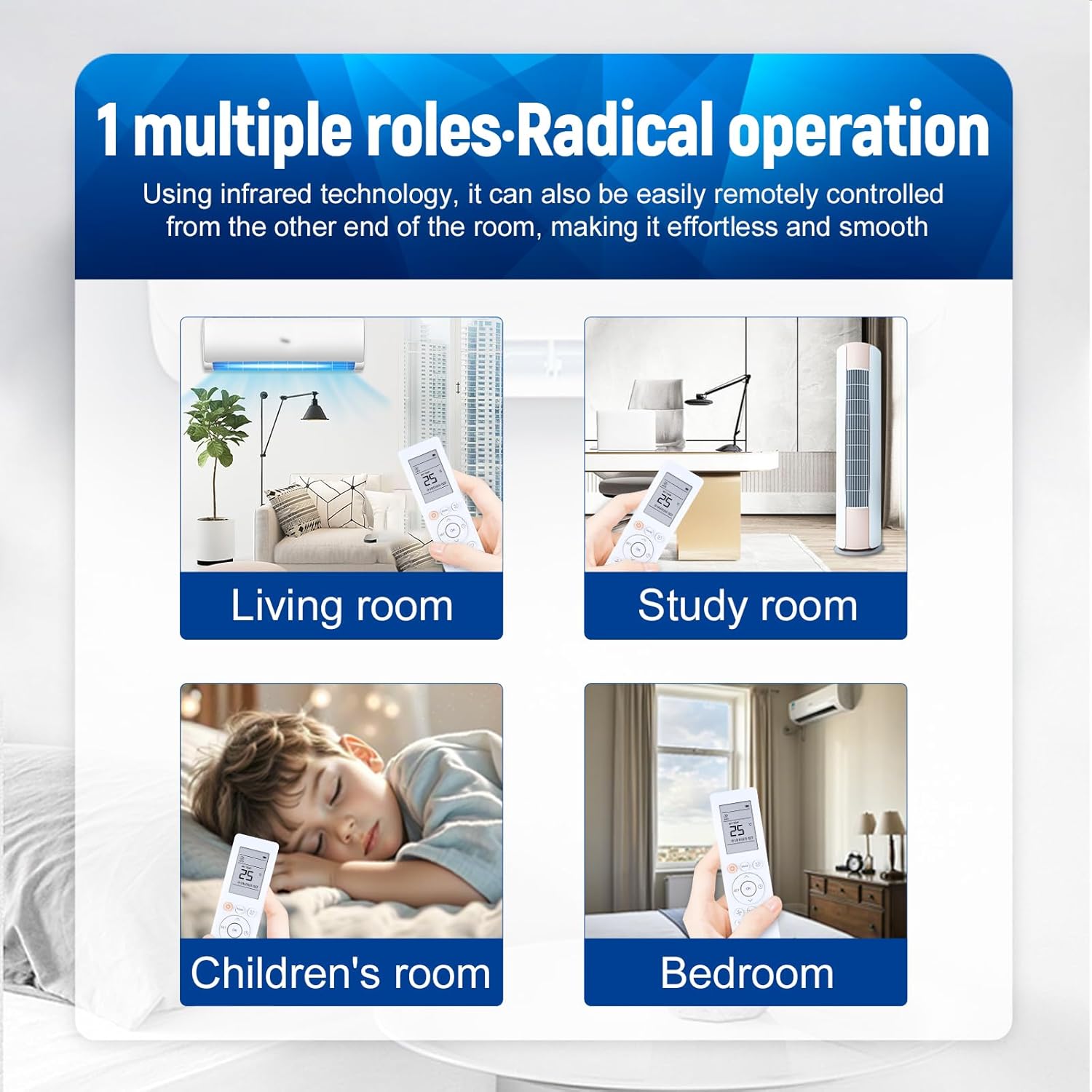
Image 5.2: The remote control in various home settings, demonstrating its versatility for use in a living room, study room, children's room, and bedroom, highlighting its ability to control the air conditioner from different locations within a room.
6. Maintenance
- Battery Replacement: Replace batteries when the remote's performance diminishes or the display becomes dim. Always use new 1.5V AAA batteries.
- Cleaning: Wipe the remote control with a soft, dry cloth. Avoid using liquid cleaners or abrasive materials.
- Storage: Store the remote in a cool, dry place away from direct sunlight and extreme temperatures. If storing for a long period, remove batteries.
7. Troubleshooting
- Remote not responding:
- Check if the batteries are inserted correctly with the correct polarity.
- Replace old batteries with new 1.5V AAA batteries.
- Ensure there are no obstructions between the remote control and the air conditioner's receiver.
- Verify that the remote is within the effective operating range (up to 12 meters / 40 feet).
- Display is dim or blank:
- This usually indicates low battery power. Replace the batteries.
- Air conditioner not responding to specific commands:
- Ensure the remote is pointed directly at the air conditioner.
- Confirm that the air conditioner unit supports the specific function (e.g., Clean mode).
8. Specifications
| Specification | Detail |
|---|---|
| Model Number | RG10B(B)/BGEF |
| Brand | WDZP |
| Compatible Devices | Midea Air Conditioners (various models, see Compatibility section) |
| Power Source | 2 x 1.5V AAA Batteries (not included) |
| Operating Technology | Infrared |
| Effective Range | Up to 12 meters (40 feet) |
| Material | ABS |
| Item Weight | 0.10 kg (0.22 lb) |
| Dimensions (L x W) | Approximately 7.59 inches x 1.92 inches |

Image 8.1: Physical dimensions of the remote control, indicating a length of 7.59 inches and a width of 1.92 inches for reference.
9. Warranty and Support
This product comes with a 6-MONTH warranty. In case of compatibility issues or quality problems, customers are eligible for a free exchange or refund. For support or warranty claims, please contact the seller directly through the platform of purchase.