
Ovleng GT-69 Gaming Headset Instruction Manual
Model: GT-69
1. Product Overview
The Ovleng GT-69 is a wired gaming headset designed to provide an immersive audio experience across various platforms. It features stereo surround sound, a noise-cancelling microphone, and comfortable ear pads for extended use.
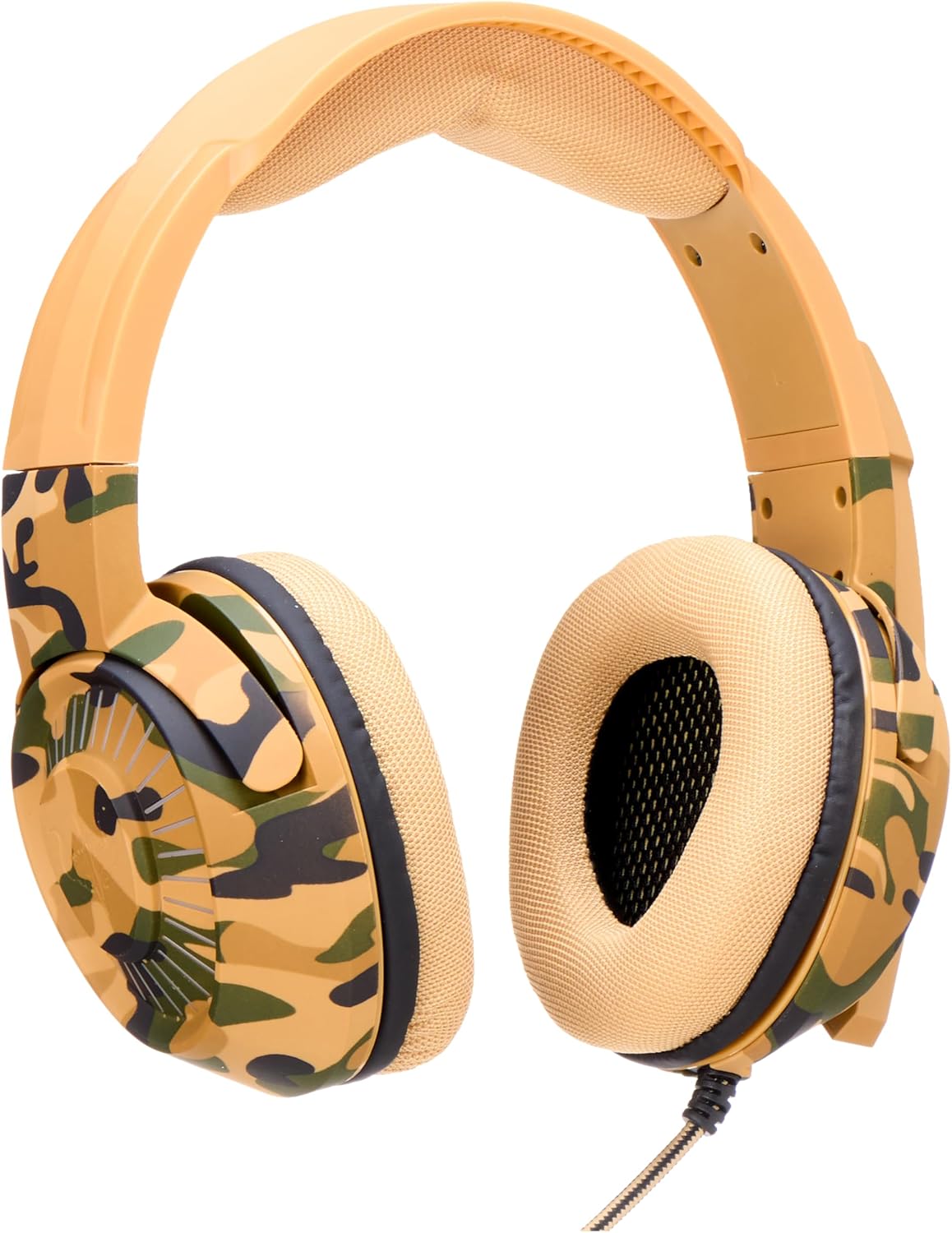
Image 1.1: Front view of the Ovleng GT-69 Gaming Headset in camouflage yellow. This image displays the overall design, including the padded headband and earcups.
2. Features
- Powerful Stereo Sound: Equipped with a motor module for high-quality and accurate sound reproduction.
- RGB Lighting: Integrated vibrant lighting effects to enhance the gaming atmosphere.
- Durable Cable: A 2-meter long, sturdy cable designed for reliable HD sound transmission.
- Wide Compatibility: Works with PC, Laptop, P4 (PlayStation 4), and other devices.
- Ergonomic Design: Features breathable and skin-friendly ear pads for long-term comfort during gaming sessions.
- Noise-Cancelling Microphone: Designed to reduce background noise for clear communication.
3. Package Contents
Ensure all items are present in the package:
- Ovleng GT-69 Gaming Headset
4. Setup Instructions
Follow these steps to connect your Ovleng GT-69 Gaming Headset to your device:
- Identify Connectors: The headset features a 3.5mm audio jack for sound and microphone, and a USB connector for RGB lighting.
- Connect Audio: Plug the 3.5mm audio jack into the corresponding audio port on your PC, laptop, or console controller. Ensure it is fully inserted.
- Connect USB (for RGB Lighting): Plug the USB connector into an available USB port on your device. This will power the headset's RGB lighting.
- Adjust Settings: After connecting, navigate to your device's sound settings to ensure the Ovleng GT-69 is selected as the default audio output and input device. Adjust volume levels as needed.

Image 4.1: The Ovleng GT-69 Gaming Headset shown with its 3.5mm audio jack and USB connector. This illustrates the two primary connection points for the headset.
5. Operating Instructions
Using your Ovleng GT-69 Gaming Headset:
- Volume Control: The headset features an integrated volume control wheel, typically located on the left earcup or inline on the cable. Rotate the wheel to increase or decrease the audio volume.
- Microphone Usage: The flexible microphone can be adjusted to your preferred position for clear voice capture. Ensure the microphone is enabled in your device's sound settings.
- RGB Lighting: The RGB lighting activates automatically when the USB connector is plugged in. There are no user-adjustable settings for the lighting patterns on the headset itself.

Image 5.1: A close-up side view of the Ovleng GT-69 earcup, highlighting its design and potential location for controls like the volume wheel.
6. Maintenance
To ensure the longevity and optimal performance of your headset, follow these maintenance guidelines:
- Cleaning: Use a soft, dry cloth to wipe down the earcups and headband. For stubborn dirt, a slightly damp cloth can be used, but ensure no moisture enters the speaker grilles or microphone.
- Storage: Store the headset in a cool, dry place away from direct sunlight and extreme temperatures. Avoid wrapping the cable too tightly to prevent damage.
- Avoid Liquid Contact: Do not expose the headset to water or other liquids.
- Handle with Care: Avoid dropping the headset or subjecting it to strong impacts.
7. Troubleshooting
If you encounter issues with your Ovleng GT-69 Gaming Headset, refer to the following common solutions:
- No Sound:
- Ensure the 3.5mm audio jack is fully inserted into the correct port.
- Check the headset's volume control wheel and your device's master volume.
- Verify that the headset is selected as the default audio output device in your system's sound settings.
- Test the headset on another device to rule out a device-specific issue.
- Microphone Not Working:
- Ensure the microphone is positioned correctly and not muted (if an inline mute switch is present).
- Check your device's sound settings to ensure the headset microphone is selected as the default input device and its volume is not set to zero.
- Confirm that the application you are using (e.g., game, communication software) is configured to use the correct microphone.
- RGB Lighting Not Working:
- Ensure the USB connector is securely plugged into a working USB port.
- Try a different USB port.
8. Specifications
| Specification | Detail |
|---|---|
| Model Name | GT-69 |
| Item Model Number | ELC HeadsetWK13 - 043 |
| Brand Name | Ovleng |
| Connectivity Technology | Wired |
| Headphones Form Factor | Over Ear |
| Color | Camouflage Yellow |
| Item Weight | 20 Grams |
| Package Dimensions | 21.5 x 19.9 x 10.2 cm |
| Included Components | Gaming Headset |
| Country of Origin | China |

Image 8.1: The Ovleng GT-69 Gaming Headset held by a hand, providing a visual reference for its physical dimensions and scale.
9. Warranty and Support
For warranty information and customer support, please refer to the documentation provided with your purchase or contact Ovleng customer service through their official website. Keep your proof of purchase for any warranty claims.