
1. Product Overview
The AGL BT-100 BIO APP Digital Lock is designed for both residential and commercial applications, offering advanced security and convenient access management. It is compatible with wood or aluminum doors ranging from 35mm to 50mm in thickness and can be installed on doors opening to the right or left, inward or outward.
Key features include:
- Integrated with AGL Home, Tuya, and Smart Life apps for comprehensive access management.
- Allows generation of temporary passwords for remote check-in and check-out, ideal for temporary rentals.
- Multiple unlocking methods: biometric, 13.56 Mhz RFID Tags, password, mechanical key, unlock button, and internal knob.
- Capacity for up to 253 users (99 biometrics, 154 passwords or TAGs).
- Low battery warning displayed in the app and on the keypad.
2. Package Contents
Verify that all components are present in the package:
- 1 x Digital Lock Unit
- 1 x Drilling Template
- 1 x Screw Installation Kit
- 1 x User Manual
- 2 x Strike Plates (surface-mount and mortise models)
- 4 x AA Batteries (for power)
- 2 x Mechanical Tetra Keys
3. Setup
3.1. Installation Requirements
- Door Material: Wood or Aluminum
- Door Thickness: 35mm to 50mm
- Door Opening Direction: Right or Left, Inward or Outward
3.2. Installation Steps
Follow these general steps for installation. Refer to the included drilling template and detailed manual for precise instructions.
- Prepare the door: Use the drilling template to mark and drill necessary holes for the lock body and spindle.
- Install the mortise or surface-mount strike plate according to your door type.
- Mount the exterior and interior lock units, ensuring proper alignment and cable connection.
- Secure the units with the provided screws.
- Insert the 4 AA batteries into the designated compartment.
- Test the mechanical key and internal knob for smooth operation.
4. Operating Instructions
4.1. Unlocking Methods
- Biometric: Place your registered finger on the fingerprint sensor.
- Password: Enter your registered password on the keypad and press '#' to confirm.
- RFID Tag: Present your registered 13.56 Mhz RFID Tag to the designated reader area.
- Mechanical Key: Insert the mechanical tetra key into the keyhole and turn to unlock.
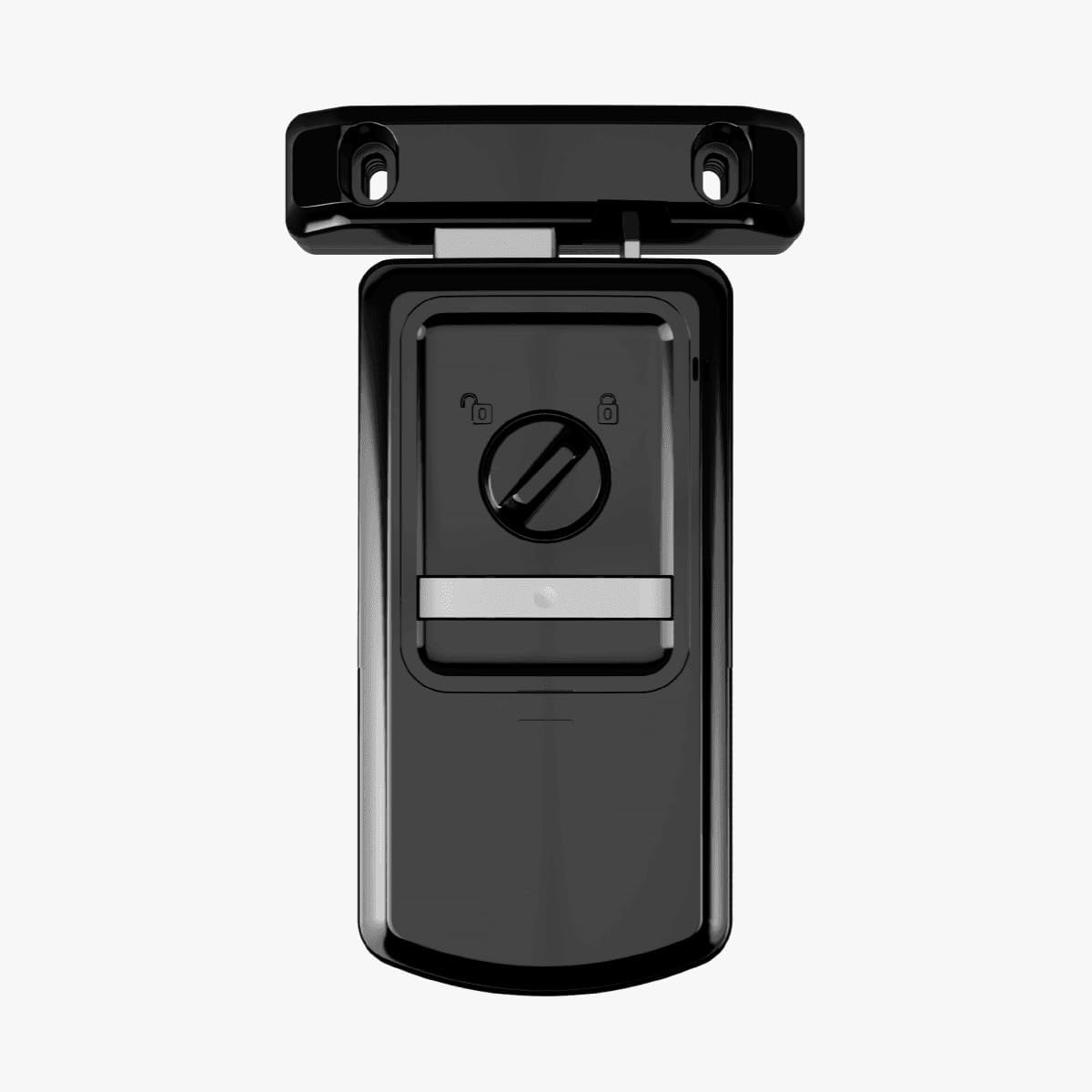
- Unlock Button: Press the unlock button on the interior unit.
- Internal Knob: Turn the internal knob on the interior unit to unlock.
4.2. App Control (AGL Home, Tuya, Smart Life)
The lock can be controlled via Bluetooth using the AGL Home, Tuya, or Smart Life applications. Download the preferred app from your device's app store.
- Enable Bluetooth on your smartphone.
- Open the chosen app (AGL Home, Tuya, or Smart Life).
- Follow the in-app instructions to add and pair your BT-100 Digital Lock.
- Once paired, you can manage passwords, monitor access logs, and check the battery level remotely.
- Generate temporary passwords for remote check-in/check-out as needed.

5. User Management
The AGL BT-100 BIO APP Digital Lock supports a total of 253 users. This capacity is distributed as follows:
- Up to 99 biometric fingerprints.
- Up to 154 passwords or RFID TAGs.
User registration and deletion are managed through the connected mobile application. Refer to the app's specific instructions for detailed steps on adding or removing users, fingerprints, passwords, and TAGs.
6. Maintenance
6.1. Battery Replacement
The lock will provide a low battery warning through the mobile application and on the keypad when the battery level is critical. Replace all four AA batteries promptly to ensure continuous operation. Use high-quality alkaline batteries for optimal performance.
6.2. Cleaning and Care
Clean the lock's exterior surfaces with a soft, dry cloth. Avoid using abrasive cleaners, solvents, or harsh chemicals, as these can damage the finish and electronic components. Keep the fingerprint sensor and keypad free from dirt and moisture for reliable operation.
7. Troubleshooting
- Lock not responding: Check battery level. Replace batteries if low. Ensure proper installation and connection.
- Fingerprint not recognized: Ensure your finger is clean and dry. Re-register your fingerprint if issues persist.
- Password not working: Verify the entered password. Ensure the lock is not in a locked-out state due to multiple incorrect attempts.
- App connectivity issues: Ensure Bluetooth is enabled on your device and the lock is within range. Restart the app and try pairing again.
- Mechanical key not working: Ensure the key is fully inserted and turned correctly. Do not force the key.
If problems persist after attempting these solutions, contact AGL customer support.
8. Specifications
| Feature | Specification |
|---|---|
| Manufacturer | AGL |
| Part Number | 1012001 |
| Certification | ANATEL |
| Size (H x W x D) | 86.00 x 164.00 x 39.00 mm |
| Color | White (Note: Product images provided are black, but product title indicates white) |
| Material | Plastic |
| Number of Pieces | 1 |
| Battery Operated? | No (Note: The lock is powered by 4 AA batteries, as listed in included components. This specification might refer to not being solely battery-dependent or having an alternative power source.) |
| Product Dimensions (L x W x H) | 3.9 x 16.4 x 17.2 cm |
| Product Weight | 1.18 kilograms |
| Model Number | 1012001 |
| ASIN | B0F44HPNZ9 |
| EAN | 7899884556252 |
| Lock Type | Digital Lock |
9. Warranty and Support
For warranty information, technical support, or service inquiries, please contact AGL customer support directly. Keep your purchase receipt and product model number handy when contacting support.
Contact information can typically be found on the AGL official website or on the product packaging.