
1. Introduction
Thank you for choosing the CHUSII 12000mAh Wireless Magnetic Power Bank, Model W16. This portable power bank is designed to provide convenient and efficient charging for your compatible devices, featuring both magnetic wireless charging and versatile wired charging options. Please read this manual thoroughly before use to ensure proper operation and to maximize the lifespan of your device.

Image 1.1: The CHUSII 12000mAh Wireless Magnetic Power Bank, Model W16, in Cyan color, showcasing its integrated kickstand and digital LED battery display.
2. Product Overview
2.1 Key Features
- 12000mAh Capacity: Provides extended power for your mobile devices.
- Magnetic Wireless Charging: Securely attaches to compatible iPhone 16/15/14/13/12 series for efficient wireless power delivery (5W, 7.5W, 10W, 15W).
- PD 20W USB-C Output: Fast charging for USB-C enabled devices.
- QC 3.0 22.5W USB-A Output: Rapid charging for legacy devices.
- Integrated Kickstand: Allows for hands-free viewing while charging.
- LED Digital Display: Shows real-time battery life and charging status.
- Multi-Device Charging: Capable of charging up to three devices simultaneously (one wireless, two wired).
- Advanced Safety Protections: Includes overcharge, overcurrent, overvoltage, temperature control, and short circuit protection.
2.2 Package Contents
- CHUSII 12000mAh Wireless Magnetic Power Bank (Model W16)
- USB-C Charging Cable
- User Manual
3. Setup
3.1 Initial Charging of the Power Bank
- Connect the provided USB-C charging cable to the USB-C input port on the power bank.
- Connect the other end of the USB-C cable to a compatible USB power adapter (not included). A PD 20W or higher adapter is recommended for fastest charging.
- The LED digital display will show the charging progress. Charge the power bank fully before its first use.
3.2 Compatibility Notes
- Magnetic wireless charging is compatible with iPhone 16, iPhone 15, iPhone 14, iPhone 13, and iPhone 12 series devices.
- For optimal magnetic attachment, use devices without non-magnetic phone cases. If using a case, ensure it is a MagSafe-compatible magnetic case.
- Wired charging ports (USB-C and USB-A) are compatible with a wide range of smartphones, tablets, and other USB-powered devices.
4. Operating Instructions
4.1 Magnetic Wireless Charging
- Ensure the power bank is sufficiently charged.
- Align your compatible iPhone (16/15/14/13/12 series) with the magnetic charging area on the power bank. The strong magnets will automatically snap your phone into place.
- Once attached, your phone will automatically begin wireless charging. The LED display on the power bank will indicate active charging.

Image 4.1: An illustration demonstrating the magnetic alignment and secure attachment of an iPhone to the CHUSII power bank for instant wireless charging.
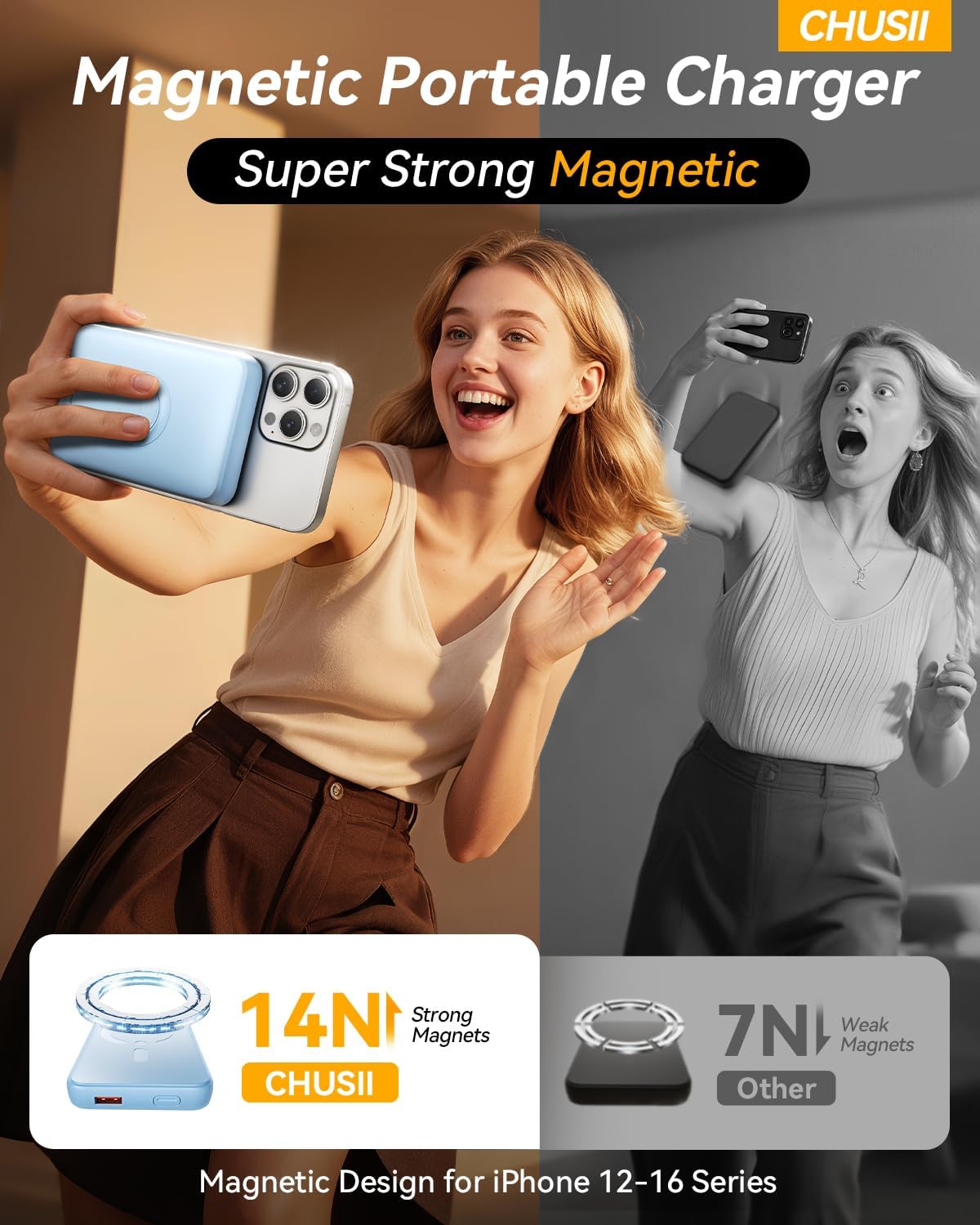
Image 4.2: A visual comparison highlighting the strong magnetic force (14N) of the CHUSII power bank, ensuring a secure connection for iPhone 12-16 series.
4.2 Wired Charging (USB-C and USB-A)
- Connect your device's charging cable to either the USB-C output port (for PD 20W fast charging) or the USB-A output port (for QC 3.0 22.5W fast charging) on the power bank.
- Connect the other end of the cable to your device.
- The power bank will automatically detect the connected device and begin charging. The LED display will show the remaining battery level.
4.3 Charging Multiple Devices
The CHUSII power bank can charge up to three devices simultaneously: one wirelessly and two via the wired USB-C and USB-A ports. When charging multiple devices, the total output power will be distributed, which may affect individual charging speeds.

Image 4.3: The CHUSII power bank demonstrating its capability to charge an iPhone wirelessly, a smartphone via USB-C, and another device via USB-A simultaneously.
4.4 Using the Integrated Kickstand
The power bank features a built-in metal kickstand. Gently pull out the kickstand from the back of the power bank to prop up your phone while it is magnetically attached and charging. This is ideal for hands-free viewing of videos or video calls.

Image 4.4: A user utilizing the CHUSII power bank's integrated kickstand to support an iPhone during wireless charging, enabling convenient media consumption.
4.5 Understanding the LED Digital Display
The LED digital display provides real-time information:
- Percentage (%) Display: Indicates the remaining battery level of the power bank.
- Charging Indicator: The percentage will flash when the power bank is being charged or is actively charging a device.
5. Maintenance
5.1 Cleaning
To clean the power bank, gently wipe its surface with a soft, dry, lint-free cloth. Do not use harsh chemicals, abrasive cleaners, or immerse the device in water.
5.2 Storage
Store the power bank in a cool, dry place away from direct sunlight, extreme temperatures, and humidity. For long-term storage, it is recommended to charge the power bank to approximately 50-70% every three months to maintain battery health.
5.3 Battery Care
- Avoid fully discharging the power bank frequently.
- Do not expose the power bank to temperatures above 45°C (113°F) or below 0°C (32°F).
- If the power bank becomes noticeably hot during charging or discharging, discontinue use and allow it to cool down.
6. Troubleshooting
- Power bank not charging: Ensure the charging cable is securely connected to both the power bank and the power adapter. Try a different cable or adapter.
- Device not charging wirelessly: Ensure your device is compatible with magnetic wireless charging (iPhone 16/15/14/13/12 series). Remove any non-magnetic phone cases or use a MagSafe-compatible case. Ensure proper alignment.
- Device not charging via wired connection: Check the cable connection to both the power bank and your device. Try a different cable or port.
- Slow charging: Ensure you are using a fast-charging compatible cable and adapter for the power bank itself. For device charging, verify your device supports the fast charging protocols (PD or QC) and that the cable is appropriate. Charging multiple devices simultaneously may reduce individual charging speeds.
- Power bank gets hot: It is normal for the power bank to warm up during charging or discharging. If it becomes excessively hot, discontinue use and contact support.
7. Specifications
| Feature | Specification |
|---|---|
| Model Number | W16 |
| Battery Capacity | 12000 mAh |
| Wireless Charging Output | 5W, 7.5W, 10W, 15W |
| USB-C Output (PD) | Up to 20W |
| USB-A Output (QC) | Up to 22.5W |
| Product Dimensions | 6 x 4.2 x 0.65 inches |
| Item Weight | 7.1 ounces |
| Battery Type | Lithium Polymer |
| Special Features | Wireless Charging, Built-in Kickstand, LED Display |
8. Safety Information
Your CHUSII power bank is equipped with an intelligent power management chip and multiple safety features to protect both the device and your connected electronics. These include:
- Overcharge Protection
- Overcurrent Protection
- Overdischarge Protection
- Output Overvoltage Protection
- Temperature Control
- Short Circuit Protection
To ensure safe operation:
- Do not disassemble, modify, or repair the device yourself.
- Keep away from water, fire, and high temperatures.
- Do not drop, impact, or subject the device to strong vibrations.
- Dispose of the power bank responsibly according to local regulations for electronic waste.

Image 8.1: A visual representation of the CHUSII power bank's intelligent power management system, highlighting its comprehensive safety protections including overheat, overcurrent, overdischarge, overvoltage, and short circuit protection.
9. Warranty and Support
CHUSII products are designed for reliability and performance. For warranty information, technical support, or any questions regarding your CHUSII 12000mAh Wireless Magnetic Power Bank, please refer to the contact information provided with your purchase or visit the official CHUSII website. Please retain your proof of purchase for warranty claims.