
1. Introduction
Thank you for choosing the RAINPOT 2025 Upgraded Handheld Steam Cleaner. This manual provides essential information for the safe and effective operation, maintenance, and troubleshooting of your steam cleaner. Please read this manual thoroughly before first use and retain it for future reference.
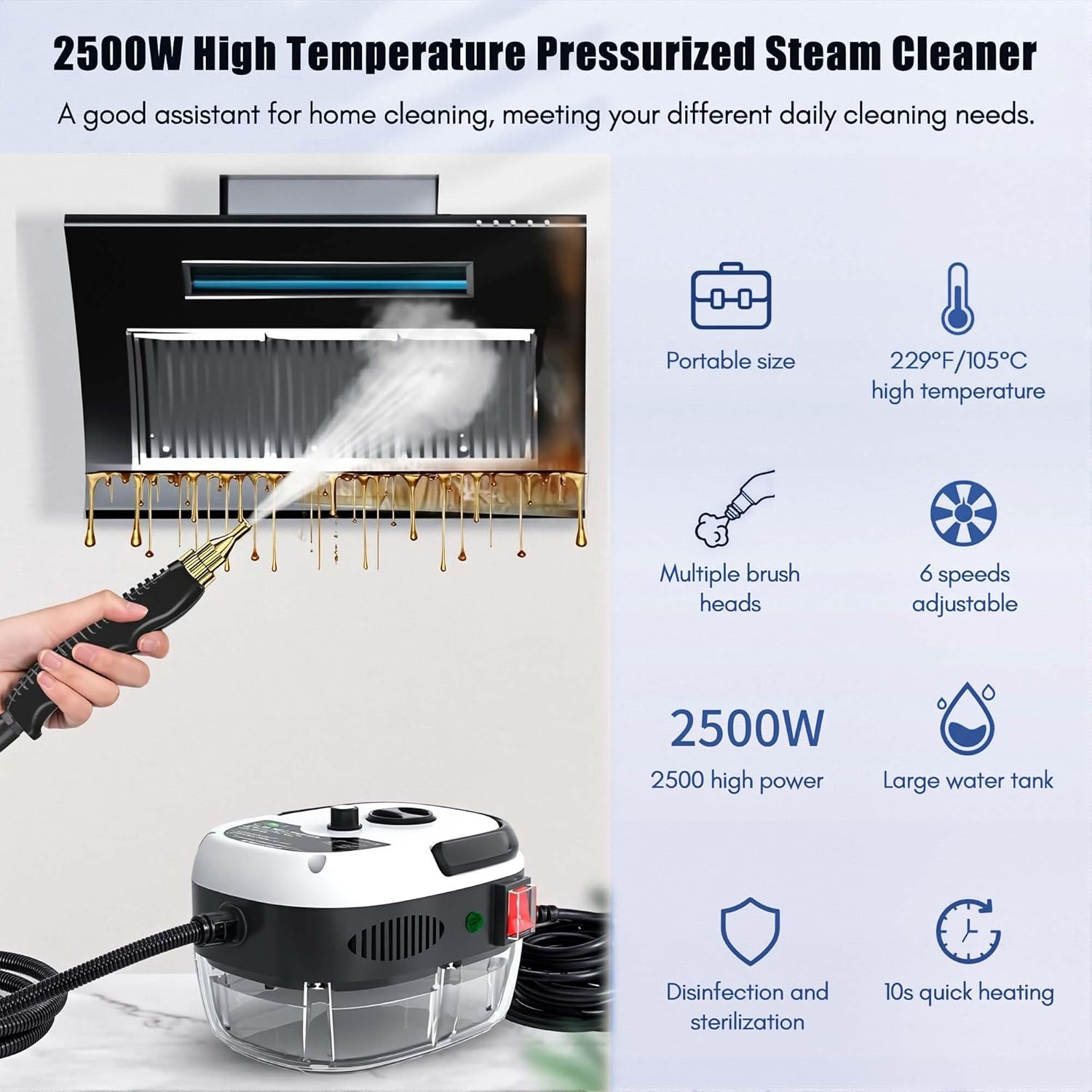
Image 1: Overview of the RAINPOT Handheld Steam Cleaner, highlighting its portable size, 229°F/105°C high temperature, multiple brush heads, 6 adjustable speeds, 2500W power, large water tank, disinfection capabilities, and 10-second quick heating.
2. Safety Instructions
To prevent injury or damage to the appliance, always observe the following safety precautions:
- Hot Steam Hazard: The steam cleaner produces high-temperature steam (up to 229°F/105°C) and pressure (3 BAR). Never direct steam at people, pets, or electrical appliances. Avoid contact with hot surfaces and steam.
- Electrical Safety: Ensure the power cord and plug are undamaged. Do not operate with wet hands. Always plug into a grounded outlet. Unplug the appliance before filling, cleaning, or servicing.
- Water Usage: Use only clean tap water. Do not add detergents, perfumes, or other chemicals to the water tank, as this can damage the unit or create hazardous fumes.
- Children and Pets: Keep the appliance out of reach of children and pets. Do not leave the operating unit unattended.
- Storage: Store the appliance in a cool, dry place when not in use.
3. Product Components
The RAINPOT Handheld Steam Cleaner comes with the following components:
- 1 x Steam Cleaner Machine
- 1 x Extended Elbow Nozzle
- 1 x Large Brush
- 1 x Small Brush
- 1 x Small Steel Brush

Image 2: Detailed view of the steam cleaner's accessories, including the extended sprayer rod, large hair brush hood, small hair brush hood, steel brush, handheld sprayer, speed adjustment knob, 2.2-meter-long steam tube, and large capacity water tank.
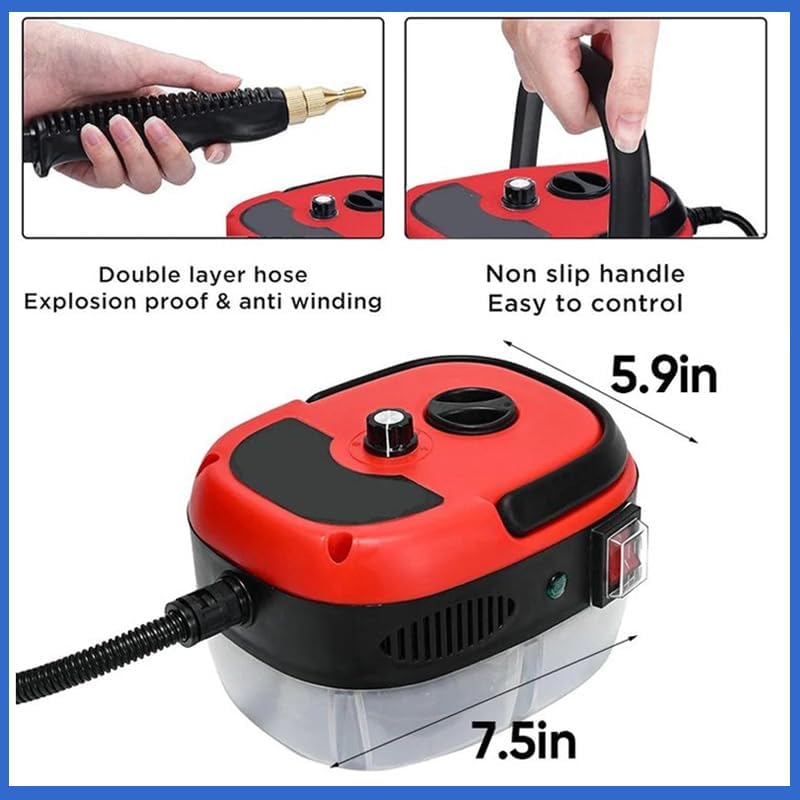
Image 3: Illustration of the steam cleaner's compact dimensions (7.5in x 5.9in), double-layer explosion-proof and anti-winding hose, and non-slip handle for easy control.
4. Setup
- Unpack: Carefully remove all components from the packaging.
- Fill Water Tank: Open the water tank cap and fill the large-capacity glass water tank with clean tap water. Do not overfill. Close the cap securely.
- Attach Nozzle/Brush: Select the appropriate nozzle or brush head for your cleaning task and securely attach it to the handheld sprayer.
- Connect Power: Plug the 2.5-meter extended power cord into a standard 110V AC grounded electrical outlet.
5. Operating Instructions
5.1 Power On and Heating
Once plugged in, switch the power button to the 'ON' position. The 2500W high power will generate steam within approximately 10 seconds. The indicator light will signal when the unit is ready for use.
5.2 Steam Output and Temperature
The cleaner produces high-temperature steam at 229°F (105°C) and 3 BAR pressure. For optimal cleaning, keep the sprayer head close to the surface being cleaned, as temperature decreases with distance.

Image 4: Visual representation of the 3 BAR high-pressure steam, indicating 229°F/105°C high temperature at the nozzle for effective removal of stubborn dirt and stains.
5.3 Adjustable Speed and Brush Heads
The steamer features six adjustable gears (speeds) and three different brush heads. Select the appropriate gear and brush head based on the cleaning task:
- Large Brush: Suitable for general cleaning of larger surfaces.
- Small Brush: Ideal for detailed cleaning and smaller areas.
- Small Steel Brush: Designed for removing stubborn grime and heavy deposits on durable surfaces.
5.4 Cleaning Applications
The RAINPOT steam cleaner is versatile and can be used for various applications:
- Kitchen: Walls, stoves, oil fume extractors, microwave ovens, refrigerators, countertops.
- Bathroom: Tiles, grout, fixtures, showers.
- Furniture: Refreshing surfaces (test in an inconspicuous area first).
- Automotive: Car interiors, tires.
- Other: Windows, floors, air conditioning units.

Image 5: The steam cleaner being used in a kitchen, demonstrating its high-temperature steam, rapid heating, 6-grade steam spray adjustment, and 3BAR high-pressure steam for effective cleaning.

Image 6: Collage showing the steam cleaner being used for various tasks, including cleaning car interiors, kitchen surfaces, outdoor grills, and air conditioning units.

Image 7: Before and after comparison images demonstrating the steam cleaner's effectiveness on a dirty range hood filter and a greasy stovetop.
6. Maintenance
6.1 After Each Use
- Power Off and Unplug: Always turn off the appliance and unplug it from the power outlet.
- Allow to Cool: Let the unit cool down completely before handling or storing.
- Empty Water Tank: Carefully empty any remaining water from the tank.
- Clean Accessories: Rinse brush heads and nozzles with clean water.
6.2 Storage
Store the steam cleaner and its accessories in a dry, safe place, away from direct sunlight and extreme temperatures. Ensure the power cord is neatly wrapped and not kinked.
7. Troubleshooting
If you encounter issues with your steam cleaner, refer to the following common problems and solutions:
| Problem | Possible Cause | Solution |
|---|---|---|
| No steam or low steam output | Water tank empty; unit not heated sufficiently; nozzle blocked. | Refill water tank; allow 10 seconds for heating; clean nozzle. |
| Water leaking from nozzle | Nozzle not securely attached; condensation. | Ensure nozzle is firmly attached; some condensation is normal. |
| Unit not turning on | Not plugged in; power outlet fault; power switch off. | Check power connection; test outlet; ensure power switch is ON. |
If the problem persists after attempting these solutions, please contact customer support.
8. Specifications
| Feature | Specification |
|---|---|
| Brand | RAINPOT |
| Model Name | CP89937-25US |
| Wattage | 2500W |
| Voltage | 110 Volts (AC) |
| Maximum Temperature | 229°F (105°C) |
| Pressure | 3 BAR |
| Power Source | Electric |
| Form Factor | Handheld |
| Included Components | Brush, Nozzle, Steam Cleaner Machine |
| Special Feature | Portable |
9. Warranty and Support
For warranty information or technical support, please refer to the product packaging or contact the manufacturer directly. Keep your purchase receipt as proof of purchase.