
atFoliX FX-Clear@FoliX 4053664711092
atFoliX FX-Clear Screen Protection Film User Manual
Model: FX-Clear@FoliX 4053664711092
1. Introduction
This manual provides detailed instructions for the installation, operation, and maintenance of your atFoliX FX-Clear Screen Protection Film. This ultra-clear and hard-coated film is designed to provide optimal protection for your Oscal T1 device screen, ensuring clarity and durability.
The FX-Clear film is engineered for extreme scratch resistance with a pencil hardness of 6H at 500g writing pressure, offering robust protection against daily wear and tear. Its multi-layered synthetic materials ensure long-lasting mechanical protection.

Image: Illustration of the screen protector's scratch-resistant properties.

Image: Overview of the key benefits of the atFoliX screen protector.
2. Installation Guide
Proper installation is crucial for optimal performance and longevity of your screen protector. Please follow these steps carefully:
- Clean the Screen: Thoroughly clean your device's screen using the provided microfiber cloth to remove all dust, fingerprints, and smudges. Ensure the screen is completely dry before proceeding.
- Align the Film: Carefully peel off a small portion of the protective layer from the screen protector. Align the film with the edges of your device's screen, ensuring precise placement for all cutouts (e.g., camera, sensors).
- Apply and Smooth: Slowly peel off the remaining protective layer while simultaneously applying the film to the screen. Use the included application card or a soft, flat object to gently push out any air bubbles towards the edges. The special silicone adhesive layer is designed to force out air for bubble-free adhesion.
- Final Touches: Once the film is fully applied, gently wipe the surface with the microfiber cloth to remove any remaining dust or smudges.
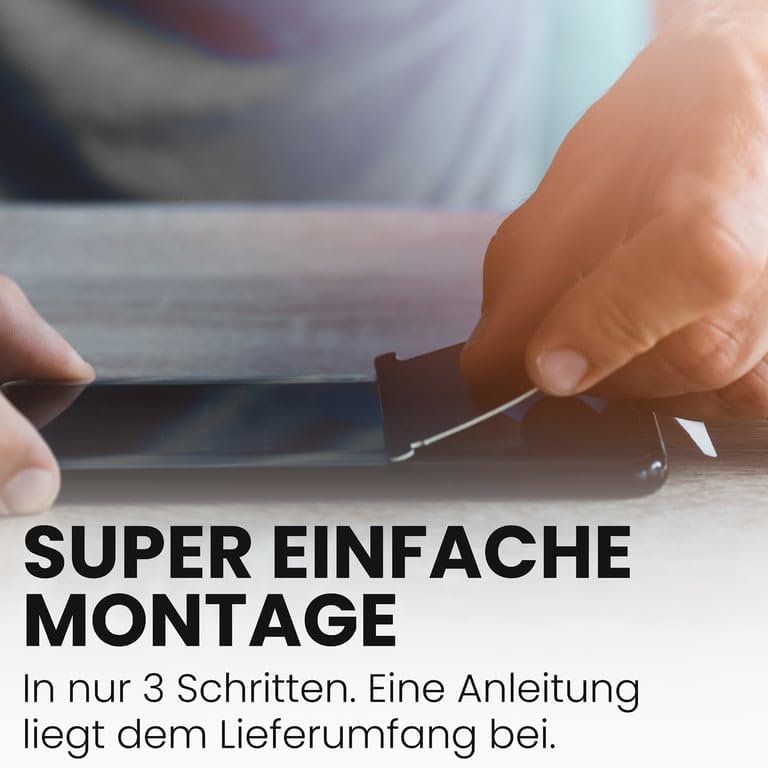
Image: Visual guide demonstrating the simple 3-step installation process of the screen protector.
3. Product Features
The atFoliX FX-Clear Screen Protection Film enhances your device's usability while providing robust protection:
- Ultra-Clear Transparency: The film is crystal-clear and highly transparent, making it almost invisible once applied. It preserves the original display quality and color vibrancy.
- High Touch Sensitivity: Designed to maintain the original touch sensitivity of your device's screen, ensuring smooth and precise interactions.
- Durable and Robust: Made from durable, multi-layered synthetic materials, the film is exceptionally robust and designed for continuous use, providing long-lasting mechanical protection.
- Residue-Free Removal: The film can be removed cleanly without leaving any sticky residue on your device's screen.

Image: Depiction of the film's ultra-clear properties, allowing for vibrant display colors.

Image: Illustration of the film's ability to maintain fast and highly sensitive touch response.
4. Care and Maintenance
To ensure the longevity and clarity of your atFoliX FX-Clear Screen Protection Film, follow these simple maintenance guidelines:
- Cleaning: Use a soft, lint-free cloth, such as the microfiber cloth provided, to gently wipe the screen protector. For stubborn smudges, slightly dampen the cloth with water or a screen-safe cleaning solution. Avoid harsh chemicals or abrasive materials.
- Avoid Sharp Objects: While the film is highly scratch-resistant, extreme pressure from very sharp objects can still cause damage. Avoid placing your device face down on rough surfaces or in pockets with keys and coins.
- Temperature Exposure: Avoid exposing your device to extreme temperatures, as this can affect the adhesive properties of the film over time.
5. Troubleshooting
Here are solutions to common issues you might encounter during or after installation:
- Bubbles After Installation:
- Small Bubbles: Many small bubbles will disappear naturally within 24-48 hours as the adhesive fully cures.
- Large Bubbles: Gently lift the nearest edge of the film and reapply, using the application card to push the air out as you lay it back down.
- Dust Particles Under the Film:
- If dust is trapped, carefully lift the corner of the film closest to the dust particle. Use a piece of adhesive tape to gently dab the dust off both the screen and the film's adhesive side. Reapply the film slowly.
- Misalignment:
- If the film is significantly misaligned, carefully peel it off completely, clean the screen again, and attempt reinstallation. The film is designed for residue-free removal.
6. Technical Specifications
| Feature | Specification |
|---|---|
| Product Name | FX-Clear Screen Protection Film |
| Compatible Device | Oscal T1 |
| Model Number | FX-Clear@FoliX 4053664711092 |
| Material | Polyethylenterephthalat |
| Item Hardness | 6H (at 500g writing pressure) |
| Color | FX-Clear (Transparent) |
| Country of Origin | Germany |
| Special Features | Easy to apply, crystal clear, residue-free removable |
7. Warranty and Support
Your atFoliX FX-Clear Screen Protection Film is manufactured with high-quality standards. In the unlikely event of a defect, please refer to the return policy of your retailer, which typically allows for returns or replacements within 30 days of purchase.
For further assistance or inquiries, please contact atFoliX GmbH directly or visit their official website for support resources.
Manufacturer: atFoliX GmbH