
MOZC YYK-Q17-AI-01
MOZC AI Translation Earbuds User Manual
Model: YYK-Q17-AI-01
1. Introduction
The MOZC AI Translation Earbuds are designed to break down language barriers, offering real-time translation, crystal-clear audio for calls, and premium music playback. These earbuds integrate advanced AI technology to provide seamless communication across 168 languages, making them ideal for travel, business, and learning. Their lightweight design ensures comfort for extended use, and smart touch controls provide easy access to features.
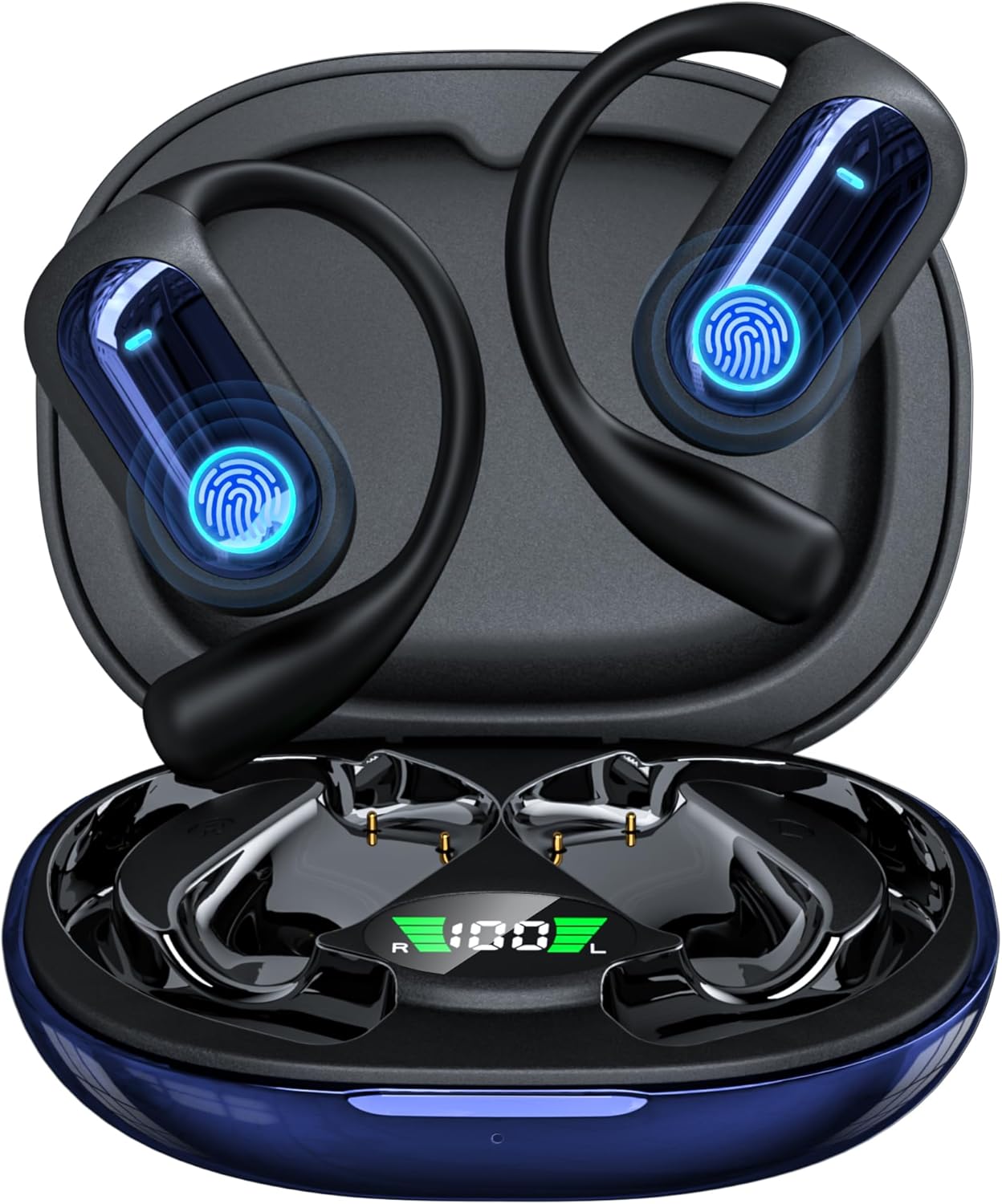
Image: The MOZC AI Translation Earbuds in their charging case, showcasing their sleek design and digital battery display.

Image: A person wearing the MOZC AI Translation Earbuds, emphasizing their comfortable and skin-friendly silicone design with ergonomic ear hooks.
2. Package Contents
Please verify that all items are present in the package:
- 2 x 168 Languages AI Translation Earbuds
- 1 x Charging Case
- 1 x USB Charging Cable
- 1 x User Manual
- 1 x Box

Image: A visual representation of the package contents, including the earbuds, charging case, USB-C cable, and user manual.
3. Setup Guide
3.1 Initial Charging
Before first use, ensure the earbuds and charging case are fully charged. Connect the provided USB charging cable to the charging case and a compatible power source. The charging case features an ultra-fast magnetic charging mechanism. A full charge provides up to 8 hours of nonstop use for the earbuds, with the case extending total usage to 50 hours.

Image: The charging case and earbuds illustrating the 50-hour total battery life and 8-hour single playtime, with a "1.5H Fast Charging with Type-C" label.
3.2 Connecting to Your Device (NebulaBuds App)
The MOZC AI Translation Earbuds require connection to your smartphone via Bluetooth and the dedicated "NebulaBuds" AI app for full functionality, especially for translation features.
- Download the App: Scan the QR code provided in the physical user manual or on the charging case to download the "NebulaBuds" AI app.
- Enable Bluetooth: Turn on Bluetooth on your smartphone.
- Open the App: Launch the "NebulaBuds" app. The app will automatically prompt for permission to discover and connect to devices on your network. Tap "Allow".
- Pair Earbuds: The app will automatically detect and display the "YYK-Q17" earbuds. Select them and confirm the connection.
- Set Languages: Within the app, set your desired source and target languages for translation.

Image: A visual guide showing the four steps to connect the earbuds to the "NebulaBuds" app, including app download, Bluetooth activation, app permissions, and device pairing.
The earbuds feature advanced Bluetooth 5.4 chips for ultra-low latency and a stable connection up to 33 feet (10 meters), ensuring uninterrupted audio and translation experiences.
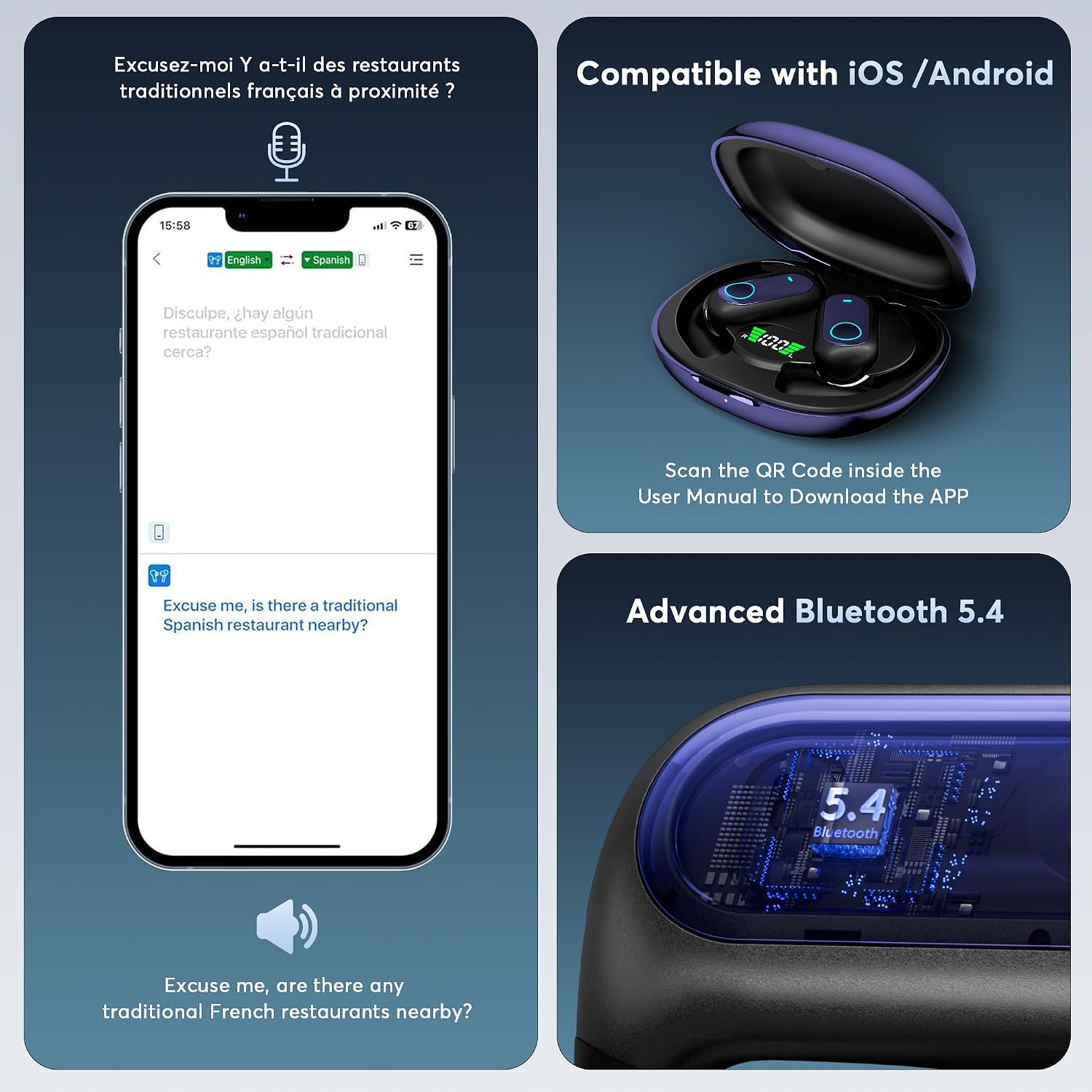
Image: Displays the earbuds' compatibility with iOS and Android devices, highlighting the advanced Bluetooth 5.4 technology and the app interface for translation.
4. Operating Instructions
4.1 Translation Modes
The earbuds offer multiple smart translation modes to adapt to various environments and communication needs. These modes are powered by advanced AI and support 168 languages and accents.

Image: Illustrates the capability of the earbuds to unlock global conversations with support for 168 languages, displaying flags of English, German, Chinese, French, Japanese, Arabic, Spanish, and Russian.

Image: A comprehensive list detailing the 168 languages and various accents supported by the translation earbuds.
Touch Mode:
For direct, real-time translation. Tap the earbud to speak, and the translation will be delivered through the other earbud or the connected phone's speaker.
Free-Speech Mode:
Allows for continuous, natural conversation without needing to tap. The earbuds automatically detect and translate speech.
Speaker Mode:
Utilizes the phone's speaker to broadcast translations, ideal for group conversations or when interacting with someone who doesn't have an earbud.
Offline Mode:
Supports translation without an internet connection in most parts of the world, providing flexibility for travel in areas with limited connectivity.

Image: A visual representation of the four translation modes: Touch Mode, Free-speech Mode, Speaker Mode, and Offline Mode, indicating support for offline translation.
4.2 Real-Time Translation Features
The earbuds leverage cutting-edge natural language processing for instant, accurate translations with a fast response time of 0.2 seconds.
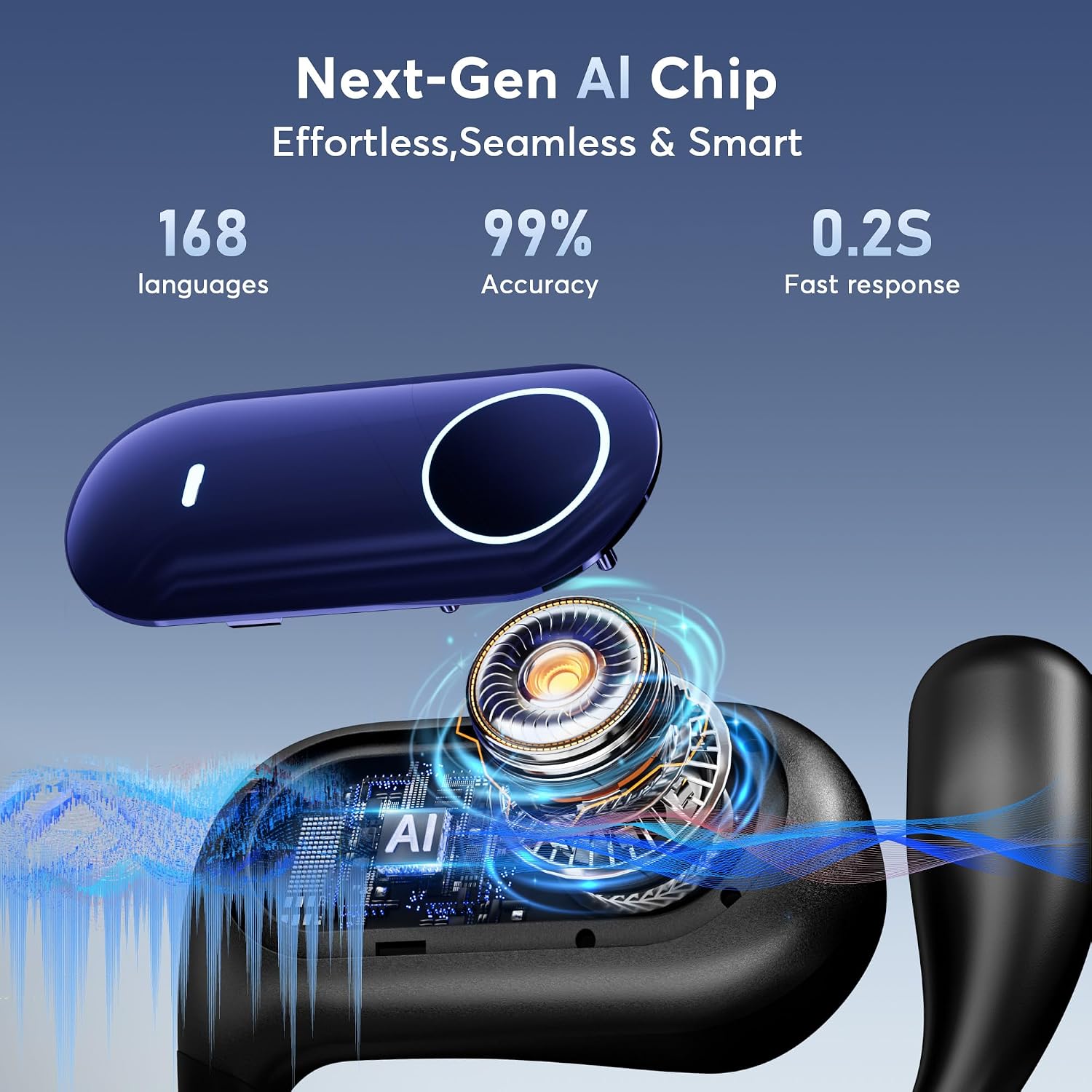
Image: A close-up of the earbud's internal components, emphasizing the Next-Gen AI Chip and its capabilities: 168 languages, 99% accuracy, and 0.2-second fast response.

Image: Demonstrates the real-time translation capability, showing an English phrase being translated into Spanish on a smartphone screen with a 0.2-second response time.
Live Recording & Transcription
Record conversations and convert them into text for meeting notes or future reference. The app provides transcription and summary features.

Image: Shows the live recording function, where spoken words are transcribed into text, with options for saving, transcribing, and summarizing the content.
Simultaneous Interpretation
Ideal for international conferences or multi-party discussions, this mode provides real-time voice translation, allowing participants to understand each other instantly.

Image: A composite image illustrating Live Recording, Simultaneous Interpretation, and Face-to-Face Translation scenarios, showing how the earbuds facilitate communication.

Image: Depicts the simultaneous interpretation feature, showing real-time voice translation between English and Chinese, suitable for conference settings.
Face-to-Face Translation (Earphones + Mobile Phone / Dual-Ear Mode)
Facilitates two-way translation for direct conversations. In Dual-Ear Mode, you can share one earbud with another person, allowing both to speak and understand simultaneously.

Image: Illustrates the Face-to-Face Translation mode, where one person uses the earbud and the other uses the mobile phone for two-way communication.

Image: Shows the Dual-Ear Mode for Face-to-Face Translation, where two individuals can each wear an earbud and engage in simultaneous translated conversation.
4.3 Audio Features
Beyond translation, these earbuds deliver high-quality audio for music and calls.
Equalization Modes
Equipped with 16.2mm bio-carbon fiber dynamic coils, the earbuds provide powerful low frequencies (down to 50Hz) and unique mid-high frequencies (up to 5kHz). They include five adjustable equalizer modes:
- Standard
- Classic
- Jazz
- Rock
- Pop
Easily switch between these modes via the app to optimize your listening experience for different music genres.
4.4 AI Assistant & Additional App Features
The NebulaBuds app includes an AI assistant and various tools to enhance your experience.
AI Voice Smart Dialogue & AI Chat
Engage in real-time voice interaction with the AI assistant "Nebula" to ask questions, or use the AI Chat feature for text-based queries.

Image: Illustrates the AI Voice Smart Dialogue feature, demonstrating how users can interact with the AI assistant "Nebula" through voice commands.

Image: Displays the AI Chat interface, where users can ask text-based questions to the AI assistant "Nebula."
AI Assistant (Over 200 Small Applications)
Access over 200 AI-powered small applications within the app, such as generating PPT course outlines or other creative content.

Image: Highlights the AI Assistant, which provides access to over 200 small AI applications, including one for generating PPT course outlines.
Language Video Translation
The earbuds support translation for video content in 21 languages. Note that some functions in the app may refresh daily, but the core translation function is free.

Image: Shows a video conference interface and a list of 21 languages supported for video translation, emphasizing that the translation function is free.
Summary & Playback
Review historical recordings, with AI-powered summaries and speaker identification for easy playback and organization.

Image: Displays the Summary & Playback interface, allowing users to access historical recordings, AI summaries, and speaker identification.
Text-to-Image & Image-to-Image
Generate images based on text descriptions (Text-to-Image) or create new images from a reference image and text description (Image-to-Image).

Image: Illustrates the Text-to-Image function, where users can input text descriptions to generate corresponding images.

Image: Shows the Image-to-Image feature, allowing users to generate new images based on a reference image and text description.
Audio and Video History
Easily view call records and support redialing directly from the app.

Image: Displays the Audio and Video History interface, where users can view past call records and initiate redials.
5. Maintenance and Care
- Cleaning: Use a soft, dry, lint-free cloth to clean the earbuds and charging case. Do not use abrasive cleaners, alcohol, or chemical solvents.
- Storage: Store the earbuds in their charging case when not in use to protect them and keep them charged.
- Temperature: Avoid exposing the earbuds to extreme temperatures (hot or cold) or direct sunlight for prolonged periods.
- Water Resistance: The product is not specified as water-resistant. Avoid contact with liquids.
- Battery Care: For optimal battery life, avoid fully discharging the earbuds frequently. Charge them regularly.
6. Troubleshooting
| Problem | Possible Cause | Solution |
|---|---|---|
| Earbuds not connecting to phone/app. | Bluetooth is off; earbuds not in pairing mode; app permissions not granted; low battery. | Ensure Bluetooth is enabled on your phone. Place earbuds in case, then open case to activate pairing. Check app permissions in phone settings. Charge earbuds and case. |
| Translation is inaccurate or delayed. | Poor internet connection (for online modes); background noise; speaking too fast/unclearly; incorrect language selection. | Ensure a stable internet connection. Speak clearly and at a moderate pace. Reduce background noise. Verify correct source and target languages are selected in the app. Try Offline Mode if applicable. |
| No sound from earbuds. | Earbuds not paired; volume too low; earbuds not properly seated in ear; media output not set to earbuds. | Re-pair the earbuds. Increase volume on both phone and app. Adjust earbuds for a secure fit. Check phone's audio output settings. |
| Charging case not charging. | Faulty cable/adapter; dirty charging port; case battery completely drained. | Try a different USB-C cable and power adapter. Clean the charging port gently. Allow the case to charge for an extended period if fully drained. |
7. Specifications
| Feature | Detail |
|---|---|
| Model Number | YYK-Q17-AI-01 |
| Brand | MOZC |
| Translation Languages | 168 languages and accents |
| Translation Accuracy | Up to 99% |
| Response Time | 0.2 seconds |
| Bluetooth Version | 5.4 |
| Wireless Range | Up to 33 feet (10 meters) |
| Earbud Battery Life | Up to 8 hours (single charge) |
| Total Battery Life (with case) | Up to 50 hours |
| Charging Time | Approx. 1.5 hours (for case) |
| Charging Interface | USB Type-C |
| Audio Drivers | 16.2mm bio-carbon fiber dynamic coils |
| Equalizer Modes | Standard, Classic, Jazz, Rock, Pop |
| Compatibility | iOS and Android |
| Item Weight | 3.52 ounces |
| Package Dimensions | 5.04 x 3.7 x 1.26 inches |
| Batteries | 2 9V batteries required (included) |
8. Warranty and Support
For warranty information and customer support, please refer to the contact details provided on the product packaging or the official MOZC website. Keep your purchase receipt for warranty claims.
Related Documents - YYK-Q17-AI-01
 |
YYK-Q39 Pro AI Translation Earbuds User Manual & Features Official user manual and feature overview for the YYK-Q39 Pro AI, YYK-Q93 Pro AI, and YYK-Q16 Pro AI translation earbuds by Shenzhen Aokeqi Technology Co., Ltd. Learn about real-time AI translation, app features, and specifications. |
 |
Timekettle X1 User Manual: AI Translation Station with Earbuds Comprehensive user manual for the Timekettle X1 AI translation station and earbuds. Covers setup, features, quick start guide, troubleshooting, product specifications, safety information, and contact details. |
 |
YYK-Q16 Language Translator Earbuds User Manual | Shenzhen Aokeqi Technology Comprehensive user manual for the YYK-Q16 Language Translator Earbuds by Shenzhen Aokeqi Technology. Learn about product specifications, pairing, charging, app usage, and safety precautions for AI translation and assistant features. |
 |
WT2 Plus Translator User Manual and Product Information Comprehensive user manual for the WT2 Plus real-time translation device, covering setup, features, modes, charging, safety, and manufacturer information. |
 |
Vormor AI Voice Translator User Manual & Features Guide Comprehensive user manual for the Vormor AI Voice Translator. Learn about its AI-powered features, setup, online/offline translation, recording, photo translation, group chat, real-time modes, specifications, and safety. |
 |
CheetahTALK AI Translator App: Download & Translate Languages Download the CheetahTALK app for free to get instant, accurate translations in 42 languages, including English, Spanish, Chinese, Japanese, and Korean. Enhance global communication. |