
1. Introduction
This document provides essential instructions for the setup, operation, and maintenance of your new Generic Replacement Remote Control. This remote is designed to be compatible with BMB DAX-1000, DAR-800C, and DAR-500C Digital AV Amplifiers, offering a straightforward solution for controlling your audio-visual equipment.
The remote control is pre-programmed and requires no additional setup or pairing. Simply insert batteries, and it will be ready for immediate use.

Figure 1: Front view of the Generic Replacement Remote Control. This image displays the layout of the buttons, including volume, input selection, and other primary functions.
2. Package Contents
Please verify that all items listed below are present in your package:
- 1 x Generic Replacement Remote Control
Note: Batteries and additional instructions are not included in the package.
3. Setup
3.1 Installing Batteries
The remote control requires two AAA batteries (not included). Follow these steps to install them:
- Locate the battery compartment cover on the back of the remote control.
- Slide the battery compartment cover downwards or press the latch and lift to open it.
- Insert two AAA batteries, ensuring the positive (+) and negative (-) terminals align correctly with the markings inside the compartment.
- Replace the battery compartment cover by sliding it back into place until it clicks securely.
Once batteries are installed, the remote is ready for use with your compatible BMB amplifier.
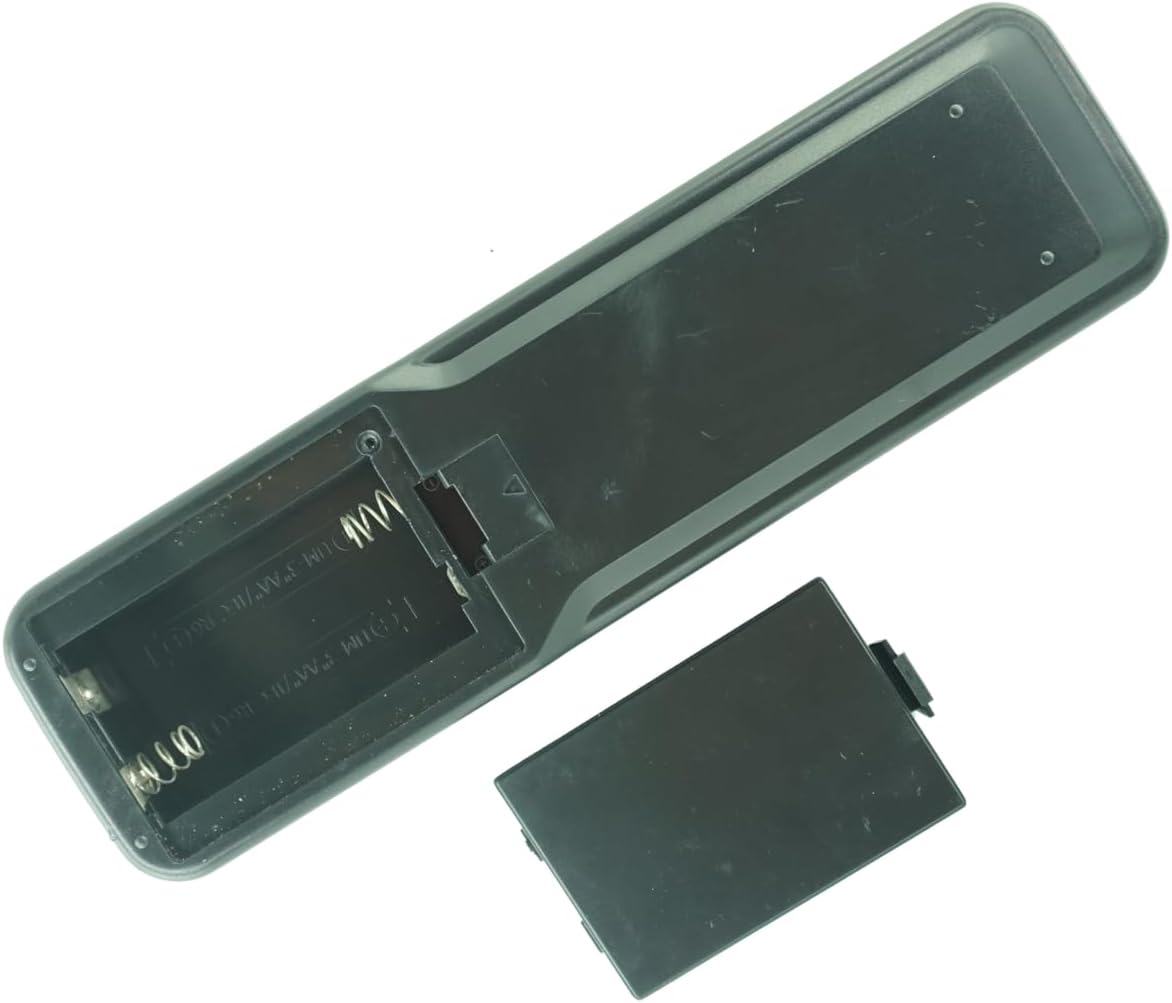
Figure 2: Back view of the remote control with the battery compartment open. This image illustrates where to insert the AAA batteries, showing the correct orientation for positive and negative terminals.
4. Operating Instructions
This remote control is designed for intuitive operation. Point the remote directly at your BMB Digital AV Amplifier for optimal signal transmission.
4.1 Basic Functions
- Power Button: Turns the amplifier ON or OFF.
- Volume Up/Down: Adjusts the audio output level.
- Input Selector: Cycles through available audio/video input sources.
- Mute Button: Silences the audio output.
- Navigation Buttons: Used for menu navigation if your amplifier supports it.
Refer to your BMB amplifier's original user manual for specific functions and their corresponding buttons, as this replacement remote replicates the original's functionality.
5. Maintenance
5.1 Cleaning
To clean the remote control, use a soft, dry cloth. Do not use liquid cleaners, aerosols, or harsh chemicals, as these may damage the remote's surface or internal components.
5.2 Battery Replacement
Replace batteries when the remote's responsiveness decreases or it stops functioning. Always replace both batteries at the same time with new ones of the same type (AAA). Remove batteries if the remote will not be used for an extended period to prevent leakage.
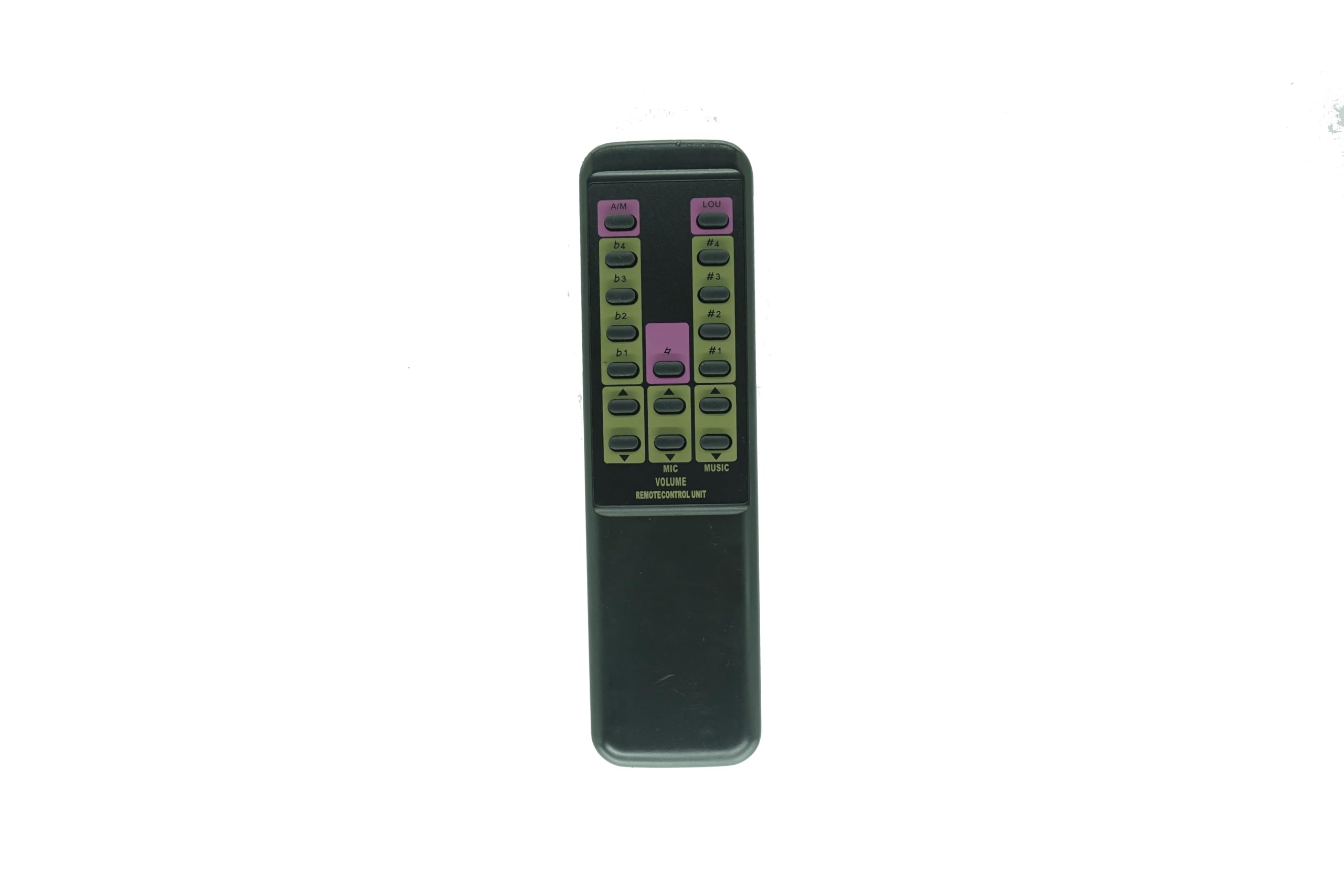
Figure 3: Back view of the Generic Replacement Remote Control with the battery compartment closed. This image shows the remote's overall design and the secure battery cover.
6. Troubleshooting
| Problem | Possible Cause | Solution |
|---|---|---|
| Remote not responding. | Dead or incorrectly inserted batteries. | Replace batteries with new AAA batteries, ensuring correct polarity (+/-). |
| Remote has limited range or intermittent response. | Weak batteries; Obstruction between remote and amplifier; Remote not pointed directly at amplifier. | Replace batteries. Ensure a clear line of sight to the amplifier's IR receiver. Point the remote directly at the amplifier. |
| Specific buttons do not work. | Button malfunction; Amplifier does not support the function. | Ensure the button is not stuck. Verify if your amplifier model supports the specific function. |
7. Specifications
- Brand: Generic
- Compatibility: BMB DAX-1000, DAR-800C, DAR-500C Digital AV Amplifiers
- Connectivity Technology: Infrared (IR)
- Special Feature: No Programming Required
- Power Source: 2 x AAA Batteries (not included)
- Maximum Range: Approximately 8 meters (26 feet)
- Color: As shown (typically black)
8. Warranty and Support
As a generic replacement product, specific warranty details may vary depending on your retailer. Please refer to your purchase receipt or contact your point of purchase for information regarding warranty coverage and return policies.
For technical support or further inquiries, please contact the seller directly through the platform where the purchase was made.


