
Important Safety Information
Please read and understand all instructions and safety warnings before assembly and use of this product. Failure to follow these instructions may result in injury or damage.
- Anchoring: Always anchor the desk to the wall to prevent tipping. Use appropriate hardware for your wall type.
- Electrical Safety: Keep power cords and outlets clear of liquids. Do not overload outlets. Unplug all power cords when not in use or when leaving the desk unattended.
- Weight Capacity: Do not exceed the recommended weight capacity for the desktop and shelves. Distribute weight evenly.
- Assembly: Ensure all parts are securely fastened before use. Do not use power tools for assembly unless specifically instructed, as this may overtighten and damage components.
Product Overview
The PRAISUN 53-inch L-Shaped Desk is designed for home office, gaming, writing, and study environments. It features a reversible design, integrated power outlets, USB-C and USB-A ports, four fabric drawers, and two height-adjustable shelves.

Figure 1: Fully assembled PRAISUN 53-inch L-Shaped Desk.
Key Features:
- Reversible L-Shape Design: Configurable to fit various room layouts.
- Integrated Power Station: Includes 4 AC outlets, 1 USB-A port, and 1 USB-C port.
- Ample Storage: Four fabric drawers and two adjustable open shelves.
- Durable Construction: Steel frame with 20mm thick legs and reinforced crossbars.
- Spacious Desktop: Accommodates multiple monitors and work essentials.
Assembly Instructions
Assembly is required. All necessary tools and numbered components are included. Follow the steps carefully for a smooth setup.
Before You Begin:
- Unpack all components and verify against the parts list in your included manual.
- Clear a spacious area for assembly.
- Keep children and pets away from the assembly area.

Figure 2: General assembly steps for the L-shaped desk.
Step-by-Step Assembly:
- Assemble the Frame: Connect the steel tubes according to the numbered diagrams in your physical manual. Ensure all screws are finger-tightened initially.
- Attach the Desktop Panels: Place the engineered wood desktop panels onto the assembled frame. Secure them with the provided screws.
- Install the Power Strip: Integrate the power outlet unit into the designated slot on the desktop. Connect its power cord.
- Configure Shelving: Install the adjustable wood and mesh shelves in your preferred configuration. Refer to the options below for guidance.
- Set up Fabric Drawers: Assemble the four fabric drawers and insert them into their compartments.
- Final Tightening: Once all components are in place, fully tighten all screws.
Reversible Design & Shelving Options:
The desk can be assembled with the storage unit on either the left or right side. The internal shelves offer multiple configurations:

Figure 3: Reversible setup and dimensions of the desk.
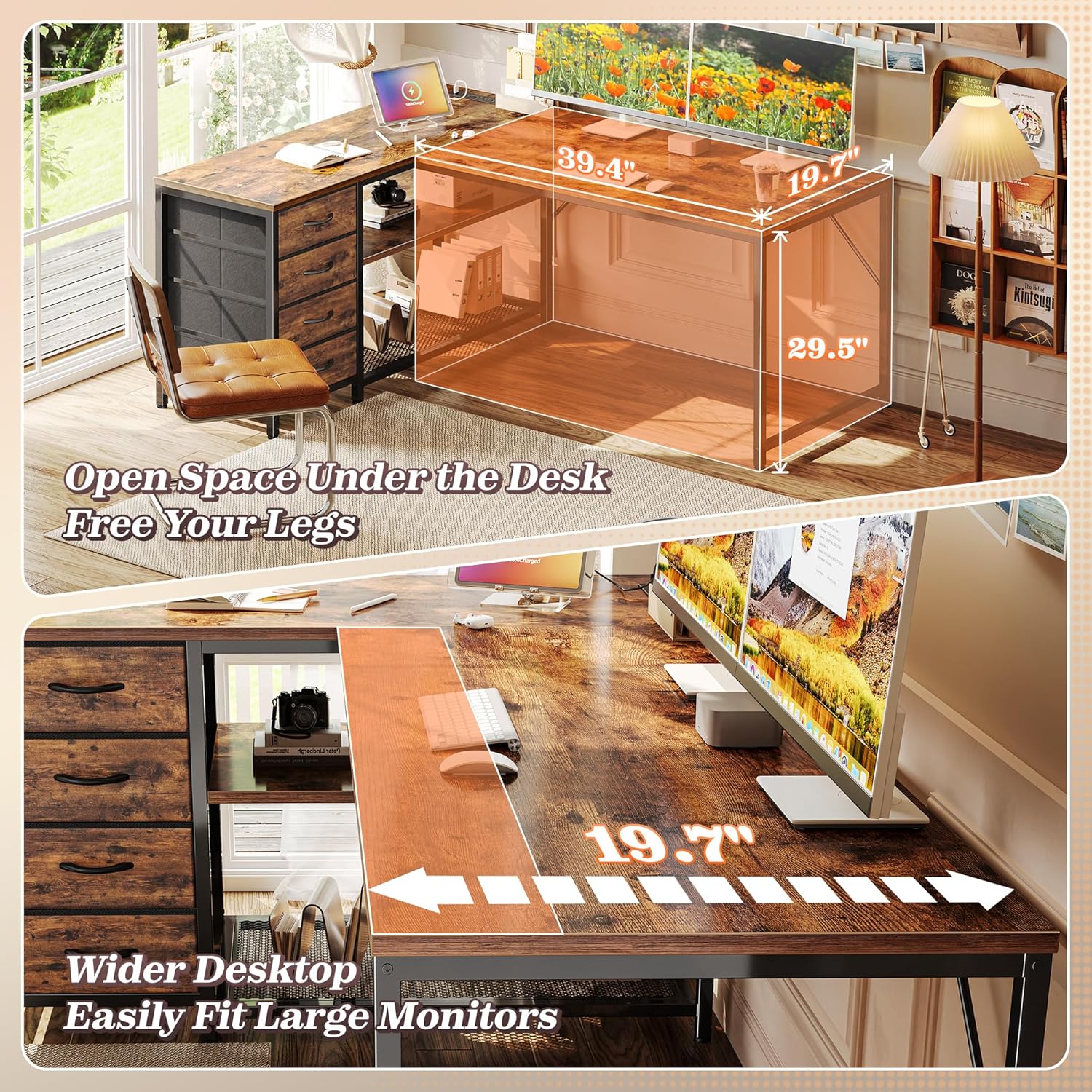
Figure 4: Various shelving configurations for the storage unit.
Operating Instructions
Using the Integrated Power Station:
The desk includes a built-in power strip for convenient charging and power access. It features:
- 4 AC Outlets (125V / 12A)
- 1 USB-C Port (5V / 2A)
- 1 USB-A Port (5V / 2A)
To use, plug the desk's main power cord into a wall outlet. Then, connect your devices to the available AC outlets or USB ports. Ensure devices are compatible with the provided voltage and amperage.

Figure 5: Integrated power outlets and USB ports for device charging.
Utilizing Storage:
The desk offers versatile storage solutions:
- Fabric Drawers: Use the four fabric drawers for organizing stationery, documents, or personal items. These drawers are designed for light to medium weight items.
- Adjustable Shelves: The two open shelves can be adjusted to different heights or removed entirely to accommodate larger items like a tower PC.

Figure 6: Four fabric drawers providing ample storage.
Maintenance
Regular maintenance will help prolong the life and appearance of your PRAISUN L-Shaped Desk.
- Cleaning: Wipe surfaces with a soft, damp cloth. Avoid harsh chemicals or abrasive cleaners that may damage the finish.
- Spills: Clean up spills immediately to prevent staining or damage to the engineered wood surface.
- Fasteners: Periodically check all screws and fasteners to ensure they remain tight. Retighten as necessary.
- Fabric Drawers: The fabric drawers can be spot cleaned with a mild detergent and damp cloth. Allow to air dry completely.
Troubleshooting
If you encounter any issues with your desk, refer to the following common solutions:
- Desk Wobbles: Ensure all assembly screws are fully tightened. Check that the adjustable feet are properly leveled on an even surface.
- Power Outlets Not Working: Verify the desk's main power cord is securely plugged into a functional wall outlet. Check for tripped circuit breakers. Do not overload the power strip.
- Drawers Not Sliding Smoothly: Ensure the fabric drawers are correctly assembled and inserted. Check for any obstructions in the drawer compartments.
- Missing Parts: If any parts are missing upon arrival, contact PRAISUN customer support immediately for assistance.
Specifications
| Feature | Detail |
|---|---|
| Brand | PRAISUN |
| Model | B0F42LR2P3 |
| Product Dimensions | 19.3"D x 53.1"W x 29.5"H |
| Color | Rustic Brown |
| Style | Country Rustic |
| Top Material Type | Engineered Wood |
| Base Type | Metal (Steel Frame) |
| Special Features | Integrated Power Outlets (4 AC, 1 USB-A, 1 USB-C) |
| Number of Drawers | 4 (Fabric) |
| Number of Shelves | 2 (Adjustable) |
| Required Assembly | Yes |
| Includes All Assembly Tools | Yes |
Warranty and Support
Warranty Information:
This PRAISUN product comes with a Limited Warranty. For specific details regarding coverage and duration, please refer to the warranty card included with your purchase or contact PRAISUN customer support.
Customer Support:
For any questions, assistance with assembly, missing parts, or warranty claims, please contact PRAISUN customer support. You can visit the official PRAISUN store for more information and contact options: