1. Introduction
This manual provides essential information for the safe and effective operation, assembly, and maintenance of your BMJX US U10 Incline Treadmill. Please read all instructions carefully before initial use and retain this manual for future reference.

Image 1.1: The BMJX US U10 Incline Treadmill in its upright and under-desk configurations.
2. Safety Instructions
To reduce the risk of serious injury, always follow basic precautions when using this treadmill.
- Ensure the treadmill is placed on a flat, stable surface.
- Keep children and pets away from the treadmill during operation.
- Wear appropriate athletic footwear.
- Do not operate the treadmill if it is damaged or malfunctioning.
- Always use the safety key. Attach the clip to your clothing before starting.
- Consult a physician before starting any new exercise program.
- Do not exceed the maximum weight capacity of 350 pounds.
3. Package Contents
Verify that all components are present in the package:
- BMJX US U10 Incline Treadmill Unit
- Remote Control
- Safety Key
- Tool Kit (for assembly and maintenance)
- User Manual (this document)
4. Setup and Assembly
The BMJX US U10 treadmill is designed for minimal assembly. Follow these steps to prepare your treadmill for use:
- Unpacking: Carefully remove the treadmill from its packaging. Place it on a clear, level surface.
- Handlebar Installation (if applicable): If the handlebar is not pre-installed, attach it using the provided screws and tools from the tool kit. Ensure it is securely fastened.
- Unfolding (if folded): Gently lift the running deck until it locks into the upright position. Ensure all locking mechanisms are engaged.
- Power Connection: Plug the power cord into a grounded electrical outlet.
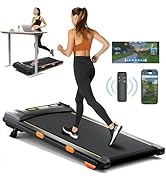
Image 4.1: The treadmill in its folded state, illustrating its compact design for easy storage.
5. Operating Instructions
5.1 Power On/Off
- Power On: Connect the power cord. Insert the safety key into its designated slot on the console. The LED display will illuminate.
- Power Off: Remove the safety key. Unplug the power cord from the outlet.
5.2 Control Panel Overview
The integrated LED display shows real-time data including speed, time, distance, and calories burned. The control panel on the handlebar allows for direct speed adjustments and pausing.
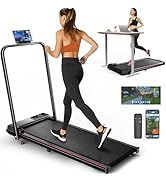
Image 5.1: Detailed view of the LED display, control panel, remote, and app control options.
5.3 Remote Control Usage
The magnetic remote control allows for convenient adjustment of speed during your workout. Point the remote towards the treadmill's display for optimal response.
5.4 APP Connectivity
Download the compatible fitness application to your smartphone or tablet. Connect the app to your treadmill via Bluetooth to customize workout goals, track progress, and access additional features.

Image 5.2: Treadmill connected to a fitness application for enhanced workout experience.
5.5 Speed Adjustment
The treadmill offers a speed range from 0.6 to 7.8 MPH, adaptable to various exercise intensities:
- Walking Mode (0.6-2.0 MPH): When the handlebar is folded down, suitable for under-desk use or light walking.
- Jogging Mode (2.5-5.0 MPH): When the handlebar is raised, suitable for brisk walking or light jogging.
- Running Mode (5.0-7.8 MPH): When the handlebar is raised, suitable for running.
5.6 Incline Adjustment
The treadmill features an 8% manual incline. To adjust the incline, refer to the specific instructions in your quick start guide or the physical treadmill unit for the manual adjustment mechanism.
5.7 Folding and Storage
To fold the treadmill for storage, ensure it is powered off and unplugged. Follow the instructions to release the handlebar and fold the running deck. The front roller skate design allows for easy relocation.
6. Maintenance
Regular maintenance ensures the longevity and optimal performance of your treadmill.
6.1 Cleaning
Wipe down the treadmill surfaces with a damp cloth after each use. Avoid using abrasive cleaners or solvents.
6.2 Running Belt Lubrication
The running belt requires periodic lubrication to reduce friction and extend its lifespan. Refer to the specific instructions in your quick start guide for the recommended lubrication schedule and procedure. Use only silicone-based treadmill lubricant.
6.3 Running Belt Adjustment
If the running belt becomes misaligned or slips, it may require adjustment. Use the provided tool kit to adjust the tension bolts at the rear of the treadmill. Adjust in small increments, testing the belt after each adjustment, until it is centered and properly tensioned.
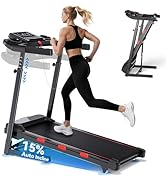
Image 6.1: Illustration of the treadmill's shock absorption system and running deck layers.
7. Troubleshooting
Refer to the table below for common issues and their solutions.
| Problem | Possible Cause | Solution |
|---|---|---|
| Treadmill does not power on | Power cord not connected; Safety key not inserted | Ensure power cord is securely plugged in; Insert safety key fully |
| Running belt slips or stops | Belt too loose; Insufficient lubrication | Adjust belt tension; Lubricate running belt |
| Unusual noise during operation | Loose components; Belt misalignment | Check all bolts and screws for tightness; Adjust running belt |
| Remote control not responding | Battery low; Obstruction between remote and sensor | Replace remote control battery; Ensure clear line of sight to display |
8. Specifications
| Feature | Detail |
|---|---|
| Model | U10 |
| Brand | BMJX US |
| Product Dimensions (LxWxH) | 43.3" x 21.6" x 4.7" |
| Item Weight | 41.8 Pounds |
| Material | Acrylonitrile Butadiene Styrene (ABS) |
| Motor Horsepower | 3.0 HP |
| Speed Range | 0.6 - 7.8 MPH |
| Maximum Incline | 8% (Manual) |
| Maximum Weight Capacity | 350 Pounds |
| Special Feature | Portable, Foldable, Under-Desk Use |
| Included Components | Remote Control, Safety Key, Tool Kit, User Manual |

Image 8.1: Key specifications of the BMJX US U10 treadmill.
9. Warranty and Support
The BMJX US U10 Incline Treadmill comes with a 2-Year Manufacturer Warranty. This warranty covers defects in materials and workmanship under normal use. For warranty claims or technical support, please contact BMJX US customer service through the retailer where the product was purchased or visit the official BMJX US website for contact information.
Please retain your proof of purchase for warranty validation.