Product Overview
The realme Buds Air 7 are advanced wireless earbuds designed for an immersive audio experience. They feature 12.4mm dynamic bass drivers, 52dB hybrid active noise cancellation, and up to 52 hours of total playback. With 360° spatial audio, Hi-Res LHDC support, and IP55 dust and water resistance, these earbuds are suitable for various activities including travel, sport, music, and gaming.
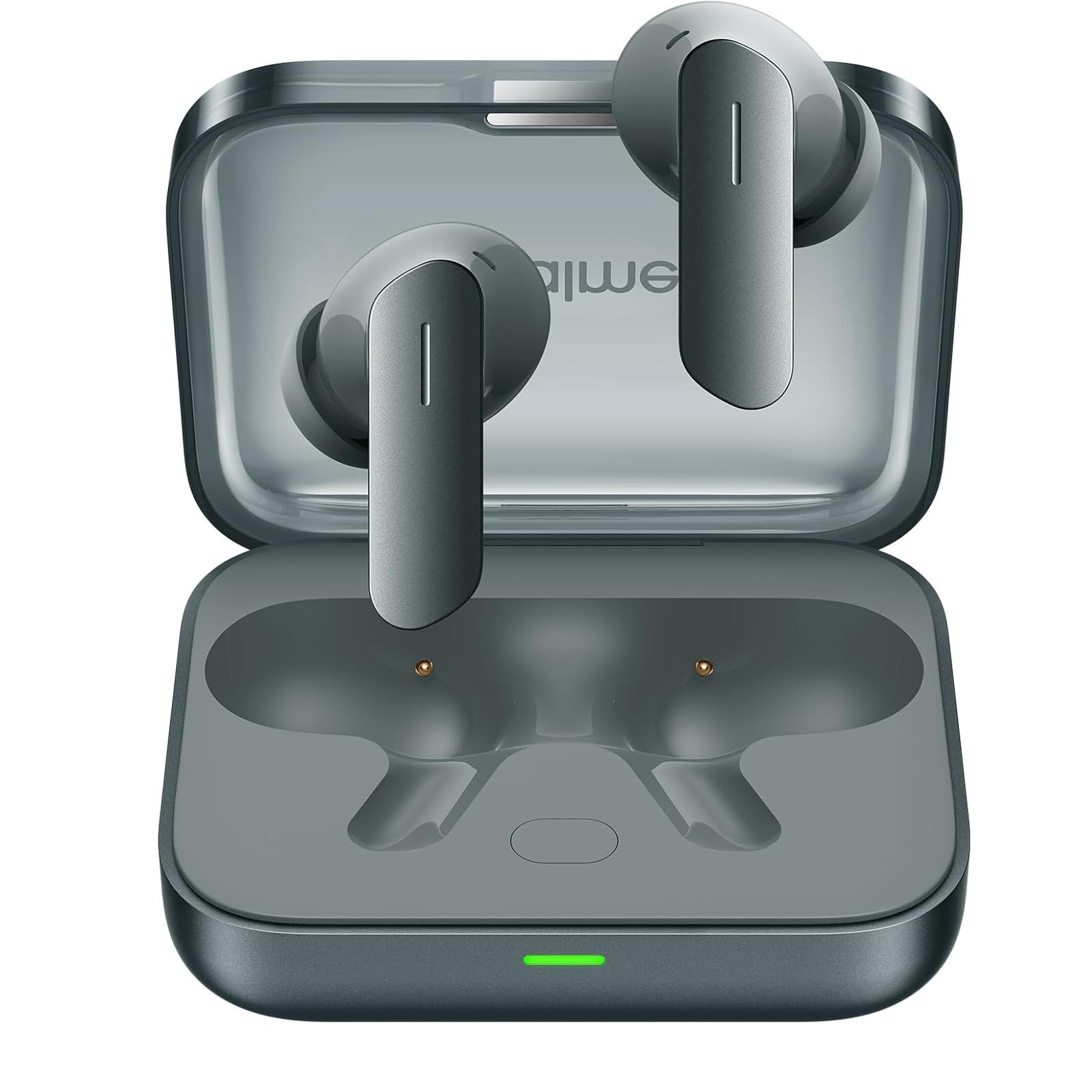
Image: realme Buds Air 7 earbuds in their charging case.
1. Setup
1.1 What's in the Box
- realme Buds Air 7 Earbuds
- Wireless Charging Case
- USB Charging Cable
- Eartips (various sizes)
- User Manual
1.2 Charging
Before first use, fully charge the realme Buds Air 7 and their charging case.
- Connect the provided USB charging cable to the charging port on the case and a power source.
- The indicator light on the case will show charging status.
- Place the earbuds into the charging case to charge them. The earbuds will charge automatically when placed correctly in the case.
- A 10-minute charge provides significant playback time.

Image: The realme Buds Air 7 charging case, showing the earbuds inside.
1.3 Pairing with a Device
- Ensure the earbuds are in the charging case and the case has sufficient battery.
- Open the charging case lid. The earbuds will automatically enter pairing mode (indicator light will flash).
- On your device (smartphone, tablet, computer), enable Bluetooth.
- Search for "realme Buds Air 7" in the list of available Bluetooth devices.
- Select "realme Buds Air 7" to connect. Once connected, the indicator light will stop flashing.
Note: For subsequent use, the earbuds will automatically connect to the last paired device when the case lid is opened, if Bluetooth is enabled on the device.
1.4 Wearing the Earbuds
Choose the correct size of eartips for a comfortable and secure fit. A good seal is crucial for optimal sound quality and noise cancellation.
- Gently insert the earbuds into your ear canals.
- Rotate them slightly until they fit snugly and comfortably.
- Test different eartip sizes to find the best fit for your ears.
2. Operating Instructions
2.1 Touch Controls
The realme Buds Air 7 feature touch-sensitive areas on each earbud for control. Specific functions can often be customized via the realme Link app (if available for your region).
- Double Tap: Play/Pause music, Answer/End call.
- Triple Tap: Next track.
- Touch and Hold (one earbud): Switch between Noise Cancellation modes (ANC/Transparency/Normal).
- Touch and Hold (both earbuds simultaneously): Enter/Exit Gaming Mode (Low Latency).
2.2 Active Noise Cancellation (ANC)
The earbuds feature 52dB Hybrid ANC to reduce ambient noise. You can switch between different modes:
- Noise Cancellation Mode: Blocks out external noise for an immersive listening experience.
- Transparency Mode: Allows you to hear your surroundings without removing the earbuds, useful for conversations or being aware of traffic.
- Normal Mode: Standard audio playback without noise cancellation or transparency.
To switch modes, touch and hold one earbud until you hear an audible prompt indicating the mode change.

Image: A user experiencing the 52dB Active Noise Cancellation feature of the realme Buds Air 7.
2.3 Audio Features
- 360° Spatial Audio: Provides an immersive, theater-like sound experience.
- Hi-Res LHDC: Supports high-resolution audio codecs for superior sound quality.
- 12.4mm Dynamic Bass Drivers: Engineered to deliver powerful and deep bass.
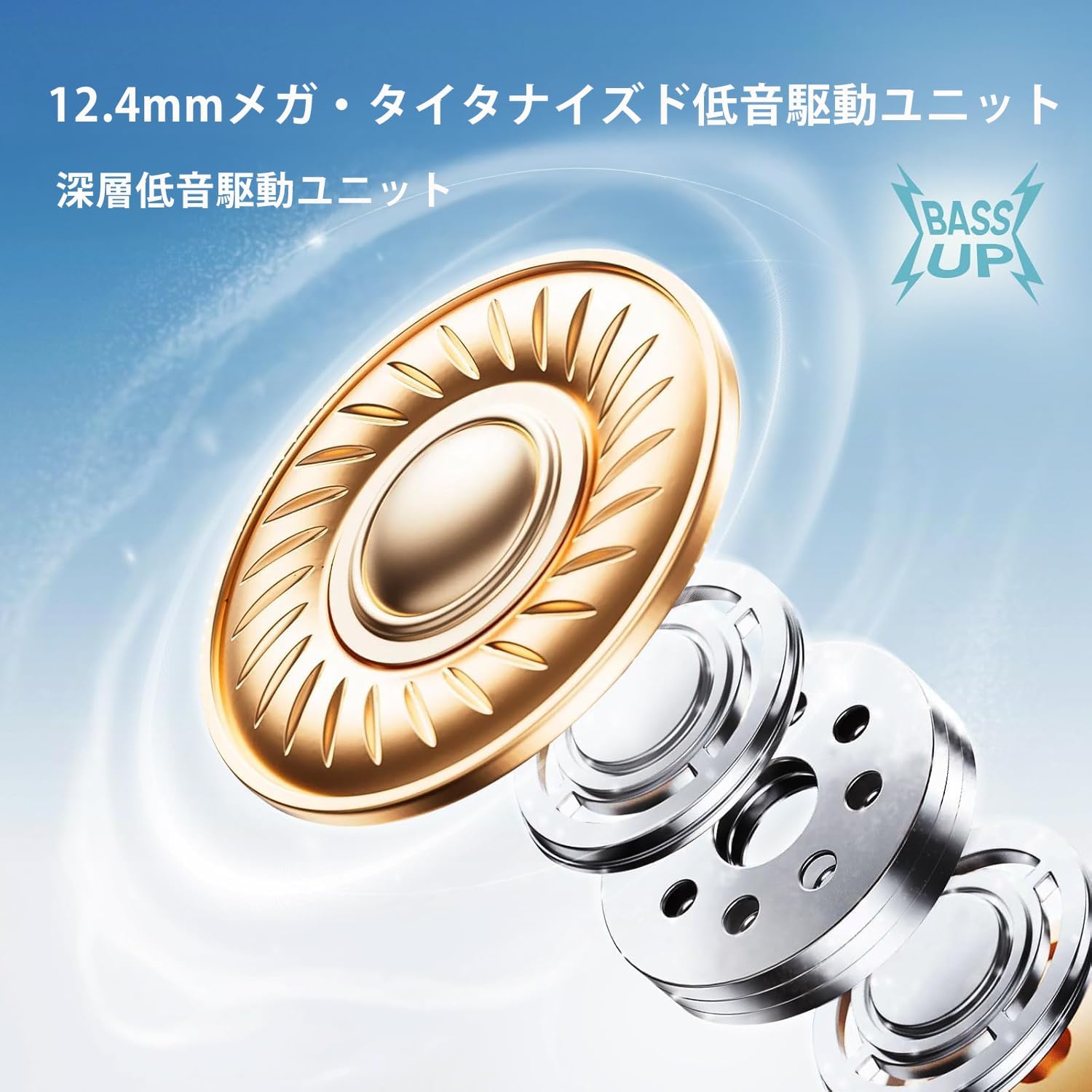
Image: An exploded view illustrating the 12.4mm dynamic bass driver technology.
2.4 Low Latency Mode (Gaming Mode)
Activate Gaming Mode to reduce audio latency, providing a more synchronized experience for gaming or video playback. To activate/deactivate, touch and hold both earbuds simultaneously.
3. Maintenance
3.1 Cleaning
- Use a soft, dry, lint-free cloth to clean the earbuds and charging case.
- For stubborn dirt, slightly dampen the cloth with water or a mild, non-abrasive cleaner.
- Remove eartips and clean them separately with water and mild soap, then dry thoroughly before reattaching.
- Do not use harsh chemicals or abrasive materials.
3.2 Water and Dust Resistance (IP55)
The realme Buds Air 7 are rated IP55 for dust and water resistance. This means they are protected against limited dust ingress and low-pressure water jets from any direction. They are suitable for workouts and light rain, but should not be submerged in water or exposed to high-pressure water.
- Do not charge the earbuds or case if they are wet.
- Dry the earbuds thoroughly before placing them back into the charging case.
- The IP55 rating is not a permanent condition and resistance might decrease as a result of normal wear.
3.3 Storage
Store the earbuds in their charging case when not in use to protect them and keep them charged. Avoid extreme temperatures and direct sunlight.
4. Troubleshooting
4.1 Common Issues and Solutions
- Earbuds not pairing:
- Ensure both earbuds are charged.
- Place earbuds in the case, close the lid, wait a few seconds, then open the lid to re-enter pairing mode.
- Turn off and on Bluetooth on your device.
- Forget "realme Buds Air 7" from your device's Bluetooth settings and try pairing again.
- No sound or intermittent sound:
- Check the volume level on your device.
- Ensure earbuds are properly connected to your device.
- Clean the earbud mesh to ensure no blockage.
- Try resetting the earbuds.
- Charging issues:
- Ensure the charging cable is securely connected.
- Try a different charging cable or power adapter.
- Clean the charging contacts on both the earbuds and the case.
4.2 Factory Reset
If you encounter persistent issues, a factory reset may resolve them. Refer to the official realme support website or the included quick start guide for specific reset instructions for your model, as this can vary.
5. Specifications
| Feature | Detail |
|---|---|
| Model Name | Air 7 (RMA7PADRE) |
| Connectivity Technology | Wireless (Bluetooth v5.4) |
| Audio Driver Size | 12.4 mm Dynamic Bass Drivers |
| Noise Control | 52dB Hybrid Active Noise Cancellation (ANC) |
| Spatial Audio | 360° Spatial Audio |
| Audio Codec | Hi-Res LHDC |
| Low Latency | 45ms |
| Total Playtime | Up to 52 hours (with charging case) |
| Water Resistance | IP55 Dust & Water Resistant |
| Charging Time | 10 minutes for significant playback |
| Item Weight | 130 Grams (total package) / 4.6 ounces |
| Product Dimensions | 0.39 x 0.39 x 0.39 inches (earbud, approximate) |
| Included Components | Earbuds, Wireless Charging Case, USB Cable, Eartips, User Manual |
6. Warranty Information
realme products are covered by a standard limited warranty from the date of purchase. The specific terms and conditions of the warranty may vary by region. Please retain your proof of purchase for warranty claims.
For detailed warranty information, including coverage, duration, and how to make a claim, please visit the official realme website or contact realme customer support in your region.
7. Customer Support
If you require further assistance, have questions not covered in this manual, or need technical support, please contact realme customer service.
- Visit the official realme website for support resources, FAQs, and contact information.
- Refer to the contact details provided in the packaging or on the realme website for your specific region.
Always provide your product model (RMA7PADRE) and purchase details when contacting support.


