
Product Overview
The KOSERNT YYK-MQO30 AI Translation Earbuds are designed to facilitate seamless global communication and provide a versatile audio experience. These open-ear headphones feature Bluetooth 5.4 connectivity, an LCD touchscreen on the charging case, and real-time translation capabilities for 144 languages and accents. They integrate translation, music playback, and call functions, making them suitable for various scenarios including travel, business, and learning.
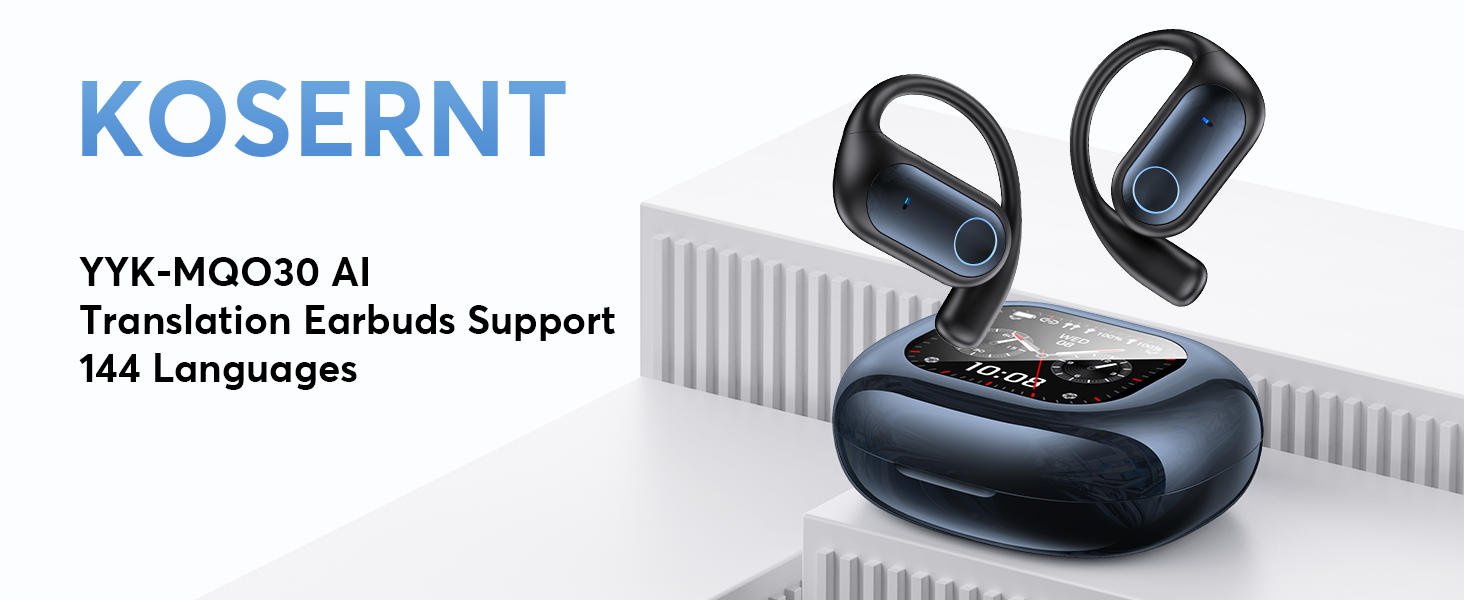
Image: KOSERNT YYK-MQO30 AI Translation Earbuds and charging case, highlighting support for 144 languages.
What's in the Box
Upon unboxing your KOSERNT AI Translation Earbuds, please verify that all components are present:
- 2 x Translation Earbuds
- 1 x Charging Case
- 1 x Charging Cable
- 1 x User Manual (this document)
- 1 x Product Box
Setup and Initial Connection
Follow these steps to set up your earbuds and connect them to the companion application:
- Download the "NebulaBuds" App: Scan the QR code provided in the charging case or refer to the physical user manual for the download link.
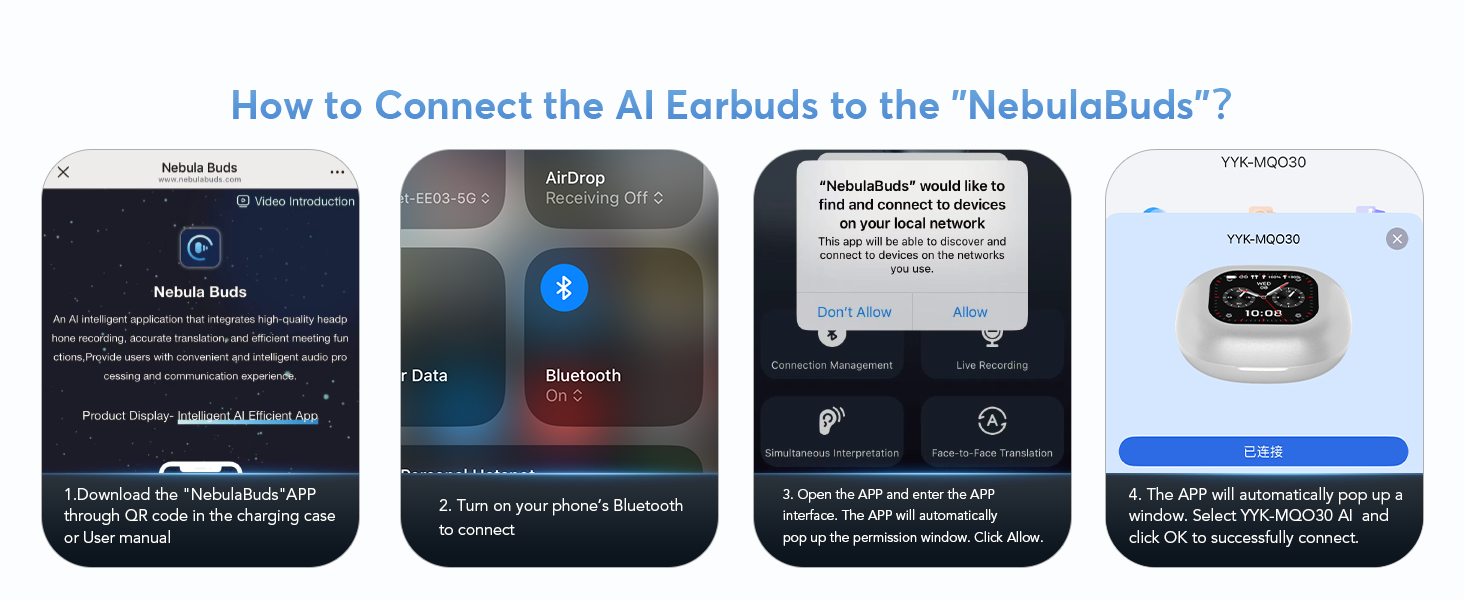
Image: Visual guide for connecting the earbuds to the NebulaBuds app, showing app download, Bluetooth activation, permission prompts, and successful connection.
- Activate Bluetooth: Turn on Bluetooth on your mobile phone.
- Open the App: Launch the "NebulaBuds" app. The app will automatically prompt for necessary permissions (e.g., access to local network). Please grant these permissions by selecting "Allow" to ensure full functionality.
- Connect Earbuds: The app will automatically detect and display the "YYK-MQO30 AI" device. Select it and confirm the connection. A successful connection will be indicated within the app.
Operating Instructions
Translation Modes
The earbuds offer multiple translation modes to suit various communication needs:
- Real-Time Two-Way Translation (144 Languages): Supports seamless communication across a wide range of languages.

Image: Illustration of breaking language barriers with real-time translation, showing various country flags representing supported languages.
- Live Recording: Converts spoken content into text for meeting notes or transcription.

Image: Screenshot of the Live Recording interface, showing audio waveform and transcribed text.
- Simultaneous Interpretation: Provides real-time voice translation for international conferences or group discussions.

Image: Screenshot of the Simultaneous Interpretation interface, demonstrating real-time translation between two languages.
- Face-to-Face Conversation: Facilitates two-way translation for direct interactions. Can be used with one earbud per person (Dual-Ear Mode) or with one earbud and a mobile phone.

Image: Visual representation of Face-to-Face Translation using an earbud and a mobile phone, showing translated dialogue.

Image: Diagram illustrating Face-to-Face Translation in Dual-Ear Mode, where two users share earbuds for simultaneous conversation.
- Video Calls & Voice Calls: Supports online calls with real-time translation, accessible via a web browser for the other party.

Image: Screenshot of the Audio and Video Call interface, showing real-time translated conversation during a call.
- Offline Mode: Supports offline translation in most parts of the world (requires prior download of language packs).
- Touch Mode, Free-speech Mode, Speaker Mode: Additional modes for specific translation scenarios.
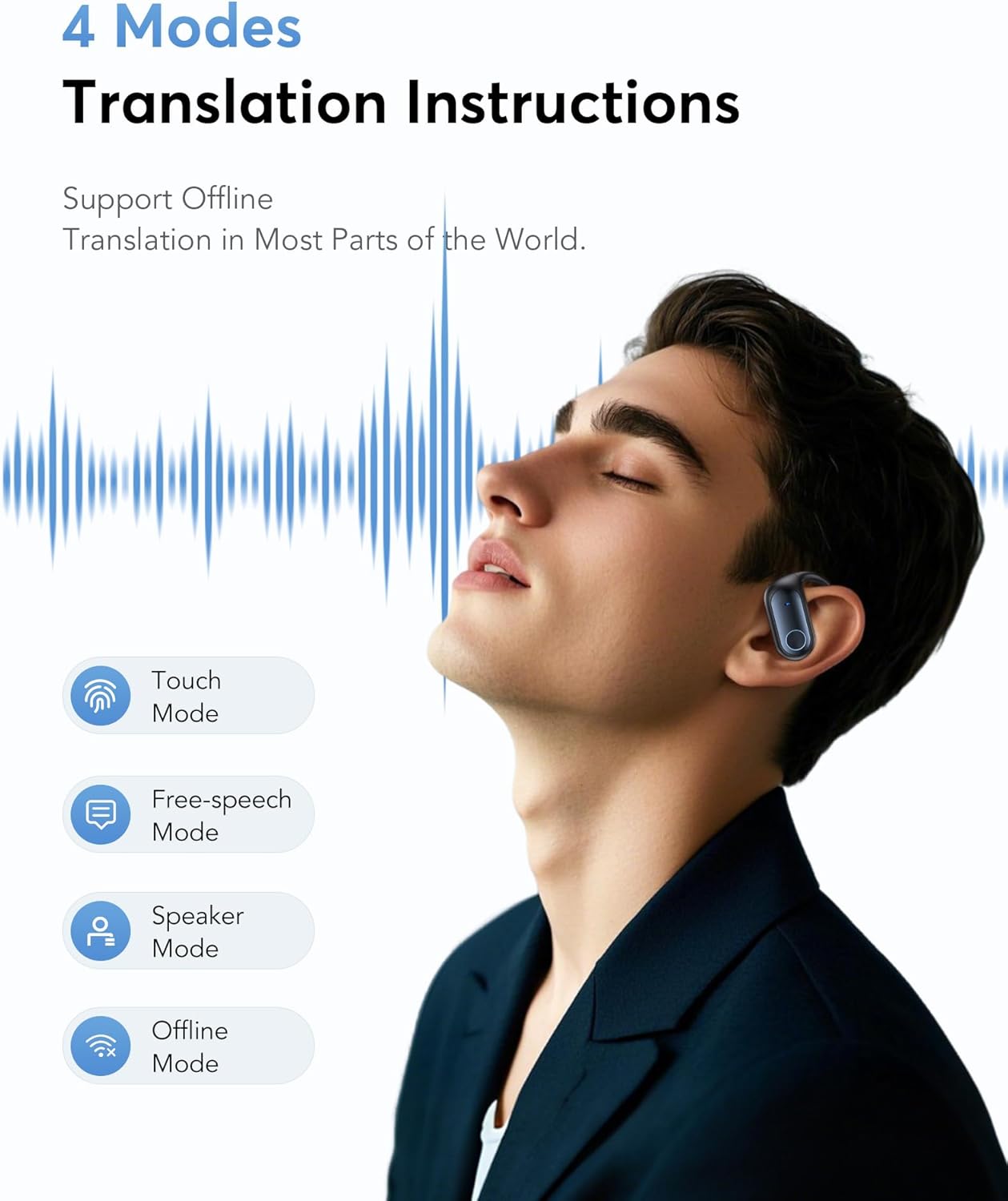
Image: Diagram illustrating the four main translation modes: Touch Mode, Free-speech Mode, Speaker Mode, and Offline Mode.
Multifunctional Touchscreen (on Charging Case)
The charging case features an LCD full-color touchscreen that allows direct control and access to various functions without needing your phone:
- Music playback control (play/pause, skip tracks)
- Answer and end calls
- Activate noise-cancellation modes
- Volume adjustment
- Camera control
- Switching between seven languages
- Wallpaper switching
- Screen brightness adjustment
- Earphone search function
- Timer function
- Access to AI Translation, Sound Effects, Mode Selection, Stopwatch, Calendar, Key Settings, Multi-Settings, Download, Telephones, and Games.

Image: Detailed view of the LCD full-color touchscreen on the charging case, displaying various function icons.
Audio Features
- Sound Quality: Equipped with 14.2mm bio-carbon fiber dynamic coils for powerful bass and clear mid-high frequencies. Supports Crystal-Clear AAC Sound Quality.

Image: Diagram illustrating the internal components of the earbud, highlighting the precision directional sound design and 15mm driver.
- Equalization Modes: Choose from five EQ modes (Standard, Classic, Jazz, Rock, Pop) to customize your listening experience.
- Environmental Noise Cancellation (ENC): Reduces ambient noise for immersive music and clear calls.
AI Assistant and Smart Features
The earbuds integrate advanced AI functionalities:
- AI Assistant: Access over 200 AI small applications for various tasks.

Image: Screenshot of the AI Assistant interface, showing options for one-click writing and generating outlines.
- AI Chat: Interact with the AI by asking questions via text.

Image: Screenshot of the AI Chat interface, demonstrating text-based interaction with the AI.
- AI Voice Smart Dialogue: Use real-time voice interaction to ask questions.

Image: Screenshot of the AI Voice Smart Dialogue interface, showing voice interaction and response options.
- Text-to-Image & Image-to-Image: Generate images based on text descriptions or reference images.

Image: Screenshot demonstrating the Text-to-Image generation feature, allowing users to create images from text descriptions.

Image: Screenshot demonstrating the Image-to-Image generation feature, allowing users to create new images based on a reference image and text description.
- Summary & Playback: Review historical recordings with AI summary and speaker identification.

Image: Screenshot of the Summary & Playback interface, showing options for reviewing historical recordings, AI summary, and speaker identification.
- Audio and Video History: Easily view call records and support redialing.

Image: Screenshot of the Audio and Video History interface, displaying call records and redial options.
Battery Life and Charging
The earbuds and charging case provide extended usage times:
- Up to 80 hours of total battery life with the charging case.
- Up to 6 hours of playback per single charge for the earbuds.
- Fast charging via Type-C port, with a full charge taking approximately 1.5 hours.
- The fast-charging case ensures your earbuds are always ready for use.
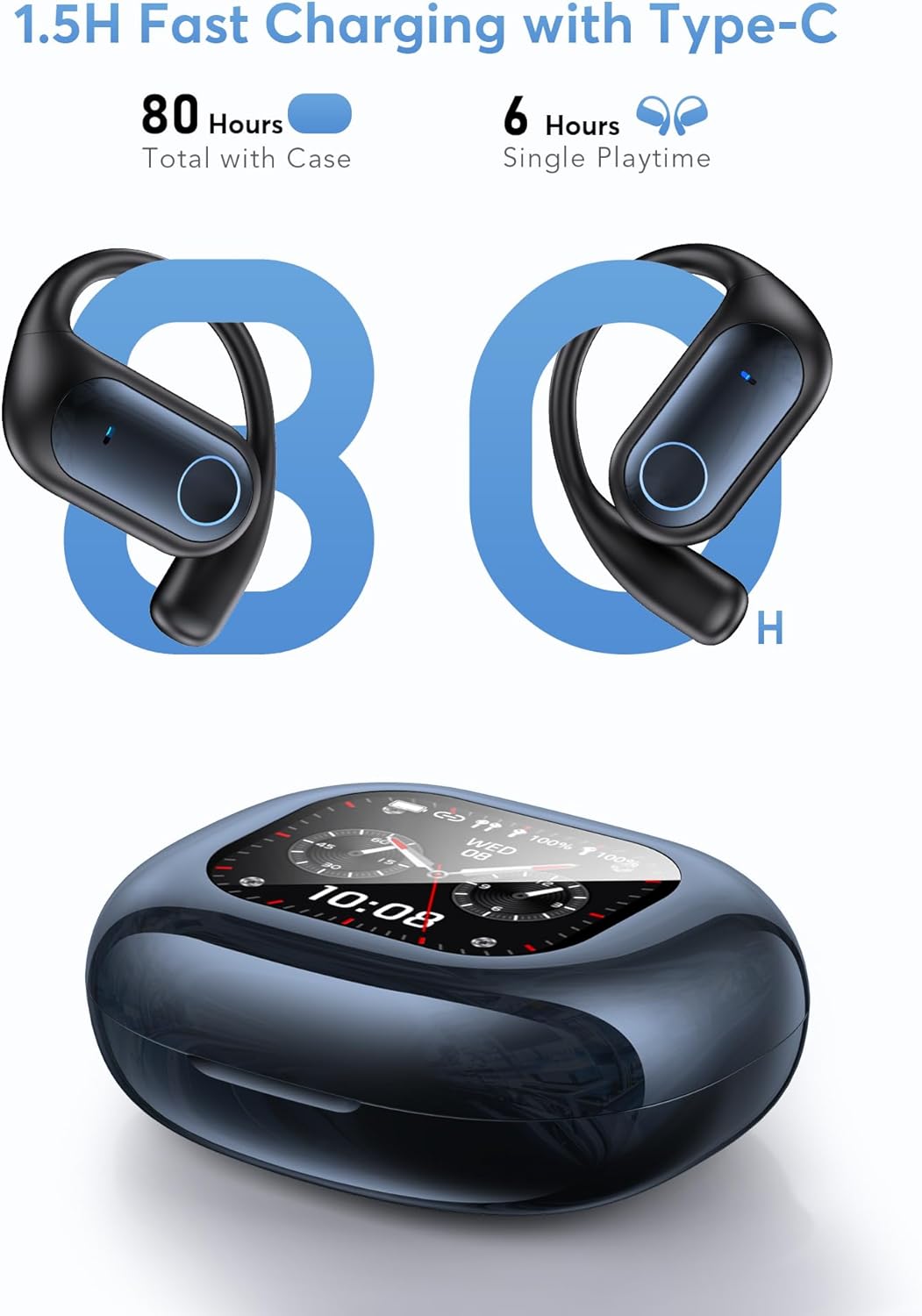
Image: Visual representation of the 80-hour total battery life and 6-hour single playtime, along with the Type-C charging port.
Comfort and Design
The KOSERNT AI Translation Earbuds are designed for comfort and durability:
- Open-Earbud Design: Features an ergonomic hook design that fits snugly to the ear contour without entering the ear canal. This reduces air pressure buildup and minimizes the risk of hearing damage, providing a comfortable and secure fit.
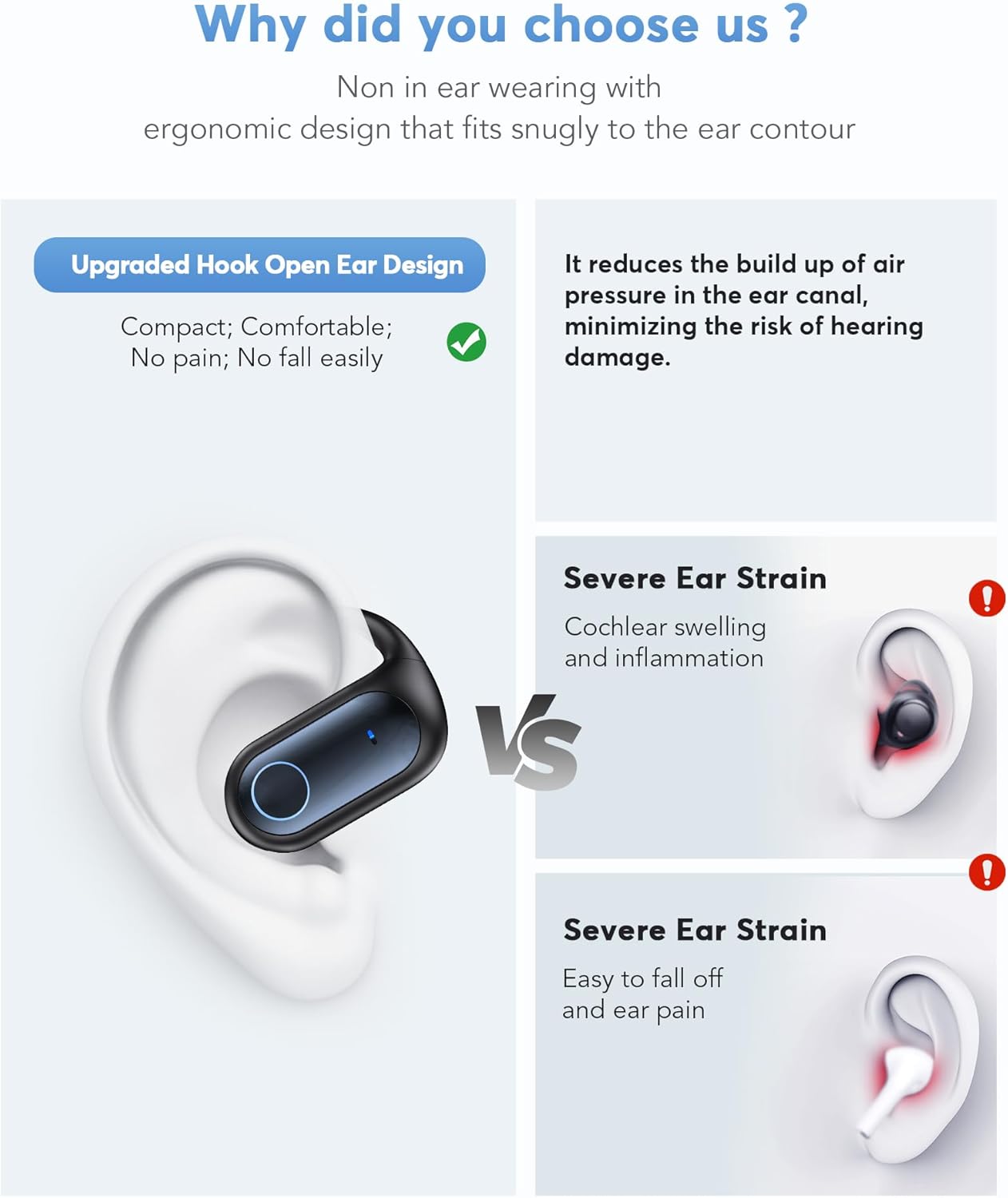
Image: Diagram comparing the open-earbud design with traditional in-ear designs, highlighting comfort and reduced ear strain.
- Lightweight and Durable: Each earbud weighs only 8 grams and is made from lightweight PC material.
- Water Resistance: Rated IPX7 for water resistance, making them suitable for sports and daily activities.
- Secure Fit: Soft silicone ear hooks ensure a secure fit, preventing them from falling out during movement.
Specifications
Key technical specifications for the KOSERNT YYK-MQO30 AI Translation Earbuds:
| Feature | Specification |
|---|---|
| Model Number | YYK-MQO30 AI |
| Brand | KOSERNT |
| Connectivity | Bluetooth 5.4 |
| Translation Languages | 144 Languages & Accents |
| Display | LCD Touch Screen (on charging case) |
| Earbud Weight | 8 grams (each) |
| Water Resistance Rating | IPX7 |
| Total Playtime (with case) | Up to 80 hours |
| Single Playtime (earbuds) | Up to 6 hours |
| Charging Port | Type-C |
| Driver Size | 14.2mm bio-carbon fiber dynamic coils |
| Noise Cancellation | ENC (Environmental Noise Cancellation) |
| Item Weight | 6.7 ounces (total package) |
| Package Dimensions | 5.98 x 4.21 x 1.46 inches |
| Batteries | 2 9V batteries required (included) |
Troubleshooting
If you encounter issues with your KOSERNT AI Translation Earbuds, please refer to the following common solutions:
- Earbuds not connecting:
- Ensure Bluetooth is enabled on your device.
- Make sure the earbuds are charged.
- Restart the "NebulaBuds" app and your phone's Bluetooth.
- Try re-pairing the earbuds through the app.
- Translation not working or inaccurate:
- Verify a stable internet connection (for online translation modes).
- Ensure the correct source and target languages are selected in the app.
- Speak clearly and at a moderate pace.
- Check if offline language packs are downloaded for offline use.
- Poor audio quality:
- Ensure earbuds are properly seated in your ears.
- Clean any debris from the earbud speakers.
- Check the audio source quality.
- Touchscreen unresponsive:
- Ensure the charging case is sufficiently charged.
- Try restarting the charging case (if applicable, by placing earbuds in and closing/opening).
For persistent issues, please contact KOSERNT customer support.
Warranty and Support
KOSERNT products are manufactured with high standards of quality. For any support inquiries, technical assistance, or warranty claims, please contact KOSERNT customer service. Refer to the product packaging or the official KOSERNT website for the most current contact information.
Protection plans are available for extended coverage. Please refer to your purchase details for information on available protection plans.


