
Introduction
Thank you for choosing the YGVCDRY B36 Wireless Bluetooth 5.3 Over-Ear Headphones. These headphones are designed to provide a high-quality audio experience with advanced features such as Active Noise Cancellation (ANC), Bluetooth 5.3 connectivity, and a comfortable, foldable design. This manual will guide you through the setup, operation, and maintenance of your new headphones.
What's in the Box
Please check the package contents to ensure all items are present:
- YGVCDRY B36 Wireless Bluetooth Over-Ear Headphones x 1
- Type-C Charging Cable x 1
- Instruction Manual x 1

Image: Packaging accessories, showing the headphones, a USB-C charging cable, and the instruction manual.
Product Features
- Active Noise Cancellation (ANC) & Ambient Sound Mode: Equipped with hybrid active noise cancellation technology to reduce environmental noise. Supports one-click switching to ambient sound mode, allowing you to hear your surroundings without removing the headphones.
- Bluetooth 5.3 Connectivity: Features the latest Bluetooth 5.3 chip for stable connections up to 10 meters. Offers ultra-low latency (as low as 60ms in game mode) for synchronized audio and video.
- Immersive High-Fidelity Sound: Utilizes a 10mm composite diaphragm dynamic unit and supports SBC/AAC audio decoding for rich bass and clear mid-high frequencies.
- Long-lasting Battery Life & Fast Charging: Provides up to 8 hours of playtime on a single charge. Supports Type-C fast charging, offering 1 hour of playtime after just 10 minutes of charging.
- Ergonomic & Foldable Design: Adjustable headband and tilt-rotating earmuffs ensure a comfortable fit for most users. The foldable design makes them easy to carry and store.
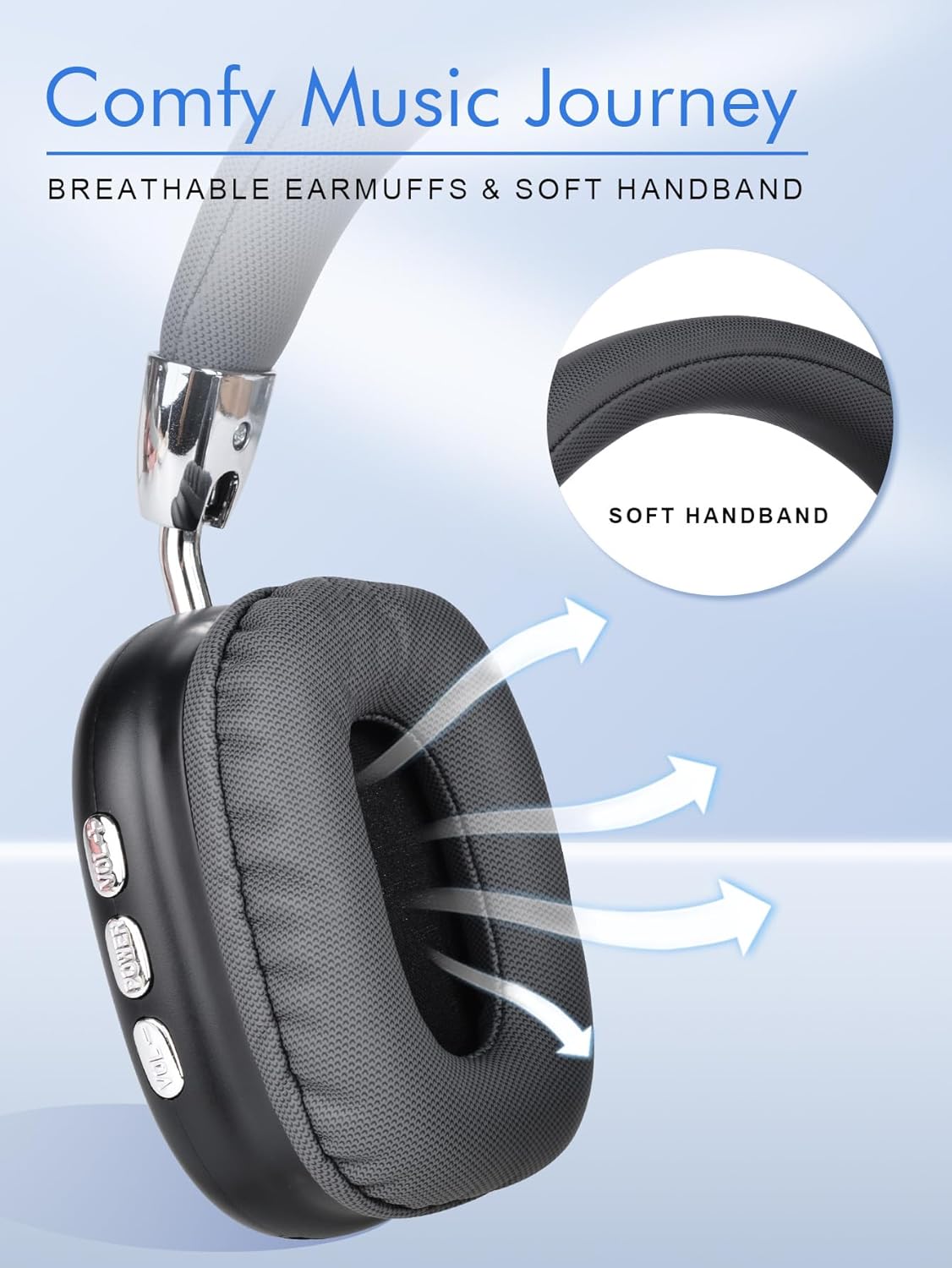
Image: Close-up of the headphones highlighting breathable earmuffs and a soft headband for comfortable wear.

Image: The headphones showcasing their foldable, stretchable, and rotatable earcups for adjustable fit and portability.
Setup
1. Charging the Headphones
Before first use, fully charge your headphones. Connect the supplied Type-C charging cable to the charging port on the headphones and the other end to a USB power source (e.g., wall adapter, computer USB port).
- A full charge provides approximately 8 hours of playtime.
- For quick use, 10 minutes of charging can provide 1 hour of playtime.
- Charging time is approximately 1.5 to 2 hours for a full charge.

Image: Visual representation of the headphones' battery specifications, including use time, capacity, and charging duration.
2. Bluetooth Pairing
- Ensure the headphones are charged.
- Press and hold the POWER button on the headphones until the indicator light flashes red and blue, indicating pairing mode.
- On your device (smartphone, laptop, game console), go to the Bluetooth settings.
- Search for available devices and select "B36" from the list.
- Once connected, the indicator light will typically turn solid blue or stop flashing.
Video: This video demonstrates the physical features of the YGVCDRY B36 headphones, including their adjustable and foldable design, button functions for volume and track control, and the Bluetooth pairing process with a mobile device.
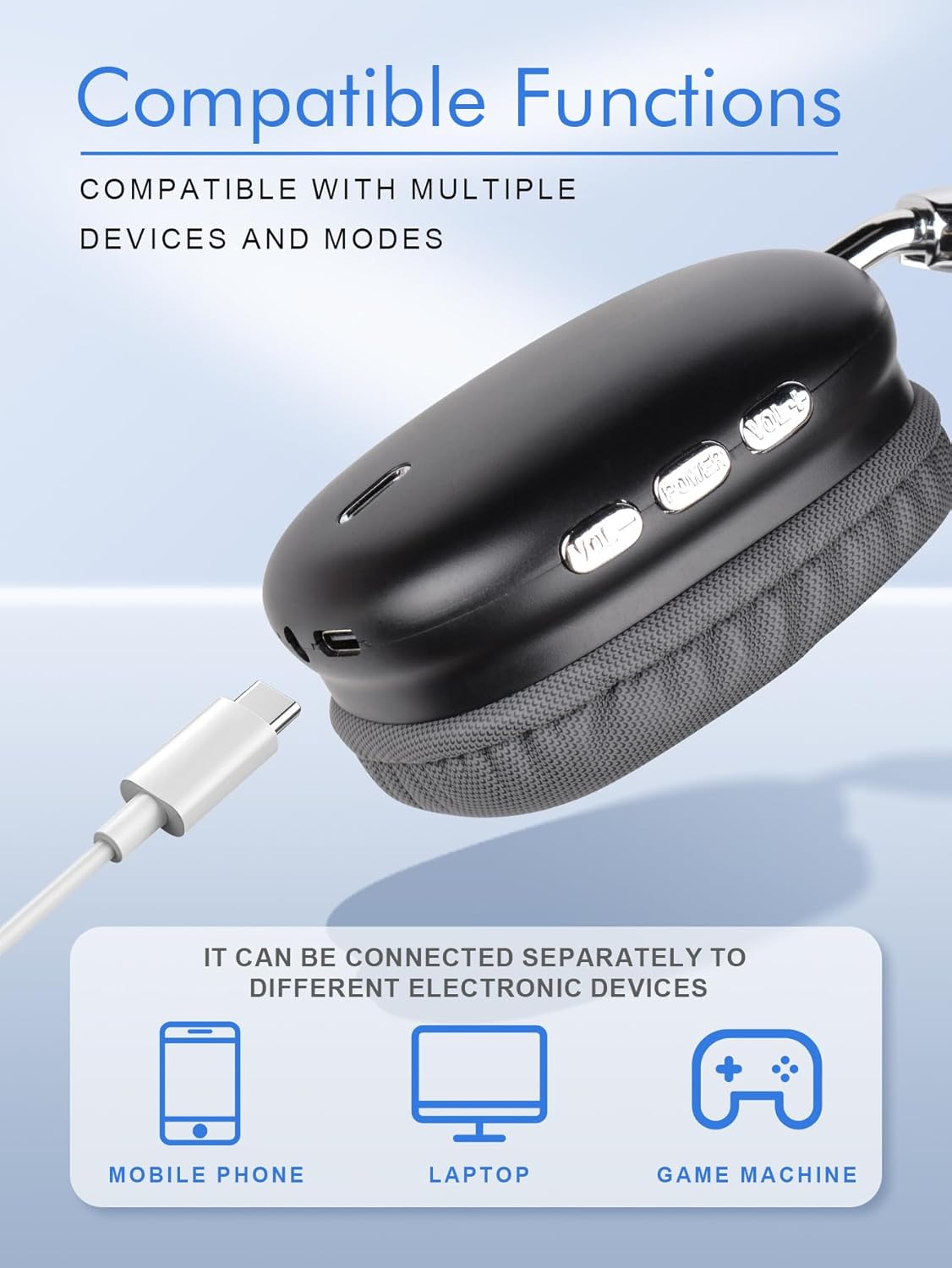
Image: Illustration of the headphones' compatibility with various devices, including mobile phones, laptops, and game consoles.
Operating Instructions
The YGVCDRY B36 headphones feature intuitive controls located on the earcup. Refer to the image below for button identification and functions.

Image: Detailed guide to the headphone controls, illustrating the functions of the Volume Up, Power, and Volume Down buttons.
Button Functions:
- VOL+ Button:
- Short Press: Next Song
- Long Press: Volume Up
- POWER Button:
- Short Press: Play / Pause
- Press Twice: Redial Last Number
- Long Press: Turn On / Off
- VOL- Button:
- Short Press: Previous Song
- Long Press: Volume Down
Active Noise Cancellation (ANC) / Ambient Sound Mode
The headphones are equipped with ANC and Ambient Sound Mode. While the specific button for switching these modes is not detailed in the provided diagrams, typically this function is activated via a dedicated button or a long press on one of the existing control buttons. Please refer to the quick start guide included in your package for precise instructions on activating ANC and Ambient Sound Mode.
Maintenance
To ensure the longevity and optimal performance of your YGVCDRY B36 headphones, follow these maintenance guidelines:
- Cleaning: Use a soft, dry cloth to clean the headphones. Do not use abrasive cleaners, solvents, or sprays.
- Storage: When not in use, store the headphones in a cool, dry place, away from direct sunlight and extreme temperatures. The foldable design helps in compact storage.
- Avoid Moisture: Do not expose the headphones to water or excessive moisture.
- Handle with Care: Avoid dropping the headphones or subjecting them to strong impacts.
- Charging: Use only the provided Type-C cable or a certified equivalent for charging.
Troubleshooting
If you encounter any issues with your headphones, please refer to the following common solutions:
- No Power: Ensure the headphones are fully charged. Connect them to a power source using the Type-C cable.
- Cannot Pair:
- Make sure the headphones are in pairing mode (indicator light flashing red and blue).
- Ensure Bluetooth is enabled on your device.
- Move the headphones closer to your device and away from other wireless interference.
- Try restarting both the headphones and your device.
- No Sound:
- Check the volume levels on both the headphones and your connected device.
- Ensure the headphones are properly paired and connected to your device.
- Try playing audio from a different application or source.
- Poor Audio Quality:
- Ensure there are no obstructions between the headphones and your device.
- Move away from other devices that might cause wireless interference.
- Check the audio quality of the source material.
If the issue persists, please contact customer support for further assistance.
Specifications
Detailed technical specifications for the YGVCDRY B36 Wireless Bluetooth 5.3 Over-Ear Headphones:
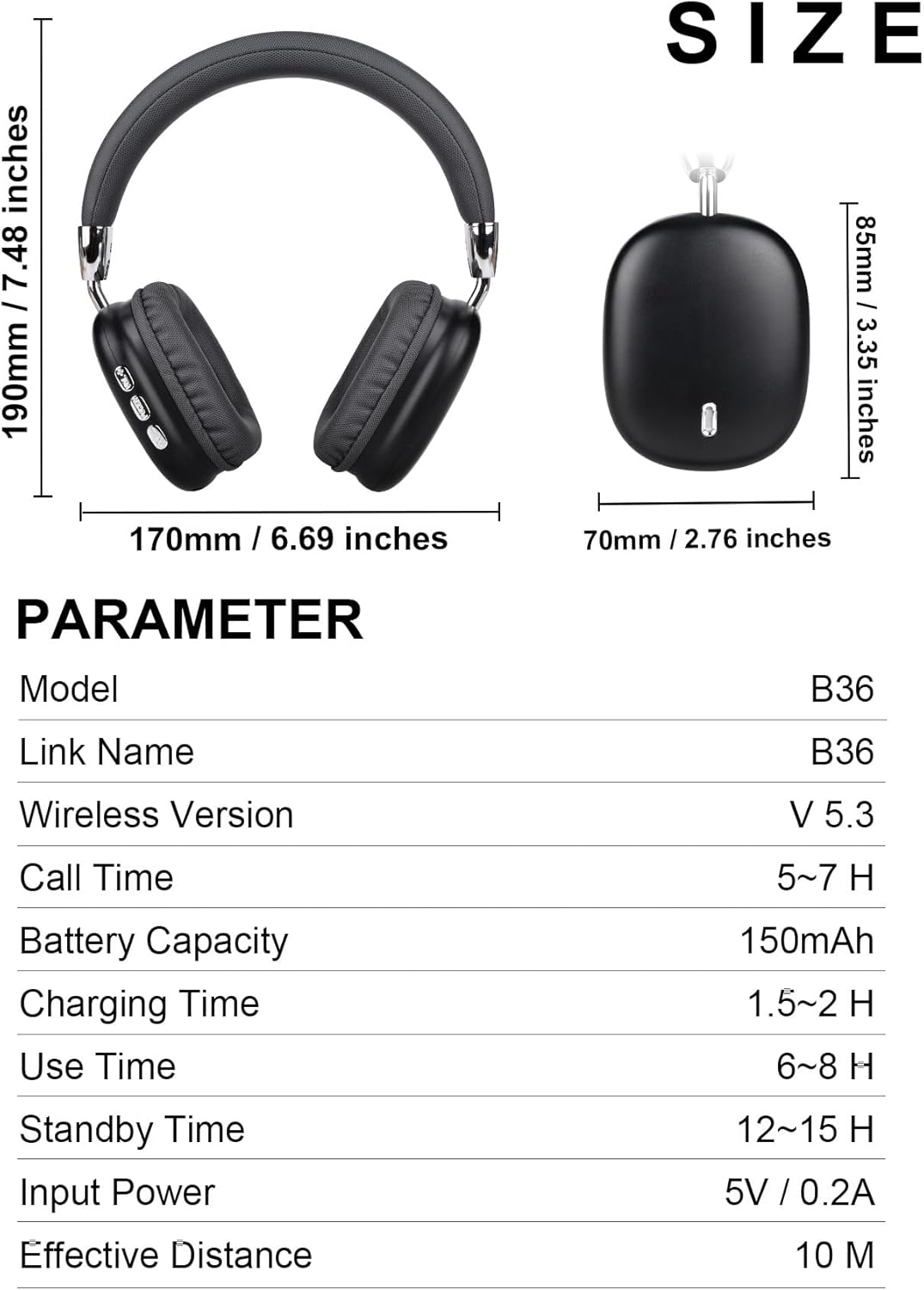
Image: A table detailing the size and technical parameters of the B36 headphones.
| Feature | Specification |
|---|---|
| Model | B36 |
| Brand | YGVCDRY |
| Wireless Version | Bluetooth 5.3 |
| Effective Distance | 10 Meters |
| Ear Placement | Over Ear |
| Noise Control | Active Noise Cancellation |
| Audio Driver Type | Dynamic Driver (10mm) |
| Frequency Range | 20Hz - 20,000Hz |
| Battery Capacity | 150mAh |
| Use Time (Playtime) | 6-8 Hours |
| Call Time | 5-7 Hours |
| Standby Time | 12-15 Hours |
| Charging Time | 1.5-2 Hours (10 mins for 1 hour play) |
| Input Power | 5V / 0.2A |
| Control Method | Touch / Buttons |
| Compatible Devices | Cellphones, Gaming Consoles, Smart Watch, PC |
| Color | Black |
Warranty and Support
The YGVCDRY B36 headphones come with a replacement warranty. For any warranty claims, technical support, or further inquiries, please contact the seller or manufacturer directly through your purchase platform.
Manufacturer: YGVCDRY