
Introduction
This manual provides instructions for the GAIGAICHONG Replacement Remote Control, designed for use with the Boston Acoustics Duo-I Plus AM/FM iPod Docking Station. This remote features backlit and oversized buttons for enhanced usability.
Compatibility
This remote control is specifically designed to be compatible with the Boston Acoustics Duo-I Plus AM/FM iPod Docking Station. Please ensure your original device is the Boston Acoustics Duo-I Plus model for proper functionality.
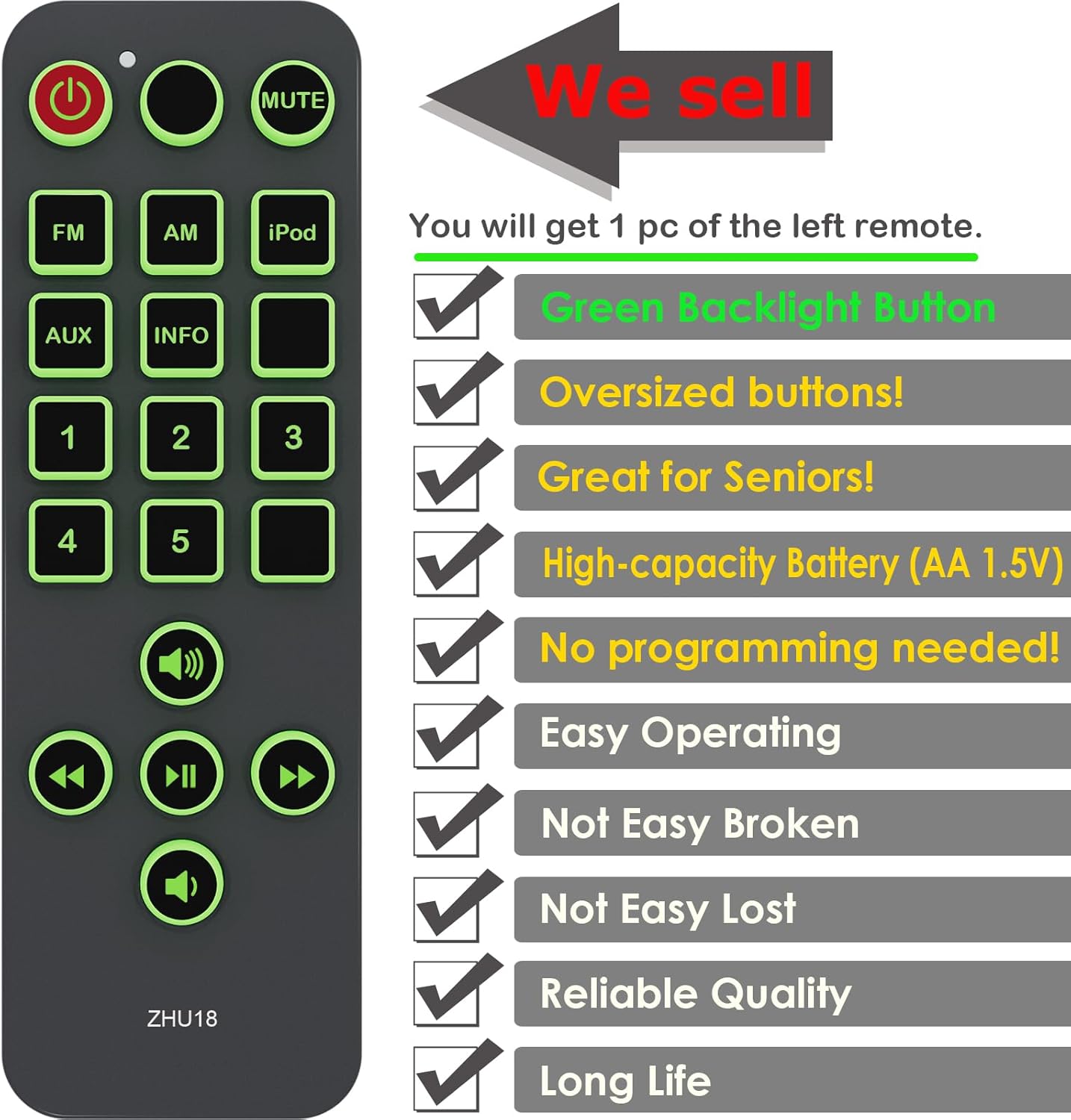
Image Description: This image displays the GAIGAICHONG replacement remote control alongside two diagrams. The diagrams illustrate the remote's compatibility with the Boston Acoustics Duo-I Plus model, showing both a black and a white version of the original remote for reference.
Setup
Battery Installation
The remote control requires two (2) AAA 1.5V batteries (not included). Follow these steps to install the batteries:
- Locate the battery compartment on the back of the remote control.
- Slide the battery compartment cover downwards to open it.
- Insert two AAA batteries, ensuring the positive (+) and negative (-) terminals align correctly with the markings inside the compartment.
- Slide the battery compartment cover back into place until it clicks securely.

Image Description: This image shows the rear view of the GAIGAICHONG remote control. The battery compartment cover is removed, revealing the slots for two AAA 1.5V batteries, with clear labels for battery type.
Operating Instructions
Remote Control Layout
The remote control features a clear layout with oversized, backlit buttons for easy identification and operation, especially in low-light conditions. No programming is required; simply insert batteries and point the remote towards your Boston Acoustics Duo-I Plus docking station.

Image Description: A direct front view of the GAIGAICHONG replacement remote control. All buttons are clearly visible, featuring a green backlight, indicating their function and enhancing visibility.
Backlight Function
The remote control comes with a green backlight function that is on by default. This feature improves visibility in dark environments.
- Automatic Power Saving: For energy conservation, the backlight will automatically turn off if no buttons are pressed within 10 seconds.
- Manual Backlight Control: To manually turn off the backlight for an extended period, press and hold the Red Power Button for 6 seconds. The backlight will turn off. To reactivate the backlight, repeat the same step by pressing and holding the Red Power Button for 6 seconds until the backlight turns on again.
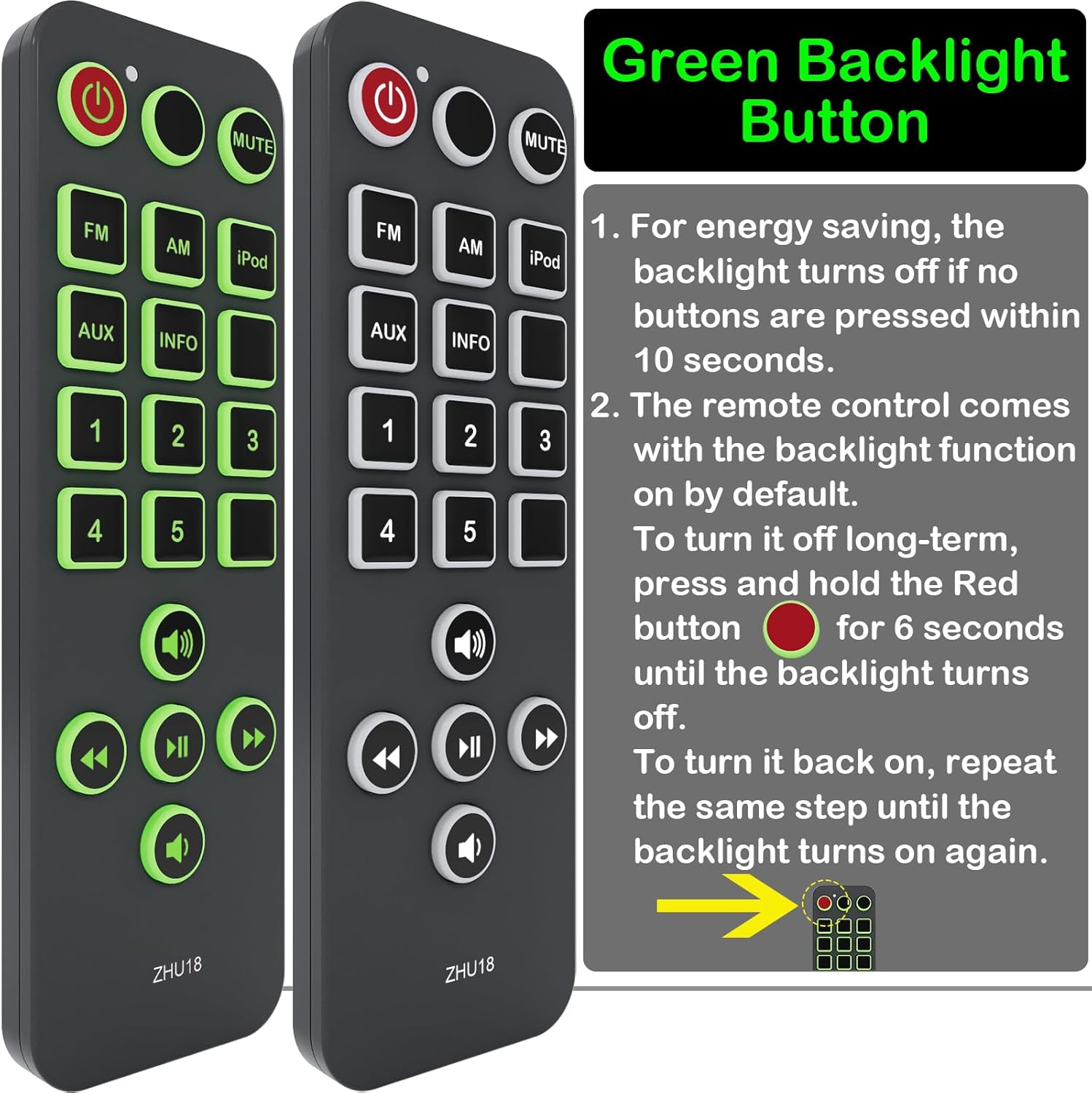
Image Description: This image shows two views of the remote control, one with the backlight on and one with it off. Text instructions explain how the backlight automatically turns off for energy saving and how to manually toggle it on or off by holding the red power button.
Oversized Buttons
The remote features oversized buttons, which are designed for ease of use, particularly beneficial for individuals with visual impairments or dexterity challenges.
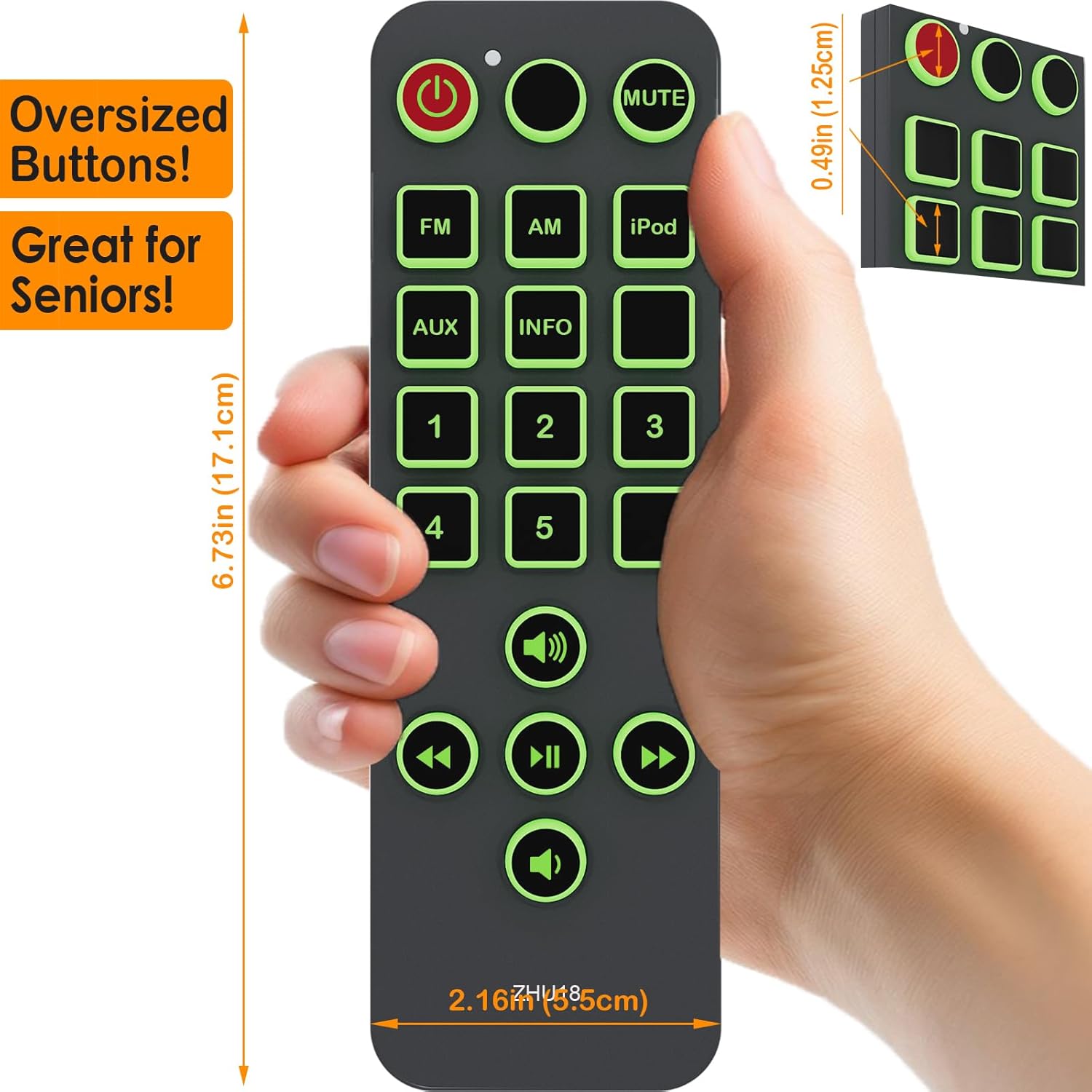
Image Description: This image displays the remote control held in a hand, emphasizing its dimensions (6.73 inches / 17.1 cm length, 2.16 inches / 5.5 cm width) and the large size of its buttons. An inset shows a side view with thickness (0.49 inches / 1.25 cm).
Maintenance
- Cleaning: Use a soft, dry cloth to clean the remote control. Avoid using liquid cleaners or abrasive materials.
- Battery Replacement: Replace batteries when the remote's performance diminishes or if the backlight becomes dim. Always replace both batteries at the same time with new ones of the same type (AAA 1.5V).
- Storage: Store the remote control in a cool, dry place away from direct sunlight and extreme temperatures. If storing for an extended period, remove the batteries to prevent leakage.
Troubleshooting
- Remote not responding:
- Check if the batteries are inserted correctly with the correct polarity.
- Replace old batteries with new AAA 1.5V batteries.
- Ensure there is a clear line of sight between the remote control and the Boston Acoustics Duo-I Plus docking station. Remove any obstructions.
- Make sure you are within the effective operating range of the docking station.
- Backlight not working:
- Press any button to activate the backlight if it has entered power-saving mode.
- Try manually toggling the backlight by holding the Red Power Button for 6 seconds.
- Replace the batteries.
Specifications
| Feature | Detail |
|---|---|
| Model Number | D125040101E12 |
| Compatible Devices | Boston Acoustics Duo-I Plus AM/FM iPod Docking Station |
| Power Source | 2 x AAA 1.5V Batteries (not included) |
| Special Features | Green Backlight Buttons, Oversized Buttons |
| Item Weight | 1.23 ounces (approximately 35 grams) |
| Package Dimensions | 4 x 1 x 0.5 inches (approximately 10.16 x 2.54 x 1.27 cm) |
Warranty Information
Specific warranty details for this replacement remote control are not provided in the product information. Please refer to the seller's return policy or contact the seller directly for information regarding warranty coverage and terms.
Support
For further assistance or inquiries regarding your GAIGAICHONG Replacement Remote Control, please contact the seller through the platform where the purchase was made. Ensure you have your order details readily available for efficient support.