
Introduction
Thank you for choosing the Garvee 3-in-1 Portable Air Conditioner. This appliance is designed to provide efficient cooling, dehumidification, and air circulation for your indoor spaces. To ensure safe operation and optimal performance, please read this manual thoroughly before installation and use. Keep this manual for future reference.
Important Safety Instructions
Always follow basic safety precautions when using electrical appliances to reduce the risk of fire, electric shock, or injury.
- Read all instructions before using this appliance.
- This appliance is for indoor use only. Do not use outdoors.
- Ensure the power supply matches the voltage specified on the rating label.
- Do not operate the unit with a damaged cord or plug. If the supply cord is damaged, it must be replaced by the manufacturer, its service agent, or similarly qualified persons to avoid a hazard.
- Always unplug the unit before cleaning, servicing, or moving.
- Do not block air outlets or inlets. Maintain at least 20 inches (50 cm) clearance from walls or other objects.
- Do not insert fingers or foreign objects into the air inlets or outlets.
- Keep the unit on a flat, stable surface to prevent tipping.
- Do not use the unit in wet environments such as bathrooms or laundry rooms.
- Do not use chemical solutions to clean the unit.
- This appliance is not intended for use by persons (including children) with reduced physical, sensory or mental capabilities, or lack of experience and knowledge, unless they have been given supervision or instruction concerning use of the appliance by a person responsible for their safety.
Product Overview
Package Contents
Verify that all components are present in the package:
- 1 x Garvee Portable Air Conditioner
- 1 x Window Bracket
- 1 x Installation Kits (including exhaust hose, hose adapter, window seal plate adapter)
- 1 x Remote Control
Unit Features
- 3-in-1 Functionality: Offers Cooling, Fan, and Dehumidifier modes for versatile climate control.
- Powerful Cooling: 12,000 BTU cooling capacity suitable for spaces up to 550 square feet.
- Easy Installation: Includes a window kit compatible with various window styles for quick setup.
- Remote Control: Conveniently adjust settings from up to 23 feet away.
- Portability: Equipped with casters for easy movement between rooms.
Control Panel and Remote Control

A detailed view of the Garvee portable air conditioner's top control panel, featuring digital display and buttons for Swing, Fan, Timer, Sleep, Mode, and Power.
The control panel on the top of the unit and the remote control provide access to all functions. Familiarize yourself with the following buttons:
- ON/OFF: Powers the unit on or off.
- MODE: Cycles through Cool, Fan, and Dehumidify modes.
- +/-: Adjusts temperature settings or timer duration.
- FAN: Selects fan speed (Low, Medium, High).
- TIMER: Sets the auto-on or auto-off timer.
- SLEEP: Activates sleep mode for quieter operation and gradual temperature adjustment.
- SWING: Controls the automatic oscillation of the air louvers.
Installation and Setup
Choosing a Location
Select a location near a window that allows for proper exhaust ventilation. Ensure the unit is placed on a flat, stable surface and there is at least 20 inches (50 cm) of clearance around the unit for proper airflow.
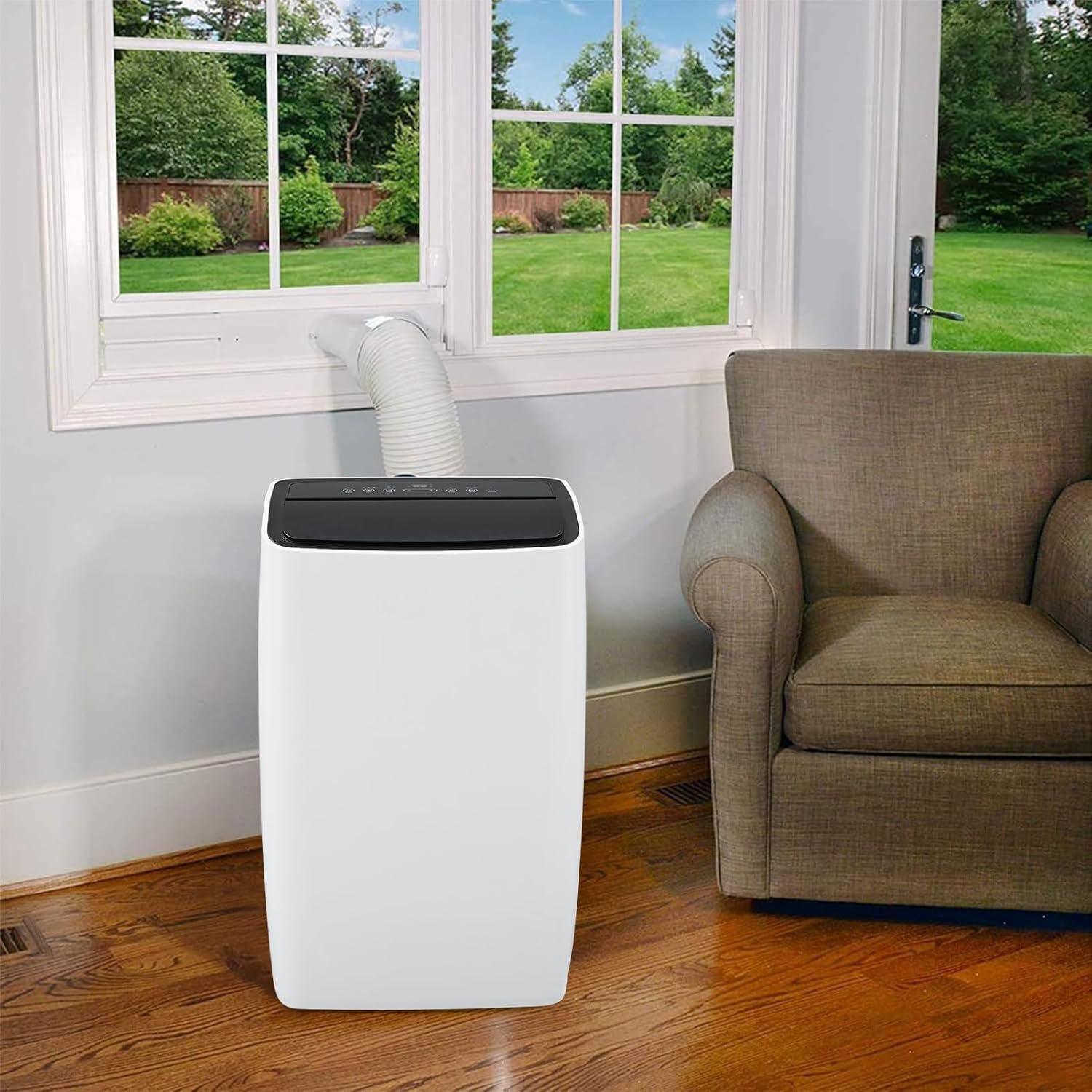
The Garvee portable air conditioner positioned in a living room, demonstrating proper placement near a window for exhaust hose connection.

A view of the Garvee portable air conditioner in a room with wooden walls, showing the exhaust hose routed through a window.

The Garvee portable air conditioner placed in a bedroom, illustrating its compact design and window exhaust setup.
Window Kit Installation
- Assemble the Exhaust Hose: Attach the hose adapter to one end of the exhaust hose and the window seal plate adapter to the other end. Twist firmly to secure.
- Install the Window Seal Plate: Adjust the window seal plate to fit your window opening. Extend or retract the plate as needed and secure it in place.
- Connect the Exhaust Hose: Insert the window seal plate adapter into the opening of the window seal plate. Connect the other end of the exhaust hose (with the hose adapter) to the exhaust outlet on the back of the portable air conditioner.
- Seal the Window: Close the window as much as possible to seal around the window kit, minimizing air leakage.
Operating Instructions
Powering On/Off
Press the ON/OFF button on the control panel or remote control to turn the unit on or off.
Operating Modes
Press the MODE button repeatedly to cycle through the available modes:
- Cool Mode: Provides cooling. Adjust the temperature using the +/- buttons.
- Fan Mode: Circulates air without cooling. Adjust fan speed using the FAN button.
- Dehumidify Mode: Removes moisture from the air. The fan speed is fixed in this mode.
Temperature Setting (Cool Mode Only)
In Cool Mode, use the +/- buttons to set your desired temperature. The temperature range is typically 61°F (16°C) to 88°F (31°C).
Fan Speed Adjustment
In Cool or Fan Mode, press the FAN button to select Low, Medium, or High fan speed.
Timer Function
Press the TIMER button to set an auto-on or auto-off time. Use the +/- buttons to adjust the desired hours (1-24 hours). Press TIMER again to confirm or cancel.
Sleep Mode
Press the SLEEP button to activate sleep mode. In this mode, the unit operates more quietly, and the set temperature will gradually increase by 1°F (1°C) after 30 minutes, and again after another 30 minutes, maintaining the new temperature for 7 hours before returning to the original setting.
Swing Function
Press the SWING button to enable or disable the automatic oscillation of the air louvers, directing airflow across a wider area.
Maintenance
Regular maintenance ensures efficient operation and extends the lifespan of your air conditioner. Always unplug the unit before performing any maintenance.
Filter Cleaning
The air filter should be cleaned every two weeks or more frequently depending on usage and air quality.
- Turn off and unplug the unit.
- Locate the air filter panel (usually on the back or side of the unit).
- Remove the filter.
- Wash the filter with warm water and a mild detergent. Rinse thoroughly.
- Allow the filter to air dry completely before reinstalling. Do not expose to direct sunlight.
Water Drainage
The unit has an internal water collection tank. When the tank is full, the unit will stop operating and display an indicator (e.g., 'FL' or 'P1').
- Turn off and unplug the unit.
- Place a shallow pan or tray under the drain outlet (usually at the bottom rear of the unit).
- Remove the drain plug. Water will begin to flow out.
- Once all water has drained, replace the drain plug firmly.
For continuous drainage in Dehumidify mode, you can connect a drain hose (not included) to the continuous drain outlet.
Storage
If storing the unit for an extended period:
- Drain all accumulated water.
- Clean the air filter.
- Run the unit in Fan mode for a few hours to dry the interior.
- Unplug the power cord and wrap it neatly.
- Store the unit in a cool, dry place, preferably covered to protect from dust.
Troubleshooting Guide
Before contacting customer support, refer to the following table for common issues and their solutions.
| Problem | Possible Cause | Solution |
|---|---|---|
| Unit does not turn on | No power; Power cord not plugged in; Full water tank; Timer activated. | Check power outlet; Plug in power cord; Drain water tank; Cancel timer setting. |
| Unit does not cool effectively | Air filter dirty; Room too large; Doors/windows open; Exhaust hose blocked or disconnected; Temperature setting too high. | Clean air filter; Ensure room size is within capacity; Close doors/windows; Check exhaust hose connection and ensure it's not kinked; Lower temperature setting. |
| Unit is noisy | Unit not on a level surface; Air filter dirty; Obstruction in fan. | Place unit on a flat, level surface; Clean air filter; Check for and remove any obstructions. |
| Water leaks from unit | Drain plug loose or missing; Unit tilted; Continuous drain hose not properly connected. | Ensure drain plug is secure; Place unit on a level surface; Check continuous drain hose connection. |
| Remote control not working | Batteries dead or incorrectly inserted; Obstruction between remote and unit. | Replace batteries; Ensure correct battery polarity; Remove obstructions and point remote directly at the unit's receiver. |
Product Specifications
Technical details for the Garvee 3-in-1 Portable Air Conditioner, Model QQ8M6eA:
| Specification | Value |
|---|---|
| Model Number | QQ8M6eA |
| Brand | Garvee |
| Cooling Power | 12,000 BTU |
| Coverage Area | Up to 550 sq ft |
| Functions | Cool, Fan, Dehumidify |
| Capacity (Dehumidifier) | 60 Pints/day |
| Voltage | 115V |
| Wattage | 1200W |
| Noise Level | 51 Decibels |
| Product Dimensions (D x W x H) | 18.5" x 15.35" x 35.24" |
| Item Weight | 76.3 Pounds |
| Special Feature | Fast Cooling |
| Included Components | Portable Air Conditioner, Window Bracket, Installation Kits, Remote |
Warranty and Customer Support
Warranty Information
Garvee products are manufactured to the highest quality standards. This product comes with a standard manufacturer's warranty against defects in materials and workmanship. Please refer to the warranty card included in your package or visit the official Garvee website for detailed warranty terms and conditions.
Contact Support
If you have any questions, require technical assistance, or encounter issues not covered in this manual, please contact Garvee customer support. Have your model number (QQ8M6eA) and purchase information ready when contacting support.
- Online Support: Visit the Garvee official website for FAQs and support resources.
- Email Support: Refer to your product packaging or warranty card for contact email.
