
Introduction
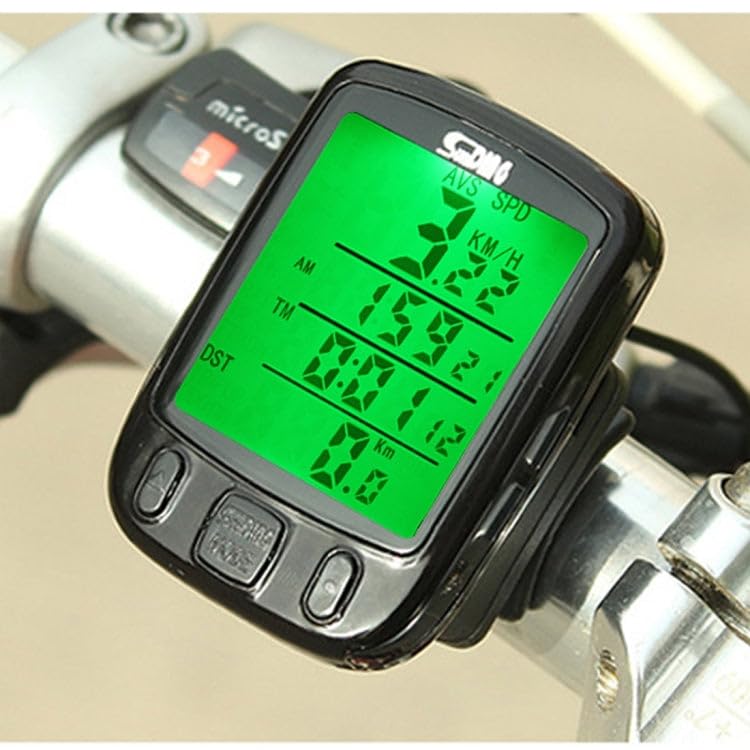
The ELBME SD-563B is a versatile wired bicycle computer designed to provide essential cycling data for both novice and experienced riders. This device offers real-time display of various metrics, including current speed, total distance, trip distance, maximum speed, average speed, total trip time, and stopwatch functionality. Its durable, waterproof design and clear LCD with light control backlight ensure reliable performance in diverse conditions. This manual will guide you through the installation, operation, and maintenance of your new bicycle computer.
What's in the Box
Please check the package contents to ensure all items are present:
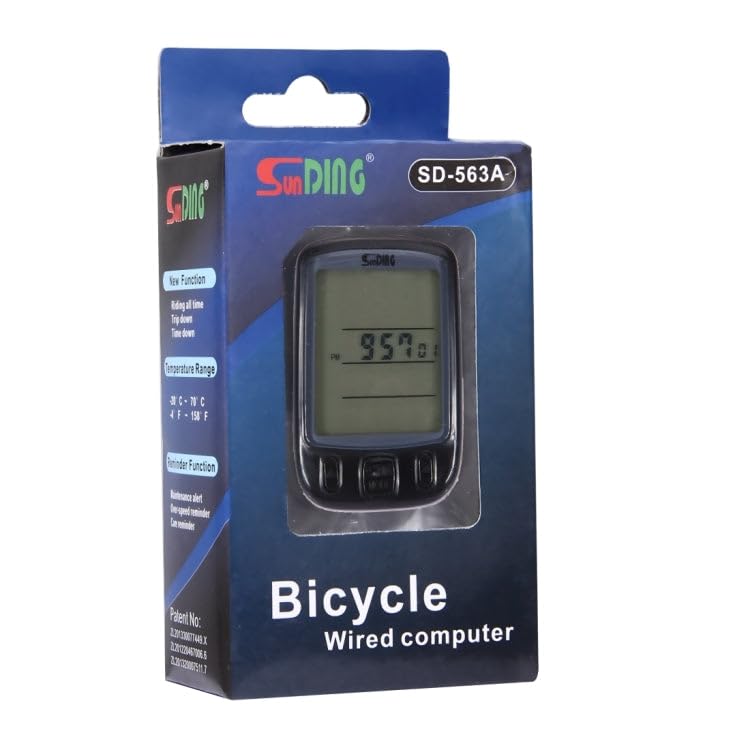
- 1 x ELBME SD-563B Odometer (Main Unit)
- 1 x Cable Tie Set
- 1 x Magnetic Head (for spoke)
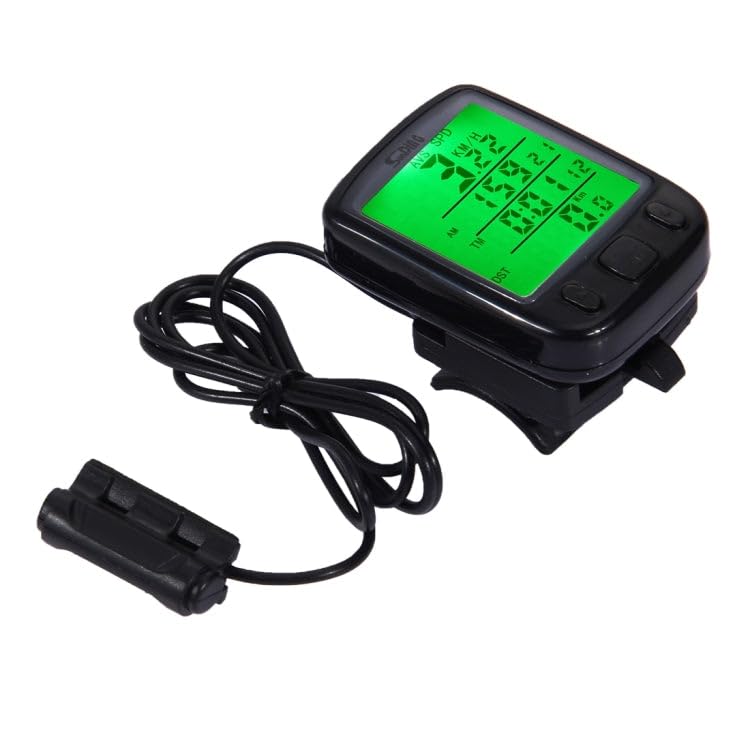
- 1 x Base with Sensor (wired)
- 1 x English User Manual
Setup and Installation
1. Battery Installation
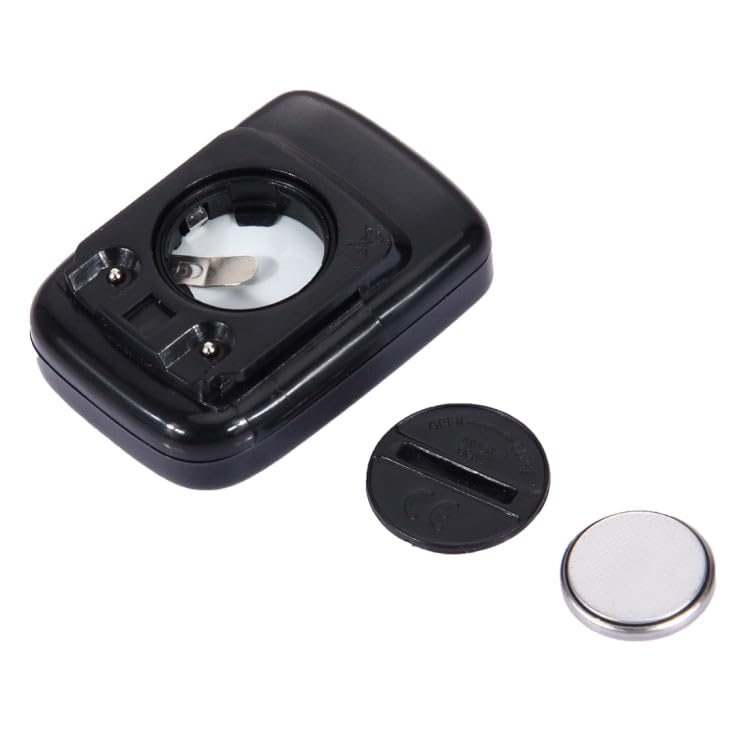
The ELBME SD-563B uses one CR2032 button battery. Ensure the battery is installed correctly before use.
- Locate the battery compartment on the back of the main unit.
- Use a coin to twist the battery cover counter-clockwise to open.
- Insert the CR2032 battery with the positive (+) side facing up.
- Replace the battery cover and twist clockwise to secure it.
2. Mounting the Computer and Sensor
The installation process is straightforward and requires no special tools.
- Mount the Base: Attach the computer base to your bicycle's handlebar or stem using the provided cable ties. Ensure it is securely fastened and positioned for easy viewing.
- Install the Sensor: Secure the wired sensor to the front fork of your bicycle using cable ties. Position it so that the sensor head is aligned with the wheel spoke.
- Attach the Magnet: Fasten the magnetic head to a spoke on your front wheel. The magnet should pass within 5mm of the sensor head with each wheel rotation. Adjust the sensor and magnet positions as needed to achieve this clearance.
- Connect the Main Unit: Slide the main computer unit onto the mounted base until it clicks into place.
- Route the Cable: Route the sensor cable along the fork and frame, securing it with cable ties to prevent it from interfering with moving parts or getting snagged.

Operating Instructions
Basic Operation
The ELBME SD-563B features a simple three-button interface for navigation and settings:
- LEFT Button: Used for selecting modes or decreasing values during settings.
- RIGHT Button: Used for confirming selections or increasing values during settings.
- MODE Button (Center): Used to switch between different display modes.
Setting Wheel Circumference
Accurate speed and distance readings depend on correctly setting the wheel circumference. Refer to your bicycle tire's sidewall for the circumference in millimeters (e.g., 2100mm for a 700x23C tire).
- Press and hold the MODE button until the display enters setting mode.
- The wheel circumference value will flash. Use the LEFT or RIGHT buttons to adjust the value.
- Press the MODE button to confirm and move to the next digit or setting.
- Repeat until the full circumference is set.
- Press the MODE button again to exit setting mode.
Function Modes
Press the MODE button to cycle through the following display functions:
- SPD (Current Speed): Displays your real-time cycling speed.
- ODO (Odometer): Shows the total accumulated distance. This value is stored even when the battery is removed.
- DST (Trip Distance): Displays the distance covered during the current trip. Can be reset.
- MXS (Maximum Speed): Records the highest speed achieved during the current trip.
- AVS (Average Speed): Calculates the average speed for the current trip.
- TM (Trip Time): Shows the duration of the current trip.
- CLK (Clock): Displays the current time (12H/24H format).
- SW (Stopwatch): A simple stopwatch function.
- Over-Speed Reminder: An alert function that can be set to notify you when you exceed a predefined speed.
- Light Control Backlight: In low-light conditions, pressing any button will automatically activate the green backlight for improved visibility.
Maintenance
- Cleaning: Wipe the unit with a soft, damp cloth. Do not use abrasive cleaners or solvents.
- Water Resistance: The unit is life waterproof, meaning it can withstand splashes and light rain. Do not submerge the unit in water.
- Battery Replacement: Replace the CR2032 battery when the display becomes dim or erratic. Follow the battery installation steps.
- Storage: When not in use for extended periods, store the computer in a cool, dry place. Consider removing the battery if storing for several months.
Troubleshooting
| Problem | Possible Cause | Solution |
|---|---|---|
| No display or dim display | Low or dead battery; incorrect battery installation. | Replace the CR2032 battery; ensure correct polarity. |
| No speed/distance reading | Sensor/magnet misalignment; loose sensor cable; faulty sensor. | Adjust sensor and magnet to be within 5mm; check cable connection; test sensor. |
| Inaccurate speed/distance | Incorrect wheel circumference setting. | Re-enter the correct wheel circumference value. |
| Unit not responding to buttons | Unit frozen; low battery. | Remove and reinsert battery to reset; replace battery. |
Specifications
| Feature | Detail |
|---|---|
| Model | SD-563B |
| Material | Engineering Plastic, Electronic Components, LCD |
| Display | LCD with Light Control Backlight (Green) |
| Dimensions (L x W x H) | 5.6 x 4 x 1.82 cm (approx.) |
| Weight | 32g (approx.) |
| Power Source | 1 x CR2032 Button Battery (Included) |
| Water Resistance | Life Waterproof |
| Sensor Type | Wired, Imported for stable performance |
Warranty and Support
For warranty information, technical support, or service inquiries, please refer to the documentation provided by your seller or contact the manufacturer directly. Keep your purchase receipt as proof of purchase.