1. Introduction
The Bluetooth Tracker is a smart locator designed to help you keep track of your valuable items. It seamlessly integrates with the Google Find My Device network, allowing you to locate your belongings using your Android smartphone without the need for additional applications. Its compact and lightweight design makes it ideal for attaching to keys, luggage, wallets, or even pet collars.
Key features include worldwide tracking, a long-lasting replaceable battery, and a sound reminder function for easy nearby location.

Figure 1: Bluetooth Tracker (White)
2. Setup
Follow these steps to set up your Bluetooth Tracker:
- Power On: The tracker is typically activated upon first use or by pressing its button (if applicable, refer to packaging for specific activation).
- Pairing with Google Find My Device: Ensure your Android phone's Bluetooth is enabled and it is connected to the internet. The tracker is designed to automatically connect to the Google Find My Device network. No separate app download is required.
- Verify Connection: Open the Google Find My Device application on your Android phone. Your new Bluetooth Tracker should appear in the list of devices.
- Attach to Item: Securely attach the tracker to the item you wish to monitor, such as keys, a wallet, luggage, or a pet collar.

Figure 2: Tracker integration with Google Find My Device Network

Figure 3: Compatibility with major Android phone brands
3. Operating Instructions
Utilize your Bluetooth Tracker to locate your items effectively:
- Locating on a Map: Open the Google Find My Device app on your Android phone. The app will display the current or last known location of your tracker on a map.
- Playing a Sound: If your item is nearby, select the option to "Play sound" within the Google Find My Device app. The tracker will emit an audible alert to help you pinpoint its exact location.

Figure 4: Using the 'Play sound' feature to locate the tracker
- Left-Behind Reminders: The tracker can notify you if you leave an item behind. Your phone will receive an alert indicating that the item is no longer detected near you.

Figure 5: Example of a 'Left-Behind Remind' notification
- Global Tracking: The tracker utilizes the Google Find My Device network for global precise positioning, allowing you to track items worldwide with no distance limits.
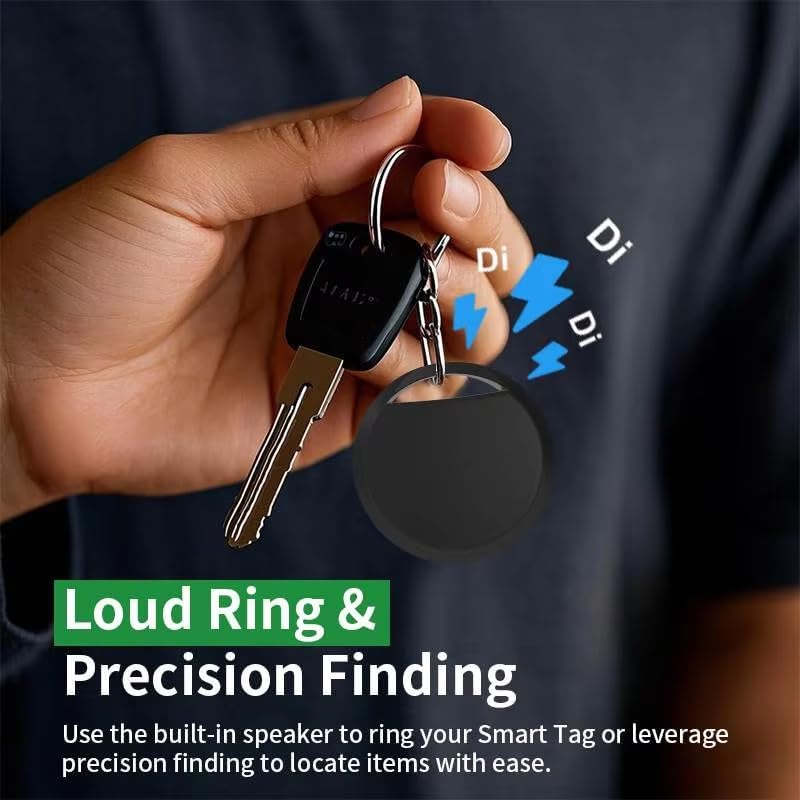
Figure 6: Global precise positioning tracking
4. Maintenance
To ensure optimal performance and longevity of your Bluetooth Tracker:
- Battery Replacement: The tracker uses a replaceable CR2032 coin cell battery, which typically lasts up to one year. When the battery is low, you may receive a notification via the Google Find My Device app. To replace, carefully open the tracker casing (refer to specific instructions on packaging if available) and insert a new CR2032 battery, ensuring correct polarity.
- Cleaning: Wipe the tracker with a soft, dry cloth to remove dust or dirt. Avoid using harsh chemicals or abrasive materials, which could damage the device.
5. Troubleshooting
If you encounter issues with your Bluetooth Tracker, consider the following:
- Tracker Not Appearing in App:
- Ensure your phone's Bluetooth is turned on.
- Check if the tracker's battery is depleted and replace it if necessary.
- Make sure your phone has an active internet connection.
- Try restarting your phone and the tracker (if it has a reset function).
- Sound Not Playing:
- Ensure the tracker is within Bluetooth range of your phone or another device on the Google Find My Device network.
- Check the tracker's battery level.
- Inaccurate Location:
- Location accuracy can vary based on environmental factors and network coverage. Ensure your phone's location services are enabled.
- The location displayed is the last known location if the tracker is out of range or offline.
6. Specifications
| Feature | Detail |
|---|---|
| Model Number | HK-CW-007 |
| Dimensions | 2 x 2 x 1 inches |
| Item Weight | 0.8 ounces |
| Battery Type | 1 x CR2032 (replaceable) |
| Battery Life | Up to 1 year |
| Connectivity | Bluetooth, Google Find My Device Network |
| Compatible Devices | Most Android phones (Samsung, Google, Xiaomi, Oppo, Vivo, etc.) |
| Material | Electronic Components, Plastic |
7. Warranty and Support
For warranty information or technical support, please refer to the documentation provided with your purchase or contact the seller directly. Keep your proof of purchase for any warranty claims.


