
ISOYTERO UGH250407QRG03D61FR-02
User Manual: ISOYTERO Blue Battery Charge Level Indicator
Model: UGH250407QRG03D61FR-02
Product Overview
The ISOYTERO Blue Battery Charge Level Indicator is a versatile device designed to monitor the charge status and voltage of various battery types. It features a clear display with an 8-bar charge level indicator and a digital voltage readout. This indicator is suitable for a wide range of applications, including lithium batteries, lead-acid batteries, and those found in cars, motorcycles, bicycles, and trucks.

Figure 1: Front view of the ISOYTERO Blue Battery Charge Level Indicator, displaying both digital voltage and an 8-bar charge level. The display shows a blue digital voltage reading and red/green bars indicating charge.
Setup and Installation
This battery indicator is designed for straightforward installation using a two-wire system. Ensure the device is installed in a suitable location with the specified installation hole dimensions.
Dimensions
- Product Size: 4.8 x 2.9 x 2.2 cm (1.89 x 1.14 x 0.87 inches)
- Installation Hole: 4.6 x 2.7 cm (1.81 x 1.06 inches)
- Lead Length: 20 cm (7.87 inches)

Figure 2: The indicator's physical dimensions are clearly marked, showing its compact size of 48x29x22 mm (1.89x1.14x0.87 inches).
Wiring Instructions
The indicator uses a simple two-wire connection. Connect the red wire to the positive (+) terminal of the battery and the black wire to the negative (-) terminal. The device features reverse connection protection, meaning it will not be damaged if the wires are connected incorrectly.

Figure 3: Rear view of the indicator, showing the red and black wires for connection. The circuit board is visible, indicating the connection points.
Operating Instructions
Once properly connected, the indicator will automatically detect the battery voltage and display the charge level. The display provides both a digital voltage reading and an 8-bar graphical representation of the battery's charge status.
Reading the Display
- The large blue digits indicate the current battery voltage.
- The 8-bar graphic shows the charge level:
- The first two bars are red, indicating lower charge levels.
- The remaining six bars are green, indicating higher charge levels.
- The 8-level power display corresponds to: 10%, 25%, 40%, 50%, 60%, 75%, 90%, Full.

Figure 4: A close-up view of the indicator's display, highlighting the digital voltage reading and the multi-colored charge level bars (red and green).
Compatible Battery Types and Voltages
The indicator is compatible with a wide range of battery voltages and types, automatically recognizing the connected battery's voltage.
- Lead-acid Batteries: 6V, 12V, 24V, 36V, 48V, 60V, 72V
- Lithium Batteries: 36V, 48V, 60V
- Other Types: Polymer batteries, nickel-metal hydride batteries.
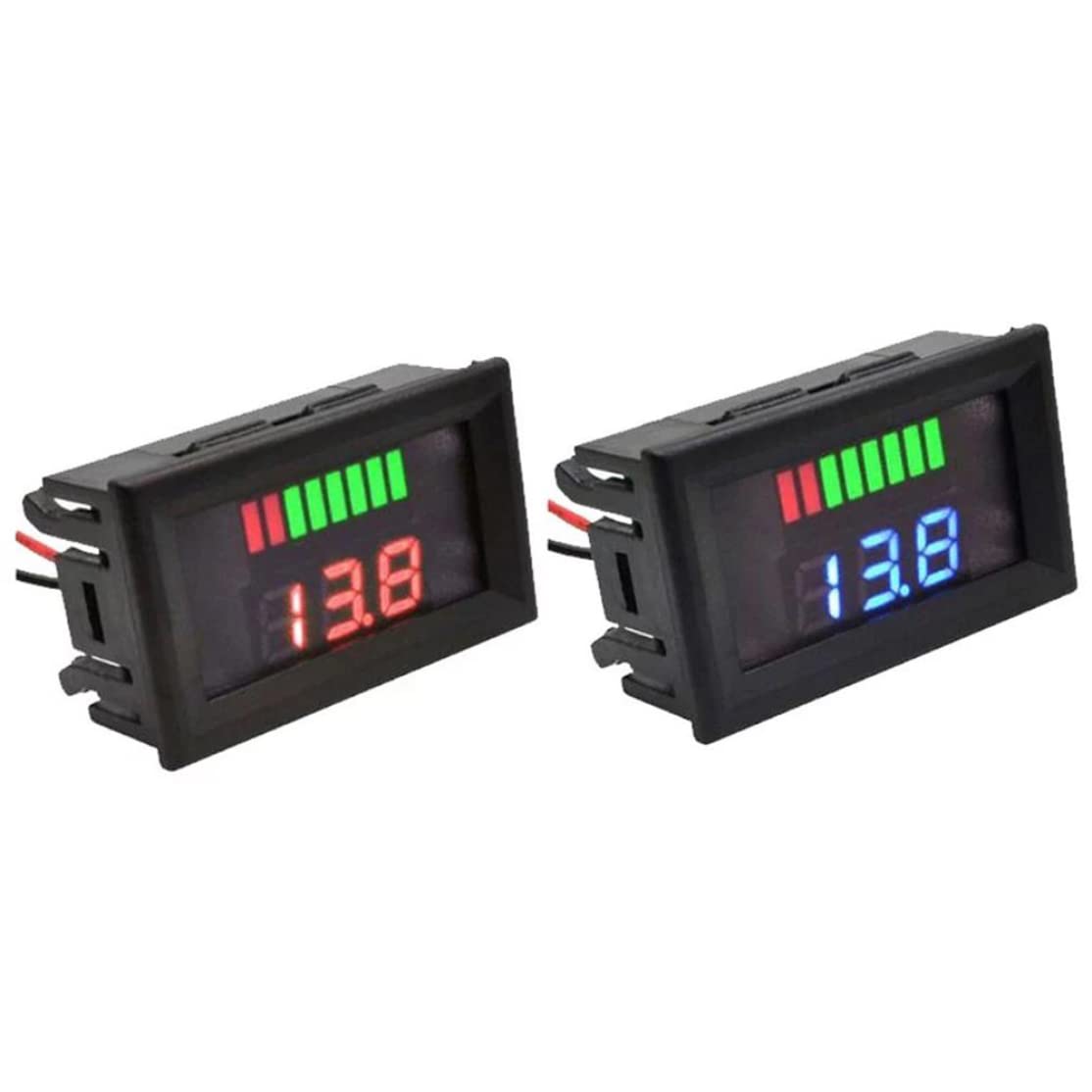
Figure 5: The indicator is shown with a label indicating its compatibility with 12V-72V battery systems, demonstrating its broad application range.
Maintenance
The ISOYTERO Battery Charge Level Indicator requires minimal maintenance. To ensure optimal performance and longevity:
- Keep the device clean and free from dust and debris. Use a soft, dry cloth for cleaning.
- Avoid exposing the device to extreme temperatures, direct sunlight, or excessive moisture.
- Ensure all connections remain secure.
Troubleshooting
If you encounter issues with your battery charge level indicator, refer to the following common troubleshooting steps:
- No Display:
- Check if the red and black wires are securely connected to the correct battery terminals (+ and -).
- Verify that the battery itself has sufficient charge to power the indicator.
- Incorrect Reading:
- Ensure the indicator is connected to the correct battery voltage system (e.g., 12V, 24V). The device automatically recognizes voltage, but extreme discrepancies might affect accuracy.
- Check for any loose connections that might cause intermittent readings.
- Display Flickering:
- This could indicate an unstable power supply or loose connection. Re-check wiring.
If the issue persists after following these steps, please contact customer support.
Specifications
| Feature | Specification |
|---|---|
| Brand | ISOYTERO |
| Model Number | UGH250407QRG03D61FR-02 |
| Color | Blue |
| Material | Plastic |
| Product Dimensions (L x W x H) | 4.8 x 2.9 x 2.2 cm (1.89 x 1.14 x 0.87 inches) |
| Installation Hole Dimensions | 4.6 x 2.7 cm (1.81 x 1.06 inches) |
| Lead Length | 20 cm (7.87 inches) |
| Working Current | 5-15mA |
| Voltage Tolerance | ± 1% |
| Refresh Speed | 300ms |
| Compatible Voltages | 6V, 12V, 24V, 36V, 48V, 60V, 72V (Lead-acid); 36V, 48V, 60V (Lithium) |
| Display Type | Digital Voltage + 8-bar Charge Level (2 red, 6 green) |
| Weight | 20 Grams |
| Origin | China |
Warranty and Support
Information regarding specific warranty terms for the ISOYTERO Blue Battery Charge Level Indicator is not provided in this manual. For warranty claims, technical support, or further assistance, please refer to the seller's information or contact the point of purchase.
Related Documents - UGH250407QRG03D61FR-02
 |
Intelligent Battery Indicator Board: Features, Specifications, and Wiring Guide Comprehensive guide to the intelligent battery indicator board, detailing its features, operating parameters, wiring instructions for lithium and lead-acid batteries, and voltage-based performance indicators. |
 |
Aideepen DC7-100V Digital Battery Indicator: Specifications and User Guide Detailed information on the Aideepen DC7-100V digital voltmeter and battery capacity tester. Covers product specifications, features, supported battery types (ternary lithium, lithium iron, lead-acid), voltage measurement range, operating current, dimensions, and comprehensive instructions for mode setting and button operation. |
 |
H52CUP Battery Meter: Voltage and Power Indicator for Various Batteries Detailed specifications and installation guide for the H52CUP Battery Meter, a high-brightness LCD display that shows voltage and battery level for acid and lithium batteries. Features reverse connection protection and adjustable backlight. |
 |
VOKTTA Battery Capacity Voltage Meter User Manual User manual for the VOKTTA Battery Capacity Voltage Meter, detailing its features, setting procedures, and wiring methods for various battery types including lead-acid and lithium-ion. |
 |
Beleeb Multi-Voltage Intelligent Battery Charger User Manual Comprehensive user manual for Beleeb battery chargers (BLB-C15, BLB-C20, BLB-C30, BLB-C40, BLB-C50, BLB-C80), covering features, safety precautions, operating instructions for normal and desulfation modes, maintenance, troubleshooting, and warranty information. Optimize battery performance and extend lifespan with intelligent pulse charging. |
 |
ECO-WORTHY Solar Charge Boost Controller User Manual User manual for the ECO-WORTHY Solar Charge Boost Controller, detailing features, technical specifications, settings, installation, and troubleshooting for 24V/36V/48V/60V/72V battery systems, suitable for golf carts and off-grid power. |
Ask a question about this manual
Ask about setup, troubleshooting, compatibility, parts, safety, or missing instructions. Manuals+ will review the question and use this page’s manual context to help answer it.