
1. Introduction
This manual provides essential information for the installation, operation, maintenance, and troubleshooting of the SQJZWOD LC550EQL-SHA1-831 6870C-0577AH/F TV Logic Board. This component is designed to replace the original logic board in compatible LeEco and LG 55-inch televisions, ensuring optimal display performance.
The logic board, often referred to as a T-Con (Timing Controller) board, is a critical component responsible for processing video signals from the main board and converting them into a format that the TV panel can display. It ensures precise timing and control of pixels, contributing to image quality, resolution, and overall display stability.
2. Safety Information
WARNING: Risk of Electric Shock. Always disconnect power before servicing.
- Ensure the television is completely unplugged from the power outlet before attempting any installation or repair.
- Discharge any residual power by pressing the power button on the TV for several seconds after unplugging.
- Handle electronic components with care to avoid electrostatic discharge (ESD) damage. Use an anti-static wrist strap if available.
- It is highly recommended that installation be performed by a qualified technician to prevent damage to the component or the television, and to ensure personal safety.
- Do not attempt to modify the logic board or any associated components.
3. Product Overview
The SQJZWOD LC550EQL-SHA1-831 6870C-0577AH/F Logic Board is engineered for high performance and reliability. Key features include:
- Precise Image Control: Coordinated signal transmission ensures each pixel is displayed with correct timing, minimizing dragging and residual shadows, and enhancing dynamic image smoothness.
- High Resolution Support: Analyzes signals from the motherboard to drive the screen, supporting ultra-high-definition image display.
- Intelligent Power Distribution: Optimizes screen power supply, reducing the load on the backlight module, which extends TV lifespan and reduces power consumption.
- Durable Construction: Manufactured with high-quality materials and advanced processes for long service life and stability.
- Anti-Interference Design: Shields electromagnetic signals to reduce environmental interference, preventing issues like snowflake noise or intermittent signals.
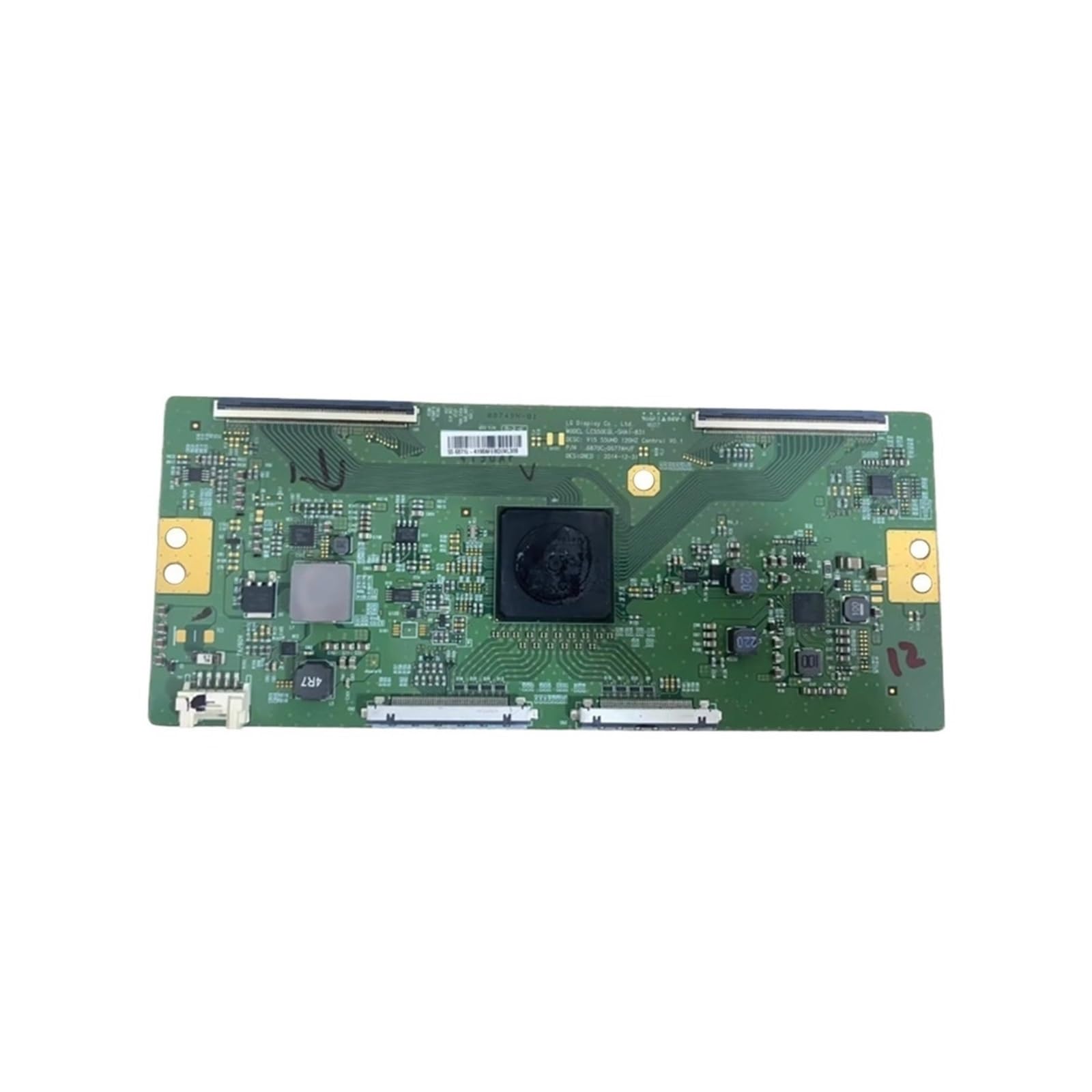
Figure 1: Top view of the SQJZWOD LC550EQL-SHA1-831 6870C-0577AH/F TV Logic Board, showing various integrated circuits and connectors.

Figure 2: Angled view of the logic board, highlighting the various components and the overall layout.
4. Setup and Installation
Professional installation is strongly recommended for this component.
- Preparation:
- Ensure the television is completely powered off and unplugged from all power sources.
- Place the TV face down on a soft, clean surface to protect the screen.
- Gather necessary tools, such as screwdrivers and an anti-static wrist strap.
- Access the Logic Board:
- Carefully remove the back cover of the television. Refer to your TV's service manual for specific instructions on cover removal.
- Locate the existing logic board. It is typically a rectangular circuit board connected to the main board and the display panel via ribbon cables.
- Disconnect Old Board:
- Gently disconnect all ribbon cables and power connectors from the old logic board. Be extremely careful with ribbon cable latches to avoid damage.
- Unscrew and remove the old logic board from its mounting points.
- Install New Board:
- Position the new SQJZWOD logic board in the same location as the old one.
- Secure the new board with the screws previously removed.
- Carefully reconnect all ribbon cables and power connectors. Ensure all connections are firm and correctly oriented.
- Reassembly and Test:
- Before replacing the back cover, temporarily plug in the TV and power it on to test the display.
- If the display functions correctly, unplug the TV again and reattach the back cover.
- If issues persist, refer to the Troubleshooting section.
5. Operating Principles
The logic board operates automatically as an integral part of your television's display system. It does not require direct user interaction or configuration. Its primary function is to receive digital video signals from the TV's main board and convert them into analog signals that control the individual pixels of the LCD or LED panel. This process involves precise timing and voltage regulation to ensure a clear, stable, and high-resolution image.
Upon powering on the television, the logic board initializes and begins processing the incoming video stream. Any adjustments to picture settings (e.g., brightness, contrast, color) are typically handled by the main board, which then sends the adjusted signals to the logic board for final display processing.
6. Maintenance
The SQJZWOD LC550EQL-SHA1-831 6870C-0577AH/F Logic Board is designed for long-term reliability and typically requires no routine maintenance. However, to ensure its longevity and optimal performance, consider the following general guidelines for your television:
- Keep Clean: Ensure the interior of your television remains free from dust and debris. Dust accumulation can lead to overheating and component failure. If cleaning is necessary, always unplug the TV and use compressed air or a soft, dry brush.
- Ventilation: Ensure adequate ventilation around the television to prevent overheating of internal components, including the logic board. Do not block air vents.
- Stable Power: Connect your television to a surge protector to guard against power fluctuations and surges, which can damage sensitive electronic components.
- Avoid Physical Shock: Protect the television from physical impacts or drops, as these can dislodge or damage internal connections and components.
7. Troubleshooting
If you experience display issues after installing the logic board, consider the following troubleshooting steps. Remember to always disconnect power before opening the TV.
| Problem | Possible Cause | Solution |
|---|---|---|
| No picture, but sound is present. | Faulty logic board, loose ribbon cables, or backlight issue. |
|
| Distorted, flickering, or discolored image. | Loose or damaged ribbon cables, faulty logic board, or panel issue. |
|
| "Snowflake" noise or intermittent signal. | Electromagnetic interference, loose connections, or logic board issue. |
|
If these steps do not resolve the issue, it is recommended to consult a professional television repair technician.
8. Specifications
| Model Number | LC550EQL-SHA1-831 6870C-0577AH/F |
| Brand | SQJZWOD |
| Compatibility | LeEco, LG 55-inch TVs (verify part number for exact match) |
| Package Dimensions | 1.18 x 0.79 x 0.39 inches |
| Item Weight | 1.76 ounces (approx. 50 Grams) |
| Manufacturer | tan9983cd00 |
| Assembly Required | No (component replacement) |
| Number of Pieces | 1 |
9. Warranty and Support
For specific warranty information, please refer to the terms and conditions provided by your retailer at the time of purchase. This product is designed for compatibility with specific TV models; always verify the part number before purchase and installation.
For technical support or inquiries, please contact your product supplier or a qualified electronics repair professional. Ensure you have your product model number and purchase details available when seeking support.