
1. Introduction
This manual provides comprehensive instructions for the operation and maintenance of your Generic 6819 Multifunctional Dual Time Zone Quartz Watch. Please read this guide thoroughly to ensure proper use and to maximize the lifespan of your timepiece.
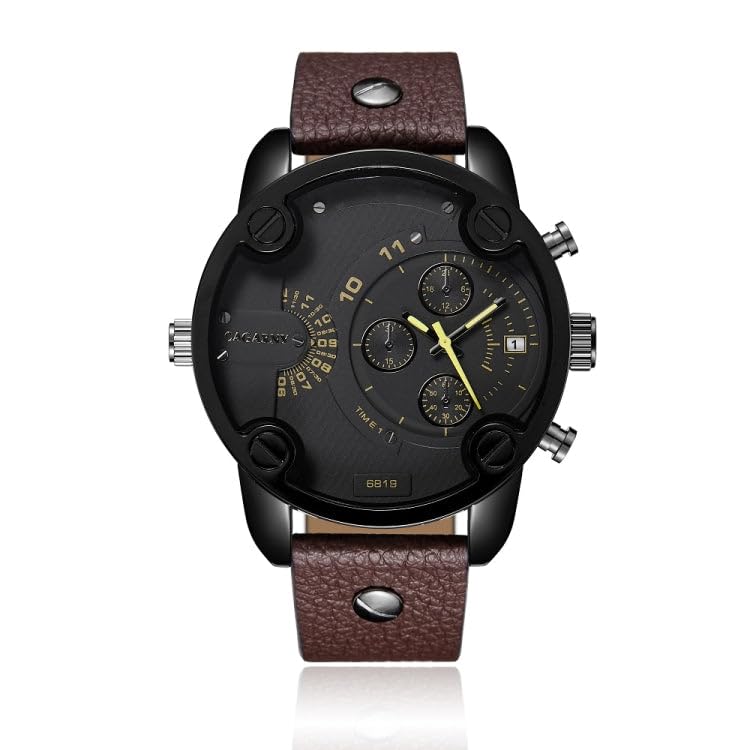
Figure 1: Front view of the Generic 6819 watch, showcasing its large dial, sub-dials, and brown leather strap.
2. Product Features
- Fashionable large dial design.
- Reliable quartz movement for accurate timekeeping.
- Durable alloy case and comfortable leather band.
- Dual Time Zone (GMT) display for tracking a second time zone.
- Integrated calendar function.
- Luminous display for visibility in low-light conditions.
- Chronograph functionality for measuring elapsed time.
- Secure buckle clasp.
- Water-resistant construction (refer to specifications for details).
3. Setup and Initial Adjustment
Before wearing your watch, please perform the following adjustments:
3.1 Setting the Main Time and Date
- Pull the Crown to Position 2: Gently pull the crown (the knob on the right side of the watch) out to the second click. This is typically the outermost position.
- Set the Time: Rotate the crown clockwise or counter-clockwise to adjust the hour and minute hands to the correct time. Ensure you differentiate between AM and PM if your watch has a 24-hour indicator or if setting the date.
- Push the Crown to Position 1: Push the crown in one click to the first position.
- Set the Date: Rotate the crown clockwise or counter-clockwise to adjust the date. Avoid setting the date between 9 PM and 3 AM, as this can interfere with the automatic date change mechanism.
- Push the Crown to Position 0: Push the crown fully back into its normal operating position.
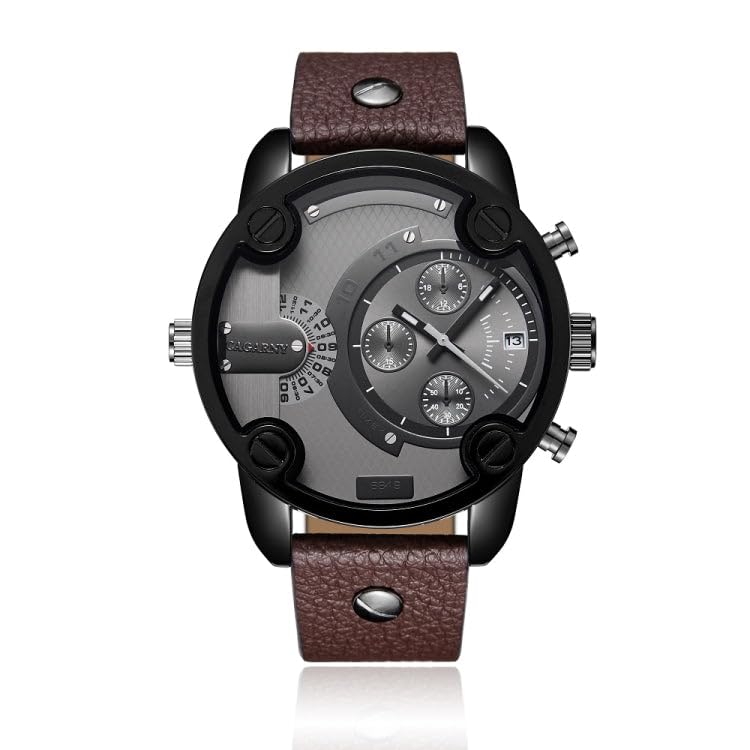
Figure 2: Side view illustrating the crown and pushers used for time and function adjustments.
3.2 Setting the Dual Time Zone (GMT)
The watch features a sub-dial for a second time zone. This is typically adjusted independently.
- Identify the GMT Sub-dial: Locate the sub-dial on your watch face designated for the second time zone (often marked with 24-hour indicators).
- Adjust GMT: Use the designated pusher or a small tool to press the recessed button (if present) to advance the GMT hand to the desired second time zone. Refer to the watch face for specific markings or instructions if available.
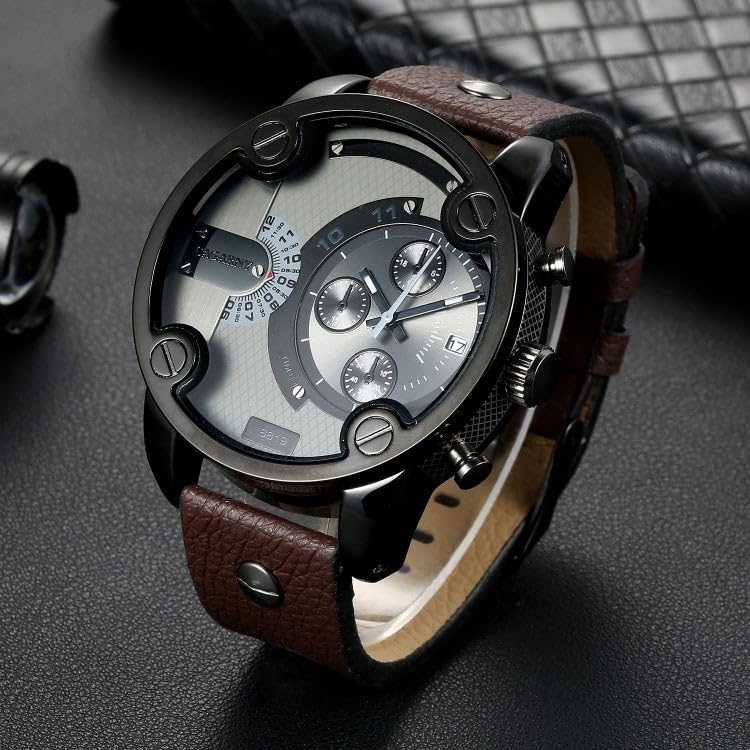
Figure 3: Detailed view of the watch face, highlighting the sub-dials for dual time and chronograph functions.
4. Operating Instructions
4.1 Using the Chronograph
Your watch is equipped with a chronograph function to measure elapsed time. The pushers located above and below the crown control this function.
- Start: Press the upper pusher (A) to start the chronograph. The chronograph second hand will begin to move.
- Stop: Press the upper pusher (A) again to stop the chronograph. The elapsed time will be indicated by the chronograph hands.
- Reset: After stopping, press the lower pusher (B) to reset the chronograph hands to their zero positions.
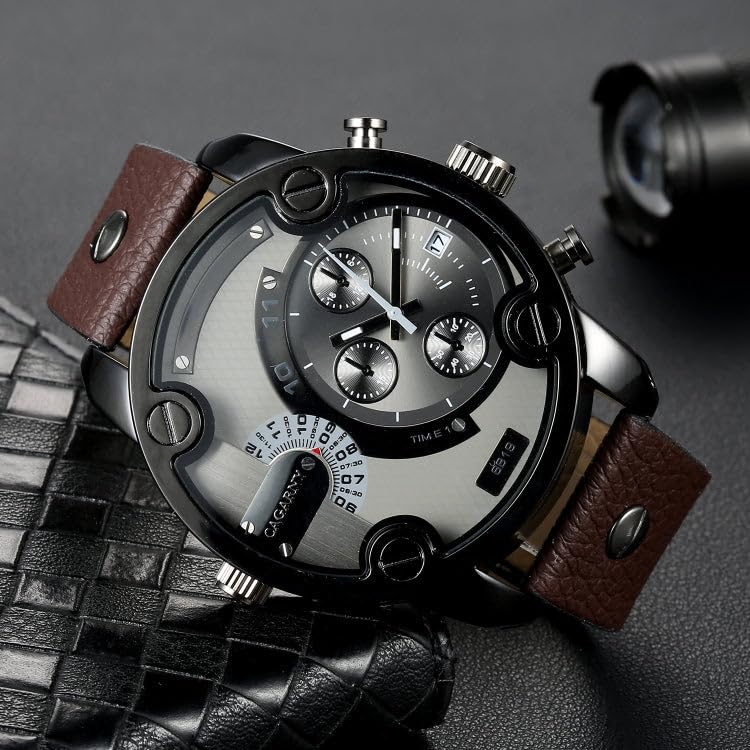
Figure 4: Angled view of the watch, illustrating the positions of the chronograph pushers.
4.2 Luminous Display
The hands and certain markers on your watch are treated with a luminous material. Exposure to light (natural or artificial) will charge this material, allowing it to glow in the dark for a period, enhancing readability in low-light conditions.
4.3 Water Resistance
Your watch is designed with a degree of water resistance. While it can withstand splashes and brief immersion, it is not suitable for swimming, diving, or prolonged water exposure. Avoid operating the crown or pushers when the watch is wet to prevent water ingress.
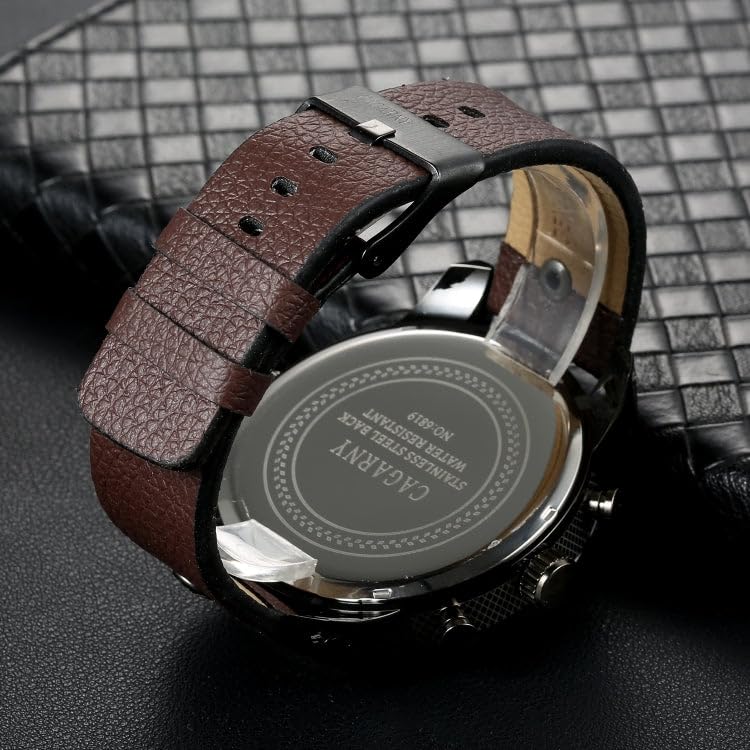
Figure 5: Rear view of the watch case, confirming its water-resistant properties.
5. Care and Maintenance
- Cleaning: Wipe the watch case and strap regularly with a soft, dry cloth to remove dust and perspiration. For the leather strap, avoid excessive moisture.
- Avoid Chemicals: Do not expose your watch to solvents, detergents, perfumes, or cosmetic sprays, as these can damage the case, strap, or seals.
- Temperature Extremes: Protect your watch from extreme temperatures (both hot and cold) and sudden temperature changes, which can affect accuracy and battery life.
- Magnetic Fields: Keep the watch away from strong magnetic fields, as they can interfere with the quartz movement's accuracy.
- Battery Replacement: When the battery runs low (indicated by the second hand skipping or stopping), have it replaced by a qualified watch technician to ensure proper sealing and function.
- Strap Care: Leather straps can wear over time. Avoid prolonged exposure to direct sunlight or water to prevent discoloration and damage.
6. Troubleshooting
| Problem | Possible Cause | Solution |
|---|---|---|
| Watch has stopped or is running intermittently. | Low or depleted battery. | Replace the battery. Contact a professional watch repair service. |
| Time is inaccurate. | Watch exposed to strong magnetic fields; incorrect time setting. | Demagnetize the watch (professional service recommended); reset the time correctly. |
| Date does not change at midnight. | Time set incorrectly (AM/PM issue); date set during restricted hours. | Adjust the time to ensure the 24-hour cycle is correct; reset the date during non-restricted hours (e.g., 6 AM). |
| Water inside the watch. | Crown or pushers operated underwater; seals compromised. | Immediately take the watch to a professional for inspection and repair to prevent further damage. |
7. Specifications
| Feature | Detail |
|---|---|
| Model Number | 6819 |
| Movement Type | Quartz |
| Display Type | Analog |
| Case Material | Alloy |
| Strap Material | Leather |
| Clasp Type | Buckle |
| Functions | Main Time, Dual Time Zone (GMT), Date, Chronograph, Luminous Display |
| Water Resistance | Water Resistant (Not suitable for swimming/diving) |
| Country of Origin | China |
| Item Dimensions (LxWxH) | 10 x 5 x 15 Centimeters (Package dimensions) |
8. Warranty and Support
This product is covered by the standard manufacturer's warranty. For specific warranty terms and conditions, please refer to the documentation provided at the time of purchase or contact the seller directly.
For any queries, technical assistance, or service requests, please contact the seller through the platform where the purchase was made. They will be able to provide further support and guidance.
Seller Contact Information: WorldCare on Amazon.in