
1. Introduction
Thank you for choosing the CUSHYBITE P1180-PCLCK201K 18V Cordless Lawn Care Combo Kit. This kit provides a comprehensive solution for maintaining small to mid-sized yards, offering the convenience of cordless operation. It includes a 13-inch push lawn mower, a string trimmer, a blower, one 4.0 Ah 18V battery, one 2.0 Ah 18V battery, and two chargers. This manual provides essential information for the safe assembly, operation, maintenance, and troubleshooting of your new tools.
2. Important Safety Information
Always read and understand all safety warnings, instructions, illustrations, and specifications provided with this power tool. Failure to follow all instructions listed below may result in electric shock, fire, and/or serious injury.
- Wear appropriate personal protective equipment (PPE) including eye protection, hearing protection, long pants, and sturdy footwear.
- Keep children and bystanders away while operating the tools.
- Inspect the work area for objects that could be thrown or entangled in the cutting mechanism.
- Do not operate tools in wet conditions or in the rain.
- Remove the battery pack before making any adjustments, changing accessories, or storing the tools.
- Use only CUSHYBITE recommended batteries and chargers with these tools.
- Store tools indoors in a dry, secure place out of reach of children.
3. Package Contents
Carefully unpack all items and ensure you have received everything listed below. If any items are missing or damaged, contact customer support.

Image: The complete CUSHYBITE P1180-PCLCK201K 18V Cordless Lawn Care Combo Kit, showing the lawn mower, string trimmer, blower, two batteries (4.0 Ah and 2.0 Ah), and two chargers.
- 13-inch Cordless Push Lawn Mower
- Cordless String Trimmer
- Cordless Blower
- 18V 4.0 Ah Lithium-Ion Battery
- 18V 2.0 Ah Lithium-Ion Battery
- 18V Battery Charger (Quantity: 2)
- Operator's Manual (this document)
4. Assembly and Setup
4.1 Cordless Push Lawn Mower Assembly
- Handle Assembly: Unfold the mower handle and secure it in place using the provided knobs or levers. Ensure the handle is fully extended and locked.
- Grass Bag Attachment: Assemble the grass bag if required. Hook the grass bag onto the rear discharge opening of the mower.
- Height Adjustment: Adjust the cutting height using the single-point lever on the mower deck. Select the desired height before operation.

Image: A person operating the CUSHYBITE 18V Cordless Push Lawn Mower in a small yard, demonstrating its use for tackling typical lawn areas.
4.2 Cordless String Trimmer Assembly
- Auxiliary Handle: Attach the auxiliary handle to the trimmer shaft. Adjust its position for comfortable operation.
- Guard Attachment: Securely fasten the debris guard to the trimmer head using the provided hardware. This guard protects against thrown debris.
- Line Installation: If necessary, refer to the trimmer head instructions for proper string line installation or replacement.

Image: A person using the CUSHYBITE 18V Cordless String Trimmer to trim grass edges around a tree, highlighting its maneuverability and runtime.
4.3 Cordless Blower Assembly
- Nozzle Attachment: Attach the blower nozzle securely to the blower housing. Ensure it clicks into place or is firmly twisted on.
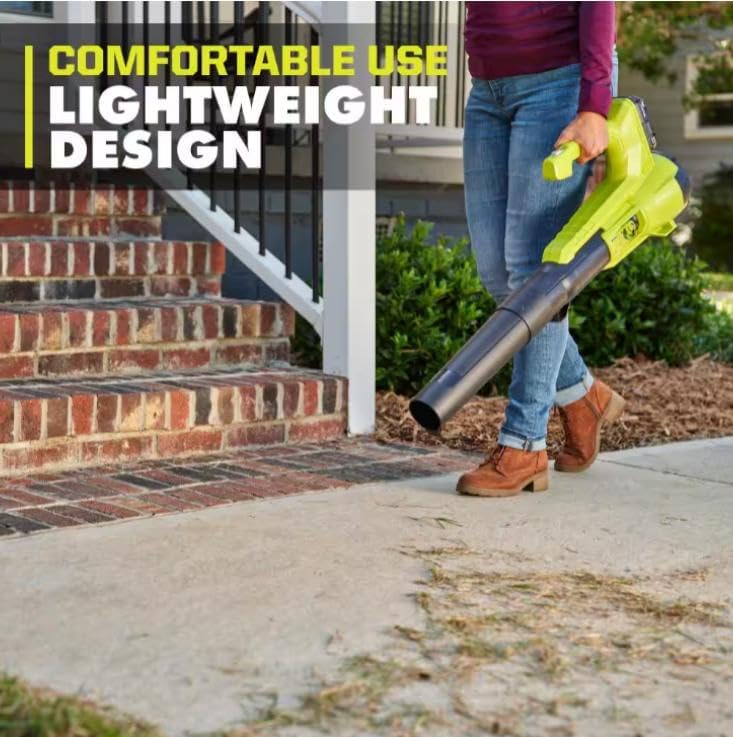
Image: A person using the CUSHYBITE 18V Cordless Blower to clear debris from a concrete pathway, demonstrating its lightweight design and ease of use.
5. Battery and Charger Operation
5.1 Charging the Battery
- Plug the charger into a standard electrical outlet.
- Slide the battery pack onto the charger until it clicks into place.
- The charger indicator light will show the charging status (e.g., solid red for charging, solid green for fully charged).
- Once fully charged, remove the battery from the charger. Do not leave batteries on the charger for extended periods after full charge.
5.2 Installing and Removing the Battery
- To Install: Align the battery pack with the battery port on the tool and slide it in until it locks securely.
- To Remove: Press the battery release button(s) and slide the battery pack out of the tool.
6. Operating Instructions
6.1 Cordless Push Lawn Mower
- Ensure the battery is fully charged and properly installed.
- Press and hold the safety button, then pull the bail switch lever towards the handle to start the mower.
- Push the mower forward in overlapping rows for an even cut. Avoid cutting wet grass.
- Release the bail switch lever to stop the mower.
6.2 Cordless String Trimmer
- Ensure the battery is fully charged and properly installed.
- Hold the trimmer firmly with both hands.
- Press the safety lock-out button, then squeeze the trigger to start the trimmer.
- Move the trimmer head in a sweeping motion, keeping the line parallel to the ground for best results.
- Release the trigger to stop the trimmer.
6.3 Cordless Blower
- Ensure the battery is fully charged and properly installed.
- Hold the blower firmly.
- Squeeze the trigger to start the blower.
- Direct the airflow towards the debris you wish to clear.
- Release the trigger to stop the blower.
7. Maintenance
Regular maintenance ensures optimal performance and extends the life of your tools. Always remove the battery pack before performing any maintenance.
- Cleaning: After each use, clean all tools with a damp cloth. Remove any grass clippings, dirt, or debris from vents and moving parts. Do not use solvents.
- Lawn Mower Blade: Periodically inspect the mower blade for sharpness and damage. Sharpen or replace the blade as needed. Refer to the mower's specific instructions for blade removal and installation.
- String Trimmer Line: Replace the trimmer line when it becomes too short or breaks. Follow the instructions for your specific trimmer head.
- Storage: Store all tools, batteries, and chargers in a cool, dry, and secure location, away from direct sunlight and extreme temperatures. Ensure batteries are partially charged before long-term storage.
8. Troubleshooting
If you encounter issues with your CUSHYBITE lawn care kit, refer to the following common problems and solutions:
| Problem | Possible Cause | Solution |
|---|---|---|
| Tool does not start | Battery not charged or improperly installed; Safety switch not engaged. | Charge battery fully and ensure it is securely installed. Engage safety button and trigger/bail switch correctly. |
| Lawn mower cuts unevenly | Dull or damaged blade; Incorrect cutting height; Mowing too fast. | Inspect and sharpen/replace blade. Adjust cutting height. Mow at a slower, consistent pace. |
| String trimmer line not advancing | Line tangled or too short; Debris in trimmer head. | Remove battery, clear debris, and re-spool or replace line. |
| Blower has low air output | Nozzle obstructed; Battery low. | Remove battery, clear any obstructions from the nozzle or air intake. Charge battery. |
9. Specifications
| Feature | Detail |
|---|---|
| Brand | CUSHYBITE |
| Model Number | P1180-PCLCK201K |
| Power Source | 18V Lithium-Ion Battery |
| Lawn Mower Deck Size | 13 inches |
| Battery Capacity | 1 x 4.0 Ah, 1 x 2.0 Ah |
| Chargers Included | 2 |
| UPC | 670329599976 |
10. Warranty and Support
CUSHYBITE products are manufactured to high-quality standards. For warranty information, technical support, or to order replacement parts, please refer to the contact information provided with your purchase documentation or visit the official CUSHYBITE website. Please have your model number (P1180-PCLCK201K) and purchase date available when contacting support.