
Introduction
Thank you for purchasing the Lyvix Wireless Guitar Hero Controller. This manual provides detailed instructions for setting up, operating, and maintaining your controller to ensure optimal performance and an enjoyable gaming experience across PlayStation 3, PlayStation 4, and PC platforms. Please read this manual thoroughly before use.
Safety Information
- Keep the controller away from water and moisture.
- Avoid exposing the controller to direct sunlight or high temperatures.
- Do not attempt to disassemble or modify the controller. This may void the warranty and cause damage.
- Use only the provided charging cable or a compatible USB cable for charging.
- Store the controller in a clean, dry place when not in use.
Package Contents
Verify that all items are present in your package:
- Lyvix Wireless Guitar Hero Controller (main body and neck)
- 2.4G Wireless Receiver
- USB Charging Cable
- 2 x Replaceable Shoulder Straps (one black, one colorful design)

Image: Included accessories with the Lyvix Guitar Hero Controller.
Product Overview
Familiarize yourself with the various parts of your Lyvix Guitar Hero Controller.

Image: Key components of the Lyvix Guitar Hero Controller.
- Fret Buttons: Five colored buttons on the neck for playing notes.
- Strum Bar: Used to activate notes by strumming up or down.
- Whammy Bar: For pitch bending effects during gameplay.
- D-Pad/Analog Stick: For menu navigation and specific game functions.
- M1 Programming Button: Facilitates adaptation to diverse games on different platforms.
- RGB Lighting: Integrated lights with multiple modes for visual effects.
- 3.5mm Audio Jack: For connecting headphones or external audio devices.
Setup
1. Assembly
- Carefully align the neck of the guitar controller with the main body.
- Gently push the neck into the body until it clicks securely into place.
- Attach one of the provided shoulder straps to the strap pins on the guitar body.

Image: Attaching the guitar neck to the body.
2. Charging the Controller
Before first use, ensure the controller is fully charged.
- Connect the USB charging cable to the controller's charging port.
- Plug the other end of the USB cable into a powered USB port (e.g., console, PC, USB wall adapter).
- The charging indicator light will show the charging status. Refer to the controller's LED behavior for specific indications (e.g., solid light for charging, off for full charge).
3. Connecting to Your Device (2.4G Wireless)
The controller uses a 2.4G wireless connection via the included receiver.
- Insert the 2.4G wireless receiver into an available USB port on your PlayStation 3, PlayStation 4, or PC.
- Power on the guitar controller.
- The controller should automatically pair with the receiver. A successful connection is usually indicated by a steady LED light on both the controller and the receiver.
- If the connection is not established, press the pairing button on the receiver (if available) and the sync button on the controller simultaneously until they pair.

Image: Wireless 2.4G connection setup with the receiver.
Operating Instructions
Power On/Off
- To power on, press the central "Home" or "PS" button on the controller.
- To power off, press and hold the "Home" or "PS" button for a few seconds until the controller powers down. The controller will also power off automatically after a period of inactivity to conserve battery.
Basic Gameplay
- Fret Buttons: Press the corresponding colored fret buttons as notes scroll down the screen.
- Strum Bar: Strum the bar up or down while holding the correct fret button(s) to hit notes.
- Whammy Bar: Use the whammy bar to alter the pitch of sustained notes for extra points or effects.
- Star Power/Overdrive: Tilt the guitar neck upwards or press the designated button to activate Star Power or Overdrive when available.
RGB Lighting Modes
The controller features 5 distinct RGB lighting modes to enhance your gaming experience.
- Press the dedicated lighting button (refer to Product Overview diagram) to cycle through the available modes: Purple, Red, Green, Blue, and Gradient.
- Select the mode that best suits your preference or game environment.
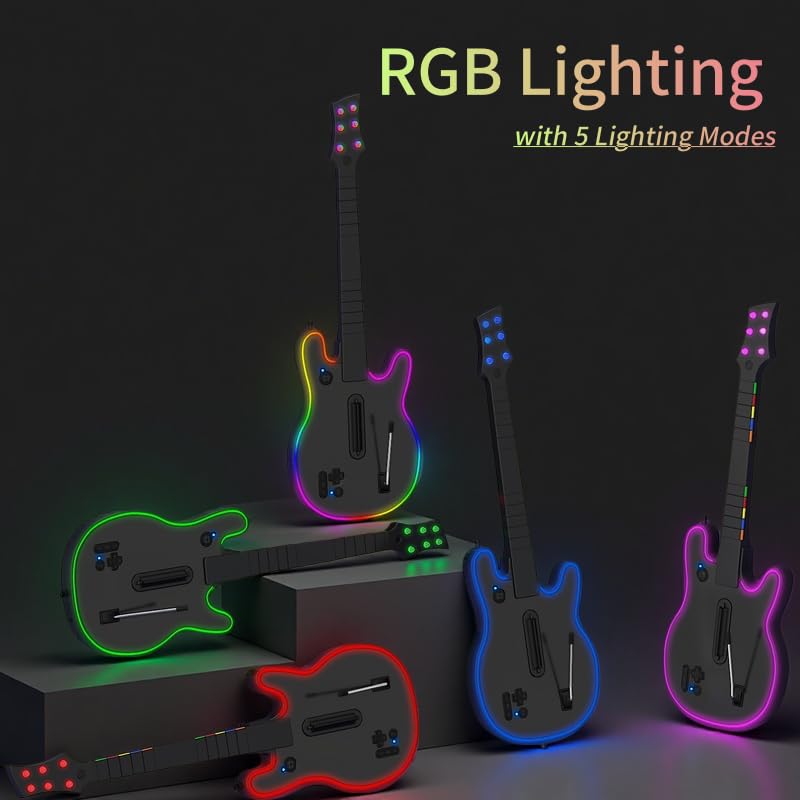
Image: Lyvix Guitar Hero Controllers showcasing various RGB lighting modes.
Using the 3.5mm Audio Jack
Connect your headphones or earbuds to the 3.5mm audio jack on the controller for a private audio experience. This allows you to enjoy game audio directly through your headphones without disturbing others.
Compatibility
The Lyvix Wireless Guitar Hero Controller is designed for multi-platform compatibility.
- PlayStation 3 (PS3): Compatible with Guitar Hero 3-5, Rock Band 1-3, and Band Hero.
- PlayStation 4 (PS4): Compatible with Rock Band 4 and Fortnite Festival. Note: Not compatible with PS5.
- PC: Compatible with Guitar Hero 3-5 and Clone Hero.
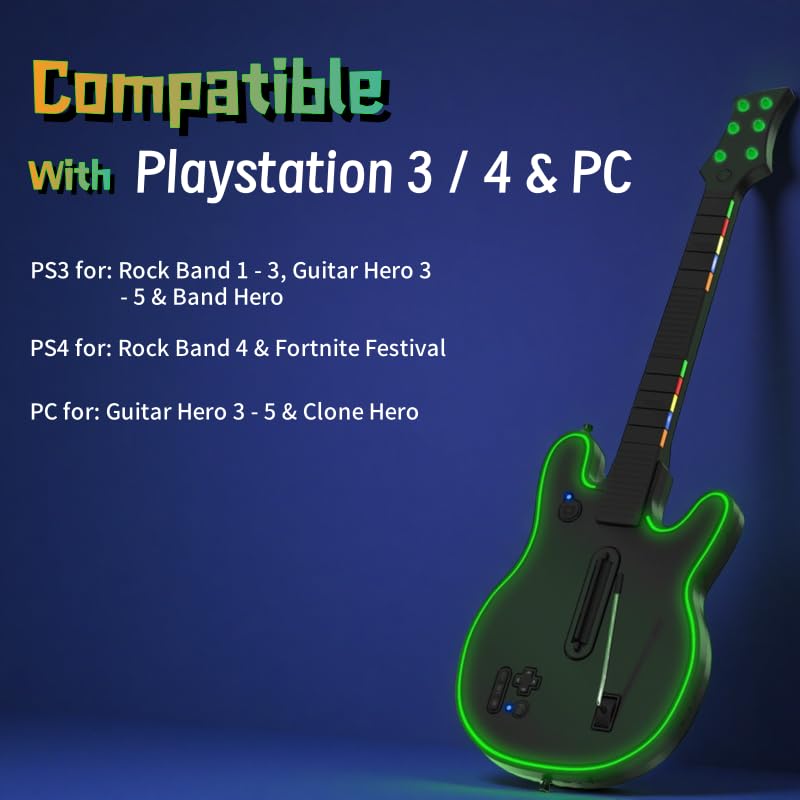
Image: Compatibility details for the Lyvix Guitar Hero Controller.
Maintenance
Cleaning
- Wipe the controller with a soft, dry cloth.
- For stubborn dirt, slightly dampen the cloth with water. Avoid using harsh chemicals or abrasive cleaners.
- Ensure no liquid enters the controller's openings.
Storage
- When not in use, store the controller in a cool, dry place away from direct sunlight.
- The "Snap & Go Design" allows you to twist and detach the neck for more compact storage or transport.
Strap Replacement
The controller comes with replaceable shoulder straps. To change a strap:
- Unhook the current strap from the strap pins on the guitar body.
- Attach the desired new strap by hooking it onto the pins.

Image: Replaceable shoulder straps.
Troubleshooting
If you encounter issues with your Lyvix Guitar Hero Controller, refer to the following common problems and solutions:
| Problem | Solution |
|---|---|
| Controller does not power on. | Ensure the controller is fully charged. Connect it to a power source using the USB cable. |
| Controller does not connect wirelessly. |
|
| Buttons or strum bar are unresponsive. |
|
| RGB lights are not working. | Press the lighting button to cycle through modes. Ensure the controller has sufficient battery charge. |
Specifications
| Feature | Detail |
|---|---|
| Model | B0F3NVWD1 |
| Connectivity | 2.4G Wireless |
| Compatibility | PlayStation 3, PlayStation 4, PC |
| Audio Output | 3.5mm Audio Jack |
| Lighting | RGB with 5 modes (Purple, Red, Green, Blue, Gradient) |
| Power Source | Rechargeable Battery (via USB) |
| Package Dimensions | 22.4 x 11 x 4 inches |
| Item Weight | 2.68 pounds |
Warranty and Support
Lyvix products are designed for quality and reliability. For information regarding warranty coverage, please refer to the warranty card included with your purchase or visit the official Lyvix website.
If you require technical assistance or have questions not covered in this manual, please contact Lyvix customer support through the retailer's platform or the contact information provided on the official Lyvix website.