
Introduction
This manual provides detailed instructions for the setup, operation, and maintenance of your TopLuck X5S Smartwatch. Please read this manual thoroughly before using the device to ensure proper functionality and to maximize your user experience.
Package Contents
- TopLuck X5S Smartwatch
- User Manual
- Charging Cable
- Watch Band
Device Overview
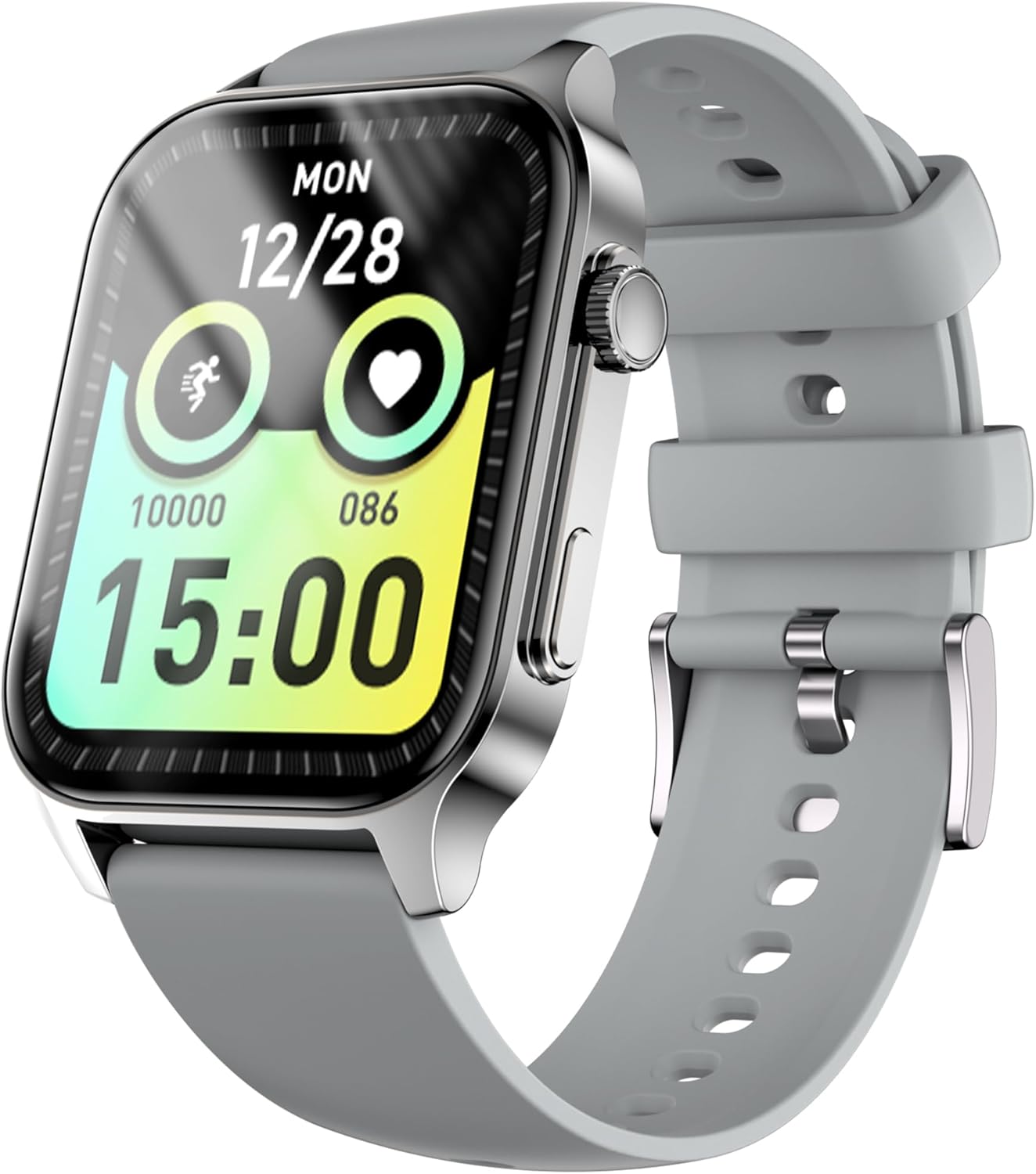
Figure 1: Front view of the TopLuck X5S Smartwatch, displaying time, date, step count, and heart rate.
The TopLuck X5S Smartwatch features a 1.96-inch high-resolution display, a durable zinc alloy frame, and a comfortable silicone band. It is designed for daily wear and various activities.
Setup
1. Charging the Device
Before initial use, fully charge your smartwatch. Connect the magnetic charging cable to the charging points on the back of the watch and plug the USB end into a power adapter (not included) or a computer's USB port. A full charge takes approximately 2.5 hours.

Figure 2: The smartwatch connected to its magnetic charging cable, showing a 100% charge indicator.
2. App Installation and Pairing
To unlock all features, download the Zmoofit app on your smartphone. The app is compatible with iOS 9.0+ and Android 4.4+.
- Scan the QR code in the manual or search for "Zmoofit" in your phone's app store (Google Play Store or Apple App Store - Note: Actual app store links may vary, please refer to the physical manual for exact links).
- Install and open the Zmoofit app.
- Enable Bluetooth on your smartphone.
- In the Zmoofit app, follow the on-screen instructions to search for and connect to your X5S Smartwatch.
- Confirm the pairing request on both your phone and the smartwatch.

Figure 3: The smartwatch is compatible with both iOS and Android smartphones, with the Zmoofit app available on respective app stores.
Operating Instructions
1. Basic Navigation
- Swipe Up/Down: Scroll through menus and notifications.
- Swipe Left/Right: Access quick functions or different widgets.
- Tap: Select an item or confirm an action.
- Press Side Button: Return to the home screen or power on/off.
2. Customizing Watch Faces
The X5S Smartwatch offers over 200 watch faces. You can also create custom watch faces using your own photos via the Zmoofit app.

Figure 4: Examples of customizable watch faces and the option to use personal photos as backgrounds.
3. Bluetooth Calling and Notifications
With Bluetooth 5.4, the smartwatch allows you to make and receive calls directly from your wrist. It also displays notifications for messages, emails, and social media apps (SMS, Twitter, Line, etc.).
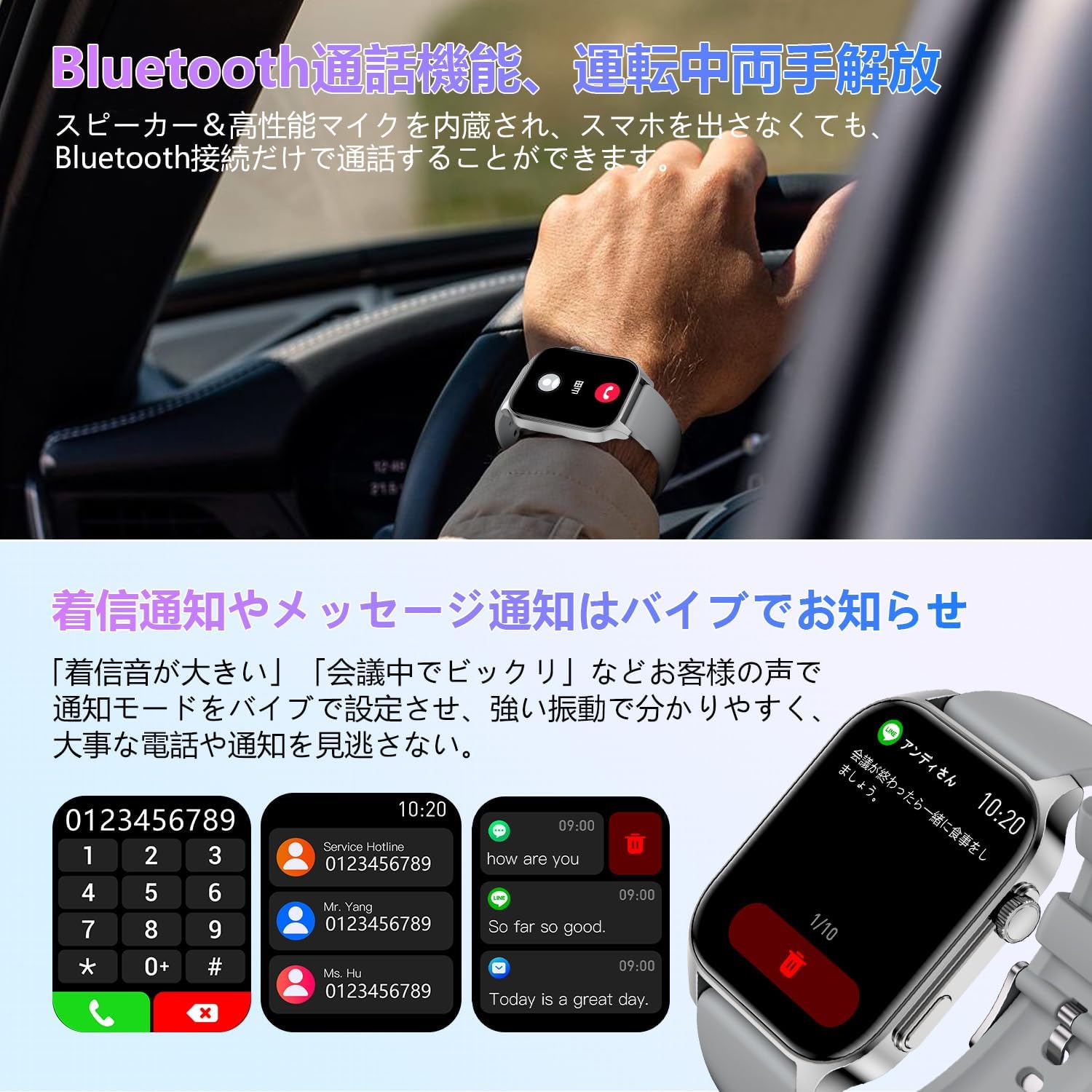
Figure 5: The smartwatch showing an incoming call and various message notifications.
4. Activity and Sports Tracking
The X5S Smartwatch supports over 10 sports modes, including running, cycling, swimming, and yoga. It tracks real-time data such as calories burned, speed, distance, and heart rate. All data can be viewed and analyzed in the Zmoofit app.

Figure 6: A user engaging in outdoor activity while wearing the smartwatch, with icons representing different sports modes.
5. Health Monitoring
- Sleep Monitoring: Analyzes sleep quality (deep sleep, light sleep) to help optimize rest.
- Heart Rate Monitoring: Provides real-time heart rate data.
- Menstrual Cycle Tracking: Supports tracking for female users.

Figure 7: The smartwatch screen showing sleep duration and quality metrics.
6. Additional Features
- Music Playback Control: Control music on your paired smartphone.
- Camera Shutter Control: Remotely trigger your phone's camera.
- Voice Assistant: Access your phone's voice assistant.
- Find Phone: Locate your misplaced smartphone.
- Stopwatch & Timer: Built-in timing functions.
- Always-On Display: Keep the time visible (note: this may reduce battery life).

Figure 8: The smartwatch interface showing utility functions like breathing exercises, activity records, stopwatch, and timer.
Maintenance
1. Water Resistance (IP67)
The X5S Smartwatch is IP67 water-resistant, meaning it can withstand splashes, rain, and brief immersion in water up to 1 meter for 30 minutes. It is suitable for daily use, including hand washing and showering. However, it is not recommended for diving or high-pressure water activities.

Figure 9: The smartwatch shown with water splashing, illustrating its IP67 water resistance for everyday use.
2. Cleaning
Wipe the watch and band regularly with a soft, dry cloth. If necessary, use a slightly damp cloth and then dry thoroughly. Avoid using harsh chemicals or abrasive materials.
Troubleshooting
- Device not turning on: Ensure the watch is fully charged. Connect it to the charger for at least 30 minutes.
- Cannot pair with smartphone:
- Ensure Bluetooth is enabled on your phone and the watch.
- Make sure the Zmoofit app is installed and running.
- Restart both your phone and the smartwatch.
- Ensure the watch is within Bluetooth range of your phone.
- Inaccurate activity data: Ensure the watch is worn snugly on your wrist. Calibrate the app if an option is available.
- Notifications not appearing: Check app permissions on your phone to ensure the Zmoofit app has access to notifications. Verify notification settings within the Zmoofit app.
Specifications
| Feature | Detail |
|---|---|
| Model Number | X5S |
| Display Size | 1.96 inches |
| Resolution | 360x360 |
| Bluetooth Version | 5.4 |
| Battery Capacity | 270 mAh |
| Charging Time | Approx. 2.5 hours |
| Typical Usage Time | 5-7 days |
| Standby Time | Up to 30 days |
| Water Resistance | IP67 |
| Compatible OS | iOS 9.0+, Android 4.4+ |
| Weight | 90 g (package size 15.5 x 8.6 x 2.4 cm) |

Figure 10: Detailed dimensions and technical specifications of the X5S Smartwatch.
Warranty and Support
For warranty information and customer support, please refer to the documentation included with your purchase or contact the seller directly. Specific warranty terms may vary by region and retailer.


