
Graphics By Craig 979-8316550661
User Manual: Take Control of the Command Key
100 MAC Keyboard Shortcuts
Introduction
This manual provides a comprehensive guide to mastering macOS keyboard shortcuts, focusing on the efficient use of the Command key. It is designed for Mac users of all experience levels who wish to enhance their productivity and navigation skills without relying solely on mouse clicks.
The content aims to be informative and direct, offering practical applications for each shortcut. By understanding and implementing these shortcuts, users can streamline their workflow across various applications and the Finder.
Getting Started
To effectively utilize the information presented in this guide, you will need:
- A Macintosh computer running macOS.
- A standard Mac keyboard or a compatible keyboard with a Command key.
- Basic familiarity with computer operation and the macOS interface.
No special software installations are required beyond the standard macOS operating system and its included applications.
Understanding Mac Shortcuts
Mac keyboard shortcuts typically involve pressing one or more modifier keys in combination with a letter, number, or symbol key. The primary modifier keys are:
- Command (⌘): The most frequently used modifier for application commands.
- Shift (⇧): Often used to modify the direction or case of a command.
- Option (⌥): Also known as Alt, used for alternative actions or special characters.
- Control (⌃): Less common for application commands, more for contextual menus or specific system functions.
Many shortcuts are consistent across different applications, while others are application-specific. This guide will highlight common and useful shortcuts.
Essential Shortcuts for macOS
This section details a selection of essential shortcuts categorized by their primary use case. Practice these regularly to integrate them into your daily workflow.
System-Wide & General Application Shortcuts
| Shortcut | Action | Description |
|---|---|---|
| ⌘ + C | Copy | Copies selected text or items to the clipboard. |
| ⌘ + V | Paste | Pastes content from the clipboard. |
| ⌘ + X | Cut | Cuts selected text or items to the clipboard. |
| ⌘ + Z | Undo | Reverses the last action. |
| ⌘ + S | Save | Saves the current document. |
| ⌘ + Q | Quit Application | Quits the active application. |
| ⌘ + W | Close Window | Closes the frontmost window. |
| ⌘ + Space bar | Spotlight Search | Opens Spotlight search for files, apps, and web results. |
Finder Shortcuts
| Shortcut | Action | Description |
|---|---|---|
| ⌘ + N | New Finder Window | Opens a new Finder window. |
| ⌘ + Shift + N | New Folder | Creates a new folder in the current Finder window. |
| ⌘ + Delete | Move to Trash | Moves selected items to the Trash. |
| ⌘ + Shift + Delete | Empty Trash | Empties the Trash (with confirmation). |
Safari Shortcuts
| Shortcut | Action | Description |
|---|---|---|
| ⌘ + T | New Tab | Opens a new tab in the current Safari window. |
| ⌘ + L | Select Address Bar | Highlights the URL in the address bar. |
| ⌘ + R | Reload Page | Reloads the current web page. |
Note: This is a partial list. The full guide contains 100 essential shortcuts across various applications.
Tips for Mastering Shortcuts
- Practice Regularly: Consistency is key. Try to use one new shortcut each day until it becomes muscle memory.
- Start Small: Focus on the shortcuts you use most frequently first, like copy, paste, and save.
- Observe Menus: Many application menus display the corresponding keyboard shortcut next to the command. Pay attention to these.
- Customize (Advanced): macOS allows you to customize keyboard shortcuts for applications through System Settings > Keyboard > Keyboard Shortcuts. Use this feature carefully.
Troubleshooting Common Issues
If a shortcut does not work as expected, consider the following:
- Active Application: Ensure the correct application is active. Shortcuts are often context-sensitive.
- Key Combinations: Double-check that you are pressing all keys in the correct combination simultaneously.
- System Settings: Verify that the shortcut has not been remapped or disabled in System Settings > Keyboard > Keyboard Shortcuts.
- Conflicting Software: Third-party applications or utilities might override default macOS shortcuts. Try disabling recently installed apps if issues persist.
- Restart: A simple restart of the application or your Mac can often resolve temporary glitches.
Book Specifications
| Attribute | Detail |
|---|---|
| Title | Take Control of the Command Key: 100 MAC Keyboard Shortcuts |
| Author | Graphics By Craig |
| Format | Paperback |
| Publication Date | April 2, 2025 |
| Publisher | Independently published |
| ISBN-13 | 979-8316550661 |
| Print Length | 102 pages |
| Item Weight | 5.9 ounces |
| Dimensions | 5 x 0.23 x 8 inches |

Front Cover: Displays the book's title and the iconic Command key symbol.
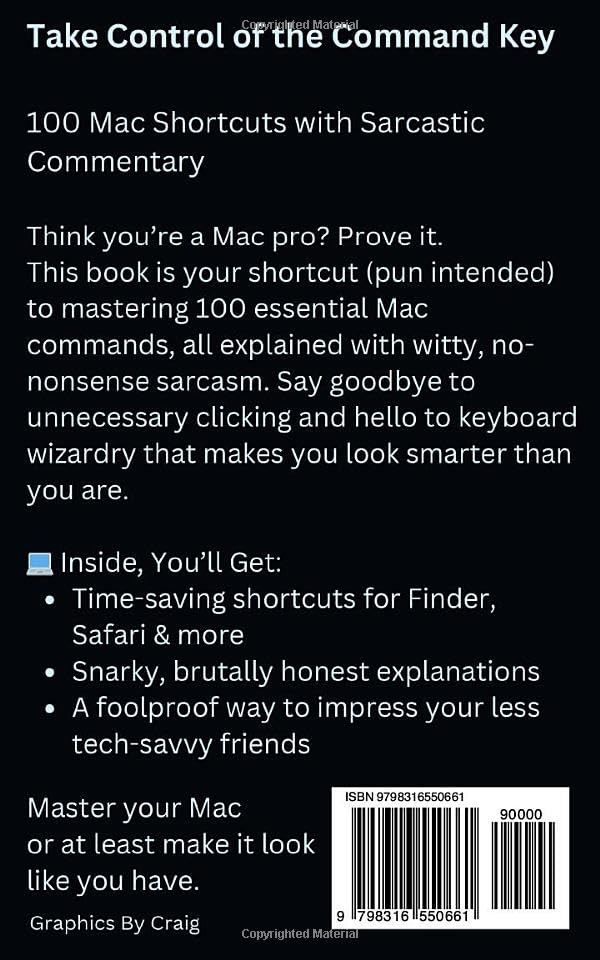
Back Cover: Provides a summary of the book's content and key benefits, along with publication details.
Further Resources
For additional support or to explore more about macOS functionalities, consider the following resources:
- Apple's official macOS User Guide: support.apple.com/guide/mac-help
- Online communities and forums dedicated to Mac users.
- For inquiries regarding this specific publication, please refer to the publisher's contact information typically found on the book's imprint page or the retailer's product listing.
Related Documents - 979-8316550661
 |
LINDBYN Mirror Assembly Instructions - IKEA Step-by-step assembly instructions for the IKEA LINDBYN mirror, including required tools, included hardware, and detailed guidance for wall mounting. |
 |
Dornbracht Showerhead Installation Guide and Technical Specifications Comprehensive installation guide for Dornbracht showerheads, including safety warnings, required tools, parts list, step-by-step assembly instructions, technical dimensions, operating conditions, and contact information. |
 |
SMD-979 PGP Wireless Heat Detector Installation Guide Comprehensive installation guide for the Johnson Controls SMD-979 PGP Wireless Heat Detector. Covers product introduction, model information, location and positioning, installation steps, testing procedures, fire safety information, technical specifications, troubleshooting, regulatory compliance, and warranty details. |
 |
Dornbracht AQUAMOON Installationsanleitung: RAINMOON, AQUAMOON, AQUAMOON EMBRACE Umfassende Installationsanleitung für die Dornbracht AQUAMOON Duschsysteme, einschließlich RAINMOON, AQUAMOON und AQUAMOON EMBRACE. Enthält Teilelisten, technische Daten, Montagehinweise und Planungstipps für eine professionelle Installation. |
 |
The Sing! Hymnal: A Comprehensive Collection for Worship and Christian Life Explore 'The Sing! Hymnal,' a curated collection of hymns by Keith and Kristyn Getty and other esteemed contributors, designed to enrich Christian worship and daily life. Featuring a wide range of songs for various occasions and themes. |
 |
Workbook Publishing Institutional Purchase Order Request Form and Product Catalog This document outlines the process for institutional purchase orders with Workbook Publishing and lists their available products for anxiety, anger, depression, impulsivity, and emotion management, including child workbooks, therapist manuals, parent guides, and DVDs, with associated ISBNs and prices. |
Ask a question about this manual
Ask about setup, troubleshooting, compatibility, parts, safety, or missing instructions. Manuals+ will review the question and use this page’s manual context to help answer it.