
1. Safety Information
WARNING: Failure to follow these warnings and instructions could result in serious injury or death.
- Age and Weight Limit: This bouncer is designed for infants from 0 to 6 months, weighing up to 25 pounds (11 kg). Discontinue use when the child can sit up unassisted or attempts to climb out.
- Never Leave Child Unattended: Always keep your child in view while in the bouncer.
- Secure Harness: Always use the 3-point safety harness to secure your child. Adjust it snugly.
- Sleeping: This bouncer is not intended for prolonged sleep. If your child falls asleep, move them to a firm, flat sleep surface such as a crib or bassinet.
- Placement: Never place the bouncer on elevated surfaces such as counters or tables. Always use on the floor.
- Assembly: Ensure the bouncer is fully assembled and all fasteners are securely tightened before each use.
- Toy Bar: Do not use the toy bar as a carrying handle.
2. Product Overview
The Bright Starts Disney Stitch Ohana Paradise Vibrating Baby Bouncer provides a comfortable and engaging space for your infant. It features soothing vibrations and a removable toy bar with two sensory toys to encourage motor skill development and sensory engagement.
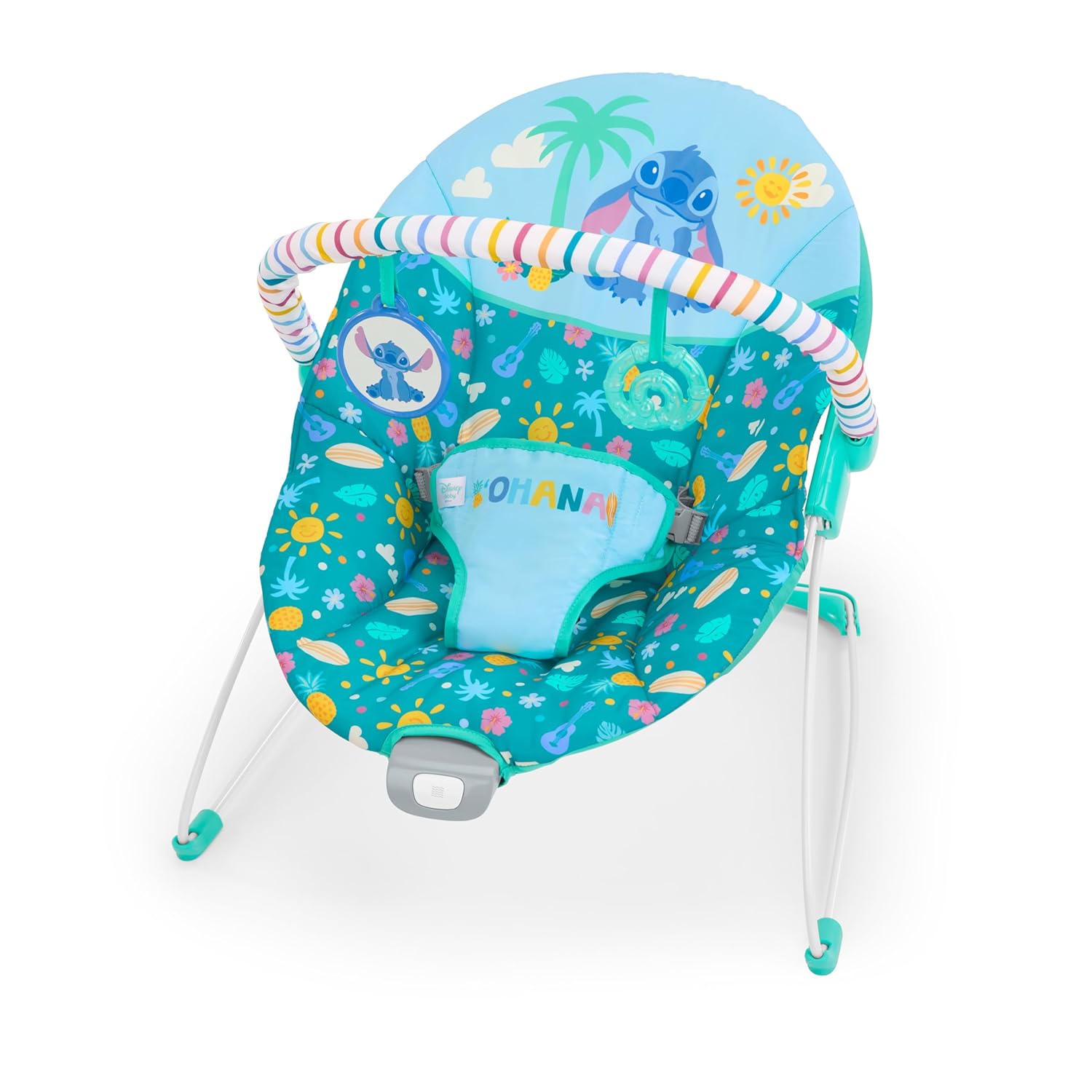
Image: The Bright Starts Disney Stitch Ohana Paradise Vibrating Baby Bouncer, featuring a blue seat with Stitch and tropical patterns, a colorful toy bar, and two hanging toys.
3. Setup
3.1 Assembly
Follow these steps to assemble your baby bouncer:
- Unfold the Frame: Carefully unfold the metal frame until it locks into position. Ensure all legs are stable on a flat surface.
- Attach Seat Fabric: Slide the seat fabric onto the frame, ensuring all loops and pockets are securely attached to the corresponding frame parts.
- Install Toy Bar: Insert the ends of the toy bar into the designated slots on the side of the bouncer frame until they click securely into place.
3.2 Battery Installation for Vibration Unit
The vibration unit requires one (1) C battery (not included).
- Locate the battery compartment on the underside of the vibration unit, typically at the front of the bouncer seat.
- Using a Phillips head screwdriver, loosen the screw on the battery compartment cover.
- Insert one C battery, ensuring the correct polarity (+/-) as indicated inside the compartment.
- Replace the cover and tighten the screw.
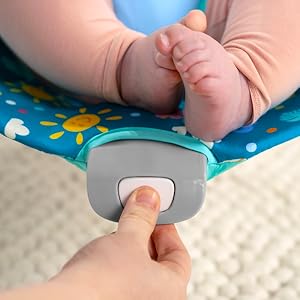
Image: A hand pressing the white button on the grey vibration unit located at the front of the bouncer seat.
4. Operating Instructions
4.1 Placing Your Child in the Bouncer
- Ensure the bouncer is on a flat, stable surface.
- Gently place your child into the bouncer seat.
- Fasten the 3-point safety harness. Adjust the straps so they are snug against your child's body, but not too tight.

Image: A baby smiling while seated securely in the Bright Starts Stitch bouncer, with the toy bar overhead.
4.2 Activating Soothing Vibrations
To turn on the vibrations, locate the power switch on the vibration unit at the front of the bouncer. Flip the switch to the 'ON' position. To turn off, flip the switch to the 'OFF' position.
4.3 Using the Toy Bar and Sensory Toys
The removable toy bar features two sensory toys: a baby-safe mirror and a textured leaf toy. These toys are designed to engage your child's senses and encourage reaching and batting, promoting motor skill development.

Image: A baby's hand reaching out to grasp the clear, textured leaf toy hanging from the bouncer's toy bar.
4.4 Official Product Video
Video: An official product video from Kids II, Inc. demonstrating the features and use of the Disney Stitch Ohana Paradise Vibrating Baby Bouncer.
5. Maintenance
5.1 Cleaning the Seat Pad
The bouncer seat pad is machine washable. Remove the fabric from the frame and wash it in cold water on a gentle cycle. Do not bleach. Tumble dry on low heat or air dry. Do not iron.
5.2 Cleaning the Frame and Toys
Wipe the metal frame, plastic components, and toys with a damp cloth and mild soap. Air dry thoroughly. Do not immerse the vibration unit in water.

Image: An adult demonstrating the removal of the toy bar from the bouncer, facilitating easier cleaning or compact storage.
6. Troubleshooting
- Vibrations Not Working: Check if the C battery is correctly installed and not depleted. Replace the battery if necessary. Ensure the power switch is in the 'ON' position.
- Toy Bar Not Secure: Ensure both ends of the toy bar are fully inserted into their respective slots until they click. If the toy bar becomes loose, re-attach it firmly.
- Bouncer Feels Unstable: Verify that the frame is fully unfolded and locked into position, and all four legs are evenly placed on a flat, stable surface.
7. Specifications
| Feature | Detail |
|---|---|
| Brand | Bright Starts |
| Model Number | 17501-000 |
| Age Range | 0 to 6 Months |
| Maximum Weight Recommendation | 25 pounds (11 kg) |
| Item Dimensions (D x W x H) | 21.77"D x 18.9"W x 20.28"H |
| Item Weight | 3.7 pounds (1.68 kg) |
| Material Type | Metal (frame), Fabric (seat pad) |
| Battery Required | 1 C battery (not included) |
8. Warranty and Support
For warranty information or customer support, please contact Bright Starts directly or refer to the product packaging for specific details. Bright Starts products are manufactured by Kids2, Inc.
You can visit the official Bright Starts store for more information: Bright Starts Store
