
Introduction
Thank you for choosing the ROKAFU Smart Bird Feeder with Camera. This device allows you to observe and interact with wild birds from the comfort of your home, featuring AI bird species identification, live video streaming, and solar-powered operation. This manual provides essential information for setting up, operating, and maintaining your smart bird feeder to ensure a rewarding experience.
Product Features
- Quick and Easy Setup: Connects to the companion app in minutes via QR code scanning for immediate bird monitoring.
- Solar Powered and Eco-Friendly: Integrated solar panel ensures continuous charging, reducing maintenance. Can also connect to an external power source.
- Detailed Camera with AI Bird Recognition: Captures clear, high-quality video and automatically identifies bird species through the app. Includes 1-month free cloud storage trial.
- Squirrel-Resistant and Multi-use Design: Features an optional squirrel-resistant mesh. Includes optional fruit fork and honey jar accessories to attract diverse wildlife.
- Weather-Resistant Construction: Durable, weather-resistant housing ensures functionality in various outdoor conditions.
- Easy WiFi Setup and Real-time Alerts: Simple 2.4 GHz WiFi connection. Enjoy real-time alerts, live streaming, and playback via the app.
- 5MP UHD Full Color Night Vision: Observe bird activities around the clock with enhanced night vision capabilities.
Package Contents
Please check the package for the following items:
- 1 × Smart Bird Feeder Camera Unit
- 1 × Solar Panel
- 1 × User Manual (this document)
- Mounting Accessories (screws, anchors, strap)
- Optional: Fruit Fork, Honey Jar (may be included depending on package variant)
Setup Instructions
- Charge the Device: Before initial use, ensure the bird feeder's internal battery is fully charged. The integrated solar panel will charge it, but an initial charge via USB (if available) is recommended for faster startup.
- Download the App: Scan the QR code provided in the quick start guide (or search for 'Tree Home' app) on your smartphone to download and install the companion application.
- Connect to WiFi:
- Open the Tree Home app and create an account or log in.
- Follow the in-app instructions to add a new device. You will be prompted to scan a QR code on the bird feeder itself to initiate the connection.
- Connect the device to your 2.4 GHz WiFi network. Ensure your phone is also connected to the same 2.4 GHz network during setup.
- Once connected, the app will confirm successful pairing.
- Mount the Feeder:
- Choose a suitable outdoor location that offers a clear view for the camera and receives ample sunlight for the solar panel.
- Use the provided mounting accessories (screws, anchors, or strap) to securely attach the bird feeder to a tree, post, or wall. Ensure it is stable and at a height accessible for refilling but safe from predators.
- Fill with Feed: Open the feeder and fill it with your desired bird seed or other recommended feed (e.g., fruit, honey in optional accessories).

Figure 1: Initial setup and AI bird identification via the app.

Figure 2: Real-time notifications on your smartphone when a bird is detected.
Operating Instructions
- Live View: Open the Tree Home app to access the live video feed from your bird feeder camera. You can watch birds in real-time.
- Bird Identification: The AI feature will automatically identify bird species that visit your feeder. Details and video clips of identified birds will be stored in the app and cloud storage.
- Notifications: Enable push notifications in the app settings to receive real-time alerts when birds are detected at your feeder.
- Night Vision: The camera automatically switches to 5MP UHD full-color night vision in low-light conditions, allowing for 24/7 observation.
- Squirrel Deterrent: If squirrels become an issue, you can manually activate the siren feature through the app to scare them away.
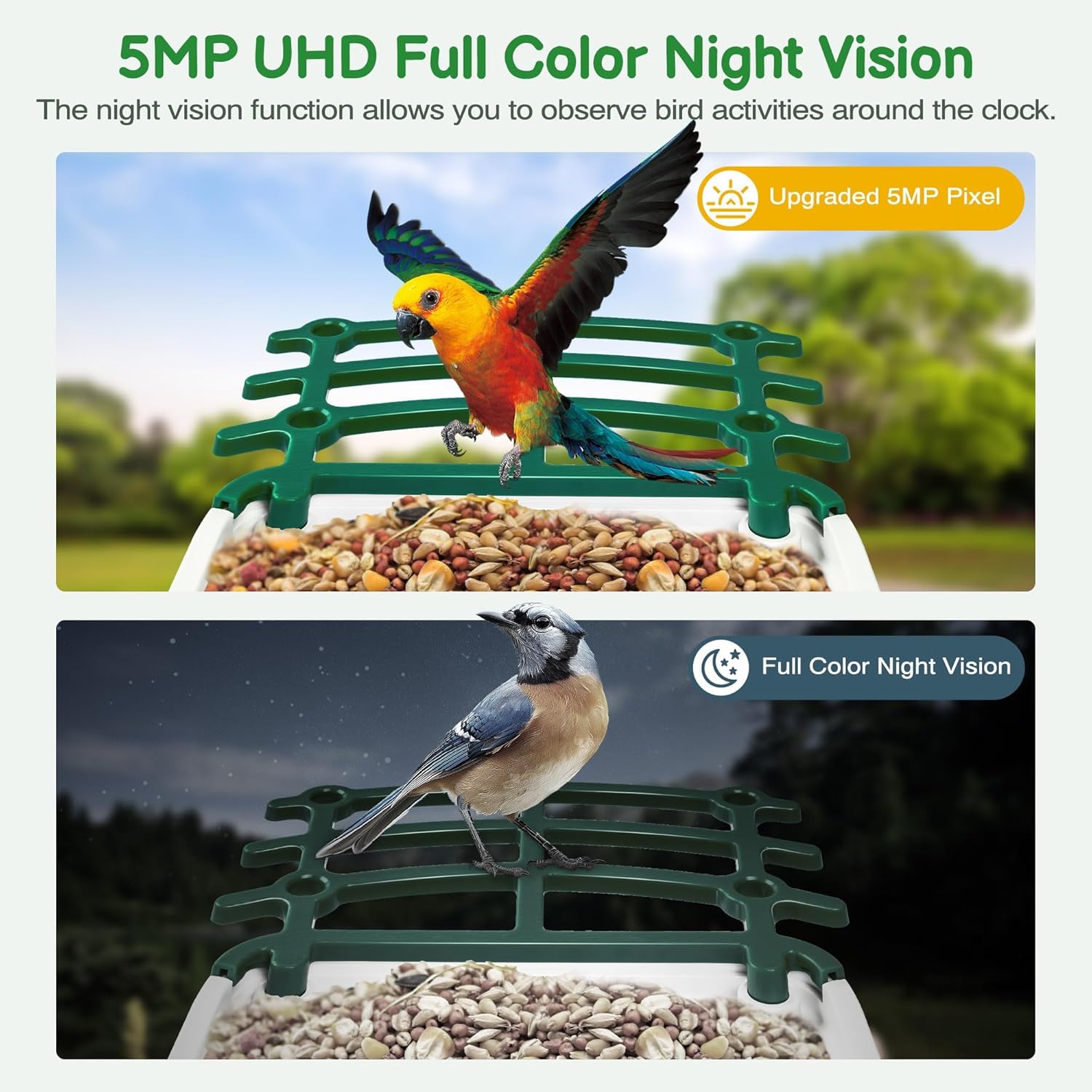
Figure 3: Day and night vision capabilities of the camera.

Figure 4: Activating the siren to deter squirrels.
Maintenance
- Cleaning: Regularly clean the bird feeder to prevent mold and bacterial growth. Remove old seed, wash with mild soap and water, rinse thoroughly, and dry completely before refilling.
- Camera Lens: Gently wipe the camera lens with a soft, damp cloth to ensure clear image quality. Avoid abrasive cleaners.
- Solar Panel: Keep the solar panel clean and free of debris (leaves, dust) to ensure efficient charging.
- Battery Check: Monitor the battery level via the app. While solar charging is continuous, prolonged periods of low sunlight may require manual charging if an external power port is available.
- Firmware Updates: Check the app regularly for firmware updates to ensure optimal performance and access to new features.

Figure 5: The IP65 waterproof design ensures durability and low maintenance.
Troubleshooting
| Problem | Possible Cause | Solution |
|---|---|---|
| Device won't power on. | Low battery or power issue. | Ensure solar panel is receiving direct sunlight. If possible, connect to an external power source for charging. |
| Cannot connect to WiFi. | Incorrect WiFi password, 5GHz network, or weak signal. | Verify WiFi password. Ensure you are connecting to a 2.4 GHz network. Move the feeder closer to your router or use a WiFi extender. Try factory reset via the app. |
| Poor video quality. | Dirty lens, poor lighting, or weak WiFi signal. | Clean the camera lens. Ensure adequate lighting. Check WiFi signal strength in the app. |
| Bird identification not working. | Poor image clarity, bird not fully visible, or temporary software issue. | Ensure camera lens is clean and feeder is positioned for clear views. Check for app updates. |
| Squirrels are still accessing the feeder. | Squirrel deterrent not activated or ineffective. | Ensure the optional squirrel-resistant mesh is installed correctly. Manually activate the siren via the app when squirrels are present. Consider repositioning the feeder. |
Specifications
| Attribute | Detail |
|---|---|
| Brand | ROKAFU |
| Model Number | MMECO-1 |
| Manufacturer | MMECO |
| Targeted Species | Hummingbird, Oriole (and other wild birds) |
| Recommended Uses | Seed, Fruit |
| Special Features | AI Bird Species Identification, Solar Panels, 5MP UHD Full Color Night Vision, Squirrel Deterrent |
| Mounting Type | Hanging |
| Product Dimensions (L x W x H) | 22 cm x 22 cm x 27.5 cm |
| Power Source | Solar Powered |
| Color | Green |
| Connectivity | 2.4 GHz WiFi |
| UPC | 786368977658 |
Warranty and Support
Your ROKAFU Smart Bird Feeder is covered by a standard manufacturer's warranty. For specific warranty details, please refer to the documentation included with your purchase or contact the retailer. If you encounter any issues or have questions regarding your product, please reach out to ROKAFU customer support through the contact information provided on our official website or within the Tree Home application.
Additional Information
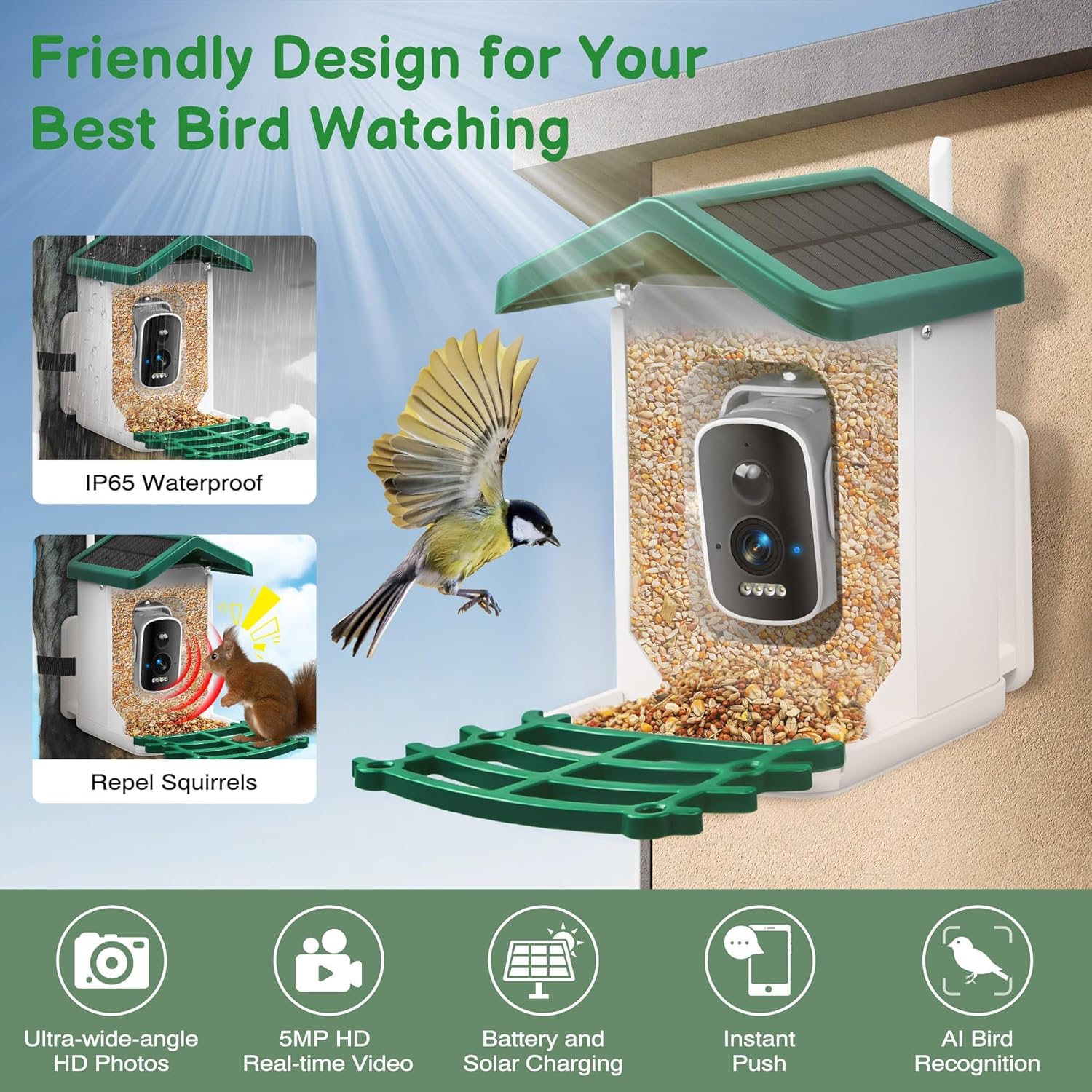
Figure 6: Overview of key features and friendly design for bird watching.
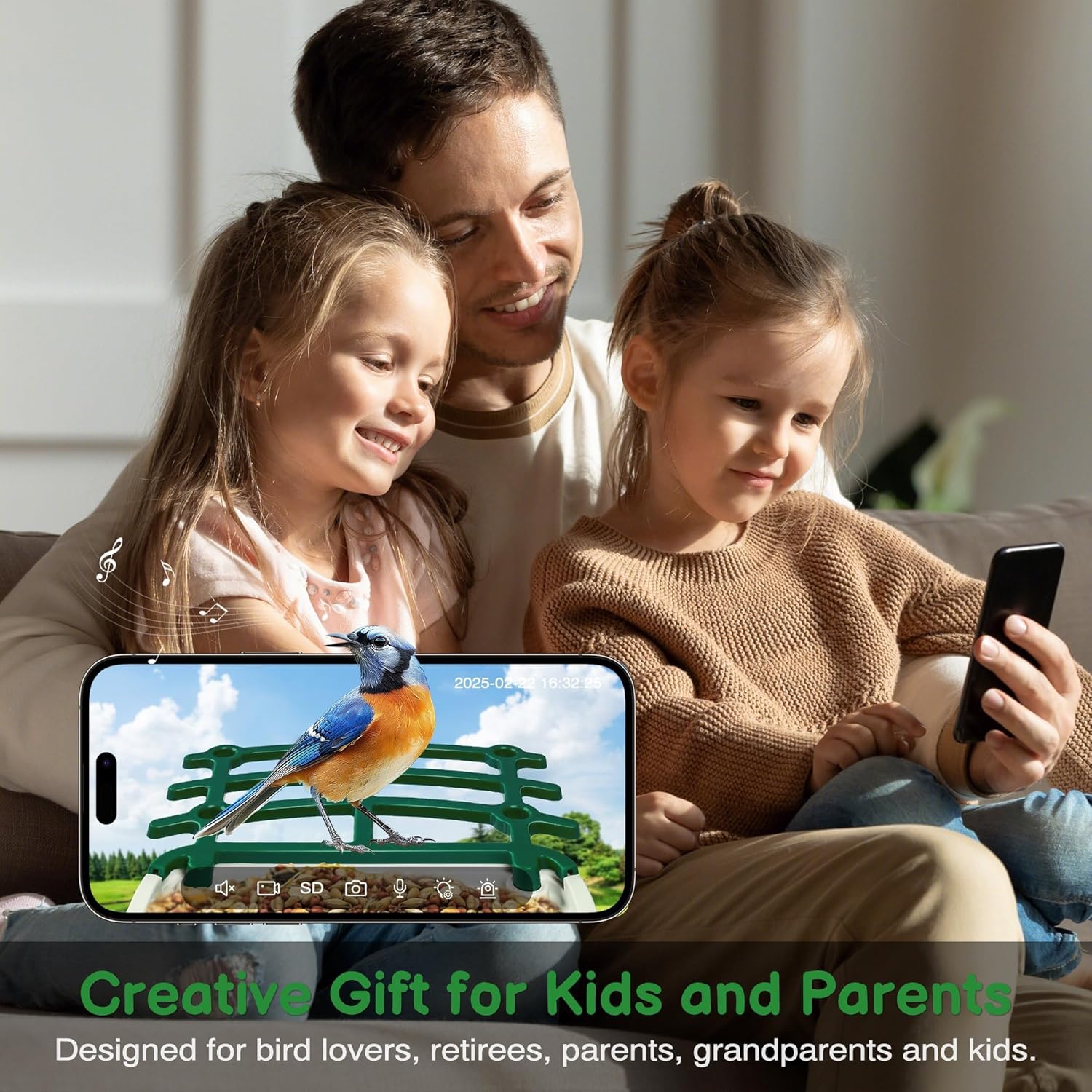
Figure 7: The ROKAFU Smart Bird Feeder makes an ideal gift for bird enthusiasts and families.