1. Introduction
This manual provides essential information for the safe operation, assembly, maintenance, and troubleshooting of your QnQ H8501 Electric Scooter. Please read this manual thoroughly before using the scooter to ensure your safety and prolong the product's lifespan. Keep this manual for future reference.
2. Safety Information
Operating an electric scooter carries inherent risks. Always prioritize safety. Failure to follow these instructions may result in serious injury or property damage.
- Wear a Helmet: Always wear a certified helmet and other protective gear (knee pads, elbow pads) when riding.
- Check Before Ride: Before each use, inspect the scooter for loose parts, proper tire pressure (if applicable), brake functionality, and battery charge level.
- Local Regulations: Adhere to all local traffic laws and regulations regarding electric scooter use.
- Riding Conditions: Do not ride in wet conditions, heavy rain, or on slippery surfaces. Avoid riding at night or in low visibility without proper lighting.
- Weight Limit: Do not exceed the maximum load capacity of 120 kg.
- Age Restriction: This scooter is intended for adult use.
- Avoid Stunts: Do not attempt stunts, jumps, or aggressive riding.
- Maintain Control: Keep both hands on the handlebars and maintain a stable posture while riding.
- Braking: Familiarize yourself with the braking system and practice emergency stops in a safe area.
3. Package Contents
Verify that all items are present in the package:
- QnQ H8501 Electric Scooter
- Charger
- Toolbox
- User Manual (this document)
4. Product Overview
The QnQ H8501 features an 8.5-inch wheel, a 500W motor, and a dual braking system for reliable performance. It is designed for portability with a quick-folding mechanism.

Image: Illustration of the scooter's front wheel drive motor system.
5. Setup
5.1 Unfolding the Scooter
- Place the scooter on a flat surface.
- Locate the folding mechanism latch near the base of the handlebar stem.
- Release the latch and carefully lift the handlebar stem until it locks into the upright position. Ensure the locking mechanism is fully engaged.

Image: The scooter shown in its folded state, highlighting the folding points.
5.2 Handlebar Adjustment
The handlebar height is adjustable. Loosen the quick-release clamp on the stem, adjust the handlebar to your desired height, and securely tighten the clamp.
5.3 Charging the Battery
Before first use, fully charge the scooter's battery. The 36V/5.2Ah battery typically takes 4-5 hours for a full charge.
- Ensure the scooter is powered off.
- Locate the charging port, usually covered by a rubber cap, on the scooter frame.
- Connect the charger to the charging port, then plug the charger into a standard wall outlet.
- The indicator light on the charger will typically show red during charging and turn green when fully charged.
- Once fully charged, disconnect the charger from the outlet first, then from the scooter. Replace the rubber cap on the charging port.

Image: The scooter being charged, with the charger and battery specifications visible.
6. Operating Instructions
6.1 Powering On/Off
Press and hold the power button on the display panel to turn the scooter on or off.
6.2 Riding the Scooter
The QnQ H8501 features a kick-start throttle for safety.
- Place one foot firmly on the deck and use the other foot to push off the ground, gaining a small amount of momentum (kick-start).
- Once moving, gently press the throttle lever with your thumb to engage the motor.
- Gradually increase pressure on the throttle for acceleration.
- To slow down, release the throttle.
6.3 Braking
The scooter is equipped with a double braking system (front and rear brakes).
- To brake, gently squeeze the brake levers on the handlebars.
- Apply both brakes simultaneously for balanced and effective stopping. Avoid sudden, hard braking, especially at high speeds, to prevent loss of control.
6.4 Using the Smart APP Function
The scooter supports a smart application for additional features and controls.
- Download the official QnQ scooter application from your smartphone's app store.
- Ensure your scooter is powered on and Bluetooth is enabled on your smartphone.
- Open the app and follow the on-screen instructions to pair your scooter.
- The app may allow you to view ride statistics, adjust settings, or lock the scooter.

Image: The scooter with a smartphone displaying the Smart APP Function.
6.5 Folding for Storage and Transport
To fold the scooter, reverse the unfolding steps:
- Ensure the scooter is powered off.
- Locate and release the handlebar stem locking mechanism.
- Carefully fold the handlebar stem downwards until it clicks into the folded position.
- Ensure the folding latch is securely engaged to prevent accidental unfolding.
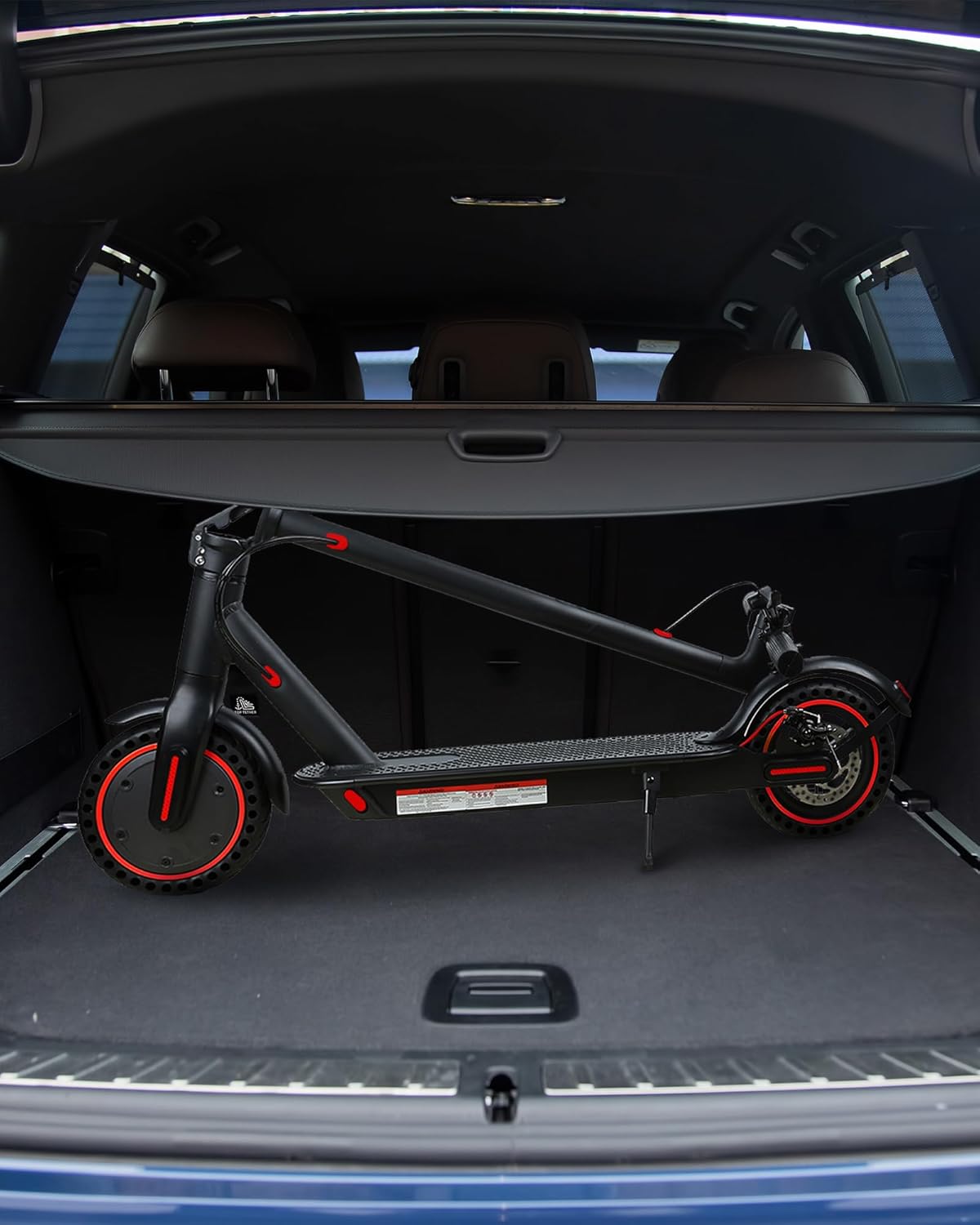
Image: The folded scooter stored in a car trunk, highlighting its compact size for transport.
7. Maintenance
Regular maintenance ensures optimal performance and longevity of your scooter.
- Cleaning: Wipe the scooter with a damp cloth. Do not use high-pressure water or immerse the scooter in water.
- Battery Care: Charge the battery regularly, even if not in use, to maintain its health. Avoid completely draining the battery. Store the scooter in a cool, dry place.
- Brake Inspection: Periodically check the brake levers and cables for proper tension and wear. Adjust or replace as needed.
- Fasteners: Regularly check all screws and bolts for tightness. Tighten any loose fasteners.
- Tires: The scooter uses solid rubber wheels, which do not require air pressure checks. Inspect them for damage or excessive wear.
8. Troubleshooting
If you encounter issues with your QnQ H8501 Electric Scooter, refer to the following common problems and solutions:
| Problem | Possible Cause | Solution |
|---|---|---|
| Scooter does not power on | Low battery; Loose connections; Faulty power button | Charge the battery fully; Check all visible connections; Contact support if issue persists. |
| Motor does not engage | No kick-start initiated; Throttle issue; Motor fault | Ensure you kick-start the scooter to gain initial momentum before pressing the throttle; Check throttle connection; Contact support. |
| Reduced range or speed | Undercharged battery; Overload; Battery degradation | Ensure battery is fully charged; Do not exceed weight limit; Battery may need replacement over time. |
| Brakes feel weak | Loose brake cables; Worn brake pads | Adjust brake cable tension; Inspect and replace brake pads if worn. |
| App connectivity issues | Bluetooth off; App not updated; Scooter not discoverable | Ensure Bluetooth is on and scooter is powered on; Update the app; Restart scooter and phone. |
9. Specifications
| Feature | Specification |
|---|---|
| Model Name | H8501 |
| Motor Power | 500 W |
| Battery | 36V/5.2Ah |
| Maximum Speed | 25 km/h |
| Range per Charge | 20-25 KM (up to 33 KM under ideal conditions) |
| Charging Time | 4-5 Hours |
| Wheel Size | 8.5 Inches |
| Wheel Type | Solid Rubber |
| Brake Style | Front Braking, Rear Braking |
| Maximum Load | 120 kg |
| Frame Material | Aluminium |
| Special Features | Lights, Smart APP Function, Foldable Design |
10. Warranty and Support
For warranty information, technical support, or service inquiries, please refer to the purchase documentation or contact your retailer. Keep your proof of purchase for any warranty claims.