
Introduction
Welcome to the world of interactive electronics with the Hape Circuit Explorer Lab Kit. This kit provides a hands-on experience to explore fundamental electronic concepts through engaging activities. Designed for children aged 8 and above, it utilizes magnetic blocks for easy and safe circuit building, fostering an understanding of components like motion, light, sound, and sensors.
This manual contains important information regarding the safe and proper use of your Circuit Explorer Lab Kit. Please read it thoroughly before beginning any activities and retain it for future reference.
Safety Information
WARNING:
- Choking Hazard - Small parts. Not suitable for children under 3 years.
- Strangulation Hazard - Long cord.
- This toy is intended for use by children aged 8 years and older.
- Follow all instructions carefully to prevent incorrect operation, which may cause hazards.
- Keep all relevant information for future reference.
Always supervise children during play to ensure safe handling of components and adherence to instructions.
Package Contents
The Hape Circuit Explorer Lab Kit includes various electronic function blocks, a project base, connecting wires, and other accessories to facilitate circuit building. Refer to the packaging for a complete list of included items.

Image: All components of the Hape Circuit Explorer Lab Kit laid out, including the project base, various magnetic circuit blocks, wires, wheels, and a power bank.

Image: An alternative view of the Hape Circuit Explorer Lab Kit components, showcasing the magnetic blocks, wires, and the main project board.
Setup
- Unpack Components: Carefully remove all items from the packaging. Ensure all parts listed on the box are present.
- Prepare the Project Base: Place the main project base on a flat, stable surface. This board serves as the foundation for your circuits.
- Understand Magnetic Connections: The electronic function blocks feature magnetic connectors. These allow for easy and secure attachment to the project base and to each other. Ensure the magnets align properly for a stable connection.
- Power Source: The kit typically includes a power source (e.g., a battery pack or USB power bank). Connect it as instructed in your project guide to provide power to your circuits. Ensure batteries are inserted correctly if applicable.
- Review Project Cards: The kit comes with project cards or an instruction booklet. Begin by reviewing the first project to understand the required components and circuit layout.

Image: A child with glasses is shown actively engaged in assembling a circuit on the Hape Circuit Explorer Lab Kit's project board, demonstrating the hands-on nature of the toy.
Operating Instructions
The Hape Circuit Explorer Lab Kit is designed for intuitive learning through experimentation. Follow these general steps to operate the kit:
- Select a Project: Choose a project from the included guide. Each project will specify the electronic blocks and connections needed.
- Identify Components: Locate the specific electronic blocks required for your chosen project. These blocks are color-coded and labeled for easy identification (e.g., power, light, sound, sensor, motor).
- Assemble the Circuit:
- Place the magnetic blocks onto the project base according to the diagram in your project guide.
- Connect the blocks using the provided wires, ensuring a secure magnetic connection. The visual feedback system helps identify correct connections.
- Pay attention to polarity (positive and negative connections) where indicated, though the magnetic design often simplifies this.
- Power On: Once the circuit is assembled, connect the power source. Observe the circuit's behavior.
- Experiment and Learn:
- The kit encourages experimentation. Try modifying the circuit by adding or removing blocks to see how it affects the outcome.
- The visual feedback system helps in understanding if a connection is incorrect, turning errors into learning opportunities.
- Explore combining different components like motion, light, sound, and sensors to create unique projects.
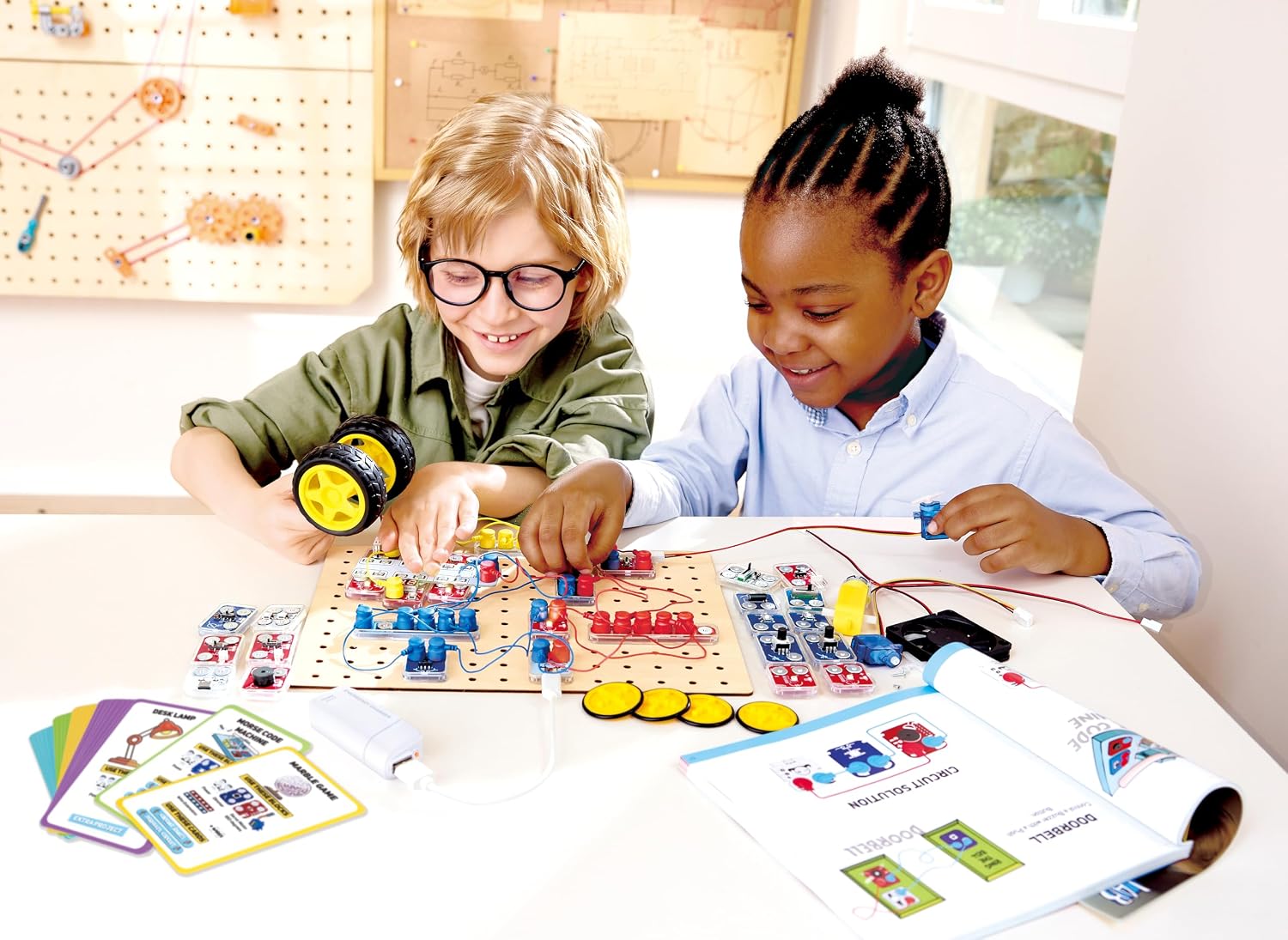
Image: Two children are shown working together on a Hape Circuit Explorer Lab Kit, demonstrating collaborative learning and engagement with the electronic components.

Image: A creative project made with cardboard and Hape Circuit Explorer Lab Kit components, showcasing a light-emitting circuit integrated into a custom structure.
Maintenance
- Cleaning: Wipe the electronic blocks and project base with a dry or slightly damp cloth. Do not use harsh chemicals or abrasive cleaners. Ensure all components are dry before storage.
- Storage: Store all components in their original packaging or a designated storage container to prevent loss or damage. Keep the kit in a cool, dry place away from direct sunlight and extreme temperatures.
- Battery Care: If the kit uses batteries, remove them if the kit will not be used for an extended period to prevent leakage. Dispose of used batteries responsibly according to local regulations.
- Handle with Care: Although designed to be durable, avoid dropping or applying excessive force to the electronic blocks and connectors.
Troubleshooting
If your circuit is not functioning as expected, consider the following common issues and solutions:
- No Power:
- Ensure the power source (e.g., battery pack) is correctly connected and switched on.
- Check if batteries are inserted correctly and are not depleted. Replace if necessary.
- Verify that the power block is properly connected to the circuit.
- Circuit Not Working:
- Check all connections: Ensure every magnetic block is securely attached and all wires are firmly connected. Loose connections are a common cause of circuit failure.
- Review the project diagram: Double-check your circuit against the diagram in the instruction guide. One misplaced block or wire can prevent the circuit from working.
- Inspect blocks for damage: Although rare, a damaged block might not conduct electricity.
- Polarity: Some components might be sensitive to polarity. Ensure they are connected in the correct orientation if specified.
- Intermittent Function:
- Gently press on each connection point to ensure it is firm.
- Check for any frayed or damaged wires.

Image: Close-up view of a servo motor block and a sensor block from the Hape Circuit Explorer Lab Kit, illustrating the individual components used in circuit building.
Specifications
| Feature | Detail |
|---|---|
| Model Number | E5200 |
| Brand | Hape |
| Product Dimensions | 39 x 28 x 8 cm |
| Item Weight | 1 Kilogram |
| Recommended Age | 8 - 15 years (Manufacturer recommended) |
| Educational Objective | STEM, Exploratory Skills |
| Battery Description | Alkaline (if applicable for power source) |
| Material | Multi |
| Assembly Required | No (referring to the blocks themselves, assembly of circuits is required) |
Warranty Information
Hape products are manufactured to high-quality standards. For specific warranty details regarding your Circuit Explorer Lab Kit, please refer to the warranty card included in the original packaging or visit the official Hape website. Keep your proof of purchase for any warranty claims.
Customer Support
If you have any questions, require assistance with assembly, or encounter issues not covered in this manual, please contact Hape customer support. Contact information can typically be found on the product packaging or on the official Hape website (www.hape.com).